
Find us at booth #83, join us for a harbor side happy hour, or catch Gorish’s talk.

Sept, 16-18 > Learn more

%20(1).avif)
Mamta Tainwala

July 10, 2026
%20(32).png)
The best AI note taker for sales teams in 2026 is Sybill, which combines 95% accurate meeting summaries with CRM autofill, follow-up emails, and behavioral buyer insights across Zoom, Microsoft Teams, and Google Meet. It has a free plan, supports 100+ languages, has an in-person recording feature, and can also join calls without a bot.
Every AI note taker records and transcribes. That part is solved. What separates the tools in 2026 is what happens after the call ends: does your CRM update itself, does the follow-up email write itself, and does anyone surface the buying signal your prospect dropped at minute 42?
This guide compares the six best AI note takers for sales teams across Zoom, Microsoft Teams, and Google Meet, with a full pricing table, a feature matrix, and a straight answer on the bot-free vs bot-based debate.
An AI note taker is software that records your meetings, transcribes the conversation, and generates summaries, action items, and follow-ups automatically. Unlike digital note taking apps like Notion or Evernote where you type everything yourself, an AI note taker listens, understands, and produces outputs without manual effort.
For sales teams, the bar is higher than transcription. A sales-grade AI note taker should update your CRM, draft follow-up emails, flag deal risks, and let you ask questions across every conversation your team has ever had. That is the standard this comparison applies.
Here is the shortlist at a glance before we go deep on each tool:

Sybill is the best AI note taker overall in 2026 because it is the only tool on this list that treats note taking as the starting point rather than the product. Transcripts and summaries are table stakes. Sybill turns every call into deal execution.

Here is what a call looks like with Sybill. You finish a demo on Zoom, Teams, or Google Meet. Before you refill your coffee, a Magic Summary with 95% precision is in your inbox and Slack. Your CRM fields are already updated through CRM Autofill. A follow-up email drafted in your voice is waiting for a quick review and send.
That is the difference between an AI note taker and an AI sales assistant that happens to take perfect notes.
Key features:
Pros: Purpose-built for sales rather than general meetings, saves account executives up to 14 hours per week, deep CRM automation, behavioral and emotional insight layer, strong support.
Cons: Premium pricing compared to general-purpose transcription tools. Behavioral analysis can take up to 30 minutes to process after long calls.
Pricing: Free, Pro at $30/user/month, Business at $90/user/month, Enterprise custom. See full Sybill pricing.
G2 rating: 4.8/5
Get started for free with Sybill and see your first Magic Summary in your next meeting.
Fathom holds the highest G2 rating in the category and the most generous free plan: unlimited recording and transcription across Zoom, Google Meet, and Microsoft Teams, with AI summaries capped on the free tier. Post-call processing is fast, and in 2026 Fathom added an optional bot-free capture mode.
Pros: Unbeatable free plan for individuals, fast summaries, clean interface.
Cons: CRM sync is gated to the Team Edition, cross-meeting search is thinner than competitors, and it stops at notes rather than driving deal execution. Here is our full Sybill vs Fathom comparison.
Pricing: Free plan, Premium at roughly $15/user/month annual, Team Edition at $19/user/month annual, Team Edition Pro at $29/user/month annual.
G2 rating: 5.0/5
Fireflies is the volume player. It records across every major platform, transcribes in 100+ languages, and its 2026 "Talk to Fireflies" feature adds live in-meeting Q&A powered by web search. For sales specifically, CRM sync with Salesforce and HubSpot requires the Business plan.
Pros: Low entry price, broadest language support on this list, strong cross-meeting search.
Cons: An AI credits system meters features like AskFred and advanced summaries even on paid plans, video recording requires Business tier, and accuracy can dip on noisy multi-speaker calls. Here is how Sybill vs Fireflies stack up head to head.
Pricing: Free plan with 800 minutes of storage, Pro at $10/user/month annual ($18 monthly), Business at $19/user/month annual ($29 monthly), Enterprise at $39/user/month annual.
G2 rating: 4.8/5
Otter built the category and still owns real-time collaborative transcription. Multiple participants can view and annotate the live transcript during the call, which makes it useful for internal syncs and interviews.
Pros: Cheapest paid entry point, live captions, real-time multi-user note editing.
Cons: Transcription supports only English, French, and Spanish. The Pro plan's monthly allowance was cut from 6,000 to 1,200 minutes without a price change, so heavy users burn through it in about two weeks. Sales features live behind the custom-priced Enterprise tier.
Pricing: Free plan with 300 minutes/month, Pro at $8.33/user/month annual ($16.99 monthly), Business at $19.99/user/month annual ($30 monthly), Enterprise custom.
G2 rating: 4.3/5
Granola pioneered bot-free capture. It records system audio directly from your Mac or Windows desktop, so no bot appears in the participant list and nobody on the call sees a notetaker. Notes blend what you type with what the AI heard.
Pros: Completely invisible capture, polished note quality, now cheaper than most competitors at the Business tier.
Cons: No CRM autofill, no automated follow-ups, English-leaning language support, and the free plan caps meeting history. Discreet recording also raises consent questions for external sales calls, which we cover in the bot-free section below. Here is our full Sybill vs Granola breakdown.
Pricing: Free Basic plan with limited history, Business at $14/user/month, Enterprise at $35/user/month.
G2 rating: 4.7/5
tl;dv records across Zoom, Google Meet, and Teams and makes it easy to clip and share specific moments from calls, which sales managers like for coaching snippets and voice-of-customer sharing.
Pros: Generous free recording tier, strong clipping and sharing workflow, multi-language support.
Cons: Free tier recordings auto-delete after three months, and deal execution features are thin compared to sales-specific platforms.
Pricing: Free plan, paid plans from roughly $18/user/month.
G2 rating: 4.7/5
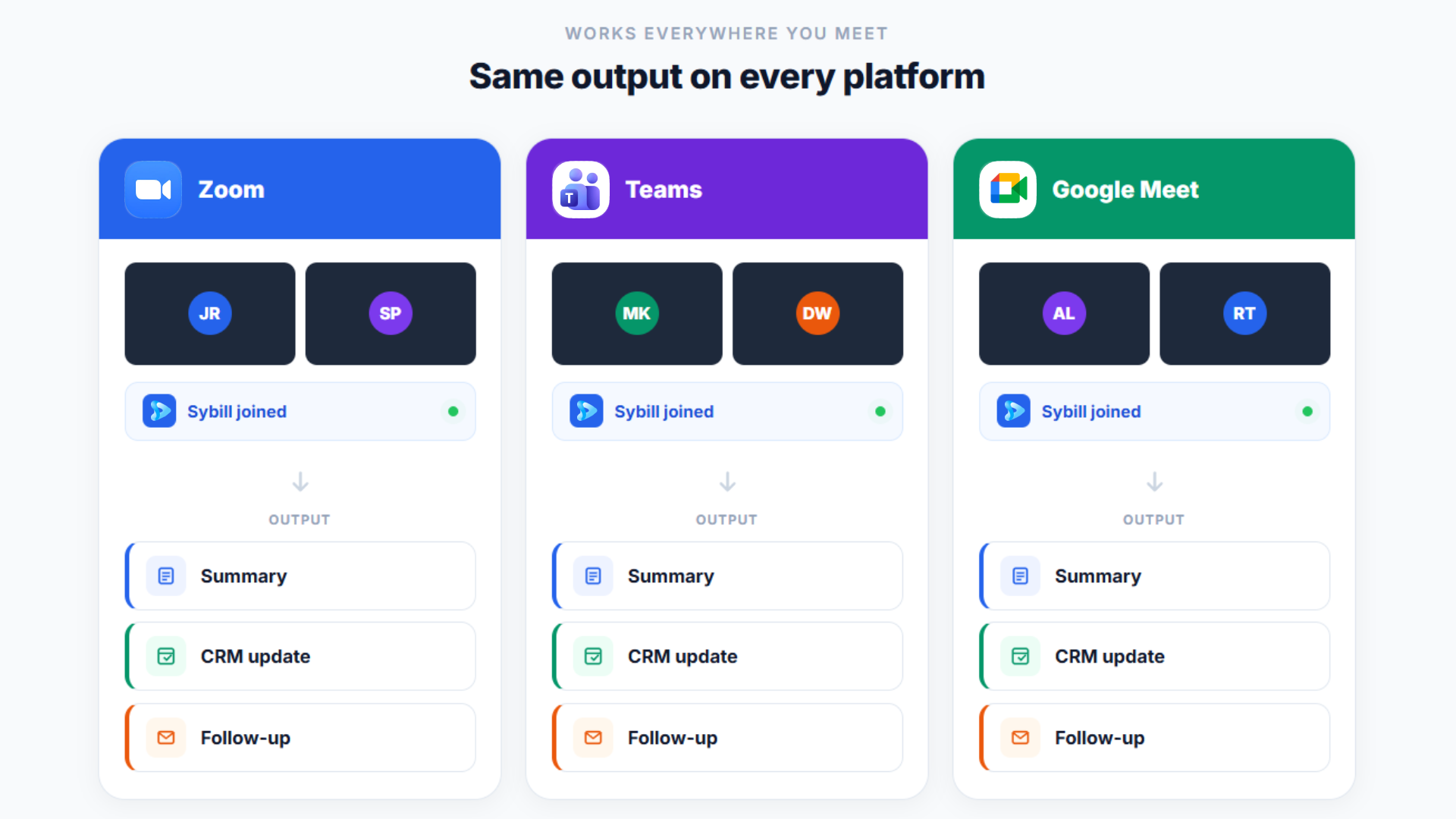
Sybill is the best AI note taker for Zoom for sales teams because it captures both the conversation and the video feed, which powers behavioral insights no audio-only tool can produce. It joins your Zoom calls automatically from your calendar, and summaries, CRM updates, and follow-ups fire without any manual step.
If you only need free Zoom transcription, Fathom's free plan is the strongest option. If you want live captions during Zoom calls, Otter does that well. But for Zoom-heavy sales teams, the question is not who transcribes the call. It is who moves the deal after it, and that is where Sybill's deal execution layer stands alone.
Sybill is the best AI note taker for Microsoft Teams for revenue teams because it pairs Teams capture with enterprise-grade CRM automation and works alongside the Microsoft stack rather than replacing it. Summaries land in your inbox and Slack, and Salesforce or HubSpot updates happen automatically.
Teams-native alternatives exist. Microsoft 365 Copilot generates meeting recaps inside Teams, but it costs $30/user/month on top of your M365 subscription and stays locked inside Microsoft's ecosystem, with no sales-specific CRM autofill. Fireflies and Otter both support Teams well for general note taking. For sales managers running pipeline reviews and coaching on Teams, Sybill's cross-call intelligence is the differentiator.
Sybill is the best AI note taker for Google Meet for sales teams, with automatic calendar-based joining, full-fidelity capture, and the same post-call automation stack it runs on Zoom and Teams. Gemini's built-in "take notes for me" feature in Google Meet produces a basic recap but has no CRM integration, no follow-up automation, and no cross-meeting intelligence.
Fireflies is a solid budget pick for Meet, and Granola works on Meet if bot-free capture is your priority. The deciding factor is whether you need notes or outcomes.
Bot-based AI note takers join your call as a visible participant, while bot-free tools like Granola capture system audio invisibly from your device. Bot-based capture wins for sales teams because it delivers higher-fidelity recording, per-speaker audio streams, video capture, and transparent consent. Bot-free capture wins for discretion in sensitive internal conversations.
Here is the honest breakdown:

One point sales leaders should weigh carefully: many US states require two-party consent for recording conversations. A visible notetaker with a recording notice keeps external calls clean from a compliance standpoint. Invisible capture of prospect calls is a legal gray zone your legal team will not love. For internal brainstorms and 1:1s, bot-free tools are a reasonable choice.
Sybill splits the difference in a different way: the bot handles video calls with full transparency, and the mobile app covers in-person meetings where no bot could exist anyway.
AI note takers in 2026 range from free plans to $79/user/month for sales-specific platforms, with most paid tiers falling between $10 and $29 per user monthly on annual billing.
Watch for hidden costs. Fireflies meters AI features through a credits system even on paid plans. Otter caps Pro at 1,200 minutes per month. Fathom gates CRM sync to Team Edition. Sticker price and usable price are rarely the same number.
Sybill leads the feature matrix for sales because it is the only tool that covers capture, intelligence, and execution in one platform:
If your team also evaluates heavier revenue intelligence platforms, our Sybill vs Gong comparison covers where a full conversation intelligence suite fits.
Choose an AI note taker by matching the tool to the job your notes need to do: transcription, intelligence, or execution.
Also verify integrations with your existing stack, confirm security posture (SOC 2 at minimum), and run a real trial on your actual calls. Transcription accuracy claims mean little until they meet your accents, your jargon, and your conference room audio.
Any tool on this list will save you from typing during calls. Only one turns every conversation into an updated CRM, a sent follow-up, and a clearer path to close. If your revenue depends on what happens after the meeting, that is the comparison that matters.
Get started for free with Sybill.
Sybill is the best AI note taker for sales teams in 2026, combining 95% accurate summaries with CRM autofill, follow-up emails, and behavioral insights. Fathom is the best free option, Granola is the best bot-free tool, and Fireflies is the best budget pick for multilingual teams.
Sybill is the best AI note taker for Zoom sales calls because it captures video for behavioral insights and automates CRM updates and follow-ups after every call. Fathom is the best free Zoom note taker, and Otter is best for live Zoom captions.
Sybill is the best AI note taker for Microsoft Teams for revenue teams, pairing Teams capture with Salesforce and HubSpot autofill. Microsoft 365 Copilot offers native Teams recaps at $30/user/month but lacks CRM automation and cross-meeting sales intelligence.
A bot-free AI note taker captures audio directly from your device instead of joining the call as a visible participant. Granola pioneered this approach, and Fathom added a bot-free mode in 2026. Bot-free tools trade capture fidelity and consent transparency for discretion.
Free AI note takers handle transcription well but stop short of sales workflows. Fathom's free plan offers unlimited recording, and tl;dv records free with 3-month retention. None of the free tiers include CRM autofill, follow-up automation, or deal intelligence, which is where paid sales tools earn their price.
No, ChatGPT cannot join or record meetings. It can summarize a transcript you paste in, but it will not auto-join Zoom, Teams, or Google Meet calls. For automatic capture and summaries, you need a dedicated AI note taker like Sybill, Fathom, or Fireflies.
Sybill is the best AI note taker for sales teams in 2026, combining 95% accurate summaries with CRM autofill, follow-up emails, and behavioral insights. Fathom is the best free option, Granola is the best bot-free tool, and Fireflies is the best budget pick for multilingual teams.
Sybill is the best AI note taker for Zoom sales calls because it captures video for behavioral insights and automates CRM updates and follow-ups after every call. Fathom is the best free Zoom note taker, and Otter is best for live Zoom captions.
Sybill is the best AI note taker for Microsoft Teams for revenue teams, pairing Teams capture with Salesforce and HubSpot autofill. Microsoft 365 Copilot offers native Teams recaps at $30/user/month but lacks CRM automation and cross-meeting sales intelligence.








