What's New in Sybill
October 2026


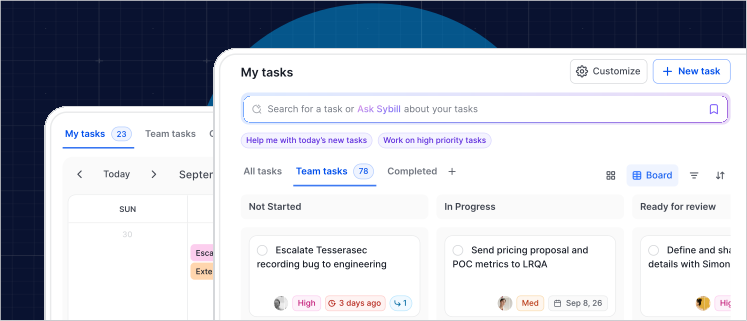
Tasks just got a ground-up rebuild.
Here's what's new:
No more duplicates. Sometimes the same task will get mentioned on a call, in an email, and in Slack. Sybill no longer creates a duplicate for each one. It merges them into a single parent task that keeps the notes and files from every source. One task with all the context.
Work on tasks together. Assign a task to yourself and a teammate, so either of you can work on the task or complete it together.
Board and Calendar views. No more overwhelming lists. Now you can see your tasks in a table, a Kanban board, or a calendar view. witch between Table, Board, and Calendar, so you can work the way you want to.
Context on every task. Each task now opens into a full page with notes and attachments, so you have all the context you need on any given task.
Cleaner UX: The toolbar, search, and side panel are rebuilt, and tasks now show up in meeting summaries, deal cards, and the company sidebar.
The new Tasks experience is now available for all Sybill users.

Automated Prompts can now use MCP connectors.
No more attaching files to your automated prompts.
Sybill can now pull from and take action in Slack, Notion, Gmail, Google Drive, HubSpot, and more, on a trigger or on a schedule.
Here's how it works. Write your prompt, pick a trigger or schedule, then under “Choose where it goes”, open “Connectors”. From there, you can pick exactly which MCP connectors Sybill can use. Selected tools run on their own, with no approval prompts.
Here’s three ways you can use it:
Give it a try and build your next automated prompts in the AI Workflows section of the Sybill App.
Give it a try and build your next automated prompts in the AI Workflows section of the Sybill App.

Sybill now integrates with Microsoft Teams Phone.
When you connect Teams Phone, every call gets the full Sybill treatment: summaries, follow-ups, and every call added to Sybill as part of your larger deal context.
Admins stay in control of what comes in. Import only calls tied to accounts in your CRM, or require reps to opt in with their own Import My Dialer Calls switch.
Admins can connect Teams Phone in your Sybill Integration settings. Just grant Microsoft admin consent, sign in, and you're set.

The Sybill product team just made some big changes to our mobile app. Here’s what’s new:
Better playback: Tilt your phone to go full screen, or use picture-in-picture to watch meetings while you do other things. Leave comments directly from the app, or download a meeting to watch it offline anytime.
Knock out tasks anywhere: See all your tasks, grouped by priority or by deal, and handle them on the go. Start tasks, draft emails, build collateral, or anything else you’d normally do in Ask Sybill... directly from the mobile app. Not ready to start a task? Have Sybill remind you later.
Review deals at a glance: Get an overview of your deals, from MEDDPICC to deal activity, and draft a follow-up instantly.
.svg)
A fresh look. On iOS 26, the Sybill app now uses Apple’s Liquid Glass for the tab bar, navigation, toolbars and search, and the tab bar shrinks out of the way as you scroll.
Sign in with SSO. Enter your work email and the app takes you straight to your company’s sign-in page.
Grab the latest version of the Sybill Mobile App in the Apple App Store.
(Google play store app coming soon).

Comparing Gong vs. Sybill is now easier than ever.
Sybill can now import your Gong calls.
See how the two compare head-to-head, or make the switch without leaving years of call history behind.
Now you can pull past Gong meetings straight into Sybill, so every deal keeps its full story, even the parts recorded before you switched.
Once they're in, your Gong calls become part of your deal context, so you can Ask Sybill about deals that started long before Sybill did.
Choose exactly which meetings come over:
Preview the matches, uncheck anything you don't need, and start the import.
Still running Gong for a while? Turn on auto-import and new Gong recordings will keep flowing into Sybill automatically.
Admins can connect Gong under Data Migration in your Sybill Integration settings. You'll need Gong technical admin access to create the API key.
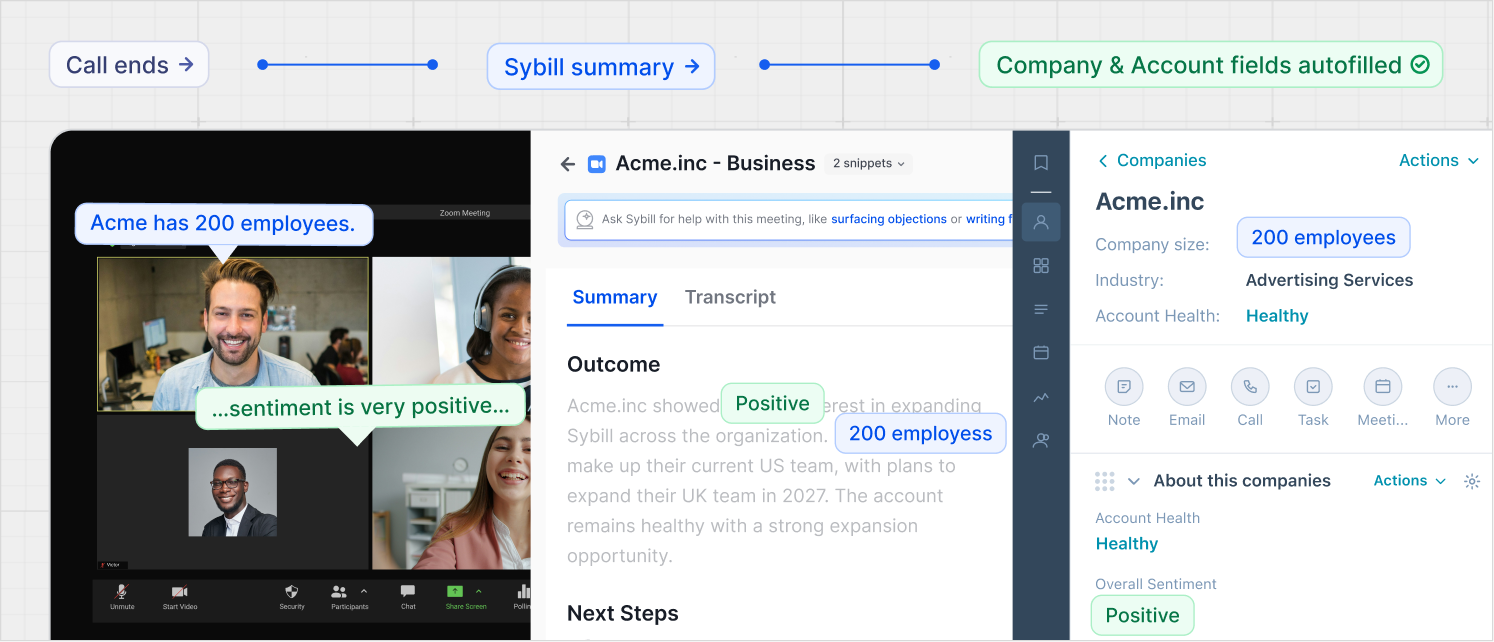
Sybill has been autofilling your CRM for a while now, but it just got better.
Sybill now autofills account and company-level fields in your CRM.
Most CRM updates focus on activities and deals. A meeting here, a demo there, one deal at a time. They miss the bigger picture.
With Account and Company Autofill, Sybill helps you get the whole picture of an account, not just individual deals. Sybill picks up on relevant company and account details, and updates those fields in your CRM automatically.
On top of that, we’ve launched Company & Account Pages in Sybill – one place to get a high-level view of any account without leaving the Sybill App.
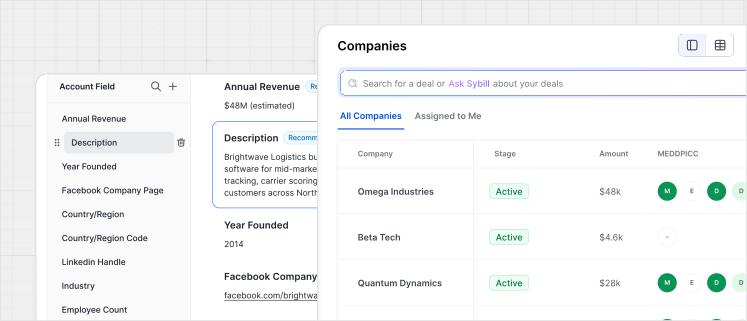
Here’s how your team can use Company & Account Autofill:
and, perhaps most importantly...
Want to get started? Admins can configure and approve Company and Account Autofill CRM fields in your team’s Sybill Integration settings. Customize your Company and Account pages in your team’s Sybill AI Workflows.
Sybill now reads and learns from your Microsoft Teams channels.
Being on Teams is hard enough.
Good news: it doesn't have to mean missing out on Sybill.
Sybill can now read and learn from your favorite Slack or Teams channels and add them to your team's deal context.
Chatting deal strategy in your #sales channel? Or multithreading in a prospect channel? Whether you're on Slack or Teams, Sybill will capture both.
Happy Slacking (and Teams-ing? Is that a thing?)
Admins can connect Micorsoft Teams to Sybill in your Sybill Integration settings.
Sybill now integrates with Pipedrive.
Sybill can now autofill Pipedrive after every call your reps take, no busywork or hand-typed CRM updates required.
It can also pull from Pipedrive to answer questions like:
Admins can connect Pipedrive to Sybill dialer in your Sybill Integration settings.
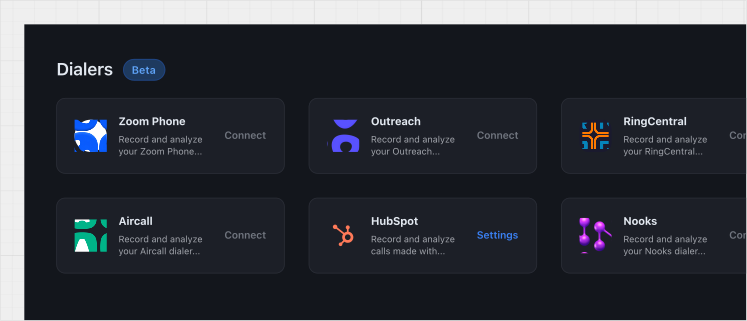
We’ve launched even more dialer integrations.
Sybill now integrates with:
When you connect your dialer, every cold call gets the full Sybill treatment –summaries, follow-ups, and every call added to Sybill as part of your larger deal context.
That way you can quickly know what books meetings, what doesn’t, and why a prospect was interested in the first place.
Admins can choose and connect your dialer in your Sybill Integration settings.

We’ve made managing Sybill access easier than ever with three big changes:
All of these new Admin settings are live and available now.
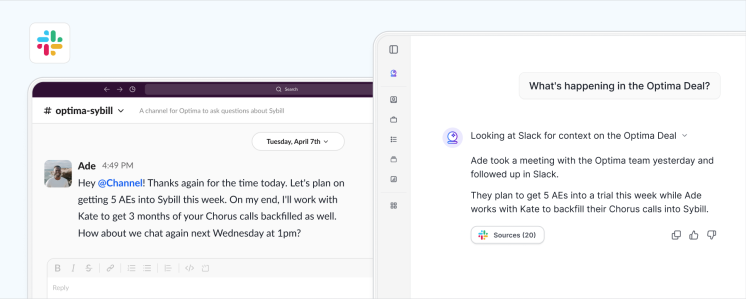
More and more reps are closing deals in Slack.
That's why we launched Slack Ingest! 🎉
TLDR: Sybill is now able to read and learn from your Slack channels.
Anytime you:
Those conversations can be captured and added to your deal context in Sybill.
Want to try it out? Share this how-to video with your Sybill admin so they can choose Slack channels for Sybill to learn from.
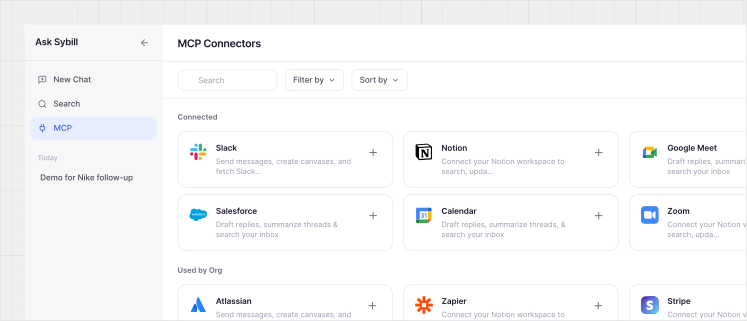
This means Sybill can reach into the tools your team already lives in (e.g. Notion, Slack, Salesforce, or anything that speaks MCP) and pull the context it needs from them in real time.
So you can ask Sybill things like:
Sybill combines your deal context with whatever's in that connector to get you a real answer — not just a summary.
Want to connect a tool? Ask your Sybill admin to add and approve new MCP connectors for your team.
Hey Sybillians! On July 1st we ran What's New in Sybill, a live breakdown of what's new, what's better, and what's coming in the Sybill platform.
Missed it? That's okay. You can watch the recording here or get a full breakdown below.

No more bugging marketing for decks. Ask Sybill to build a business case deck or give you a 10-slide break down of your ICP. Then save it to Google Drive or as PPT.

Build your dream sales dashboard with one prompt. Surface deal risks, visualize your ICP, and more in seconds.
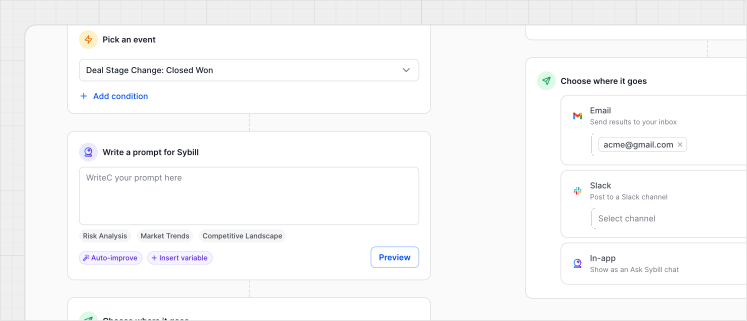
Fire Sybill prompts on a schedule, after a meeting, or based on deal stage.
Like...
Push updates to Slack, emails, or Sybill whenever you need them.

Connect your Zoom Phone, Outreach, or RingCentral dialer to give your cold calls the full Sybill treatment.
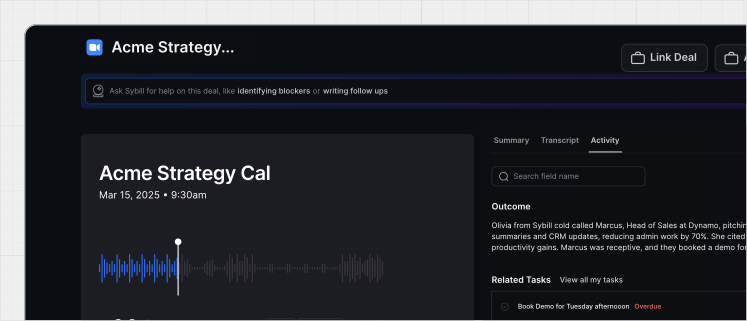
Chatting deal strategy with your team? Link your internal conversations to a deal and Sybill will treat it as deal context. No more deal strategies or manager advice slipping through the cracks.

Pull data into Sybill from your product analytics, docs, website data, and more.
Here are a few other fixes we made to make Sybill better than ever.
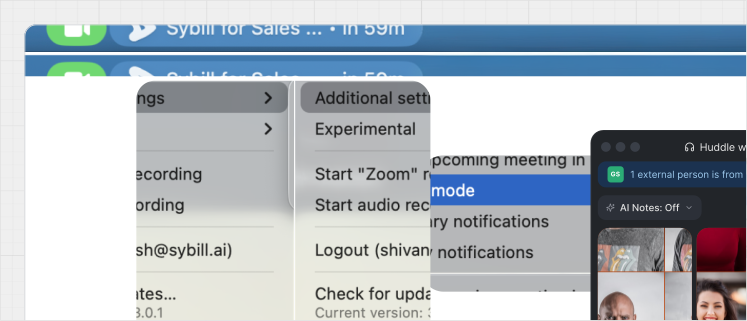
Our traditional and invisible recorder now have shared settings. Translation? No more duplicate recordings and more control for admins.
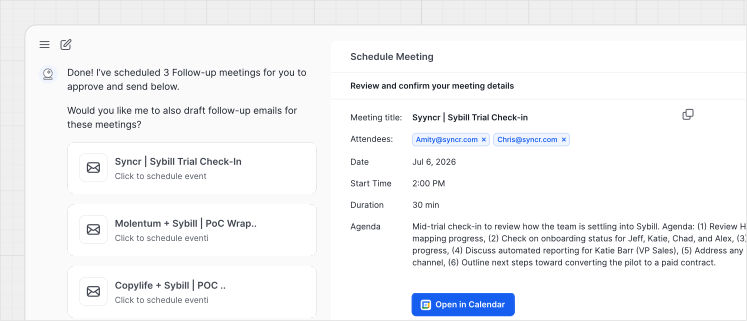
Send calendar invites for all your open follow-ups directly from Ask Sybill.

Bulld personalized re-engagement emails or bulk follow-ups without leaving Ask Sybill.
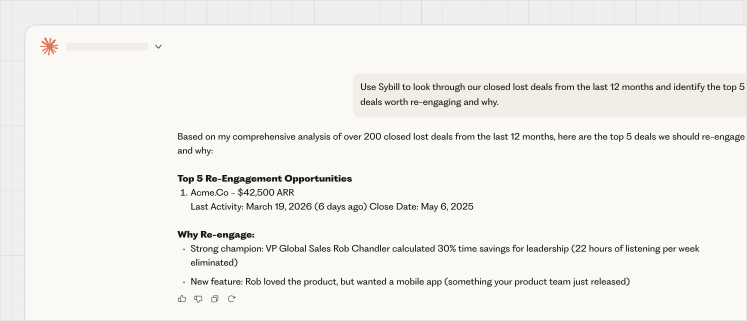
We made our MCP faster and more efficient, so accessing Sybill in Claude should be just as fast as using the Sybill app.
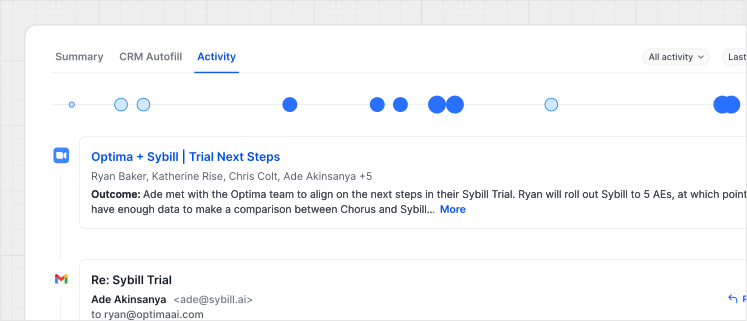
Scroll through the activity timeline to see every touchpoint in one visual timeline.

We made snippet creation faster and more intuitive than ever.

Attach multiple context files to Ask Sybill queries and automated prompts.
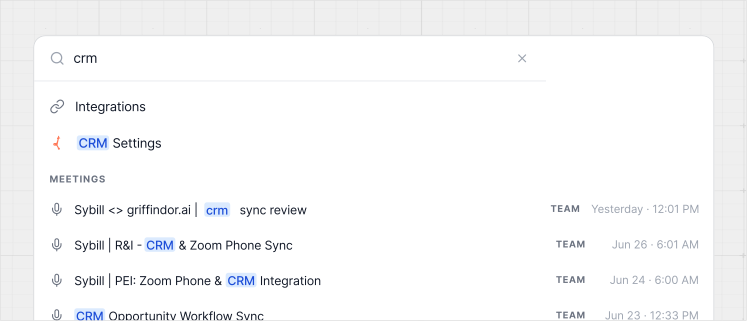
Hit ⌘K to instantly run a prompt or find what you're looking for.

