
Find us at booth #83, join us for a harbor side happy hour, or catch Gorish’s talk.

Sept, 16-18 > Learn more


Tamanna Mishra

April 17, 2026
If you have ever left a meeting thinking “Great discussion, zero idea what we decided,” this one is for you.
Modern work is basically a never-ending series of calls pretending to be progress. Without the best AI recorders and transcribers, those calls turn into a blur of “circle back” and “quick check-in.”
The 3 best AI recorders and transcribers for meeting notes in 2026 are Sybill (best for sales teams with automatic summaries, CRM autofill, follow-up drafting, and deal intelligence from every call), Otter AI (best for real-time collaborative transcription across general business meetings), and Fireflies (best for searchable meeting archives with broad integration support). The key differentiator is no longer transcription accuracy — all top tools exceed 95% — but what happens after transcription: the best AI recorders now generate structured summaries, extract action items, update CRM fields, and draft follow-up communications automatically, turning raw recordings into pipeline-advancing workflows.
Today, the smartest teams let AI recording transcription do the boring parts. Record once, and you get decisions, questions, objections, and next steps without replaying an hour of small talk. Sometimes that looks like a tiny hardware voice recorder and transcriber sitting on the table. Sometimes it is an audio recorder and transcriber living right inside your meeting link.
Here, we compare both worlds, then show you why two hardware tools and one software platform, Sybill, cover almost every meeting scenario you will run into.
AI note-taking has grown up. The best AI recorders and transcribers are so much more than fancy voice memos in 2025. They're meeting intelligence engines that turn spoken chaos into structured clarity. To understand why they matter, it helps to see how far this category has evolved.
A traditional voice recorder captures sound. That’s it. One long audio file, zero context, and a guaranteed headache when you’re scrubbing through it later. An AI Recorder and Transcriber, on the other hand, works like a silent meeting assistant: it performs AI recording transcription, detects speakers, identifies topics, extracts decisions, and turns hours of talking into searchable, shareable insight.
At the core, “AI” here means:
It’s the difference between an audio dump and real understanding.

AI recording tools now fall into two camps, and both exist for a reason.
These are dedicated devices designed for in-person sessions. Some are wearable, some sit on a boardroom table, and many offer long battery life with occasional offline transcription. They’re great when you want minimal intrusion and maximum portability.
What hardware does well:
These live inside the tools where meetings already happen. They join Zoom, Teams, Meet, or phone calls, perform live or near-real-time transcription, and deliver summaries straight into your email or CRM.
What software does better:
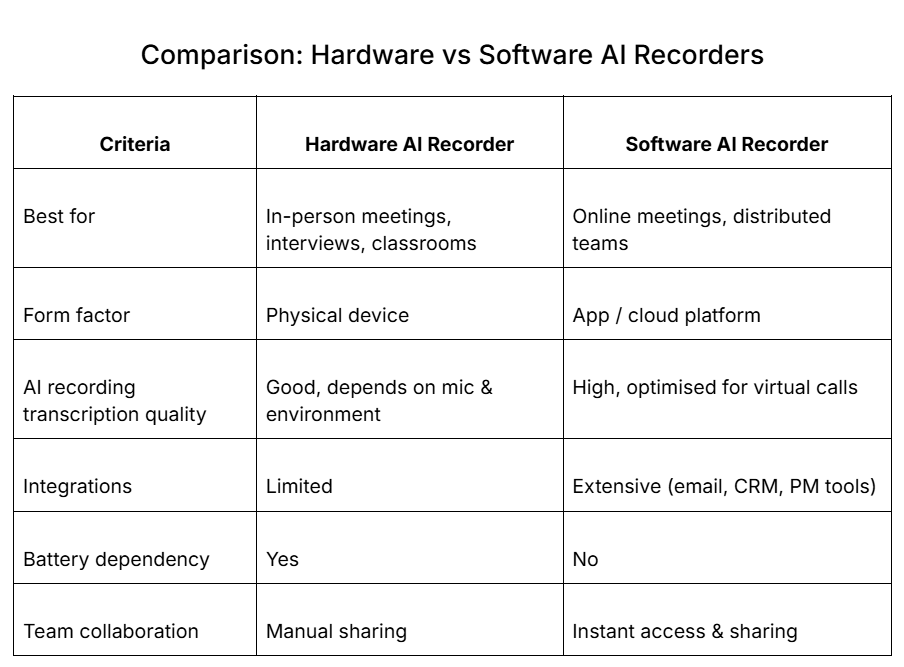
Both categories earn their place, but as we’ll explore later, only one keeps up with the speed and complexity of modern work.
AI recording transcription has transformed meeting notes from a manual chore into an automated workflow. Instead of scrambling to type while listening, you get structured clarity without lifting a finger.
Here’s what changes most:
The best AI recorders and transcribers lets you truly listen in and lean into meetings.
The best AI recording devices and the best AI transcribers fall into two very different buckets. Your workflow, meeting environment, and collaboration needs decide which one deserves a spot in your stack.
A physical voice recorder and transcriber is ideal when your work happens away from screens or Wi-Fi. It’s built for real-world conversations, not virtual ones.
Choose hardware if you:
Hardware strengths:
Software is where most modern work actually happens. If your meetings are on Zoom, Teams, Meet, or a dialer, software simply does more with less effort.
And guess what, 86% of meetings in 2025 had at least a few remote participants. That’s your meeting universe gone truly virtual.
Choose software if you:
Software strengths:
Some teams mix both: hardware for in-person sessions, software for online calls. It works, but software still remains underused for meeting intelligence.
Why software deserves more attention:
As we dive into the top picks, you’ll see a consistent truth: hardware solves capture, but software solves the entire workflow.
Not all tools are built for the chaos of real meetings. Some shine only in quiet, studio-like environments. Others promise transcription but collapse when faced with overlapping speakers, accents, or fast-paced discussions. To make this list genuinely useful, we evaluated the Best AI recorders and transcribers using criteria that matter to people who work, sell, lead, and collaborate every day.
Here’s the review methodology that shaped our picks:
This framework helped us identify three tools that genuinely deliver value across environments: two hardware picks for in-person work, and one software platform that wins for online meetings and team-based workflows.
Before diving into each tool, here’s a fast, scannable overview of the best AI recorders and transcribers for different meeting environments. Whether you prefer a physical device or a cloud-based audio recorder and transcriber, this table shows exactly where each option shines and where it doesn’t.

These three options cover the full spectrum: two hardware devices built for capturing in-person sessions, and one software platform - Sybill - that dominates online meetings and team-based workflows.
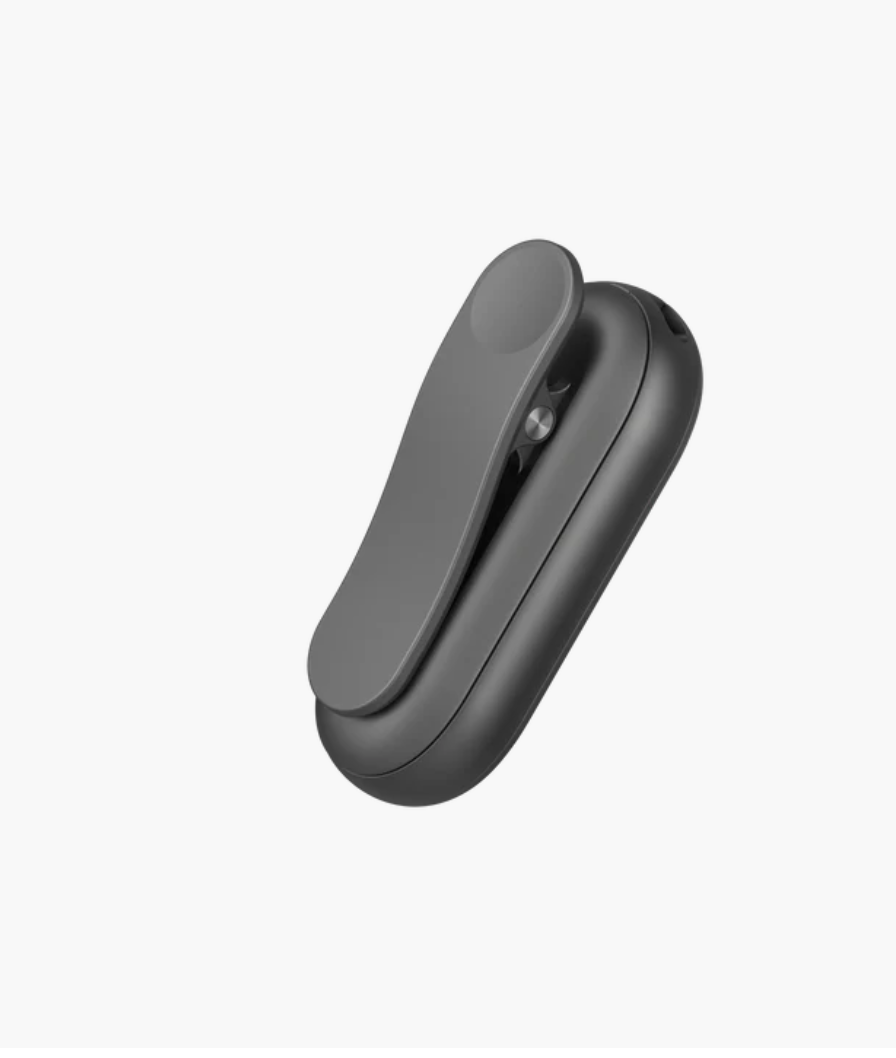
PLAUD NotePin is one of the best AI recording devices for anyone who needs a lightweight, discreet way to capture conversations without pulling out a phone or opening a laptop. Shaped like a small pill and worn as a clip, badge, or pendant, it pairs with a mobile app to process recordings and deliver AI recording transcriptions wherever you are.
Ideal for:
AI features that matter for meeting-style conversations:
Pros:
Cons for meeting notes:
Pricing:
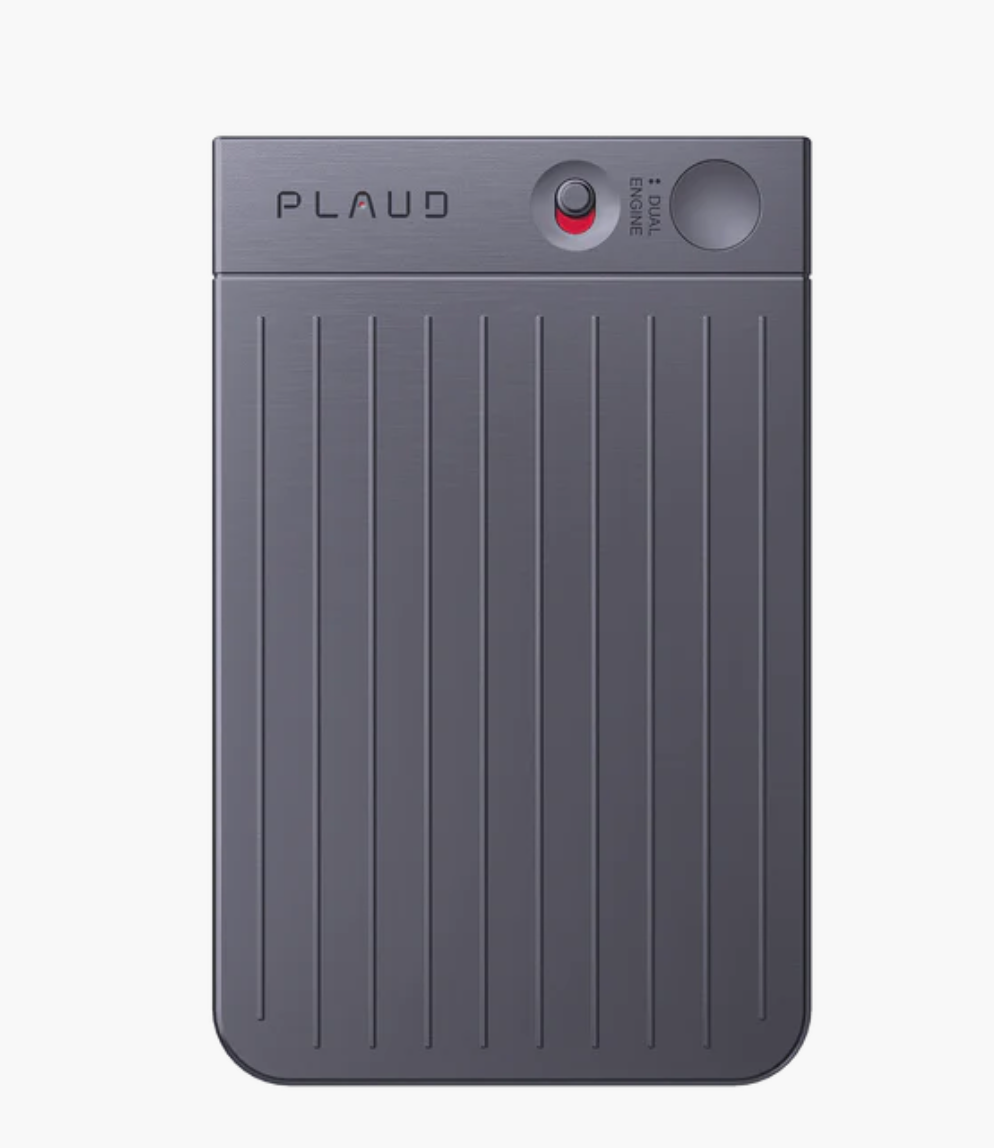
PLAUD Note earns its spot among the best AI recording devices for one reason: endurance. Built as a compact, table-friendly audio recorder and transcriber, it’s designed for long sessions where your phone or laptop simply can’t keep up. In a boardroom, classroom, training hall, or conference venue, its form factor blends in naturally. No fuss, no setup ritual.
Why it stands out:
AI features useful for meeting-style capture:
Pros:
Cons for meeting notes:
Pricing:
Sybill stands apart as one of the best AI recorders and transcribers for teams that live on Zoom, Teams, Meet, or dialer calls. Unlike a physical voice recorder and transcriber, Sybill meets you where modern work actually happens. It turns every conversation into insight, every insight into action, and every action into follow-through.
If your meetings drive revenue, customer success, strategy, or collaboration, Sybill delivers value no hardware device can match.
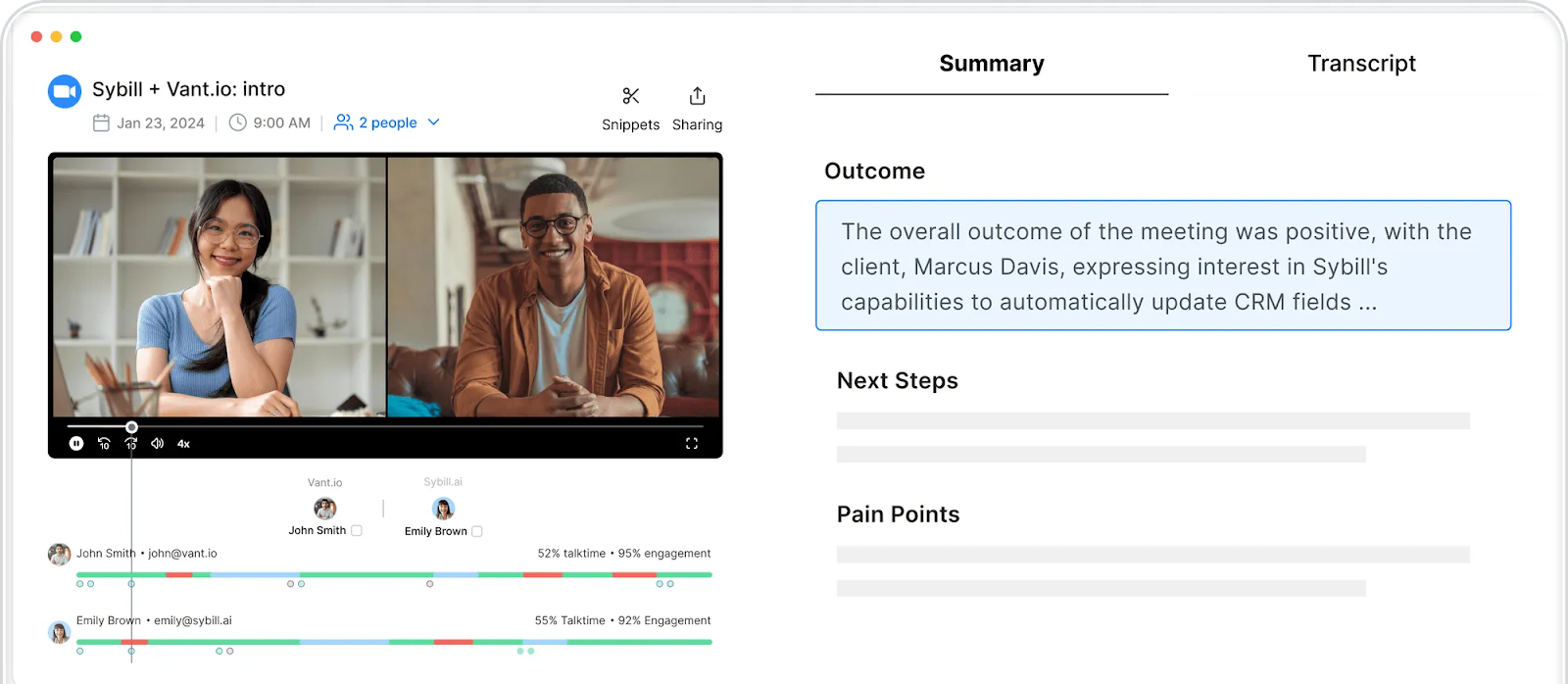
Sybill handles the entire capture layer so you never worry about manual note taking again.
This is AI recording transcription built for modern work, not just raw text dumps.
Sybill moves beyond transcription and becomes a workflow engine that helps you close loops quickly and consistently.
As one of the best AI transcribers, Sybill does more than capture what was said. It transforms your meeting history into actionable intelligence that supports sales, success, enablement, leadership, and cross functional teams.
Pricing:
Click here to try Sybill for free.
Software AI recorders win for one simple reason: they show up exactly where your meetings already live. Your calendar, your Zoom or Teams link, your recurring standups, your sales calls. Software joins automatically, captures everything, and turns the conversation into structured output without you lifting a finger.
Why software is the better everyday default for AI recording and transcription:
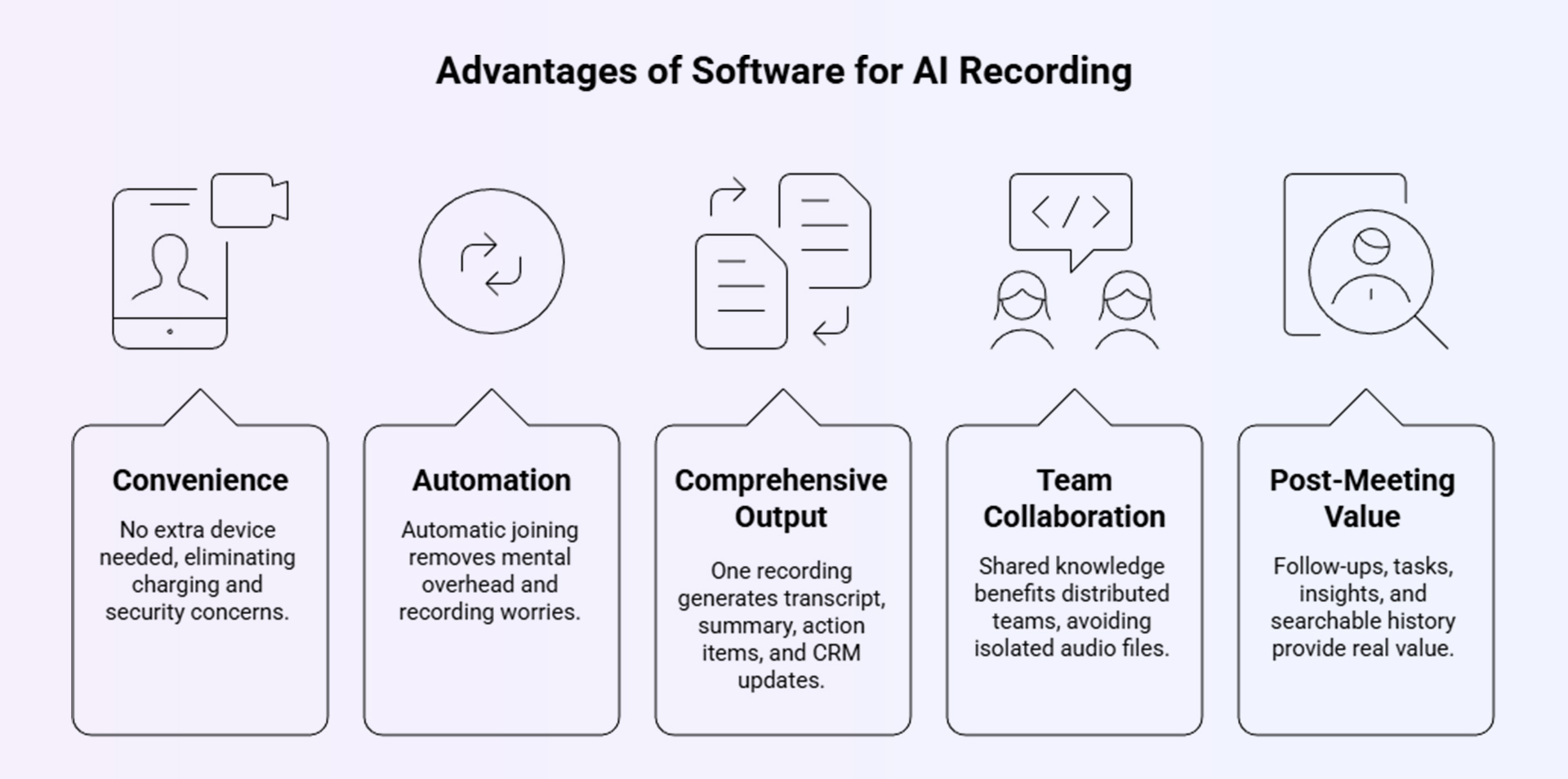
Hardware is excellent for niche situations - in-person interviews, fieldwork, or offline environments. But for everyday work, especially sales, customer calls, and internal meetings, software like Sybill simply does more, faster, and with far less friction.
Even the best AI recording devices and the best AI transcribers can fall flat if they don’t match the way your team works. Most people evaluate tools based on specs, microphones, or marketing claims, but the real pitfalls lie elsewhere.
Mistake 1: Choosing a “cool gadget” instead of a workflow fit
It’s tempting to pick a slick hardware device, but if most of your meetings happen on Zoom or Teams, software will outperform it every time.
Mistake 2: Ignoring subscription costs and storage limits
Many hardware devices require ongoing app subscriptions. Software tools charge for storage and features. The total cost of ownership matters more than the sticker price.
Mistake 3: Treating transcription as the final goal
Recording and text alone don’t move work forward. Look for summaries, action items, searchability, and integrations.
Mistake 4: Allowing shadow IT to creep in
When individuals buy their own recorders, conversations scatter across personal devices. This creates security gaps and knowledge silos.
Mistake 5: Overlooking legal and consent policies
Different countries and organisations require explicit consent for recording. Your tool must support compliant workflows, not leave your team exposed.
Avoid these traps, and your AI recorder becomes a productivity engine - not just an audio collector.
The best AI recorders and transcribers in 2025 aren’t judged by how well they capture sound, but by how effectively they transform conversations into usable insight. Hardware is excellent when you truly need a physical device - interviews, fieldwork, classrooms, offline environments. But for modern, meeting-heavy teams, software delivers far more value with far less effort.
The real upgrade isn’t recording. It’s what happens after: AI recording transcription that surfaces decisions, clarifies action items, updates your CRM, and keeps teams aligned without manual effort.
A regular voice recorder gives you a simple audio file. An AI recorder and transcriber performs speech to text, detects speakers, extracts decisions, tags action items, and produces structured summaries. The best AI recorders and transcribers turn conversations into searchable, shareable knowledge. Tools like Sybill go further by adding context, next steps, and CRM updates automatically, which a traditional audio file can never deliver.
Only if you regularly record in-person or offline environments. Hardware is useful for interviews, classrooms, or field research. But if most meetings happen online, even the best AI recording devices can’t match software. Software AI recorders auto-join Zoom or Teams, deliver live transcription, generate summaries, and sync updates into your CRM or email. A platform like Sybill covers the full workflow without needing another device to charge or carry.
For virtual meetings, software outperforms hardware every time. The best AI transcribers offer accurate speaker detection, context-rich summaries, and actionable insights. Sybill stands out because it transcribes, identifies objections, extracts next steps, highlights deal risks, and auto-generates personalised follow-ups. It works across Zoom, Teams, Meet, and dialer calls, making it ideal for distributed teams and revenue-heavy workflows.








