AI & Automation

Best Business Organization Apps in 2026: the practical guide teams actually use

If your weekday feels like a juggling act of messages, meetings, and a dozen apps, you are not alone. Organization in 2025 is less about finding one magic platform and more about choosing a smart, minimal stack that reduces handoffs and turns conversations into action. This guide covers the best business organization apps across the core categories that every modern team touches: work management, documents and wikis, communication, databases, scheduling, automation, security, and meeting intelligence. You will see clear strengths, a few gotchas to test during trials, and a realistic way to assemble your stack without tool sprawl.

The best business organization apps in 2026 span six core categories: project management (Asana, Monday, Linear), documents and wikis (Notion, Confluence), communication (Slack, Teams), databases and spreadsheets (Airtable, Google Sheets), scheduling and calendar (Calendly, Reclaim.ai), and meeting intelligence (Sybill), with the ideal stack being three to five tools connected through native integrations or Zapier rather than a single all-in-one platform. Sybill earns its place as the meeting intelligence layer by automatically converting sales conversations into structured summaries, CRM-ready field updates, personalized follow-up emails, and deal insights that flow into the rest of your stack without manual data entry.

Throughout, you will also see where Sybill earns a place as the meeting intelligence layer that converts conversations into summaries, follow ups, and CRM hygiene with almost no manual effort.
Quick links if you want a peek now: Sybill AI meeting assistant, Magic Summary, Integrations, Pricing.

Starter stacks by team type

These mixes respect how different teams work, while keeping the stack lean.

Sales led startup

  • Asana for clear ownership and dependencies, or ClickUp if you want a single hub. 
  • Notion for centrally stored discovery notes and playbooks. 
  • Slack with request workflows for demos and approvals. 
  • Airtable for product feedback, references, and partner records.
  • Calendly with routing to get prospects to the right seller quickly. 
  • Sybill for summaries, follow ups, and CRM updates.
  • 1Password Business for vaults by team

Product and research

  • Trello for lightweight boards or Asana for dependencies on releases.
  • Notion for wikis, specs, and linked research databases. 
  • Slack for async updates and huddles with workflow prompts. 
  • Airtable for study catalogs and test artifacts. 
  • Calendly for user interviews with reminders and no-show handling. 
  • Zapier to route insights to docs and task queues.
  • Sybill for call highlights, product insights & feedback and action items that actually move.

Operations and finance

  • Asana portfolios for recurring processes and visibility.
  • Google Workspace for Sheets and Drive governance, plus Meet updates that simplify follow ups.
  • Slack workflows for approvals and incident runbooks. 
  • Airtable with interfaces for inventory, vendors, and reporting.
  • 1Password policies and shared vaults. 

How to choose your organization stack

The best business organization apps reduce context switching and shorten the path from decision to done. Use these principles to avoid shiny object syndrome.

  • Map your three most common workflows. For example, inbound leads to demo to contract, product research to spec to release, support ticket to resolution to postmortem. Favor tools that remove steps in these flows.
  • Prefer fewer surfaces with strong integration points. One or two hubs are easier to govern and teach than six niche tools.
  • Automate handoffs by default. Meetings should generate summaries and follow ups, forms should create tasks with owners, and key data should land in your CRM or database without human copy paste.
  • Set security rules early. Turn on SSO where available, define retention by team, and be clear about recording and data usage in meetings.

Work management: plan, track, and ship

Great work management tools strike a balance between clarity and flexibility. The right product depends on whether you prioritize dependency planning and reporting, simple visual flows, or consolidation of many functions into one hub.
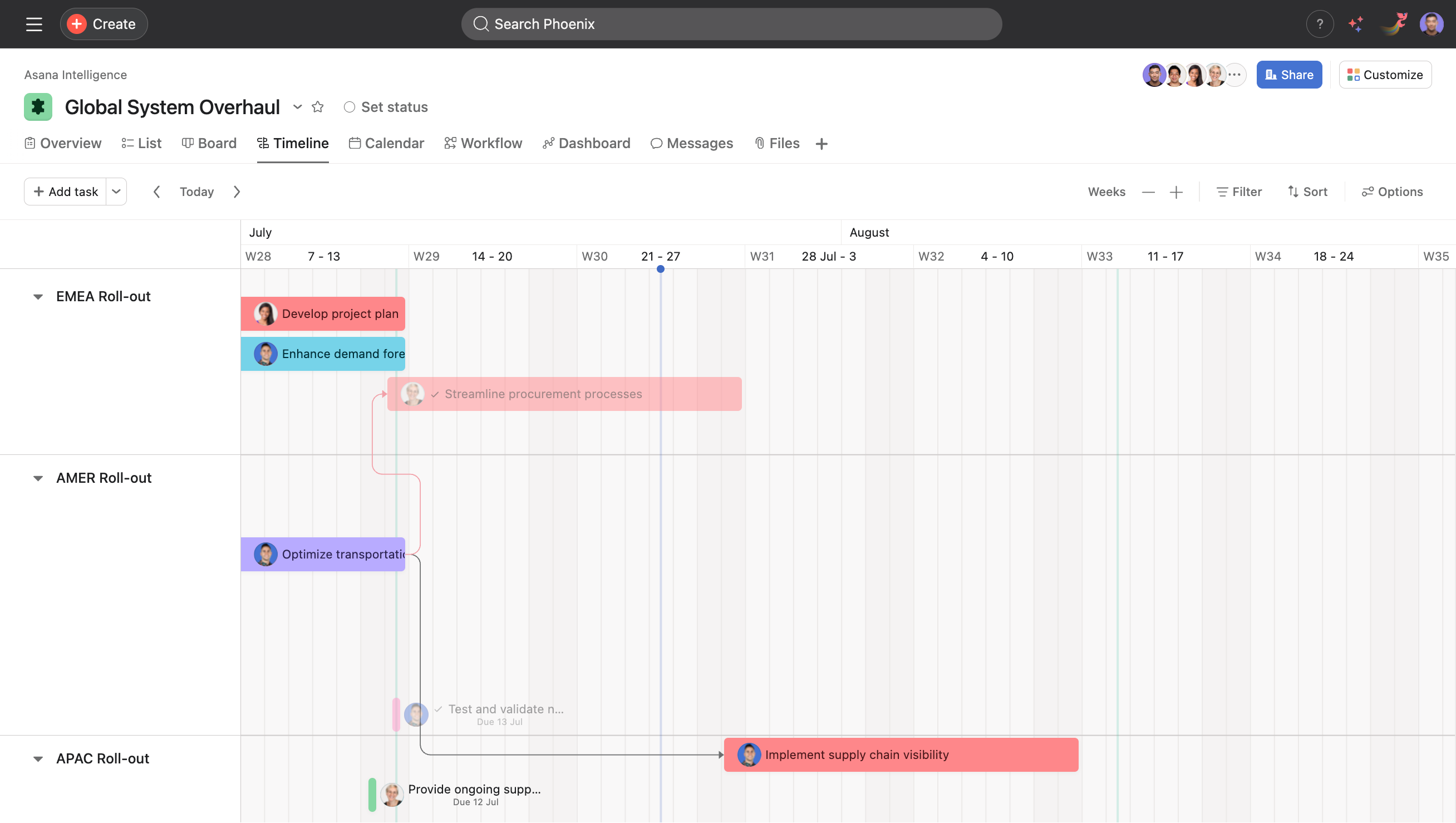
Asana: clarity, timelines, and cross project visibility

Timeline view

Why it is great

  • Timeline view for planning schedules with start and due dates, plus dependency lines that make risk obvious. Asana’s help center explains when Timeline works best and how dependencies shift as you move tasks.
  • Portfolios and workload reporting help managers see status at a glance across multiple projects.

What to test

  • Can your team update dates and dependencies without training overload
  • Do portfolio dashboards give you fewer status meetings

Best for
Teams that want strong dependency planning and consistent program reporting.
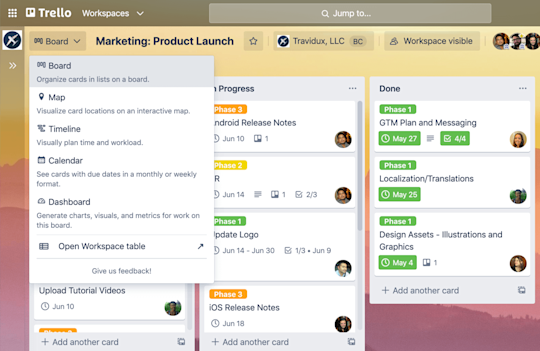
Trello: the friendliest visual board

An image showing the different view options for a Trello board

Why it is great

  • Boards and cards are intuitive for everyone. Trello’s official guide shows how to set up boards, move cards, and add depth with card backs.
  • Views like Calendar, Table, and Timeline expand how you see work without making the tool complicated.

What to test

  • Do power ups and views cover your needs without pushing you into a heavier platform

Best for
Small teams, content pipelines, straightforward processes that should stay simple.

ClickUp: consolidate tasks, docs, goals, and dashboards

__wf_reserved_inherit

Why it is great

  • ClickUp positions itself as an everything app for work, combining tasks, docs and wikis, goals, dashboards, and whiteboards.
  • Notable features include a flexible hierarchy, an Everything view for cross workspace filtering, and deep task options with Gantt and automation.

What to test

  • Can you model your org’s structure without over-configuring
  • Does consolidation reduce tool count and logins

Best for
Companies that want one configurable hub instead of many point tools.

Meeting intelligence that creates momentum

Most teams leak hours after meetings. Someone has to summarize, email follow ups, push notes into the CRM, and create tasks. This is where a meeting intelligence layer pays off.
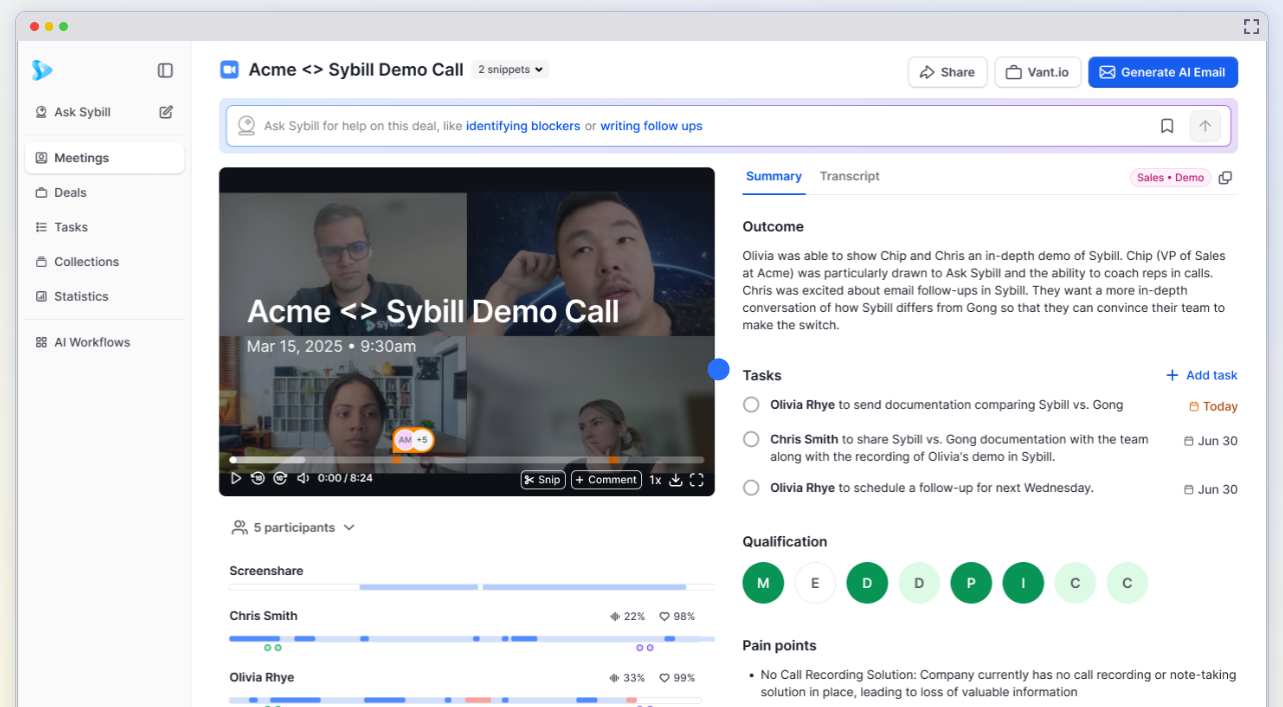
Sybill: from notes to next steps, automatically

__wf_reserved_inherit

What Sybill does for organization

  • Magic Summary produces a clean, skimmable recap with decisions, objections, and next steps.
  • Instant follow ups draft emails that sound like you and reflect the conversation accurately.
  • CRM autofill pushes next steps and methodology fields into Salesforce or HubSpot so your pipeline stays real without end-of-day data entry.
  • Behavior insights show engagement spikes and objections, useful for coaching and forecast confidence.

Where it fits in your stack
Use your chosen meeting platform for capture, then let Sybill translate conversations into action. Pair it with Asana or ClickUp tasks, Slack notifications, and your CRM. The result is a tighter loop from conversation to outcome.

Docs and knowledge hubs

A shared brain keeps a company aligned. The top pick here is about connection between pages and data rather than plain text alone.
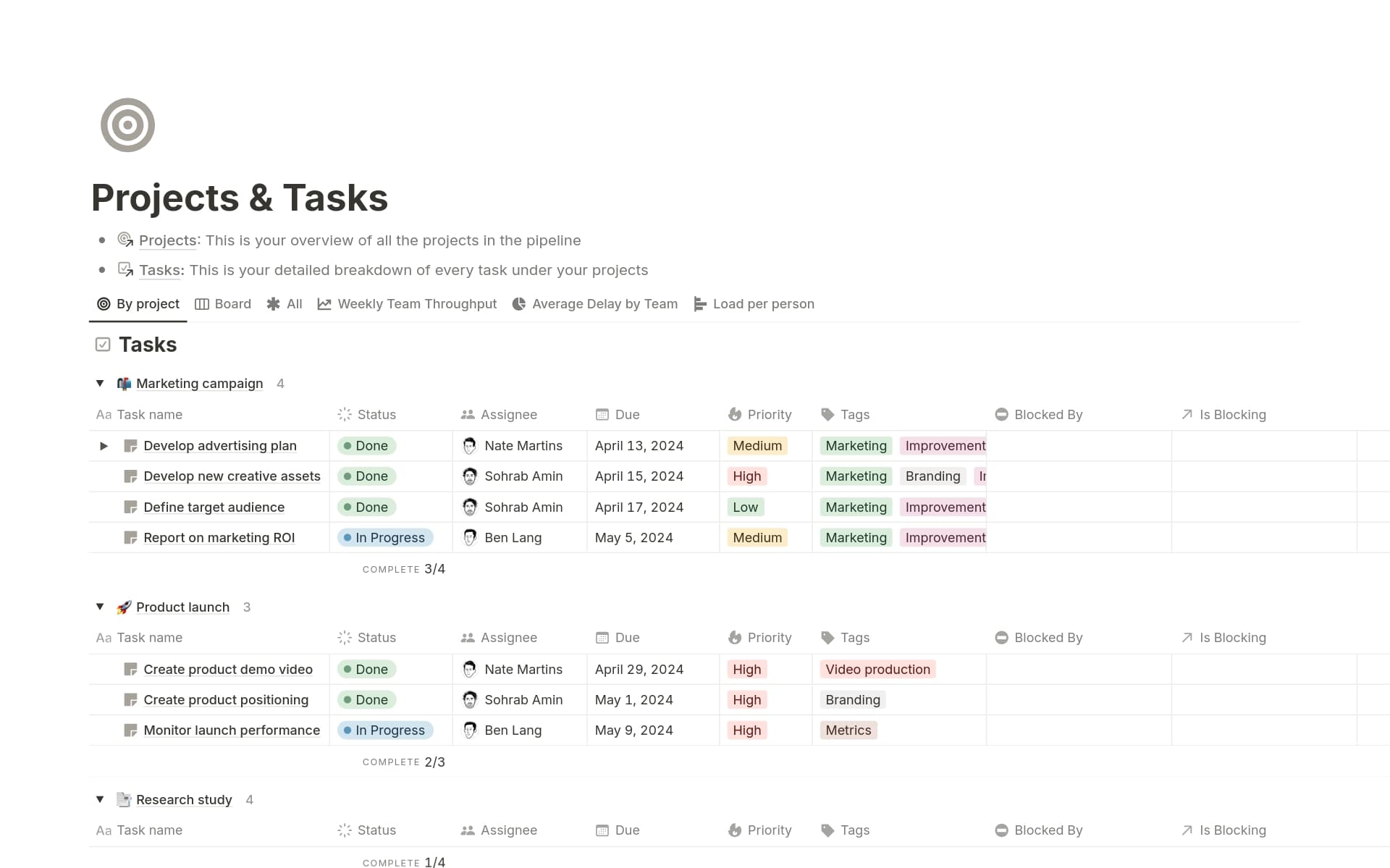
Notion: pages plus databases in one flexible workspace

Notion Template Marketplace — Collections

Why it is great

  • Notion blends wikis, docs, tasks, and databases so your knowledge and project artifacts live together. Official pages describe it as a connected workspace for docs and projects, with databases that power everything from wikis to trackers. 
  • Rollups, linked databases, and templates make advanced knowledge systems possible without writing code.

What to test

  • Can non technical teammates update pages and database items easily
  • Does search find what people actually need

Best for
Teams that want one knowledge surface that also handles light project tracking.

Communication and team alignment

Chat and alignment tools are organizational glue. The winner for many teams remains Slack, especially when automation enters the chat.
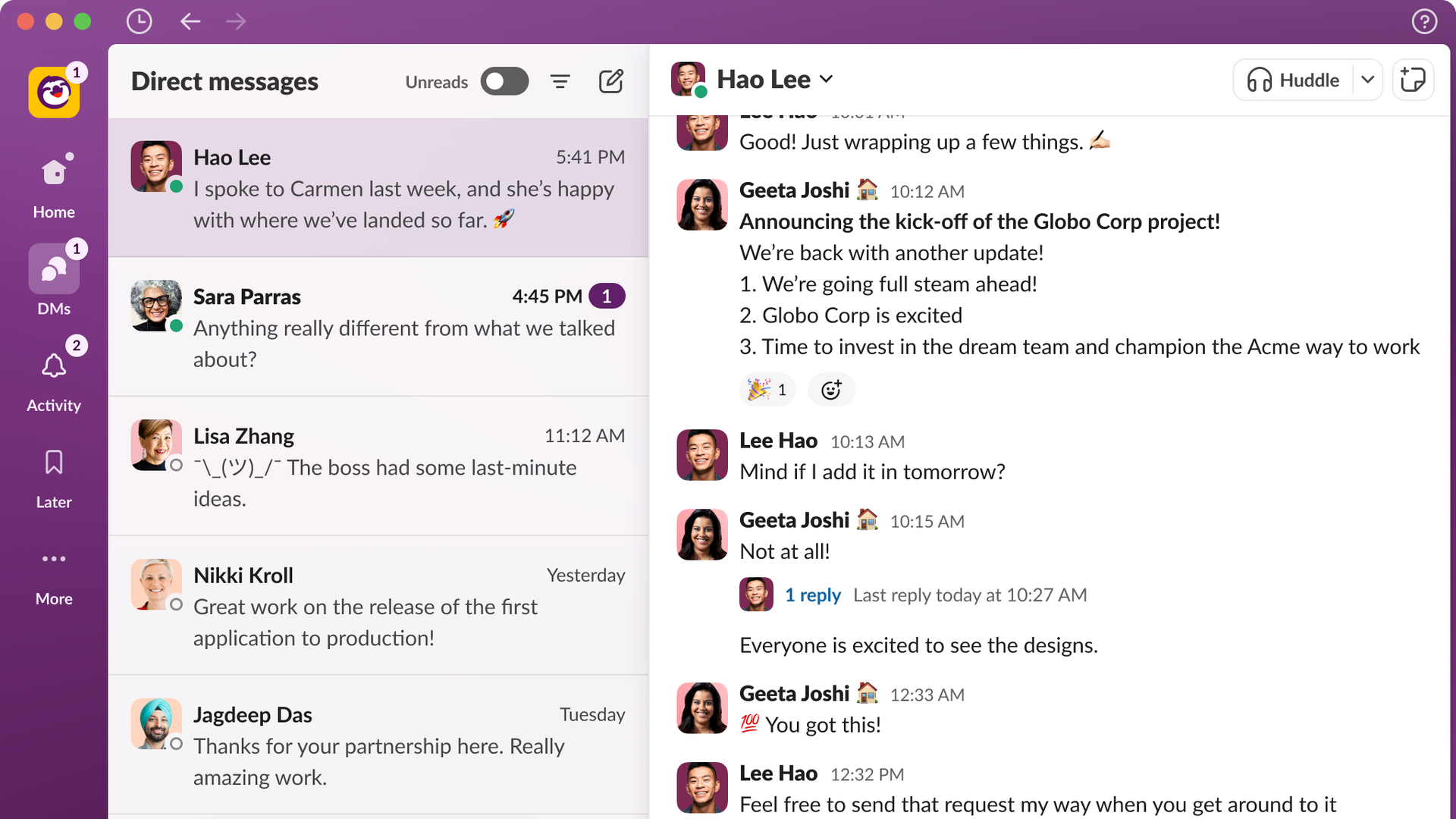
Slack: channels, requests, and automation with Workflow Builder

Slack's major redesign to consolidate messaging, notifications

Why it is great

  • Channels align teams around topics, while Workflow Builder turns common requests into guided forms and automations. Slack’s product and help pages outline how to build and connect flows to your other apps.
  • Slack shares practical automation examples that reduce manual work and speed up approvals.

What to test

  • Can you replace common request threads with a workflow that collects the right fields and routes work correctly

Best for
Teams that prefer fast, organized conversation and want to automate repetitive handoffs where the team already talks.

Databases and structured ops

When spreadsheets stop scaling, you need a database that humans can actually use.
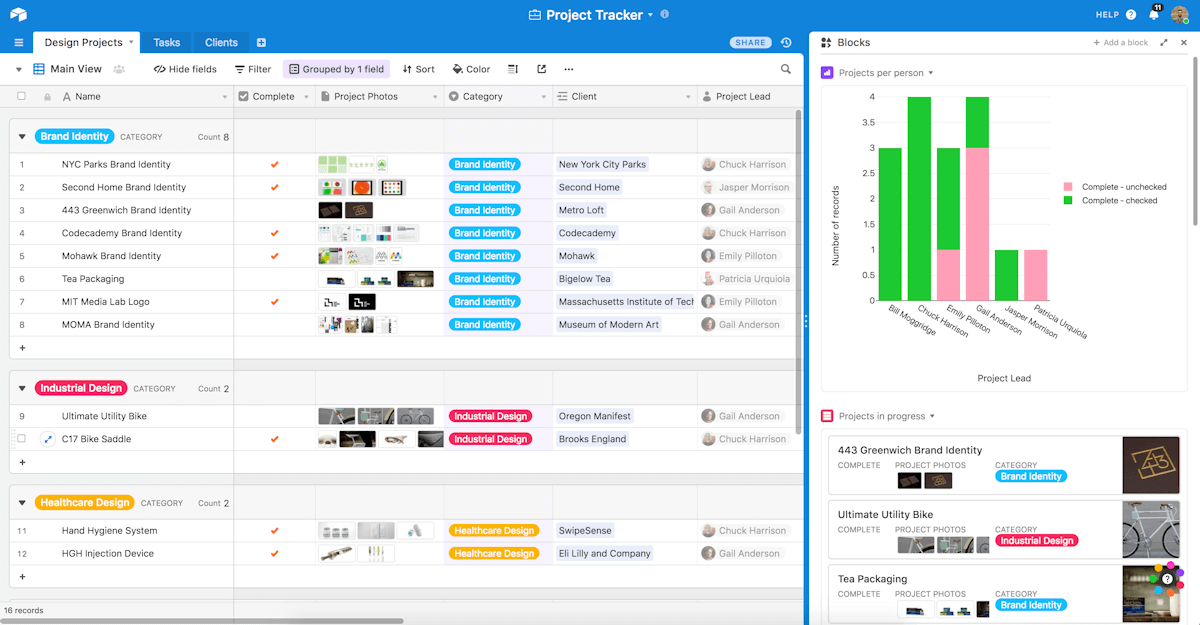
Airtable: relational data without the pain

Airtable: Database made simpler

Why it is great

  • Airtable combines spreadsheet like simplicity with relational links, views, and interfaces. The product site and community changelogs show active investment in views, interfaces, and timeline features.
  • You can build real operations: content pipelines, vendor directories, lightweight CRMs, and reporting dashboards.

What to test

  • Can business users maintain relationships between records
  • Do interfaces give stakeholders a clean, permissioned view

Best for
Ops teams that want structured data with flexible presentation and automation.

Scheduling and calendaring

Scheduling speed matters in sales, support, and recruiting. A strong organizer removes back and forth, routes people to the right teammate, and integrates with your calendar and meeting platform.
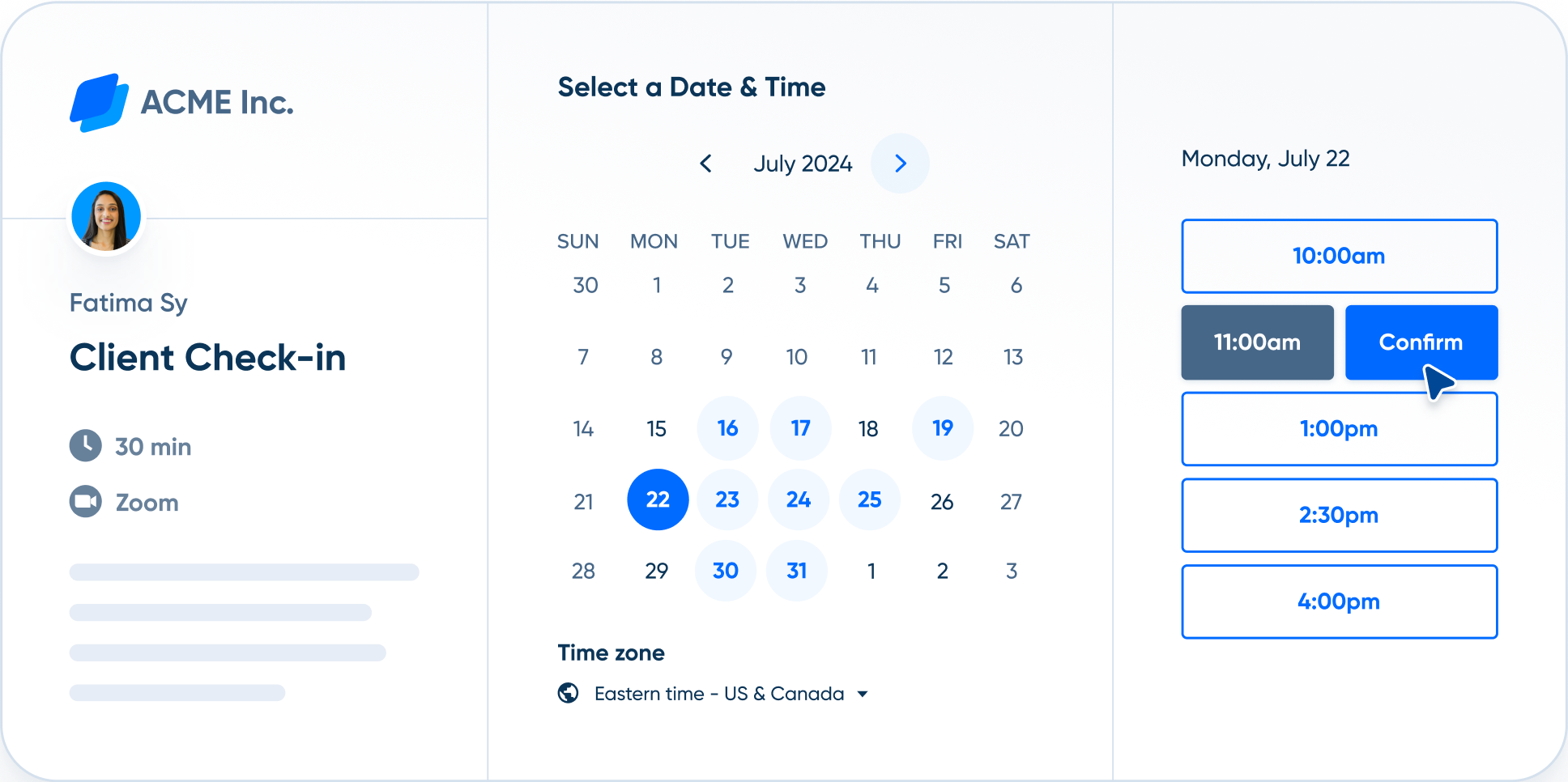
Calendly: fast scheduling with routing and deep integrations

What is automated scheduling? | Calendly

Why it is great

  • Calendly’s Routing can qualify leads using forms or connected marketing tools, then book the right person instantly. The Calendly site and help center detail how routing works and where it is available.
  • Integrations automatically create Teams or other meeting links and play nicely with ATS and CRM.

What to test

  • Does routing logic match your qualification rules
  • Do no-show and reminder workflows reduce misses

Best for
Teams that schedule externally at scale, for example sales, recruiting, and customer onboarding.

Your office suite still matters

Two full suites continue to anchor scheduling, docs, and collaboration. Both have layered in AI features during 2025.

  • Google Workspace. Feature drops throughout the year improved AI in Sheets, Meet, and Docs, with NotebookLM enhancements and better post meeting follow up features. 
  • Microsoft 365. Business plans bundle Outlook, Teams, OneDrive, and Office apps, with optional Copilot add ons and strong device coverage. Pricing pages outline what is included at each tier.

Automation that glues tools together

Automation prevents your stack from becoming a pile of disconnected islands.
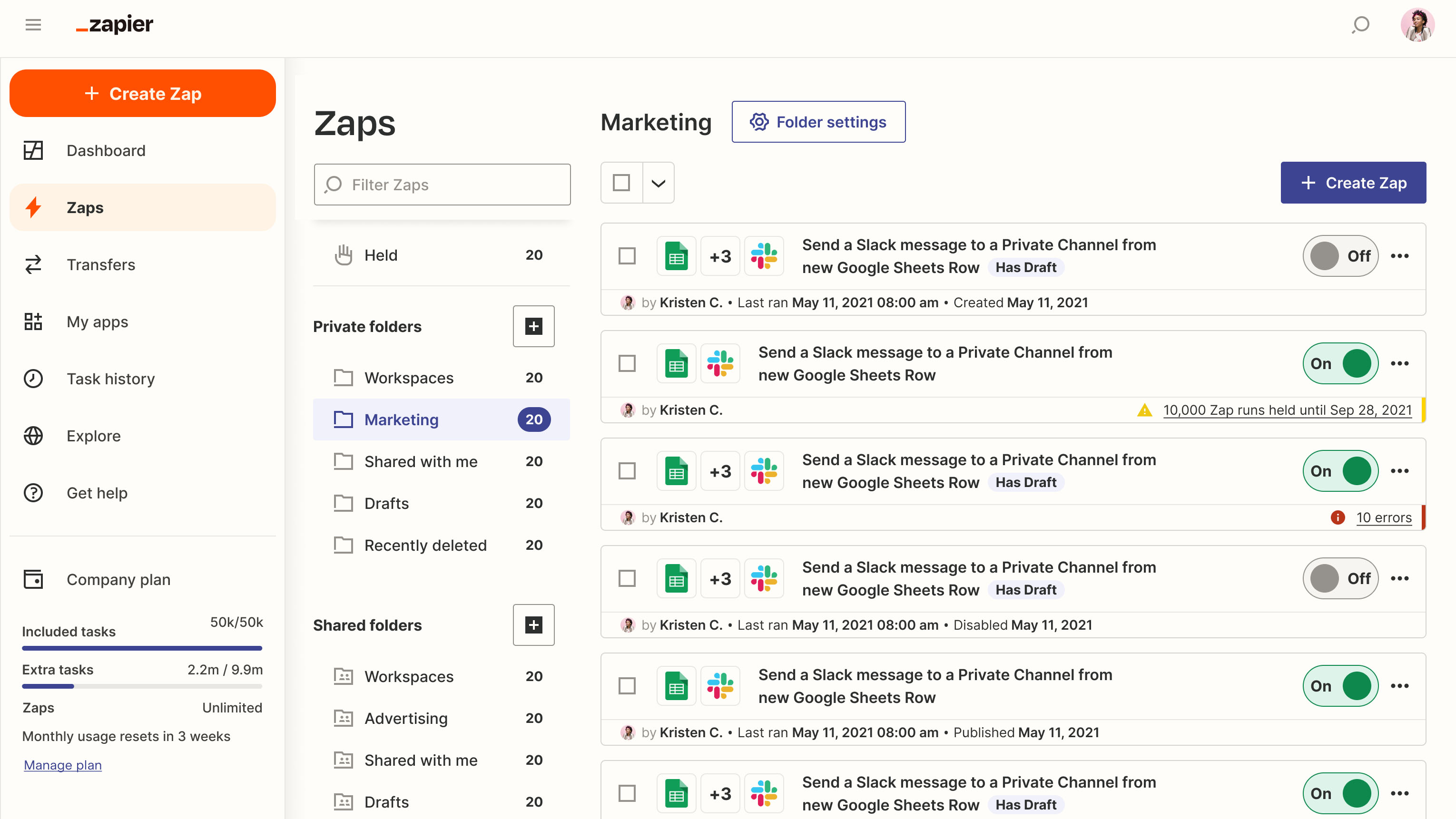
Zapier: orchestration across thousands of apps

What is Zapier AI: everything you need to know about the AI automation tool  | TechRadar

‍

Why it is great

  • Zapier connects more than eight thousand apps and now emphasizes AI workflows, tables, interfaces, and chatbots as building blocks for end to end systems. 
  • The platform continues to add AI integrations at pace, which future proofs your automations. 

What to test

  • Can non developers read, maintain, and debug your zaps
  • Are you using Tables or your own database as the source of truth

Best for
Teams that want no code integrations and fast iteration.
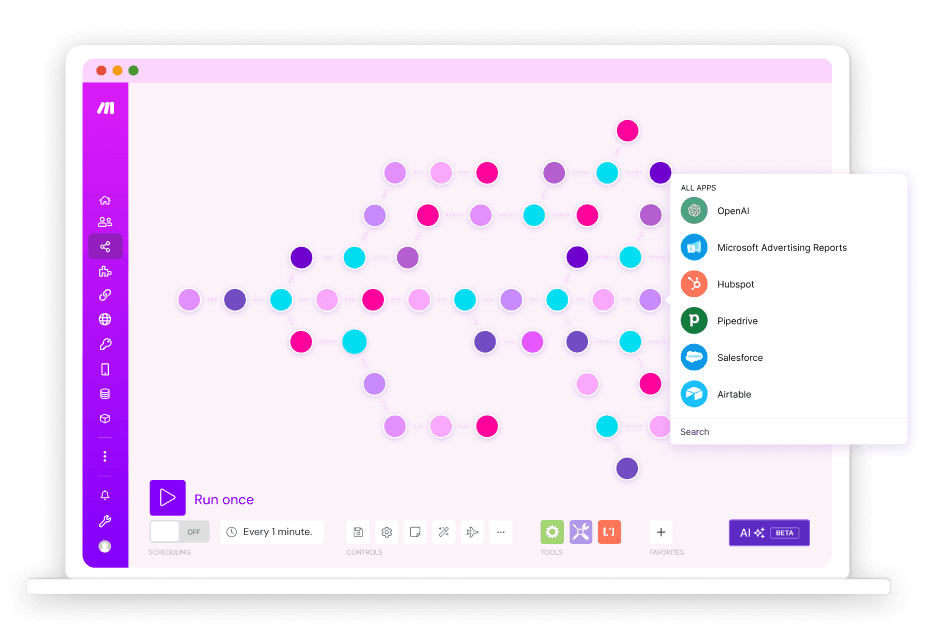
Make: powerful scenario based building

Visually orchestrate automation

Why it is great

  • A visual scenario builder with fine grained control of flow and error handling. The community forums highlight advanced modules and practices for reliable operations.
  • The company fully migrated from the Integromat brand, with clear sunset dates long passed, which matters if you are still sitting on older scenarios. 

What to test

  • How complex your branching needs to be
  • How you will manage versioning and recovery during edits

Best for
Ops and growth teams that need granular control and detailed logs.

Security and access management

Security is an organization feature. Without it, you cannot scale cleanly.
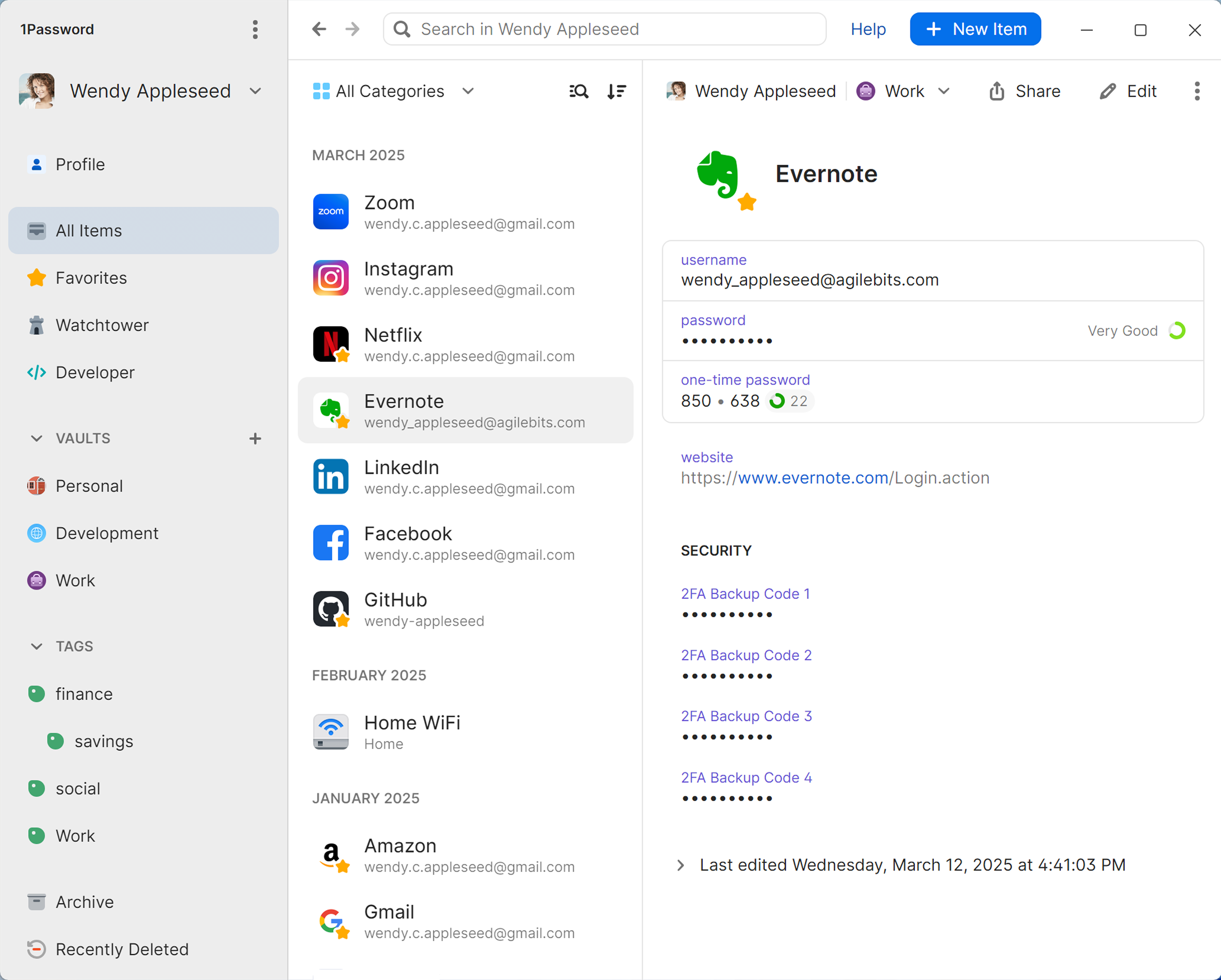
1Password Business: shared vaults, granular policies, passkey friendly

Get to know 1Password for Windows | 1Password Support

Why it is great

  • Shared vaults let you divide access by team and role, with many permission types and detailed policies to control how people sign in and share items. 1Password’s support docs explain business features, team policies, and vault practices in depth.
  • Practical guidance on recovery, roles, and secure sharing helps admins set up correctly from day one. 

What to test

  • Can you connect SSO, define vault structure by function, and train managers in fifteen minutes
  • Do contractors get short term access without risk

Best for
Any team beyond three people. It is that fundamental.

Final thoughts

Organization is not a tidy sidebar. It is a system that turns discussion into delivery. The best business organization apps make your days feel shorter and your results feel inevitable. Choose one reliable work manager, one connected knowledge hub, one chat surface that can automate, one database that fits how your teams think, one scheduler that respects your rules, one automation layer that anyone can learn, and a meeting intelligence layer that pushes everything forward. When your stack is set up this way, you stop managing the tools and start moving the business. For the meeting layer, the one that quietly saves you hours after every call, Sybill has earned its spot.

‍

Get started with Sybill

Accelerate your sales with your personal assistant

Get Started Free

Frequently Asked Questions

Which app is better for business?

It depends on the job to be done. Use the right tool for each layer of organization. ClickUp if you prefer an all in one work hub, Notion to keep wikis, docs, and lightweight databases in one place and Sybill when you want meetings to produce summaries, ready to send follow ups, and automatic CRM updates.

What is the #1 business app?

There is no single universal winner. If you must pick one anchor for most teams, choose the work hub that everything else plays into. Pick Asana if clarity and reporting are your top priorities or pick ClickUp if consolidation and one login for most work is more important. Both integrate well with Sybill, Slack, Google Workspace or Microsoft 365, and Airtable.

What is the best app to start a business?

Start lean. Use a stack you can set up in one afternoon and scale for a year. Google Workspace for email, calendar, Docs, and Drive. Trello or Asana for task tracking, depending on whether you want simple boards or timelines with dependencies. Slack for team communication and request workflows. Sybill to turn every call into a summary, follow up, and clean CRM notes with almost no manual work.

Get started with Sybill

Once you try it, you’ll never go back.