
Find us at booth #83, join us for a harbor side happy hour, or catch Gorish’s talk.

Sept, 16-18 > Learn more

%20(1).avif)
Mamta Tainwala

May 15, 2026
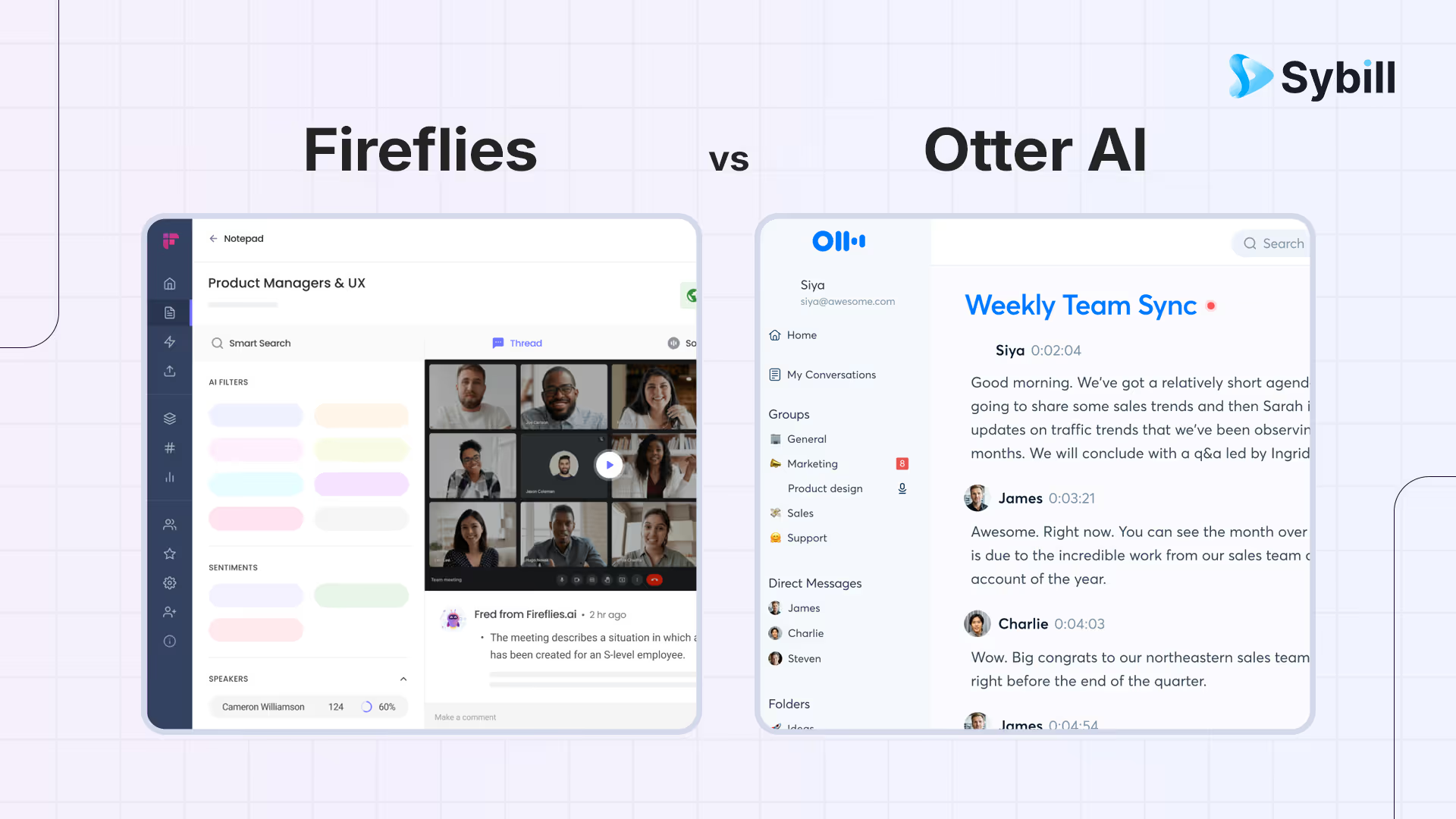
Transcribing meetings used to be a nice-to-have. Something you did before an interview or when you were really trying to impress your manager. But in 2026, AI note-takers have quietly become one of the most important tools in the GTM stack.
Revenue teams rely on them to capture customer pain points. Product teams use them to understand user feedback. Leaders use them to keep decisions, commitments, and follow-ups from drifting into the void. And almost everyone uses them to reclaim the part of their brain that used to panic during every meeting thinking, “Did I write that down?”
Fireflies is a universal meeting recorder with searchable transcripts, AI-generated summaries, topic tracking, and broad CRM and collaboration integrations, best for teams that want every meeting archived and searchable across the organization. Otter AI is a real-time transcription platform with live captions, collaborative note editing, and inline comments, best for teams that need verbatim transcripts with real-time collaboration during and after meetings. Fireflies wins on integration breadth, cross-call search, and automated workflows; Otter wins on real-time transcription, collaborative editing, and live caption accessibility. For sales teams that want meeting capture plus automated follow-up emails, CRM autofill, deal intelligence, and pre-call briefs, Sybill delivers execution-focused features that advance deals beyond what either transcription tool offers alone.
Two tools dominate the conversation: Fireflies.ai and Otter.ai.
On paper, they look similar. They join meetings, transcribe what was said, generate summaries, and store everything so you can revisit it later. But once you dig in, it becomes very obvious that these two products were built with very different philosophies.
Otter wants to be a real-time note-taking companion.
Fireflies wants to be a full-blown meeting intelligence system.
Let’s dive into what that actually means.

When you open Otter for the first time, the experience feels almost academic. Clean interface. Large live transcript window. Buttons that say “Highlight,” “Comment,” and “Share Notes.” It is no surprise that Otter exploded in universities and classrooms before it became popular in business settings.
Fireflies, in contrast, feels like it was designed by a RevOps leader who was tired of reps forgetting to log calls. Its interface revolves around meetings, insights, past conversations, action items, and most importantly: what you can do with the information extracted from those meetings.
Where Otter feels like a notebook, Fireflies feels like a workflow engine.
The difference only gets bigger from here.
There is no point in pretending both tools perform the same here. They don’t.
Otter’s transcription is perfectly good for clear speakers, slower conversations, interviews, and classrooms. If you’re taking notes on a lecture or recording a training session, you’ll be happy with the output. The sentences are clean. The pacing is accurate. The formatting isn’t trying to be clever.
But Otter struggles the moment people start talking fast, talking over each other, or using industry jargon. Domain-specific vocabulary tends to get flattened into something vaguely coherent but not actually accurate. Add accents or high-energy sales calls, and the cracks widen quickly.
Fireflies handles this far better. The system is designed for the messy reality of multi-speaker business meetings: overlapping speech, fast back-and-forth conversation, technical discussions, accents, and the occasional “Sorry, you’re on mute.” The diarization, who said what is noticeably more accurate, and the transcript holds up even when people get animated.
If you spend most of your time in customer conversations, Fireflies wins here by a large margin.
This is the section where the gap becomes unmistakable.
Otter’s summaries are simple: a paragraph describing the meeting and a few keywords. It is perfectly serviceable if all you want is a reminder of what the meeting covered. Think of it like a first draft of your own notes.
Fireflies goes several steps further. Its summaries are structured in a way that actually mirrors how teams work:
This is why revenue teams tend to choose Fireflies over Otter. It doesn’t just record a meeting. It interprets it. It extracts responsibilities. It builds next steps. It gives you a story you can actually share with stakeholders. And you can tailor the summary style depending on your role; sales, product, recruiting, customer success, or engineering.
Otter tells you “Here’s what was said.”
Fireflies tells you “Here’s what you need to do now.”
That difference changes everything.
Here is the easiest way to describe the integration difference.
If your workflow lives in a spreadsheet or in your own memory, Otter is fine.
If your workflow lives in HubSpot, Salesforce, Slack, Notion, Asana, ClickUp, Pipedrive, Monday, or almost any other tool teams rely on, Fireflies is the clear winner.
Fireflies pushes summaries, transcripts, and action items directly into the systems where work happens.
Otter requires manual copy-pasting or downloading.
Fireflies can automatically log calls into your CRM.
Otter cannot.
Fireflies can trigger Zapier automations that create tasks, update fields, notify managers, or categorize meetings.
Otter cannot.
For a student or solo creator, these things don’t matter.
But for a team of 5, 15, or 150? It is the difference between an AI assistant and another tab in your browser.
Otter treats each meeting like its own file. You can search the transcript and find keywords, but that’s about it.
Fireflies treats your entire meeting history like a knowledge base. You can do things like:
Otter stores information.
Fireflies analyzes it.
This makes Fireflies far more valuable as your team grows. A founder with ten customer calls a week can learn a lot from this. A sales manager with a pipeline review meeting every Monday can spot trends. A CS leader can monitor account health. A product manager can track recurring feature requests.
Otter simply wasn’t built for that level of intelligence.
Otter’s claim to fame has always been real-time transcription and in fairness, it does this extremely well. If you want to watch the transcript appear word-for-word during the meeting, highlight key passages while the conversation is happening, or collaborate on notes with a team member live… Otter wins that one.
Fireflies focuses more on post-meeting intelligence. Its live transcription is good, but it’s not built around collaboration the same way Otter’s is.
If your number one requirement is live, collaborative notes (especially in education settings), Otter is the better choice.
For most business meetings, this isn’t the deciding factor.
Otter is one of the simplest apps you’ll ever use. It feels like a notes app with transcription powers. No setup, no onboarding complexity. You click record and it does its thing.
Fireflies has a bigger feature surface area because it’s designed for teams that want automation and intelligence, not just transcripts. There are more menus, settings, and integrations to configure.
Otter is easier for beginners, especially individuals.
Fireflies is more powerful once you have a process.
This is exactly why Otter is so popular with students and Fireflies is so popular with companies.
Otter is cheaper for individuals. If you’re a student or solo user taking notes for yourself, it’s the budget-friendly choice.
Fireflies is better value for teams because:
A $10 or $19 difference in monthly pricing is negligible compared to hours of manual admin saved.
If your goal is capturing what was said, Otter is enough.
If your goal is understanding what happened and acting on it, Fireflies is the right tool.
If you are a student, journalist, or solo professional who simply wants clean notes, Otter feels more natural.
If you are in sales, customer success, RevOps, product, recruiting, or leadership and your meetings lead to work, decisions, or follow-ups - Fireflies delivers significantly more value.
One is a recorder.
The other is a workflow engine.
Which one you choose depends on what your day looks like.
Yes, especially in fast-paced business conversations with multiple speakers or technical language.
No. Fireflies does, and that’s a huge deal for GTM teams.
Sybill is ideally the best. Because it identifies action items, syncs to CRM, coaching, and provides conversation insights.








