You know that scene in every heist movie where the crew is staring at a chaotic wall of string, photos, and sticky notes and someone says, “We really should organize this”?
That is your sales team without a decent CRM.
And when the obvious answer is “Salesforce” but everyone groans like you just suggested meetings on Fridays… it is time for a different list.
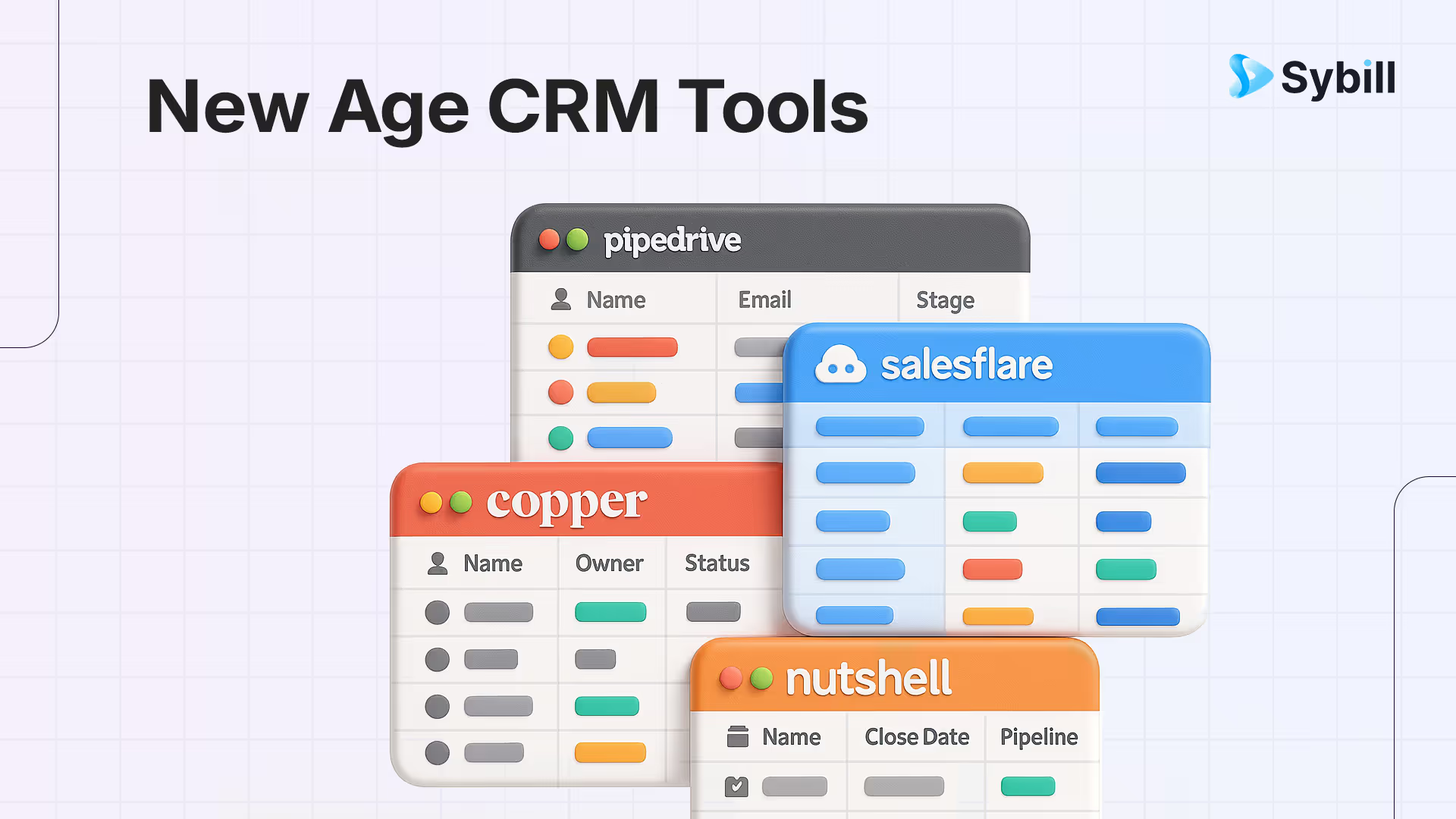
The top 10 Salesforce alternatives in 2026 are HubSpot CRM (best free-to-paid growth path), Pipedrive (best visual pipeline for SMBs), Zoho CRM (best value with full suite integration), Freshsales (best built-in phone and email), Close CRM (best for inside sales teams), Monday Sales CRM (best for teams already on Monday.com), Copper (best native Google Workspace CRM), Nutshell (best for simplicity), Salesflare (best auto-enriching CRM for small teams), and Less Annoying CRM (best no-frills option under $15/user). Whichever CRM you choose, pairing it with an AI sales assistant like Sybill that auto-fills CRM fields from calls and emails, drafts follow-ups, and surfaces deal intelligence eliminates the manual data entry that makes reps avoid their CRM in the first place.
This guide is your AE friendly, Salesforce free tour of 10 CRMs that actually respect your time, your brain, and your pipeline. We will keep things practical, opinionated, and fun. And we will also talk about how to pair whichever CRM you pick with an AI sales assistant like Sybill so you are not stuck doing manual data entry like it is 2008.
Why look beyond the “obvious” CRMs anyway?
If you are reading a “top 10 CRM” article, you probably already know the usual suspects:
Salesforce
HubSpot
Microsoft Dynamics
Zoho
Monday CRM
They are powerful. They are everywhere. They are also:
Heavy to implement
Overkill for a lot of lean GTM teams
Prone to becoming that one giant system everyone complains about but no one dares replace
Meanwhile there is a whole ecosystem of CRMs that:
Start faster
Cost less
Focus on sales instead of bloated “platforms”
Integrate just fine with an AI sales assistant that can autofill fields and write follow ups for you
Sybill, for example, connects to your calls, email, calendar, Slack, and CRM so it can summarize meetings, autofill CRM fields, and draft follow ups in your own tone. (sybill.ai)
So this list skips Salesforce and the other megastars and focuses on tools that are:
Strong fits for small to mid size B2B teams
Friendly to AEs who do not want to babysit their CRM
Good citizens in a modern AI powered sales stack
The shortlist: 10 non-Salesforce CRMs worth your pipeline
Salesforce Alternatives
How to read this guide like a busy AE
To keep this useful and skimmable, every CRM below includes:
“Vibe check” – what it feels like to use
Best for – sales motion and team profile
Where it shines / where it annoys – because no tool is perfect
How it plays with AI – how something like Sybill’s AI sales assistant can sit on top of it and save your team hours a week
1. Pipedrive – the visual pipeline that feels built for AEs
If your brain likes kanban boards and moving deals around like Trello cards, Pipedrive will feel instantly familiar.
Vibe check
Pipedrive is a sales first CRM centered on a visual pipeline. You drag deals between stages, click into them for notes and activities, and get forecasting reports from the same view.
It also now leans harder into AI, with an “AI Sales Assistant” that suggests deals to focus on and highlights at risk opportunities.
Best for
SMB teams that want a sales tool, not a company wide platform
Reps who love pipeline views and hate nested menus
First CRM for a growing startup
Where Pipedrive shines
Ridiculously intuitive pipeline UI that lets reps understand their day at a glance
Automation and workflow for assigning activities, sending follow ups, and moving deals between stages
Decent reporting without drowning you in analytics you will never touch
A large marketplace with 500+ integrations so you can plug in phones, automation, and support tools
Where it can annoy
Limited native marketing automation means you may still need a separate email automation tool
Advanced forecasting and custom reporting can get pricey as you climb tiers
If most of your selling happens over calls and texts, Close is like a power dialer that grew a CRM.
Vibe check
Close is built around communication. Native calling, SMS, and email are all built into the platform so an AE can:
Dial prospects
Send emails
Text follow ups
Log everything to the deal
Without switching tabs sixteen times a day.
Best for
Outbound SDR and AE teams
Agencies and high velocity sales motions
Remote teams who need clear activity visibility
Where Close shines
Integrated dialer and SMS with call recording and power dialing
Inbox style UI so reps can batch work by “who do I need to talk to next” instead of “where do I click in the CRM”
Strong pipeline and activity reporting geared toward sales leaders
Where it can annoy
Not ideal if your org needs the CRM to be the system of record across marketing, support, and finance
Pricing can creep up for large telephony heavy teams, especially with international calling
3. Salesflare – the “I refuse to update my CRM” answer
If your reps behave like CRM data entry is a personal attack, Salesflare is interesting.
Vibe check
Salesflare was built for small B2B teams that want automation more than a giant feature list. It automatically pulls in:
Emails and calendar events
Company data and social profiles
Website visits and interactions
Then builds timelines and pipelines so you do less manual logging.
Best for
3 to 25 person B2B sales teams
Startups without sales ops headcount
Founders and AEs who want “just enough CRM”
Where Salesflare shines
Strong automatic data capture so reps can focus on conversations
Clear visual pipelines and timelines for each account
Thoughtful B2B features like enrichment, team collaboration, and reminders
Where it can annoy
Not ideal if you need super complex custom objects or cross functional workflows
Marketplace is smaller than more established players
4. Copper – if your life is already inside Google Workspace
Copper markets itself as “the CRM for Google Workspace.” And they are not exaggerating.
Vibe check
Copper integrates deeply with Gmail, Calendar, and Google Drive. The CRM literally lives in a sidebar inside Gmail so your reps can:
See contact and deal info while reading email
Create or update records without leaving their inbox
Sync calendar events directly to deals
Best for
Teams fully standardized on Google Workspace
Agencies, consultancies, and relationship heavy motions
Folks who want lightweight CRM behavior embedded in their inbox
Where Copper shines
Best in class Gmail and Calendar integration
Clean, modern UI that is less intimidating than big enterprise CRMs
Google Sheets add ons and integrations for reporting and analysis
Where it can annoy
If your team is on Microsoft 365, this is clearly not your tool
Some deeper customizations and advanced reporting may require higher tiers
You end up with a Gmail first flow plus an AI assistant that keeps your CRM fields accurate even if your reps rarely open the full CRM UI.
5. Nutshell – CRM plus email plus reporting in one “sales suite”
If you want a single vendor that gives you CRM and basic marketing, Nutshell is a solid candidate.
Vibe check
Nutshell positions itself as an “all in one growth platform” that includes:
CRM and pipeline management
Email marketing and sequences
Reporting and analytics
Increasingly, AI features to speed up sales workflows
Best for
Small to midsize sales teams that do not want to juggle three different tools
B2B companies with simple lead to close flows
Teams that value support and onboarding
Where Nutshell shines
Integrated email tools so you can send campaigns without a second platform
Solid set of sales automation features
Reputation for strong customer support and educational content
Where it can annoy
If your marketing team needs very advanced email and omni channel automation, you may still outgrow this
Marketplace and ecosystem are smaller than the biggest brands
6. Nimble – for social sellers and relationship nerds
Nimble was “social CRM” before it was cool.
Vibe check
Nimble pulls contact data from:
Email
Social profiles
Browsers via its Prospector extension
Then gives you a relationship centric view that works inside Gmail, Outlook, and social networks.
Best for
Solo sellers, consultants, and micro teams
Relationship driven motions where LinkedIn is your second home
People who want to track touch points across multiple social channels
Where Nimble shines
Strong social data enrichment and profile insights
Flexible contact management that blends email and social
Lightweight Gmail and browser integrations that keep it in your daily flow
Where it can annoy
Less suited for complex multi team B2B pipelines
Reporting and forecasting are not its deepest strengths compared to sales first CRMs
7. Insightly – CRM, projects, and workflows under one roof
Insightly blurs the line between CRM and project management.
Vibe check
Insightly gives you standard CRM features like:
Leads, contacts, and opportunities
Pipelines and activities
But also includes:
Project management tools
Workflow automation
AppConnect integration hub for connecting with other SaaS tools
Best for
Agencies and service providers that execute projects post sale
SMBs that want CRM and delivery in one shared system
Teams that value workflow automation
Where Insightly shines
Smooth handoff from sales to delivery via projects
Flexible dashboards and custom fields
Strong integrations through its AppConnect hub
Where it can annoy
Advanced features and higher record limits are gated behind pricier tiers
Support experience at the entry level has been called out as inconsistent in some reviews
8. Less Annoying CRM – the indie darling of simple CRMs
The name says a lot. Less Annoying CRM (LACRM) was built to be the opposite of bloated enterprise systems.
Vibe check
LACRM is:
Simple
Affordable
Very small business focused
Pricing is usually a flat per user rate with one plan and core features like contact management, tasks, pipelines, and basic reporting. (lessannoyingcrm.com)
Best for
Solo founders, consultants, and tiny teams
Businesses graduating from spreadsheets and sticky notes
People who get hives from complex CRMs
Where LACRM shines
Extremely straightforward UI that a non technical founder can pick up in an hour
Transparent pricing model
Strong customer support even for trial users
Where it can annoy
No mobile app and fewer advanced features compared to modern AI heavy CRMs
Limited native integrations, often relying on Zapier and API connections
Apptivo is not just a CRM. It is a whole suite of 65+ apps for CRM, project management, billing, support, and more.
Vibe check
Think of Apptivo as an all in one business management system where CRM is one important piece. You can:
Manage leads, opportunities, and accounts
Track projects and tasks
Invoice customers
Customize apps and processes heavily
Best for
Small to mid sized companies that want one configurable system for most operations
Teams growing out of spreadsheets and multiple disconnected tools
Businesses that want a cheaper, more modular alternative to enterprise suites
Where Apptivo shines
Huge range of integrated apps that grow with you
Highly customizable views, fields, and workflows
Competitive pricing beginning at relatively low per user rates compared to enterprise suites
Where it can annoy
With great flexibility comes a learning curve, especially if you turn on too many apps at once
Fewer third party integrations than the biggest CRMs, though it still supports major tools and open APIs
So which CRM should you pick?
Here is the speed run decision tree.
If you want the fastest AE adoption
Pick:
Pipedrive if you want visual pipelines
Close if reps live on the phone
Less Annoying CRM if your team is tiny
If you want CRM plus “more”
Pick:
Nutshell for CRM plus email marketing
ActiveCampaign CRM if marketing and sales automation should share one brain
Apptivo if you want a broad business suite
If you want minimal manual data entry
Pick:
Salesflare if you are B2B and hate updating fields
Copper if you live in Gmail and Calendar
Add Sybill on top in all cases so calls, follow ups, and CRM fields update themselves across tools. Sybill integrates with your email, calendar, Slack, CRM, and existing sales stack and autofills CRM deal fields automatically.
If social selling is your core motion
Pick:
Nimble for its social CRM features and browser extensions
Where Sybill fits into your CRM decision
No matter which CRM you choose, there is one universal truth:
Oops! Something went wrong while submitting the form.
Frequently Asked Questions
Is Salesforce still the “best” CRM?
Salesforce is still the most flexible, enterprise ready CRM and commonly ranked number one overall by big comparison sites. But “best” for you depends on team size, sales motion, budget and appetite for complexity. That is why this list intentionally focuses on alternatives.
Which CRM is best for a 5 person AE team selling B2B SaaS?
Strong contenders are Pipedrive if you want fast onboarding and visual pipelines, Salesflare if you want automated data capture and Close if you are heavy on outbound calls.
Which CRM pairs best with an AI sales assistant like Sybill?
Any CRM that has reasonable API or integration options, is already being used by your team and does not actively get in the way


%20(1).avif)