
Find us at booth #83, join us for a harbor side happy hour, or catch Gorish’s talk.

Sept, 16-18 > Learn more

%20(1).avif)
Mamta Tainwala

March 31, 2026
.avif)
You heard “ship it Friday.” The transcript heard “ship a ferret.” Speech to text is either a superpower or a sitcom, depending on the engine. Real life is messy: two people talk at once, someone calls in from a café that sounds like a jetway, and your customer drops acronyms like confetti. The right software shrugs at accents, crosstalk, and jargon, then hands you clean sentences you can actually use. The wrong one turns your standup into surrealist poetry and volunteers you for a ferret-related project.
This guide separates the heroes from the chaos. If you need live captions that won’t implode during a board call, we’ve got you. If your product team wants a streaming API for voice features, that’s in here too. Running thousands of recordings through analytics with diarization, redaction, and language coverage? We’ll point you to engines that keep their cool at scale. We evaluate accuracy where audio is ugly, latency where speed matters, and privacy where compliance cares, then match tools to jobs so you can move from talk to action before your next meeting starts.
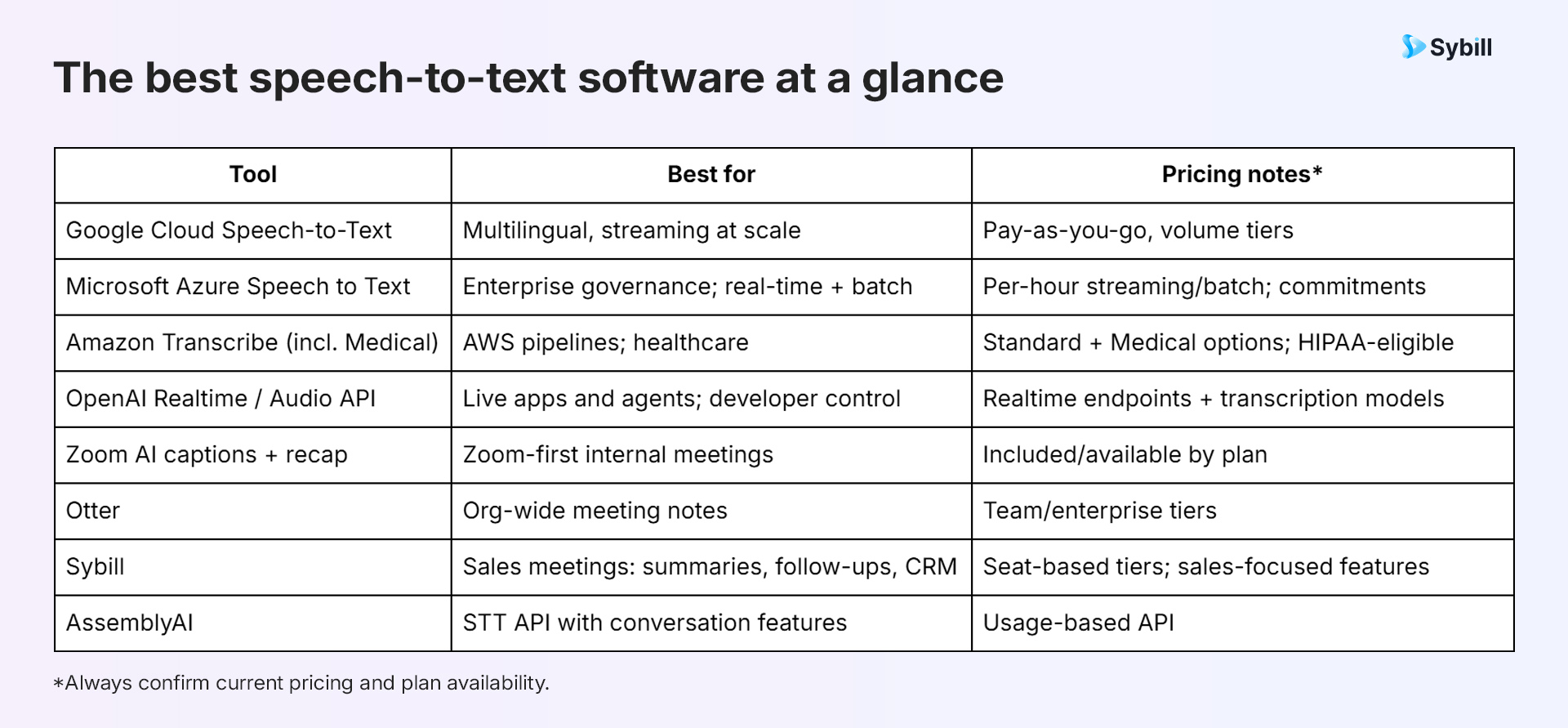
The best speech-to-text software in 2025 includes Google Cloud Speech-to-Text for multilingual streaming transcription at scale, Microsoft Azure Speech to Text for enterprise governance with real-time and batch options, Amazon Transcribe for AWS pipelines and HIPAA-eligible healthcare, OpenAI Realtime API for developer-grade live transcription and voice agents, Zoom AI for built-in captions in Zoom-first teams, Otter for company-wide meeting notes with live transcription, Sybill for sales-focused meeting notes with structured summaries, follow-ups, and CRM-ready insights, and AssemblyAI for a focused STT API with conversation intelligence features like summaries and topic extraction. The best choice depends on whether you need a meeting platform with built-in captions, a developer API for voice products, or a meeting assistant that turns transcripts into actionable follow-ups and deal intelligence.
Speech-to-text (STT) converts spoken audio into written text. You’ll see it in three main places:
If you only need captions for internal calls, built-in tools may be enough. If you need product features, QA, or analytics, STT APIs give you control over latency, diarization, and data flow. If you want notes people actually read and act on, meeting assistants are the fastest path.
We look for accuracy on real-world audio (multiple speakers, accents, imperfect mics), latency for live use, language coverage, diarization quality, security posture, and pricing clarity. We verify with provider docs and reference architectures and prefer tools with transparent limits and governance controls.
What we looked for:
Clear pricing for streaming vs batch and any feature add-ons
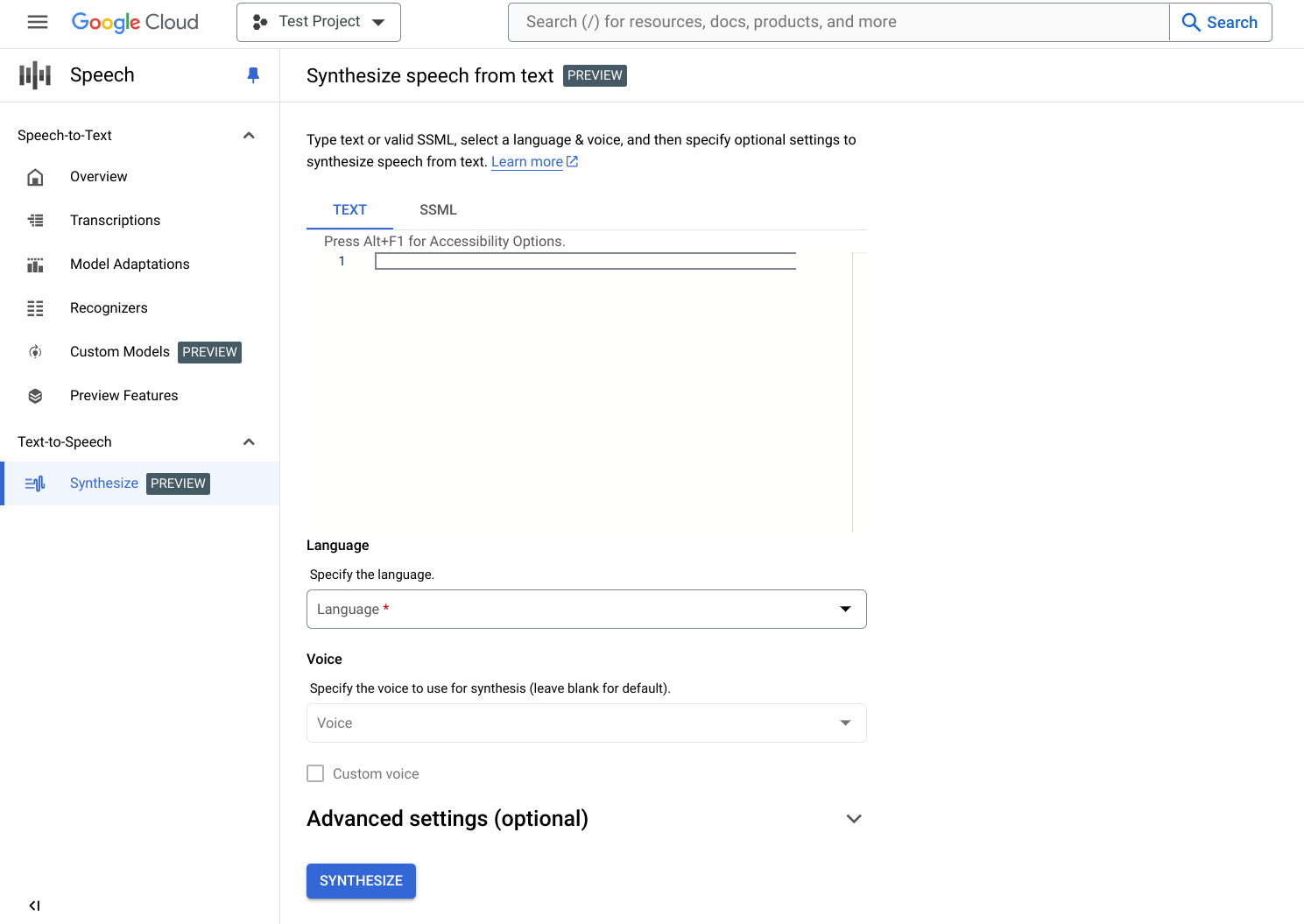
Google pairs robust streaming with wide language coverage and domain-tuned models for phone and video audio, plus diarization and timestamps for search and analytics. It’s built for apps and pipelines that need to transcribe continuously with consistent latency.
Good for: Multilingual apps, live captions, and call analytics at volume
Notable: Google Cloud Speech-to-Text pricing is determined by the following factors:
The number of channels in the audio being recognized
The length and amount of audio you send
The recognition model you are using
The batch method you are using
The API version you are using
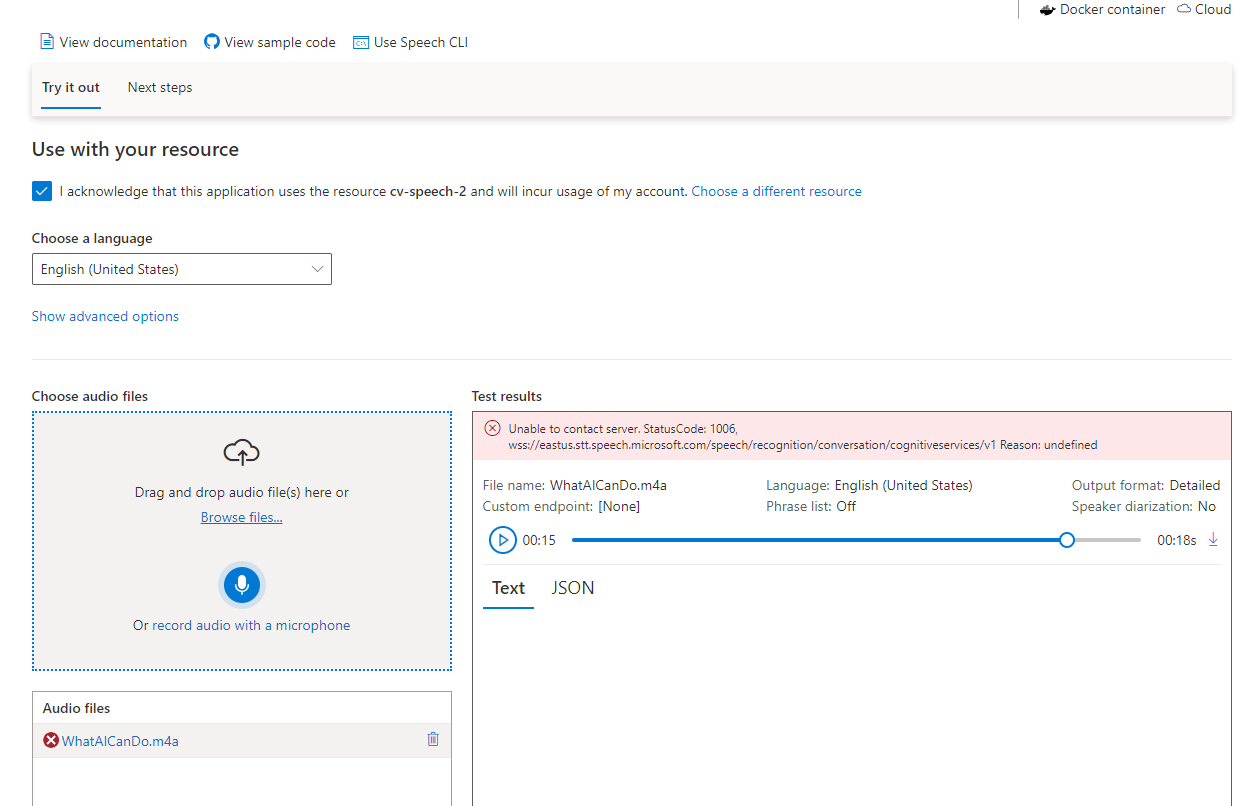
Azure provides real-time and batch transcription with diarization and pronunciation assessment, plus regional hosting and commitment tiers, strong for organizations standardizing on Microsoft stacks.
Good for: Enterprises needing RBAC, region controls, and predictable spend
Notable: Published per-hour pricing for streaming/batch and volume commitments
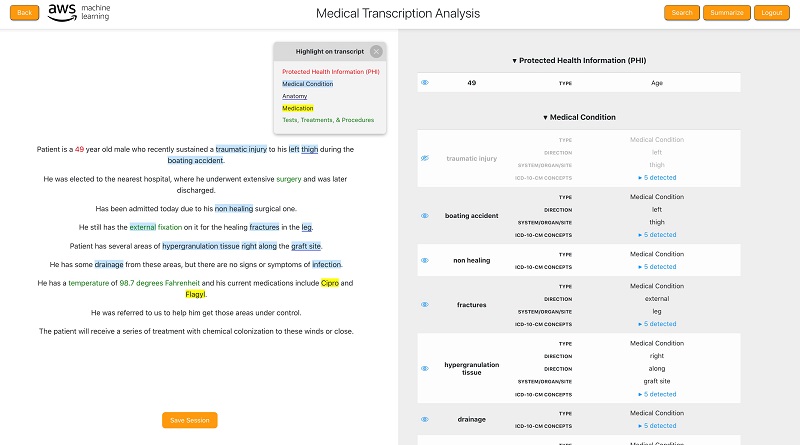
If your data lives in AWS, Transcribe plugs into S3, Kinesis, and analytics services. The Medical offering is HIPAA-eligible and tuned for clinical conversations, with vocabularies for specialties.
Good for: Contact centers, batch pipelines, regulated healthcare
Notable: Streaming and batch modes; call analytics and redaction options in the broader suite
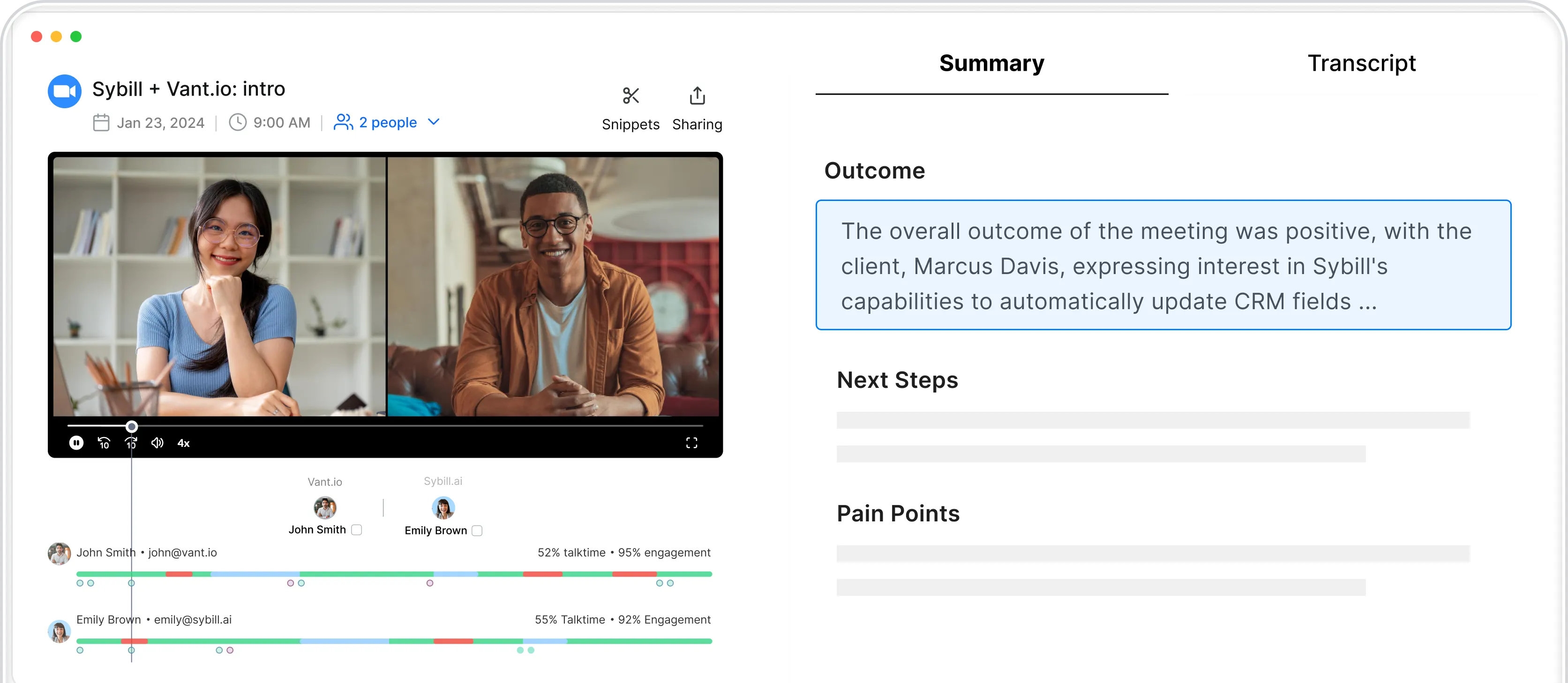
Sybill is a meeting assistant purpose-built for revenue work. It captures Zoom/Meet/Teams calls, produces accurate transcripts with speaker labels, then adds structured summaries that highlight goals, pain points, objections, decisions, and next steps. Post-call, it drafts a personalized follow-up you can send with light edits and proposes CRM field updates so deal data doesn’t drift.
Good for: Sales and success teams that want transcripts to become action, not just archives
Notable: Deal-ready summaries, ready-to-send follow-ups, CRM-friendly outputs, and roll-ups that make coaching and forecast reviews faster
OpenAI’s Realtime API enables low-latency, speech-to-speech interactions, while the Audio API supports accurate transcription, useful when you want STT and conversation in one place for assistants, voice UIs, or co-pilots.
Good for: Product teams building voice features, live agents, and hybrid speech+LLM flows
Notable: Developer-friendly examples for streaming transcription
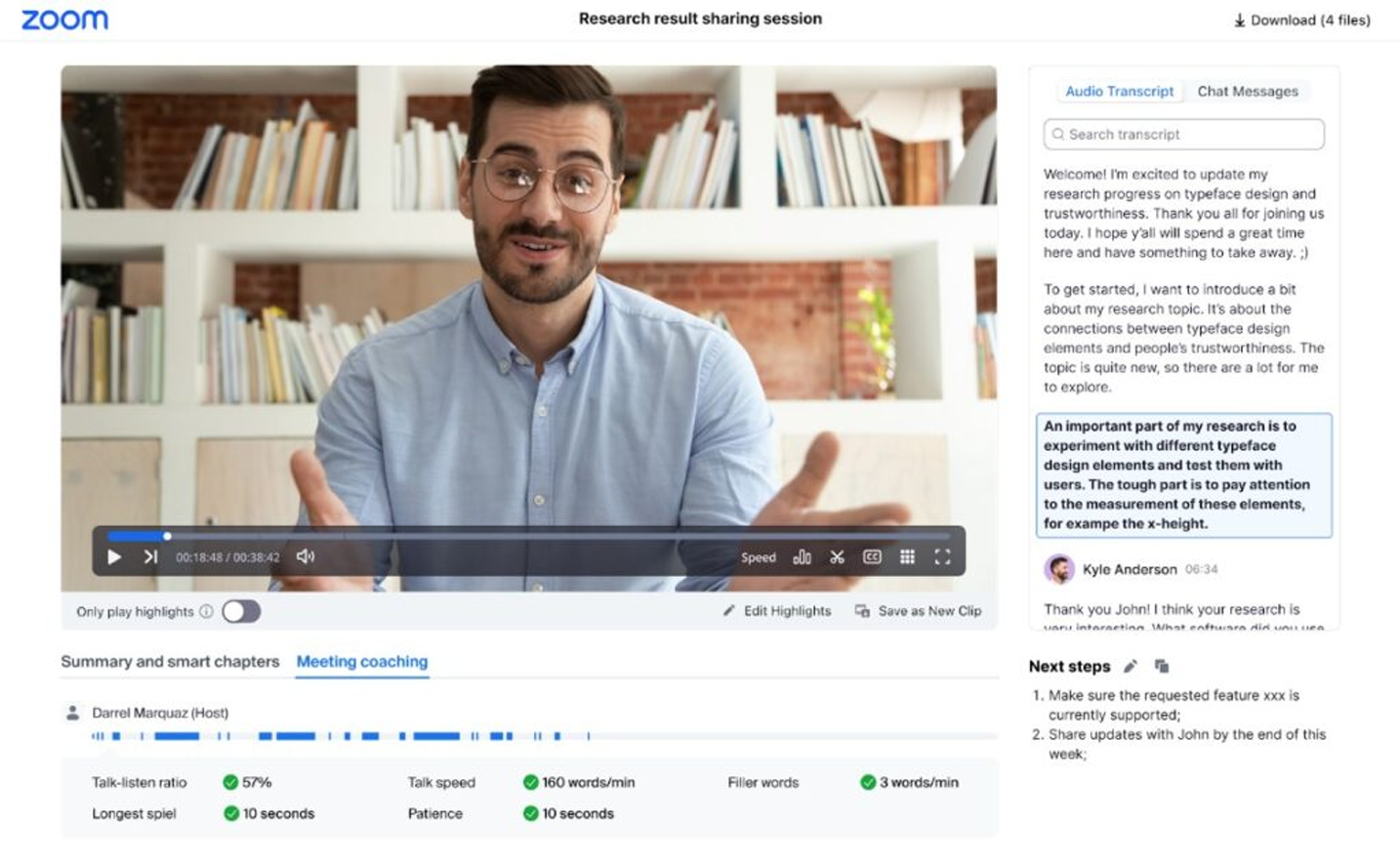
Running on Zoom? Built-in captions and meeting recap keep setup light and governance centralized where meetings already live, ideal for internal calls where “good enough” is actually good enough.
Good for: Internal captions and quick transcripts without extra vendors
Notable: Admin-managed controls in the same Zoom console
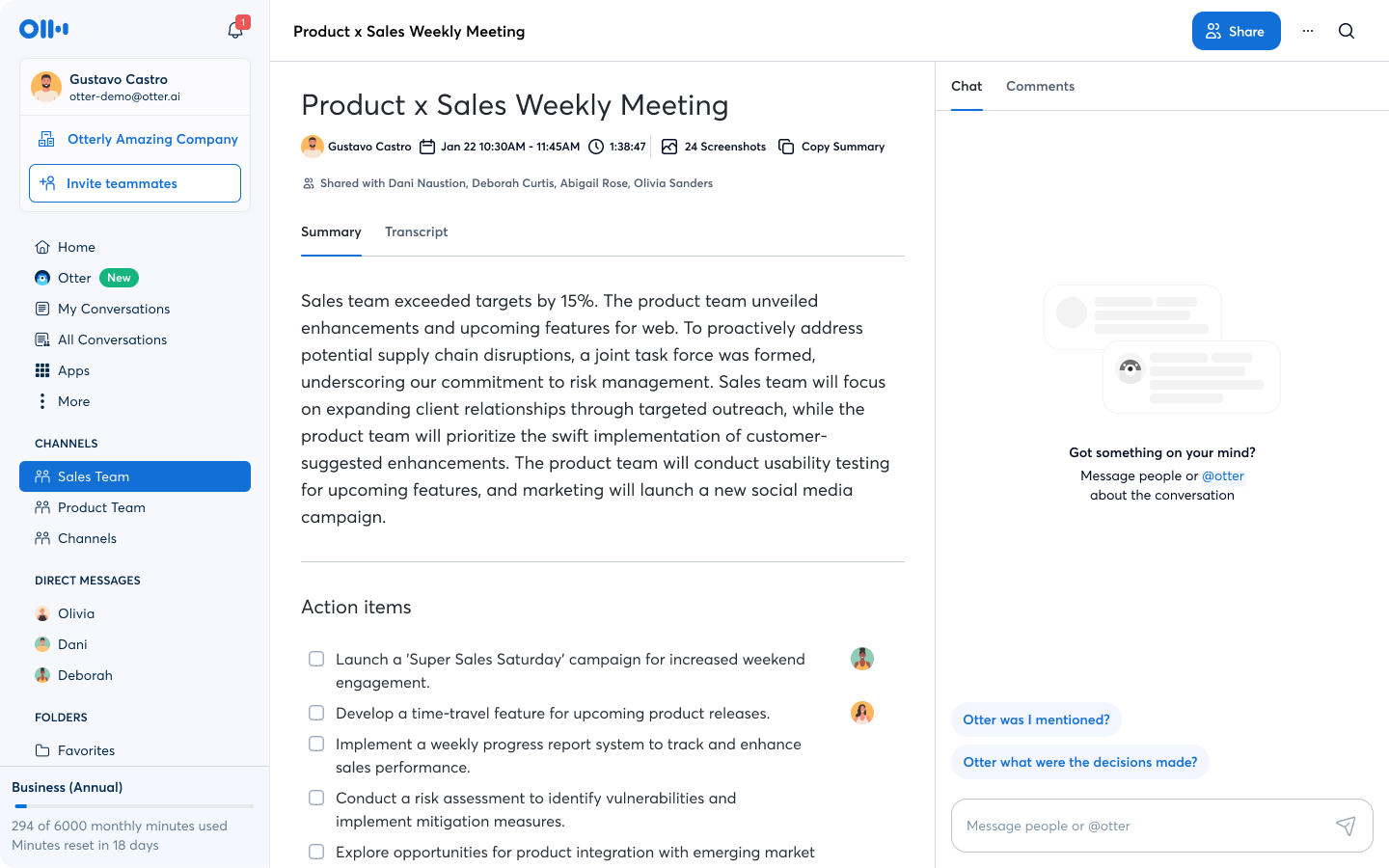
Otter’s meeting agent joins Zoom, Google Meet, and Microsoft Teams to transcribe in real time, capture slides, and generate a shareable summary, useful for cross-functional meetings and org-wide note sharing.
Good for: Company-wide notes where fast distribution matters
Notable: Live transcription plus auto summaries; team and enterprise tiers
AssemblyAI pairs competitive STT with “audio intelligence” like summaries and topic extraction, giving developers a single API for both transcripts and higher-level conversation analysis.
Good for: Teams that want STT and basic analytics without stitching multiple vendors
Notable: Word-level timestamps and diarization alongside summarization endpoints
Stop chasing one “best” engine. Choose by job: meetings, apps, or operations. Then test with your own audio and measure what matters: accuracy where it counts, latency where it’s felt, and outputs your team can act on by Friday. When your transcripts drive decisions by the end of the week, you picked the right stack.
Only if latency and cost still meet your needs. For live features, a slightly less accurate streaming model may beat a slower, costlier one.
Different jobs. Assistants win at human-readable outcomes; APIs win when you’re building features into products and pipelines.
Test on your audio. Mix accents, overlap, background noise, and domain vocabulary. Measure word error rate, latency, diarization accuracy, and redaction quality.








