
Find us at booth #83, join us for a harbor side happy hour, or catch Gorish’s talk.

Sept, 16-18 > Learn more

%20(1).avif)
Mamta Tainwala

April 17, 2026
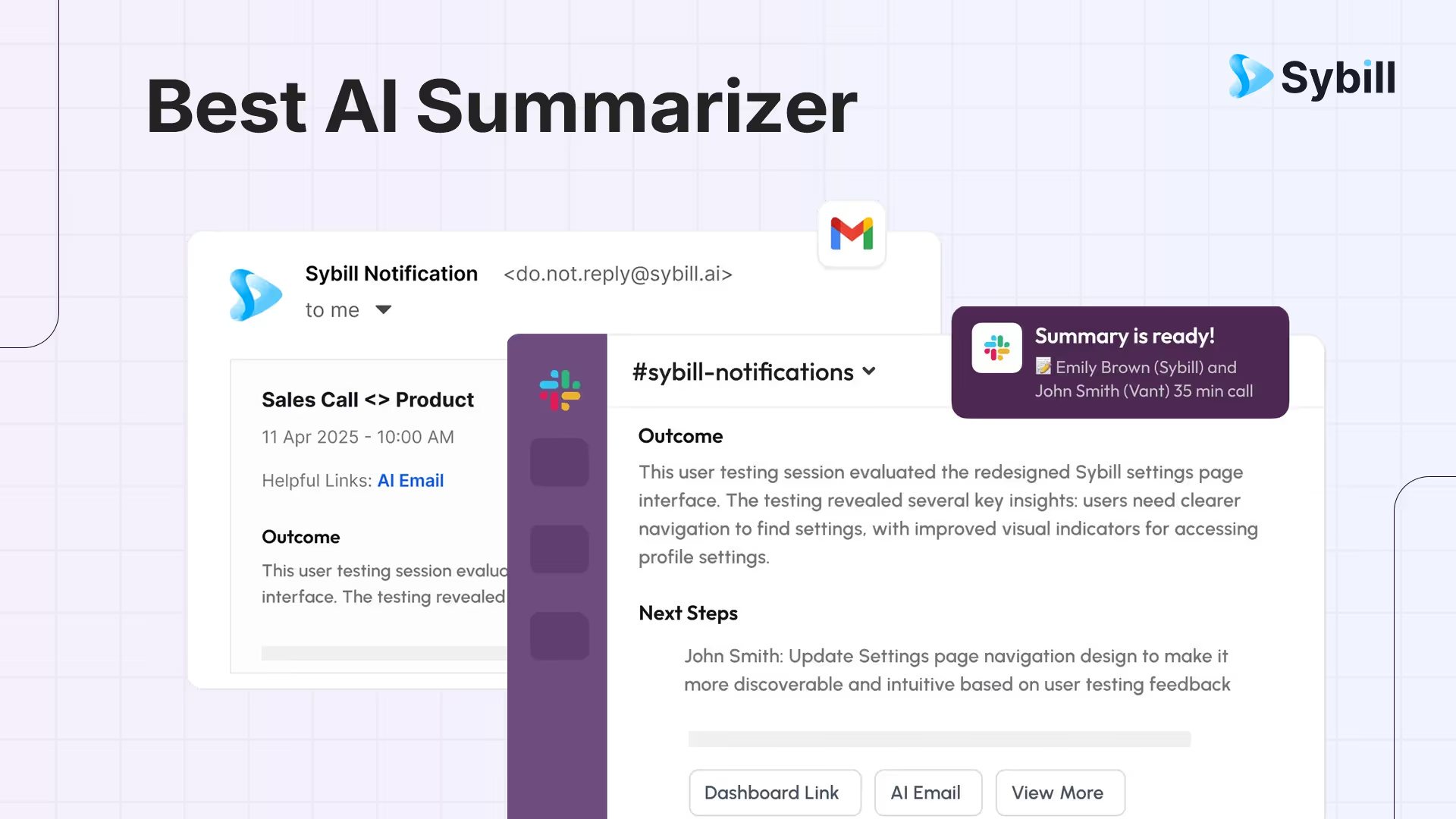
If your average week is a blur of discovery calls, follow ups, pricing threads, and “Quick question” Slacks, you already know the truth. Time does not vanish. It gets taken, usually by long meetings, complex email chains, and 42 minute recordings titled “Project Sync.” You did not get into sales to be a court stenographer. You got into sales to sell.
That is why the best AI summarizer for 2025 is not just a summarizer. It is your frontline filter for noise, your cue sheet for every deal, and your bridge from conversation to revenue. The right tool does three things better than anything in your stack: it captures what was said, understands what mattered, and turns it into action with zero busywork.
The best AI summarizer in 2026 for sales teams is Sybill, which goes beyond generic text condensing to capture meeting context, identify buyer intent and objections, generate structured call summaries with next steps, auto-draft follow-up emails, and update CRM fields from conversations automatically. For general-purpose summarization, tools like ChatGPT, Claude, Notion AI, and Wordtune handle documents and articles well, but revenue teams need a summarizer built for sales workflows that understands deal stages, stakeholder roles, and competitive signals rather than just shortening text.
This guide breaks down how modern AI summarization actually works, where most tools fall short for sellers, and how to choose a solution that will not just condense information but will help you move deals forward. We tested what matters to sales teams, compared common summarizer categories, and mapped features to real workflows, from first call through closed won. Along the way, we will show you how Sybill approaches summarization differently, using behavioral context, knowledge of your deal, and one consistent goal. Less time on admin, more time with stakeholders.
If you just want the shortlist, here are the top categories we see teams consider, with the core reason a seller might pick each. Your mileage will vary, but this will save you a dozen trial accounts.
If you need summaries that actually change outcomes in a pipeline, pick a sales grade assistant that can handle both summarization and follow through. That is where Sybill lives.
An AI summarizer condenses long content into concise key points. The best ones now go beyond highlight reels and capture the reasons behind decisions, the unresolved questions, the blockers, and the owner plus due date for every next step. Under the hood, summarizers use two broad approaches:
Most meeting notes benefit from a hybrid that uses conversation structure and domain knowledge. For sales, you want models that understand intent and objection patterns, can assign owners, and map moments to your CRM. Otherwise you are left with pretty bullets that never leave your drive.
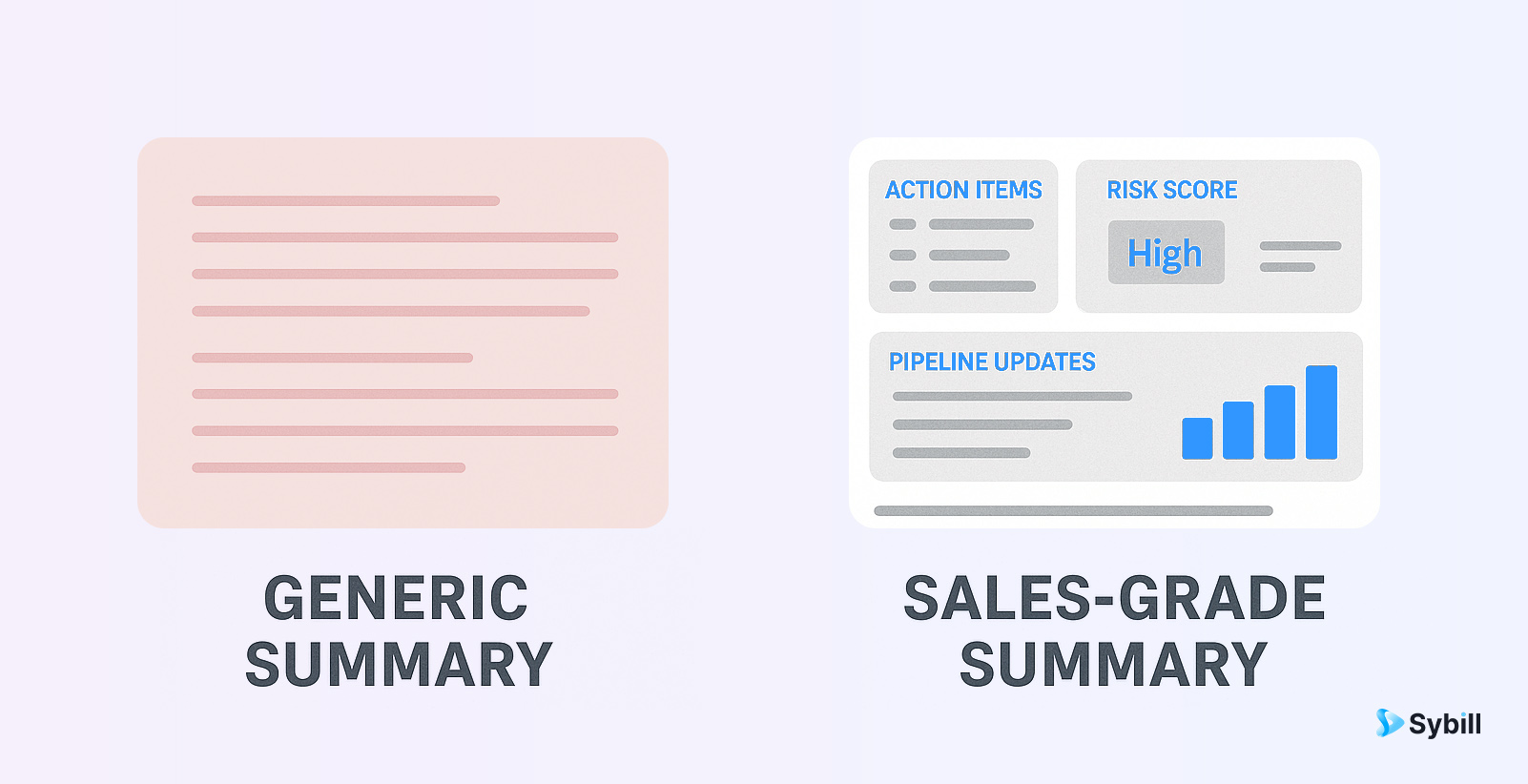
A good article summary is not the same as a good deal summary. Sellers need:
Traditional summarizers miss these because they are not built with the workflow in mind. They stop at text. Sales teams need text that updates systems and triggers action.
Rather than reading marketing pages and guessing, we focused on scenarios that matter to revenue teams.
We mapped each product to these tasks and looked for consistent quality, reliability at scale, and the least possible admin overhead. This mirrors how independent reviewers test modern summarizers across content and workflows.
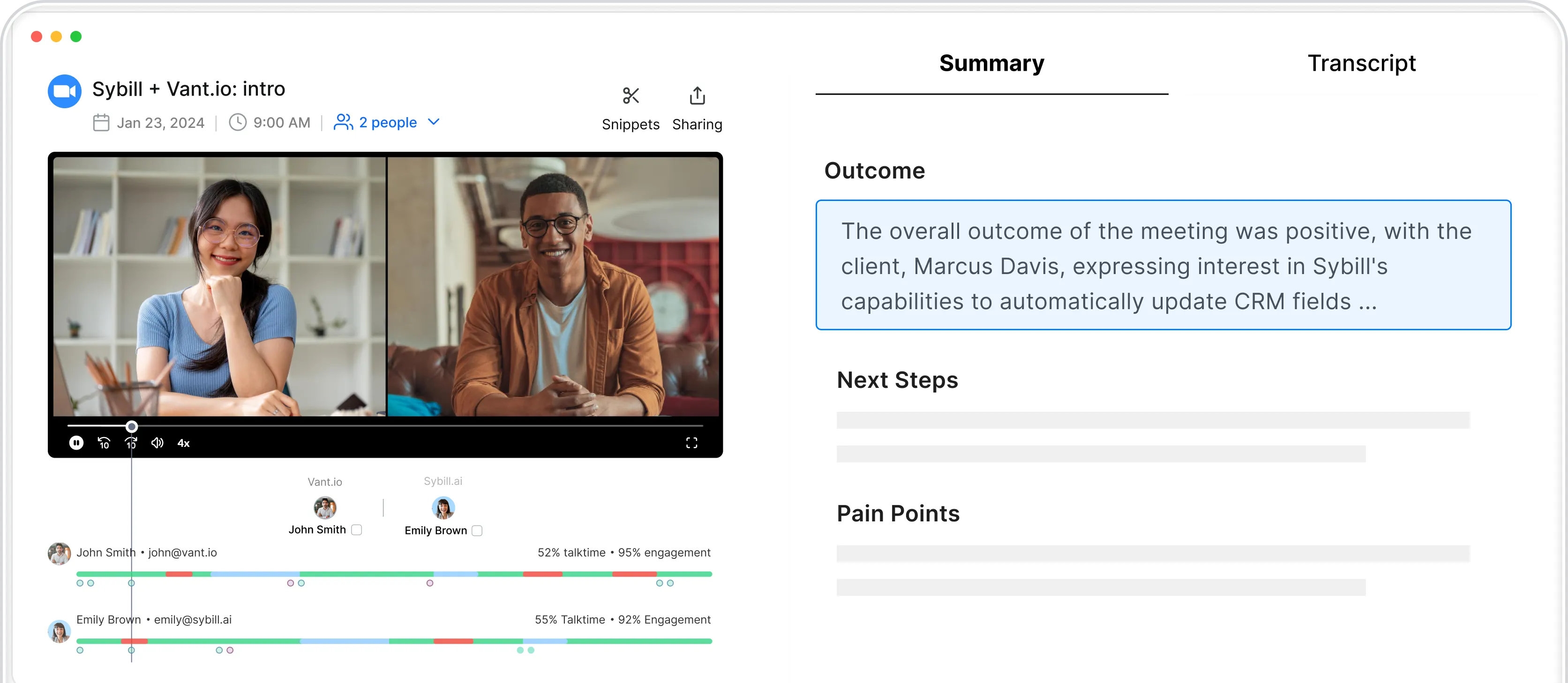
Sybill is built for the messy reality of sales. It joins calls on Zoom, Google Meet, or Teams, captures speaker labeled transcripts, and generates “Magic Summaries” that include decisions, action items, risks, and competitive intel. It then uses those insights to write follow up emails, update HubSpot or Salesforce, and keep tasks in one place. Sellers get a ready to send summary, a draft email in your tone, and a CRM that is magically accurate. Managers get coaching signals and true pipeline visibility.
Where Sybill stands out:
If you measure success in meetings scheduled and revenue closed, this is the feature set that moves the needle.
A quick tour of the broader landscape, because not every problem is a deal problem.
Great for freeform summarization and iterative rewrites. If you need to turn a dense webinar into a blog outline, it shines. If you need seller ready tasks and CRM hygiene, you will still need glue code or manual effort.
Helpful when condensing research or white papers into bullets. Handy for technical markets where product marketing sends a 40 page PDF before the first call. Less useful for live call intelligence and action extraction.
Strong fit for summarizing YouTube research and public webinars. A good play for competitive intelligence, less so for sales calls behind conferencing links and CRM alignment.
Summarizes tasks, comments, and docs inside ClickUp. If you already run projects there, this shortens review time. For CRM centric teams, the fit depends on your primary system of record.
Academic and citation aware workflows. Ideal when you have to keep references accurate and visible, for example in healthcare or life sciences accounts. Less effective for extracting action items from dynamic dialogue.
You can build your own using transcription plus LLMs and a stack like Bedrock. You will control prompts and models and can tune for your domain. You will also own maintenance, prompt drift, latency, security reviews, and a lot of small decisions that product teams already solved. This path makes sense for large platforms with in-house ML teams.
Use this as your RFP template. Your team deserves more than short paragraphs and a polite “Hope that helps.”
Summarizing a well edited article is one task. Summarizing a live call with crosstalk, shared screens, acronyms, and late arrivals is a different beast. The system must handle:
Research continues to show that abstractive methods are better for conversations, provided they are grounded in the transcript and sometimes supported with extractive anchors for precision. This hybrid approach is what turns a transcript into a coaching tool and a pipeline update.
What you want: clear problem statements, existing stack, must haves, blockers, timeline, competing initiatives, and next steps.
Typical generic output: five bullets that restate the agenda and miss the nuance.
What a sales grade summary should show:
What you want: decisions, open items, and owners with dates.
Typical generic output: a paragraph that says “Pricing discussed.”
What a sales grade summary should show:
What you want: a view across four calls that summarizes approval status, unblocked items, and final signoff sequence.
Typical generic output: four separate summaries.
What a sales grade summary should show:
Not every summary is a meeting. Sellers research markets, read competitor posts, scan analyst notes, and prep for exec briefings. For this work:
You will see accuracy claims everywhere. Real world accuracy depends on audio quality, accent diversity, domain jargon, and whether a model understands the structure of sales conversations. Strong baselines are public, but buyers should test with their own calls and measure precision on the fields that matter, like correct owner assignment, right next step timing, and consistent CRM mapping. Industry analyses and vendor posts echo this pattern. The secret is not a single accuracy number. It is whether the assistant consistently converts meetings into action without you fixing it twice a day.
Free summarizers are great for occasional tasks. For team wide use, paid assistants usually deliver better performance, more controls, and deeper integrations. Several roundups of summarizer tools show a range of freemium and paid options across categories. The business question is not which one is cheapest. It is which one eliminates the most busywork and helps you win more. For sales teams, that usually means the tool that updates CRM, composes next emails, and keeps tasks flowing without a human middle layer.
Sellers need fewer tabs, better timing, and a clean handoff from every conversation to the exact actions that move deals. Sybill gives you that by combining accurate call capture, behavioral understanding, and direct integrations with the tools you already use. It writes the follow up, logs the activity, updates the fields, and keeps the next step visible to everyone who needs it. That is what a “best AI summarizer” should mean in 2025. Fewer “Did anyone write that down” moments. More “On it, already sent.”
If you want to try it on your next call, connect Zoom or Meet, enable CRM sync, and run one discovery and one pricing conversation. Compare the time you spend afterward to your current process. The difference will feel like cheating, only legal.
The best AI summarizer in 2025 is not about pretty bullets. It is about momentum. The winner will capture what matters, tell you what to do next, and do half of it for you before you can type “per my last email.” For sales teams, that means a summarizer that understands deals, not just documents. One that carries context across meetings, keeps CRM true, and frees you to sell instead of stitching together notes.
Sybill was built for that job. It listens, understands, and acts, all while staying under your control. If you are choosing a summarizer for your team, choose the one that shows up as a reliable teammate. Then watch your pipeline breathe again.
Sybill is one of the best AI summarizers out there with a free 14 day trial. It even lets you manage your entire workflow and automate tasks. Scribbr is another reliable and accessible free option.
Scholarcy is designed specifically for academic use. It breaks down papers into structured sections like methods, results, and conclusions. It also identifies key data, references, and limitations.
Yes, but not every tool supports all formats. Sybill lets you upload videos and audio files recorded in other apps or offline and then generates the perfect transcript and summary with the exact same accuracy as otherwise. Notta and Lindy allow you to upload PDFs and even summarize live meetings or recordings. ChatGPT can summarize PDFs if you upload them (on the paid plan).








