
Find us at booth #83, join us for a harbor side happy hour, or catch Gorish’s talk.

Sept, 16-18 > Learn more

%20(1).avif)
Mamta Tainwala

May 7, 2026
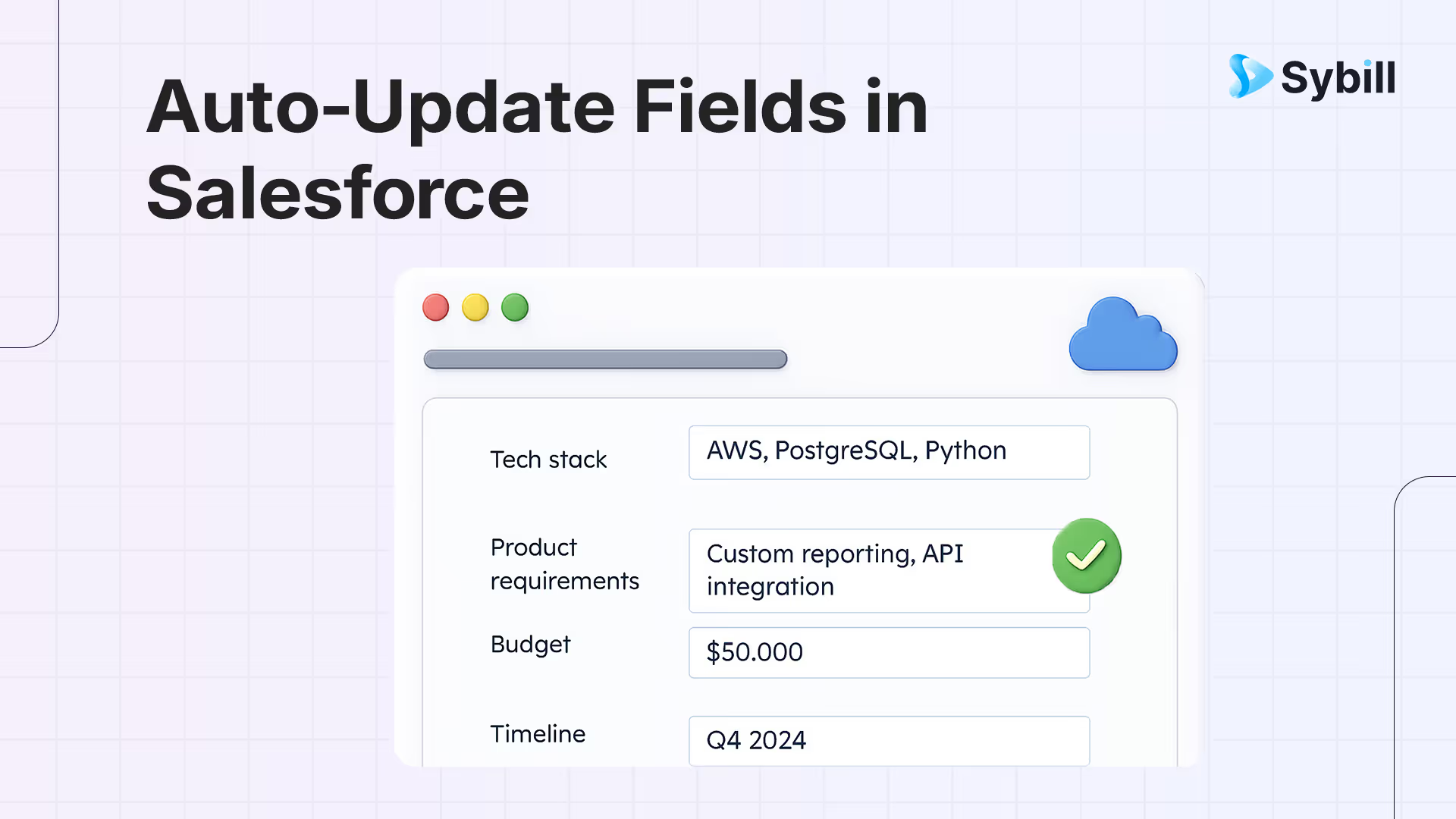
Remember that scene in The Matrix where Neo learns kung fu in like five seconds by downloading it directly into his brain? "I know kung fu," he says, all nonchalant. That's basically what we're about to do with your Salesforce CRM, except instead of martial arts, it's MEDDICC and BANT fields. And instead of five seconds, it's about one-time 15 minutes. And you don't need to dodge bullets. (Though if you've ever tried manually updating Salesforce after back-to-back discovery calls, it probably feels like you do.)
Here's the thing: your discovery calls are goldmines of qualification data. Budget discussions. Economic buyer reveals. Pain point confessions. Decision criteria deep dives. All the juicy MEDDICC and BANT intel that makes the difference between "just another lead" and "holy cow, we're closing this."
Sybill auto-updates MEDDPICC and BANT fields in Salesforce from discovery calls by listening to your sales conversations, extracting qualification criteria mentioned by prospects (Metrics, Economic Buyer, Decision Criteria, Decision Process, Identify Pain, Champion, Competition for MEDDPICC; Budget, Authority, Need, Timeline for BANT), and pushing structured updates to the corresponding Salesforce fields after every call — setup takes approximately 15 minutes with no manual field mapping required. This eliminates the core problem of qualification frameworks: reps gather the information on calls but never log it in CRM because manual data entry takes too long, resulting in empty fields that make pipeline reviews and forecasting unreliable.
But here's what actually happens: You finish a killer call. The prospect is engaged. You're vibing. Then you glance at Salesforce and realize you need to manually update like 23 different fields before your next meeting in 18 minutes. So you do what every rational human does: you frantically type "follow up on budget convo" in the notes section, promise yourself you'll fill in the rest later, and immediately forget everything the moment your next Zoom starts.
Fast forward to Friday's pipeline review, and your manager is looking at your opportunities like they're written in ancient hieroglyphics. "Where's the Economic Buyer?" "What's the Decision Process?" "Do we even know their Metrics?"
And you're sitting there thinking, "I definitely covered all that. It's in my brain somewhere. Probably."
Let's be brutally honest: MEDDICC and BANT are incredible qualification frameworks. Legitimately game-changing when used properly. They help you figure out which deals are real and which ones are just tire-kicking expeditions disguised as "exploring options."
But there's a catch. Actually, several catches:
The Data Entry Death March: After every discovery call, you're supposed to meticulously update Budget, Authority, Need, Timeline, Metrics, Economic Buyer, Decision Criteria, Decision Process, Identify Pain, Champion... and maybe Competition if you're using MEDDICC. That's a lot of fields. And we haven't even gotten to the custom ones your RevOps team swears are "absolutely critical."
The Forgetting Curve: You remember everything from the call for about 90 seconds after it ends. Then the next meeting starts, someone asks about your weekend, and poof. That brilliant insight about why the VP of Operations is actually the real Economic Buyer? Gone. Vanished. Lost to the void.
The Translation Problem: Even when you DO remember, you have to translate conversational dialogue into CRM-speak. The prospect said, "We're bleeding money on our current solution and the CEO is losing patience." You need to turn that into structured MEDDICC fields that make sense three months from now.
The Consistency Catastrophe: You update fields one way. Your colleague updates them differently. Nobody can tell which deals are actually qualified because everyone has their own interpretation of what "Champion" means.
The result? Incomplete data. Unreliable forecasts. Pipeline reviews that feel like guess-work sessions. And sales reps who would rather eat glass than update their CRM.
Okay, here's where it gets good. What if every time you finished a discovery call, Salesforce just... knew? Like, actually knew what happened. Knew who the Economic Buyer is. Knew the specific Metrics that matter. Knew the Decision Criteria. Knew the Timeline. Knew everything.
And what if it didn't just know this stuff, but automatically wrote it into the exact right fields, in your tone, following your formatting rules, without you lifting a finger?
This isn't science fiction. This is literally what Sybill's CRM Autofill does. And the best part? You don't need to build anything. No custom integrations. No field mapping spreadsheets. No "talk to IT" moments. You just connect Salesforce to Sybill, and it handles the rest.
Let's break down what happens under the hood, because understanding the logic makes you trust the output. And trust is everything when you're letting AI touch your pipeline.
You know that friend who somehow remembers every detail of every conversation, including the random aside about someone's dog's name? Sybill is that friend, but for your sales calls.
The moment your discovery call starts, Sybill is there. Listening. Analyzing. Not just transcribing words (though it does that too), but understanding context, picking up on buyer signals, identifying when someone says something important about budget or authority or pain points.
It's using what's called "multimodal AI" which is a fancy way of saying it pays attention to what people say AND how they say it. Tone matters. Hesitation matters. Excitement matters. When a prospect says "we've got budget allocated" with genuine enthusiasm versus when they say it like they're reading a grocery list? Sybill knows the difference.
Here's where it gets clever. The second you connect Sybill to Salesforce, it doesn't ask you to spend three hours mapping fields like some kind of CRM archaeologist. Instead, it scans your entire Salesforce setup.
It looks at:
Then it does something beautiful: it creates custom prompts for each field. Not generic "write something here" prompts. Specific, tailored, intelligent prompts designed to extract and format data exactly how your team needs it.
Most "autofill" tools treat every field the same. They dump generic summaries into text boxes and call it a day. Sybill doesn't do that. It treats each field as its own mini-project.
Let's look at how this works for MEDDICC/BANT fields specifically:
Budget (BANT): Sybill listens for any mention of budget, approved spend, financial constraints, or funding discussions. Then it extracts the number, strips out symbols and commas, and drops a clean integer into your Budget field. If the budget is "around 50K," it captures $50,000. If someone says "we've got approval for up to seventy-five thousand," it writes 75000.
Authority (BANT): Sybill identifies who has decision-making power. It picks up on phrases like "I'll need to run this by..." or "The final call sits with..." and captures names, titles, and organizational hierarchy. It distinguishes between influencers and actual decision-makers.
Need (BANT): This is where Sybill shines. It doesn't just note that a need exists. It captures the specific business problem, why it matters, and what the stakes are. If someone says "We're losing customers because our current system is too slow," Sybill writes that pain point in your own words, not robot-speak.
Timeline (BANT): Sybill extracts dates from conversational language. "We want to get this done by Q2" becomes a specific date. "We need this before the end of the fiscal year" gets translated to the actual date. It never suggests a date that's in the past (because that would be ridiculous).
Metrics (MEDDICC): These are the quantifiable measures of success. Sybill listens for any numbers tied to outcomes. "We need to reduce churn by 15%" or "Looking to increase close rates from 12% to 20%" or "Save the team at least 10 hours per week." All of that gets captured with the actual numbers attached.
Economic Buyer (MEDDICC): This is the person who controls the budget and makes the ultimate go/no-go decision. Sybill identifies them by listening for power dynamics in conversations. Who defers to whom? Who has budget authority? Who asks about ROI and payback periods? That's your Economic Buyer, and Sybill captures their name and title.
Decision Criteria (MEDDICC): What factors will influence the buying decision? Integration requirements? Security compliance? Ease of use? Vendor stability? Sybill captures all the criteria mentioned and formats them as a list or structured text, depending on your field setup.
Decision Process (MEDDICC): The steps required to get from "interested" to "signed contract." Sybill maps out the process as it's described: "Need to demo for the team, then get security review, then final approval from CFO, then legal review." That whole journey gets documented.
Identify Pain (MEDDICC): The critical business problem driving the search for a solution. Sybill doesn't just note generic pain. It captures the emotional and financial weight. "Spending 6 hours per week on manual data entry and it's killing team morale" is very different from "Could use some efficiency improvements," and Sybill gets that nuance.
Champion (MEDDICC): The internal advocate who wants you to win. Sybill identifies this person by listening for advocacy signals—when someone talks about how they've been pushing for a solution like yours, or mentions they'll help navigate internal politics. Their name and title get captured with context about why they're championing you.
Here's where Sybill separates itself from tools that update a couple of fields at a time. After every call, Sybill updates EVERY relevant field in one shot.
Not just the easy ones. Not just the ones it's "confident" about. All of them. Your MEDDICC fields. Your BANT fields. Your custom next-steps field. Your competitive intelligence field. Everything.
This matters because deal qualification isn't about having 60% of the data. You need the full picture. One missing piece (like not knowing the Decision Process) can tank an entire deal because you didn't account for a surprise approval step.
The entries Sybill writes don't read like they came from a bot. They read like you wrote them. Because Sybill learns your tone, your phrasing preferences, your formatting style.
If you like bullet points, Sybill uses bullets. If you prefer short, punchy sentences, that's what you get. If you always include due dates in your Next Steps, Sybill does the same. It's not trying to impose some generic "best practice." It's adapting to how your team actually works.
Let's get specific about how this changes the game for different roles:
For AEs (Account Executives): You're running 5-8 discovery calls a day. Each one uncovers critical qualification data. With Sybill, you finish a call, grab coffee, and by the time you're back at your desk, Salesforce is already updated with MEDDICC fields filled out, BANT criteria captured, next steps documented. You save 4-6 hours per week. That's nearly a full workday. What could you do with an extra day every week? (Besides finally respond to those Slack messages you've been avoiding.)
For Sales Managers: Pipeline reviews become meaningful again. You're not asking "Did you update the Economic Buyer field?" You're asking strategic questions like "Given the Decision Process, what's our plan to accelerate this?" The data is there. It's complete. It's current. Your coaching becomes about deal strategy, not CRM hygiene.
For RevOps: You've spent months building the perfect MEDDICC/BANT framework in Salesforce. Custom fields. Required fields. Validation rules. The works. And then... nobody uses it correctly. With Sybill, your framework actually gets populated. Consistently. Accurately. You can finally trust your pipeline data for forecasting and reporting.
Here's the beautiful part: this isn't one of those "it'll take three months and require a consultant" situations. Most teams are live in about 15 minutes. Here's how:
Minute 1-2: Connect Your CRM Go to Sybill's integrations and connect Salesforce. It's native, so no third-party tools required. You'll auth through Salesforce's standard OAuth flow. Done.
Minute 3-5: Run Zero-Setup Mapping Sybill scans your Salesforce and automatically detects which fields you use. It spots your MEDDICC fields (Metrics, Economic Buyer, Decision Criteria, etc.). It finds your BANT fields (Budget, Authority, Need, Timeline). It identifies your custom fields. Then it suggests which fields to auto-update. You review the list. Approve it. Move on.
Minute 6-10: Review Per-Field Prompts This is where you can customize how Sybill fills each field. Want your Budget field to only show the number with no dollar signs? Set that preference. Want your Pain field written in bullets with no more than 240 characters? Configure it. Want your Champion field to include both name and title? Done. Each field gets its own smart prompt that you can tweak.
Minute 11-13: Set Thresholds & Review Queues Sybill assigns a confidence score to every update. You set a threshold (say, 80%). Anything above that threshold writes directly to Salesforce. Anything below goes to a review queue where you can quickly approve or edit before it goes live. This gives you control without creating busywork.
Minute 14: Test on CRM Before you turn this on for your whole team, use Sybill's "Test on CRM" feature. Pick a single deal. Let Sybill process it. See what it would write to each field. This preview lets you make adjustments before going live. It's like a dress rehearsal.
Minute 15: Activate & Monitor Flip the switch. Sybill now updates your MEDDICC and BANT fields after every call for your entire team. Monitor field completion rates. Watch how much time you're saving. Make adjustments to prompts as needed. Celebrate the fact that your Salesforce actually has data in it for once.
Let's address the elephant in the room: "Letting AI auto-update my CRM sounds scary." Fair. Here's why it's not:
Confidence Thresholds: Sybill doesn't just blindly write everything. It evaluates its own confidence. Low confidence? It asks for your review. High confidence? It writes it automatically. You control the threshold that determines what needs review.
Review Queues: Before anything writes to Salesforce, you can set it to go through a review queue. Think of it as a staging area. Quick scan, approve or edit, done. It's faster than writing from scratch but gives you final say.
Audit Trails: Every write is logged. You can see exactly what Sybill updated, when, and based on which call. If something looks off, the paper trail is there.
Rollback: Made a mistake? Restored previous values in seconds. Every field update is versioned, so you can undo changes if needed.
Granular Control: You decide which fields are writable. Don't want Sybill touching your Stage field? Lock it. Only want it to update text fields but not picklists? Configure that. You're in control.
Time saved per call: Let's say manually updating MEDDICC and BANT fields takes 10 minutes per call. (And honestly, if you're doing it right, it's probably more.) If you're doing 6 calls a day, that's an hour. Five hours a week. 20 hours a month.
With Sybill, that drops to maybe 5 minutes per week spent reviewing low-confidence items. You're reclaiming 19+ hours per month. That's nearly three full workdays. Per rep. Per month.
Data completeness: In most CRMs, somewhere between 20-40% of MEDDICC/BANT fields are left empty because reps don't have time or don't remember. With Sybill, that completion rate jumps to 95%+. Complete data means better forecasting, better coaching, better deal execution.
Forecast accuracy: When your pipeline data is complete and consistent, your forecasts stop being educated guesses and start being reliable predictions. Sales leaders at companies using Sybill report forecast accuracy improvements of 15-25% because they're working with real data instead of incomplete notes.
Here's the truth: you're probably already running great discovery calls. You're asking the right questions. You're uncovering the Economic Buyer. You're identifying pain points. You're discussing metrics and timelines and decision criteria.
The problem isn't your selling. The problem is the gap between what happens on the call and what ends up in Salesforce. That gap exists because manual data entry is tedious, time-consuming, and competes with actual selling for your limited time and attention.
Sybill closes that gap. It takes what's already happening in your discovery calls and automatically translates it into structured, complete, accurate MEDDICC and BANT data in your CRM. No building required. No complex integrations. No sacrificing your evenings to CRM updates.
Just better data, better forecasting, and way more time to actually sell.
The 15-minute setup? Worth it. The 19 hours per month you'll save? Priceless. Never having your manager ask "Did you update the Economic Buyer field?" ever again? That's the dream.
Welcome to CRM that finally keeps up with how you actually work.
Yes, always. Sybill's updates are suggestions that get implemented, but you're the human in the loop. If it writes something to the Economic Buyer field and you know it's actually someone else, just edit it. Sybill learns from your corrections over time. Plus, you can set confidence thresholds so questionable updates go to a review queue before they hit Salesforce.
Sybill has native integrations with Salesforce, HubSpot, Zoho, and Microsoft Dynamics 365. The MEDDICC/BANT auto-update logic works the same across all of them. If you're using Pipedrive, you can connect via Zapier.
Usually within a few minutes. Sybill processes the call, generates the field updates, and pushes them to Salesforce. By the time you've grabbed a coffee and opened your next prep doc, your CRM is already updated. It's fast enough that you won't even notice the delay.








