
Find us at booth #83, join us for a harbor side happy hour, or catch Gorish’s talk.

Sept, 16-18 > Learn more

%20(1).avif)
Mamta Tainwala

April 20, 2026
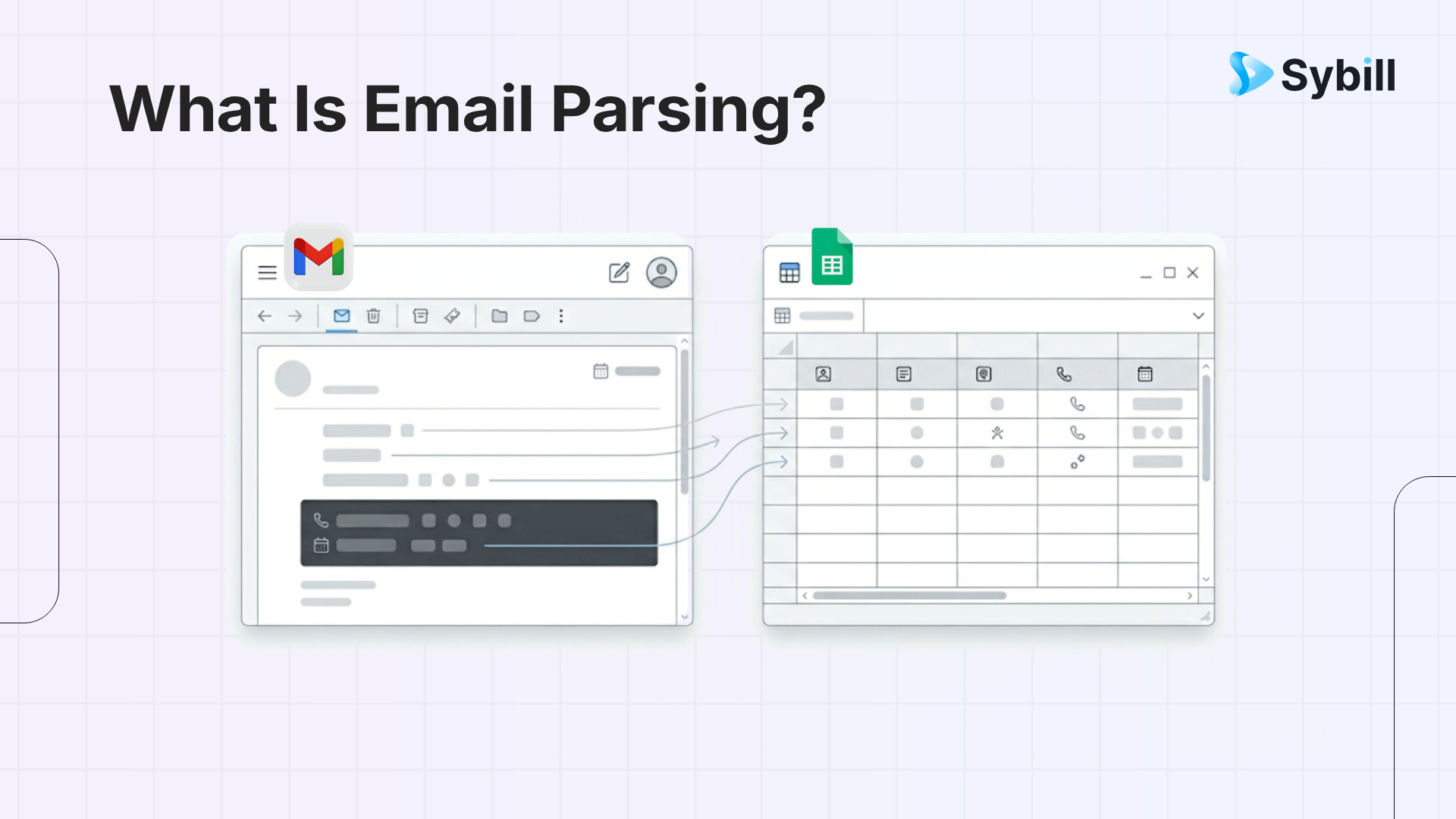
TL;DR: Email parsing is the automated extraction of structured data from emails. Instead of reading every message and manually copying names, dates, numbers, and deal details into your CRM, a parser reads the email for you and routes the data where it belongs. For sales teams, this means lead inquiries populate your pipeline without manual entry, proposal details get logged automatically, and meeting data flows from your inbox into your deal record. The best parsing systems in 2026 go beyond text extraction. They understand context, detect intent, and connect email data to the broader conversation history around a deal.
Email parsing is the process of automatically reading an email and extracting specific pieces of information from it. An email parser scans the message, identifies the data points that matter, and outputs them in a structured format that other systems can use, like a CRM record, a spreadsheet row, or a task in your project management tool.
Think of it this way. Every email you receive contains data: a sender name, a company, a date, a request, a price, a next step. When you read the email and manually type those details into Salesforce, you are doing the parser’s job by hand. An email parser does the same thing in seconds, without typos, and without forgetting.

The technology is not new. Basic email parsers have existed for years, mostly used by e-commerce companies to process order confirmations and by finance teams to extract invoice data. What has changed in 2026 is that AI-powered parsers can now understand unstructured text, detect meaning beyond keywords, and integrate directly with sales workflows. That makes email parsing relevant to any revenue team that touches an inbox, which is all of them.
Every email parser, whether simple or sophisticated, follows the same core process.
Step 1: Read the email. The parser accesses incoming emails, either through a forwarding rule, an API connection, or direct inbox integration. It reads the full message: headers, subject line, body text, and attachments if supported.
Step 2: Identify the relevant data. This is where the parsing logic lives. Structured parsers use predefined rules and templates: “extract the text after ‘Company:’ and before the next line break.” AI-powered parsers use natural language processing to understand what the email is about and identify data points without rigid formatting rules.
.png)
Step 3: Export the data. The extracted information gets pushed to a destination: your CRM, a Google Sheet, a task management tool, a Slack channel, or any system connected via API or integration platform. The data arrives structured, labeled, and ready to use without anyone needing to touch it.
The difference between a basic parser and an intelligent one shows up most clearly in Step 2. A basic parser can extract “John Smith” from a consistent template where the name always appears in the same position. An AI parser can read a free-form email like “Hey, this is John from Acme. We chatted at the conference last week. Would love to explore how your platform handles multi-thread deal tracking” and extract the name, company, the event context, and the specific product interest, all from a message that follows no template at all.
There are two broad categories of email parsers, and understanding the difference matters because it determines what kinds of emails you can actually automate.
Structured email parsers work best when the emails follow a consistent format. Order confirmations, system notifications, form submissions, and auto-generated alerts all have predictable layouts. A structured parser can reliably extract data from these because the information always appears in the same place.
For sales teams, structured parsing covers inbound lead forms, demo requests from your website, and CRM notification emails. These are high-value, high-volume data sources that should absolutely be parsed automatically rather than processed by hand.
AI-powered email parsers handle the messy stuff. Prospect replies that come in every possible format. Emails where the buying signal is buried in the third paragraph. Threads where the actual decision is expressed as “I think we can make this work if the pricing holds.” These emails do not follow templates. They require a parser that reads and understands language.
For revenue teams, the most valuable emails are almost always unstructured. The prospect’s reply. The champion’s internal forward. The renewal inquiry phrased as a question rather than a form submission. AI parsing is what makes these emails actionable at scale.
Email parsing has dozens of applications across industries. For sales teams specifically, these seven use cases deliver the most immediate value.
When a prospect fills out a form on your website, the submission typically arrives as an email to your sales team or marketing automation platform. An email parser extracts the lead’s name, company, email, phone number, and any qualifying details they provided, then creates a new contact and opportunity record in your CRM automatically.
.png)
Without parsing, an SDR manually reads the email, opens Salesforce, types in the details, and assigns the lead. That process takes two to three minutes per lead. With parsing, it happens in seconds, which means the SDR can focus on actually reaching out rather than doing data entry. For teams that receive 50 or more inbound leads per day, the time savings compound fast.
When a prospect confirms a meeting time by email, the parser can extract the date, time, attendees, and agenda notes, then create a calendar event and update the opportunity record in your CRM. This eliminates the manual step of copying scheduling details between email, calendar, and CRM, a step that most reps skip, which is why pipeline data is often incomplete.
When your AE sends a proposal or pricing document, the parser can capture the email metadata (who it was sent to, when, what was attached) and log it against the opportunity record. When the prospect replies, the parser captures the response and updates the deal timeline. This creates an audit trail of the pricing conversation without requiring the rep to manually log each interaction.
For teams running complex deal cycles, this kind of automated logging is what keeps the CRM accurate enough to be useful for forecasting.
AI-powered parsers can scan incoming emails for mentions of competitor names, pricing comparisons, or phrases that signal a competitive evaluation. When a prospect writes “We are also looking at [Competitor],” the parser flags the email and alerts the AE or sales manager so they can adjust their strategy.
This is a use case where AI parsing shines. A keyword filter might catch the competitor name, but an AI parser can detect the context: is the prospect comparing you favorably, raising a concern, or threatening to leave? That nuance changes the response strategy.
For customer success and account management teams, email parsing can identify signals of renewal risk or expansion opportunity. A customer emailing about billing concerns, feature requests, or usage questions generates data that should flow into the account health record. A parser extracts the signal and routes it to the right team member without relying on the customer to fill out a support ticket.
Similarly, when a customer emails asking about additional seats, new features, or higher-tier capabilities, the parser can flag the email as an expansion opportunity and create a task for the account team.
When a rep sends a follow-up email after a call, the parser can log the email content, timestamp, and recipient against the opportunity record. When the prospect replies, the parser captures the response and updates the deal record. This creates a complete email history on the opportunity without the rep needing to BCC the CRM or manually log activity.
After a conference, your team may receive dozens of emails from attendees, each with different formatting. An AI parser can extract contact details, company names, and conversation context from these varied emails and create lead records in your CRM. This turns a messy post-event inbox into a clean, actionable prospect list within hours instead of days of manual data entry.
Email parsing solves a specific problem: extracting structured data from email text. It reads what is written and routes the data to where it belongs. For lead capture, scheduling, and logging, that is exactly what you need.
But the most important data in a sales deal does not live in emails. It lives in conversations.
.png)
The objections a prospect raised on the discovery call. The budget range they mentioned during the demo. The specific use case they described in the QBR. The hesitation in their voice when you asked about timeline. None of that appears in an email. It appears on a call.
This is the line between email parsing and conversation intelligence. Email parsing captures what prospects write. Conversation intelligence captures what they say. The best revenue teams use both.
Sybill sits on the conversation intelligence side of this equation. It joins your sales calls, generates structured summaries of what was discussed, extracts action items and deal signals, drafts personalized follow-up emails based on the actual conversation, and updates your CRM with structured deal data. The follow-up email Sybill drafts then becomes the email your parsing system logs. The two systems feed each other.
When email parsing handles the inbox data and conversation intelligence handles the call data, your CRM becomes the single source of truth for every interaction in the deal cycle. That is the level of data completeness that makes sales forecasting actually reliable.
The right tool depends on your volume, technical resources, and how deeply you need parsing integrated into your sales workflow.
Mailparser is one of the most established email parsing platforms. It handles recurring, structured emails well and integrates with Salesforce, HubSpot, Zapier, and Google Sheets. Starting at $33 per month, it is a solid choice for teams that receive form-based leads and need reliable, rules-based extraction.
Parseur is a no-code option with a point-and-click template builder. It supports email body parsing and attachment parsing (PDF, CSV, Excel), and uses AI for improved accuracy on varying formats. Plans start at $49 per month. Best for teams that need flexibility without engineering resources.
Parsio offers AI-powered parsing with pre-built models for invoices, business cards, and lead emails. It supports OCR for scanned documents and integrates with 6,000+ apps via Zapier. Plans start at $49 per month. Best for teams processing diverse document types alongside emails.
Zapier Email Parser is free and integrates with the entire Zapier ecosystem. It is the simplest option for teams already using Zapier who need basic email-to-CRM routing. The limitation is that it requires consistent email formatting to work reliably.
Airparser uses custom large language models to parse unstructured emails and documents. It handles free-form text, handwritten notes, and varied layouts. Plans start at $24 per month. Best for teams receiving prospect emails in unpredictable formats.
.png)
Email parsing is the automated extraction of structured data from emails. A parser reads an incoming email, identifies specific information like names, dates, amounts, and requests, and outputs that data in a format other systems can use. It eliminates manual copying between email and CRM, spreadsheets, or task management tools.
Any email can be parsed, but the accuracy depends on the parser type. Structured parsers work best with consistent, template-based emails like form submissions, order confirmations, and system notifications. AI-powered parsers handle unstructured emails like free-form prospect replies, negotiation threads, and varied lead inquiries.
Email parsing automates lead capture, logs email activity on CRM records, detects competitor mentions, tracks proposal responses, and routes scheduling data to calendars. It reduces manual data entry, speeds up response times, and keeps your CRM data accurate without relying on reps to log every interaction manually.
Reputable parsing tools encrypt data in transit and at rest and comply with GDPR and other data protection regulations. However, you should review each tool’s privacy policy before connecting it to your sales inbox. Avoid pasting sensitive deal data into free tools without enterprise-grade security.
Email parsing handles a significant portion of CRM data entry, particularly for email-based interactions. But it only captures what is written in emails. For data from phone calls, meetings, and in-person conversations, you need complementary tools like conversation intelligence platforms that capture and structure spoken information.
Email parsing extracts data from emails you already receive in your inbox. Email scraping extracts email addresses from external websites and databases. Parsing turns your existing email data into structured records. Scraping builds prospect lists from public sources. They serve different purposes but can work together in a sales workflow.
Email parsing is the automated extraction of structured data from emails. A parser reads an incoming email, identifies specific information like names, dates, amounts, and requests, and outputs that data in a format other systems can use.
Any email can be parsed, but the accuracy depends on the parser type. Structured parsers work best with consistent, template-based emails like form submissions, order confirmations, and system notifications. AI-powered parsers handle unstructured emails like free-form prospect replies, negotiation threads, and varied lead inquiries.
Email parsing automates lead capture, logs email activity on CRM records, detects competitor mentions, tracks proposal responses, and routes scheduling data to calendars. It reduces manual data entry, speeds up response times, and keeps your CRM data accurate without relying on reps to log every interaction manually.








