
Find us at booth #83, join us for a harbor side happy hour, or catch Gorish’s talk.

Sept, 16-18 > Learn more


Tamanna Mishra

April 27, 2026
.png)
Loom nailed the beginner use case. But power users? They’ve officially outgrown the training wheels. Think of it like when early Instagram filters were enough… until everyone suddenly needed Lightroom presets, color grading, and the confidence of a Vogue cover shoot. Today’s creators, sellers, and operators want video that looks good, loads fast, edits easily, and fits into workflows that didn’t even exist when Loom first showed up with its cute little webcam bubble.
The 7 best Loom alternatives in 2026 are Sybill (best for sales teams that need meeting recordings plus AI summaries, follow-ups, and CRM autofill), Vidyard (best for video prospecting and personalized sales videos), Tella (best for polished product demos and tutorials), mmhmm (best for engaging presentations with virtual backgrounds), Screenpal (best free screen recorder with basic editing), Vimeo Record (best for enterprise video hosting and analytics), and Komodo Decks (best for interactive video presentations). The key differentiator is whether you need simple screen recording or an end-to-end sales workflow — tools like Sybill replace Loom for revenue teams by not just recording but also generating AI summaries, auto-drafting follow-up emails, and syncing meeting intelligence to CRM.
Now the stakes are higher. Interactive demos, 4K export, AI trimming, branded layouts, multi-video training paths, the works. They’re the new minimum. And a new generation of tools is racing like it's the Hunger Games to become the default async video product. No surprise, then, that teams are hunting for the best Loom alternatives, especially free and cheaper Loom alternatives that actually keep up.
If you strip away the hype, Loom is essentially a screen and webcam recorder built for fast, asynchronous communication. It lets you hit record, talk through your screen, and share a link in seconds. That simplicity is the reason it spread through remote teams faster than the “everyone is on mute” era of 2020.
Loom was designed to help people explain things visually - without scheduling a meeting. The core use cases read like a greatest-hits list for modern knowledge work:
What made Loom stand out early on was the frictionless experience. A Chrome extension. A lightweight desktop app. No exporting. No compressing. No uploading. Just record and share a link and done. It’s the closest thing software has come to handing someone a video message on a Post-it note.
The exhaustion with remote-work related virtual meetings rewired how teams communicate. Almost overnight, the world went from “Let’s jump on a call” to “Please, no more calls.”
Asynchronous communication became a survival strategy, not preference. And Loom stepped into that moment perfectly.
Several forces made Loom spread through companies like a productivity cult classic:
Loom became the antidote to Slack novels, sprawling email threads, and back-to-back meetings. A quick video replaced a 30-minute call. A two-minute walkthrough replaced a 12-message comment chain. And for a while, that was enough to crown it the default tool for async updates.
Async wasn’t just a trend. It became the new productivity stack, a way for teams to move faster without being simultaneously online.
But that wave also raised expectations. If Loom won hearts with clarity and convenience, the next generation of tools is winning workflows with power, richer editing, interactive formats, deeper collaboration, and better scaling across teams. Which is why the hunt for strong Loom alternatives has never been more intense.
Loom was perfect when async video meant quick explanations. But today’s teams expect more power, more polish, and more flexibility. That’s why searches for Loom alternatives, especially cheaper Loom alternatives and free Loom alternatives, have grown dramatically.
As workflows evolve, Loom’s constraints feel sharper. Here’s what pushes teams to explore other options:
In short, Loom is great for getting started - but easy to outgrow.
Yes, but the Loom free plan is limited. You can record up to 25 videos, each capped at 5 minutes, with only basic editing features available (as outlined in the Supademo file). For many teams, that ceiling arrives quickly. If you need a free Loom alternative with fewer restrictions, tools like ScreenRec (unlimited recording), or Sybill (for meeting-focused capture and transcription) offer far more flexibility depending on your use case.
While Sybill isn’t a traditional screen recorder, it is a powerful alternative for teams who use Loom primarily to share meeting highlights, client updates, onboarding material, or internal knowledge.
Sybill’s sharing and collaboration features give teams an effortless way to distribute the moments that matter:
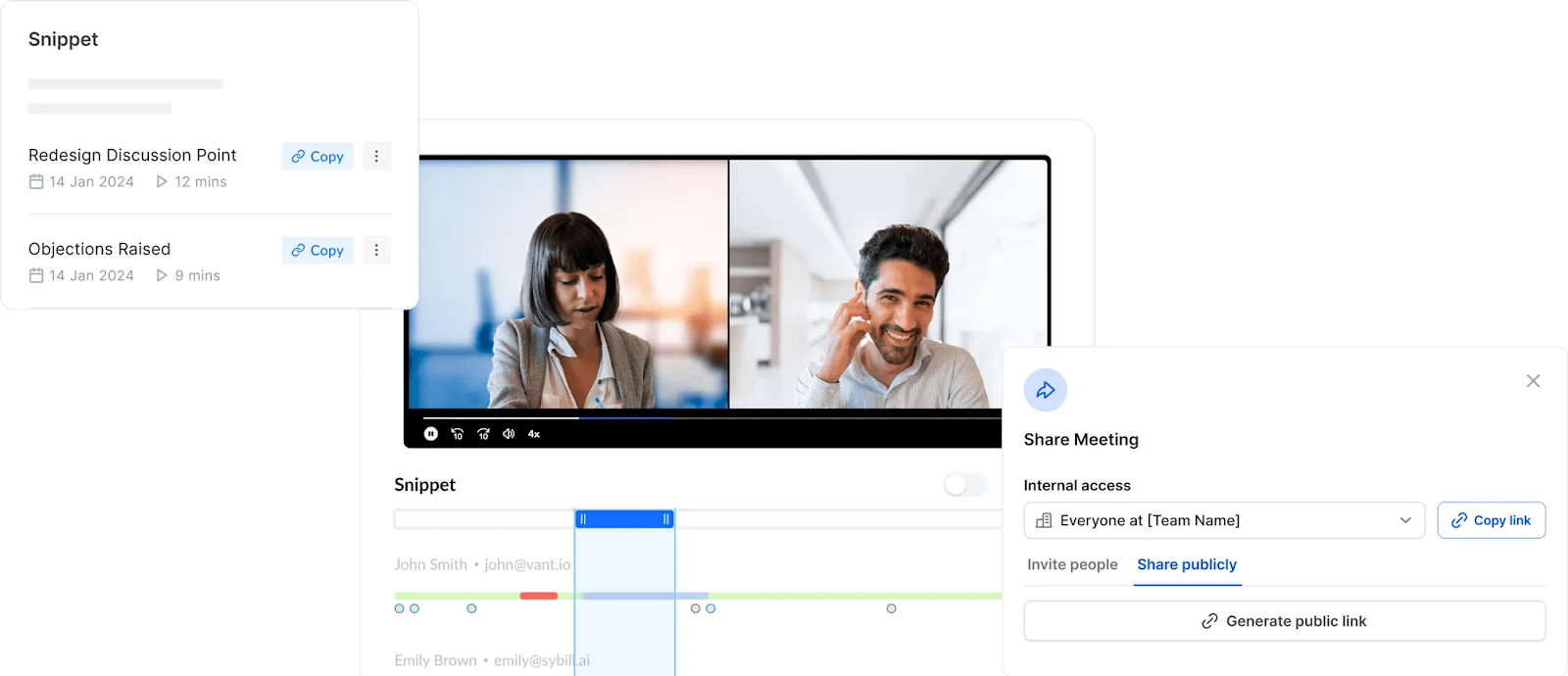
If your workflow revolves around communicating insights, feedback, objections, next steps, or customer context, Sybill can replace the need for Loom entirely, while offering deeper intelligence and faster internal alignment.
Click here to try Sybill for free.
If you’re looking for the best Loom alternatives, this is the shortlist that actually matters. Each option below solves a different gap Loom leaves open - whether you need deeper editing, cinematic quality, interactive demos, or a cheaper Loom alternative that doesn’t cap your creativity.
Here are the strongest alternatives to Loom for 2026
.png)
Supademo stands out as the most complete interactive demo + video platform, offering far more than simple recording. It blends screen capture with clickable demos, AI enhancements, and powerful editing, making it a top choice for teams that need polished, scalable product education.
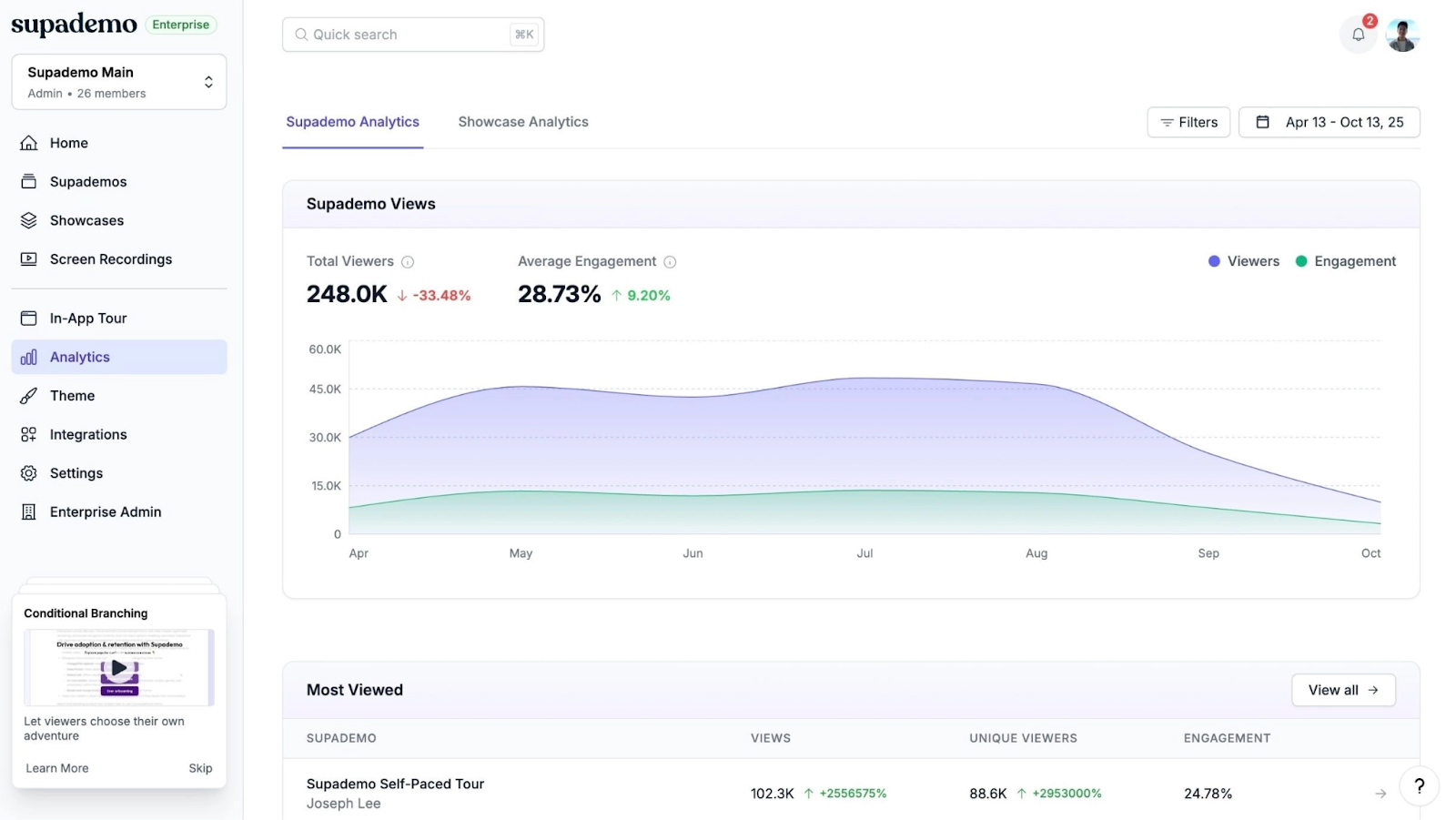
Key features:
Pros: Unlimited recording on free plan; highly personalized demos; advanced editing for training and onboarding.
Cons: Built primarily for demos - may be more than you need for simple recordings.
Pricing:
Best for: SaaS teams, onboarding, training, customer success, PMMs, sales engineers.
Camtasia is the heavyweight video editor in this category. If you want power, polish, and full creative control, it delivers a studio-like environment with an editor that rivals dedicated video production tools.
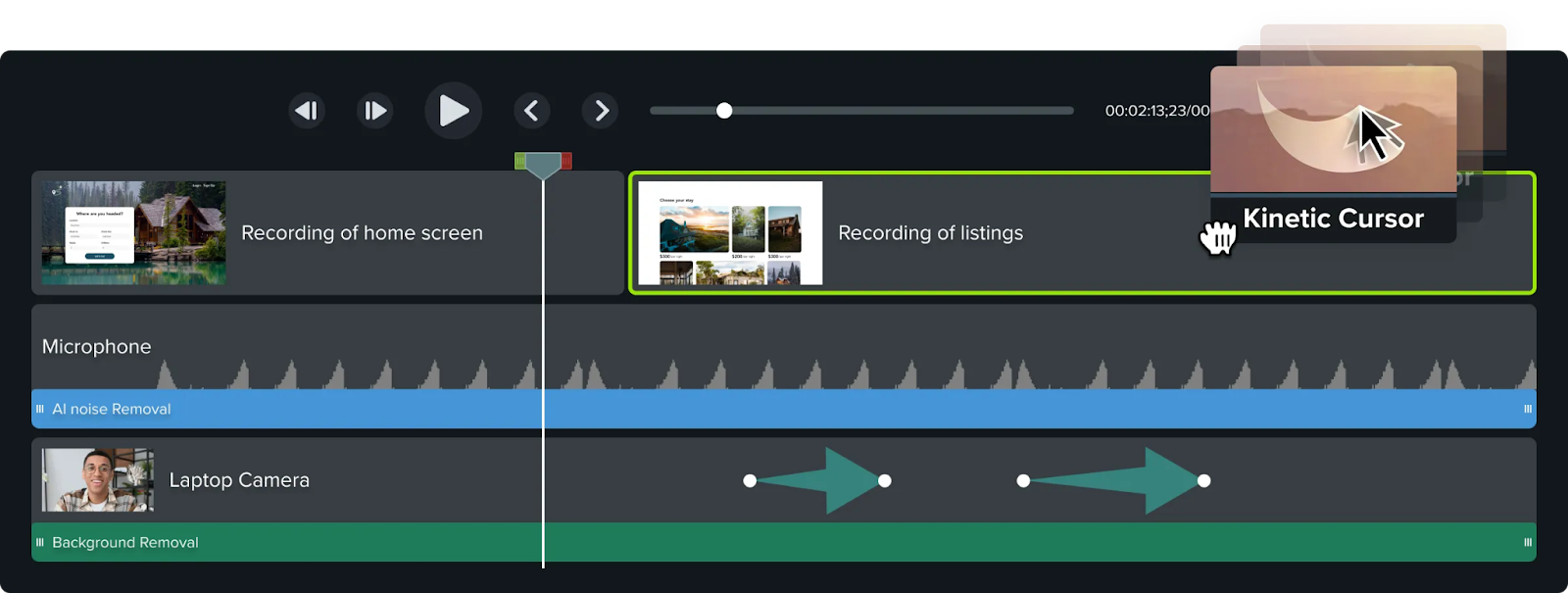
Key features:
Pros: Exceptional editing depth and flexibility.
Cons: Steep learning curve and higher pricing.
Pricing: Paid plans start at $179 according to Capterra
Best for: Educators, YouTubers, trainers.
Screen Studio creates smooth, cinematic, Apple-like demo videos with almost no effort. It’s perfect for teams that care deeply about polish and run entirely on Mac.
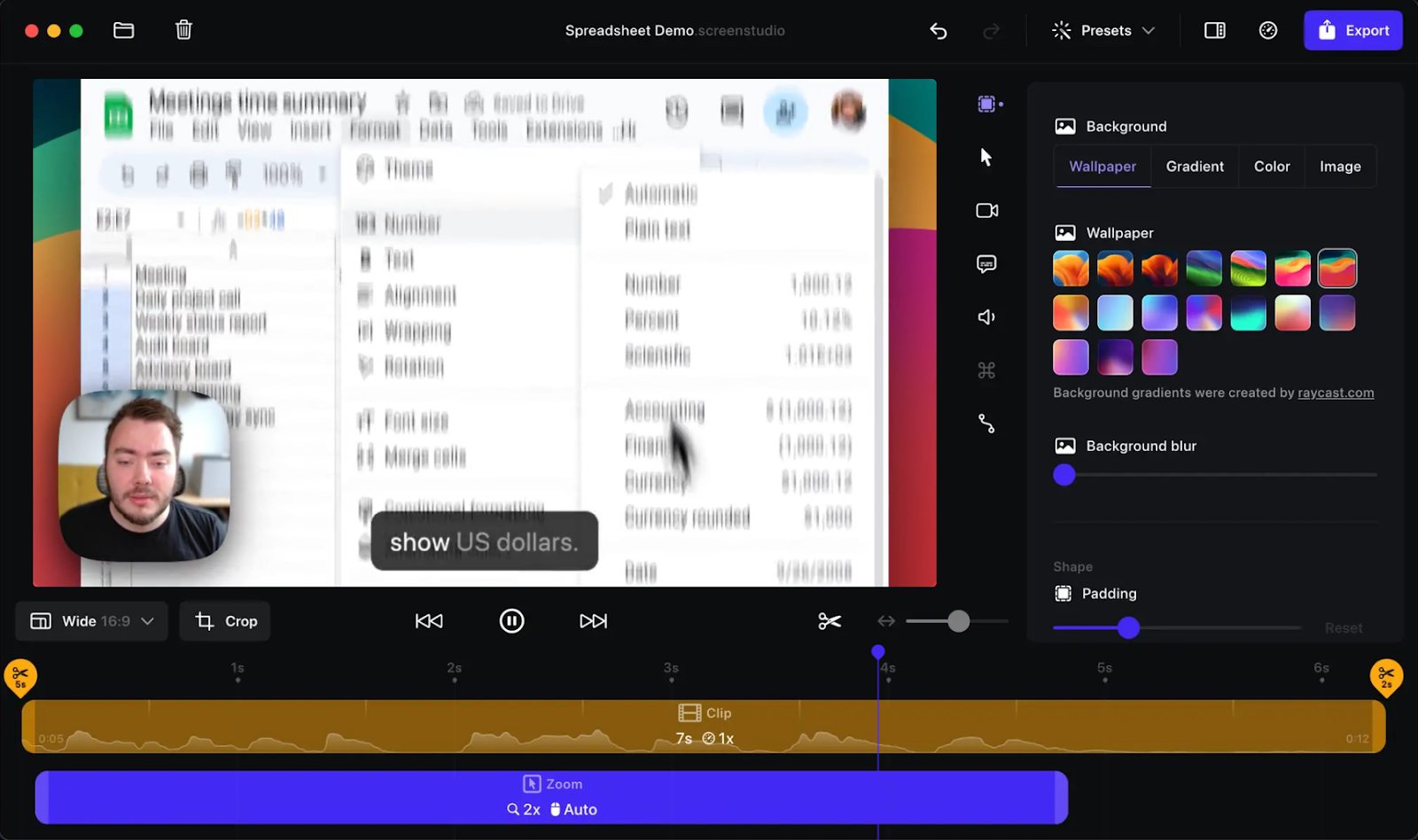
Key features:
Pros: Beautiful, professional output with intuitive presets.
Cons: Mac-only; no cloud hosting.
Pricing: $29/mo or $9/mo billed annually.
Best for: Founders, product teams, demo creators.
Tella offers stylish layouts, quick editing, and an interface designed to help you look good with minimal effort. It’s a natural fit for educators and creators recording lessons or explainers.
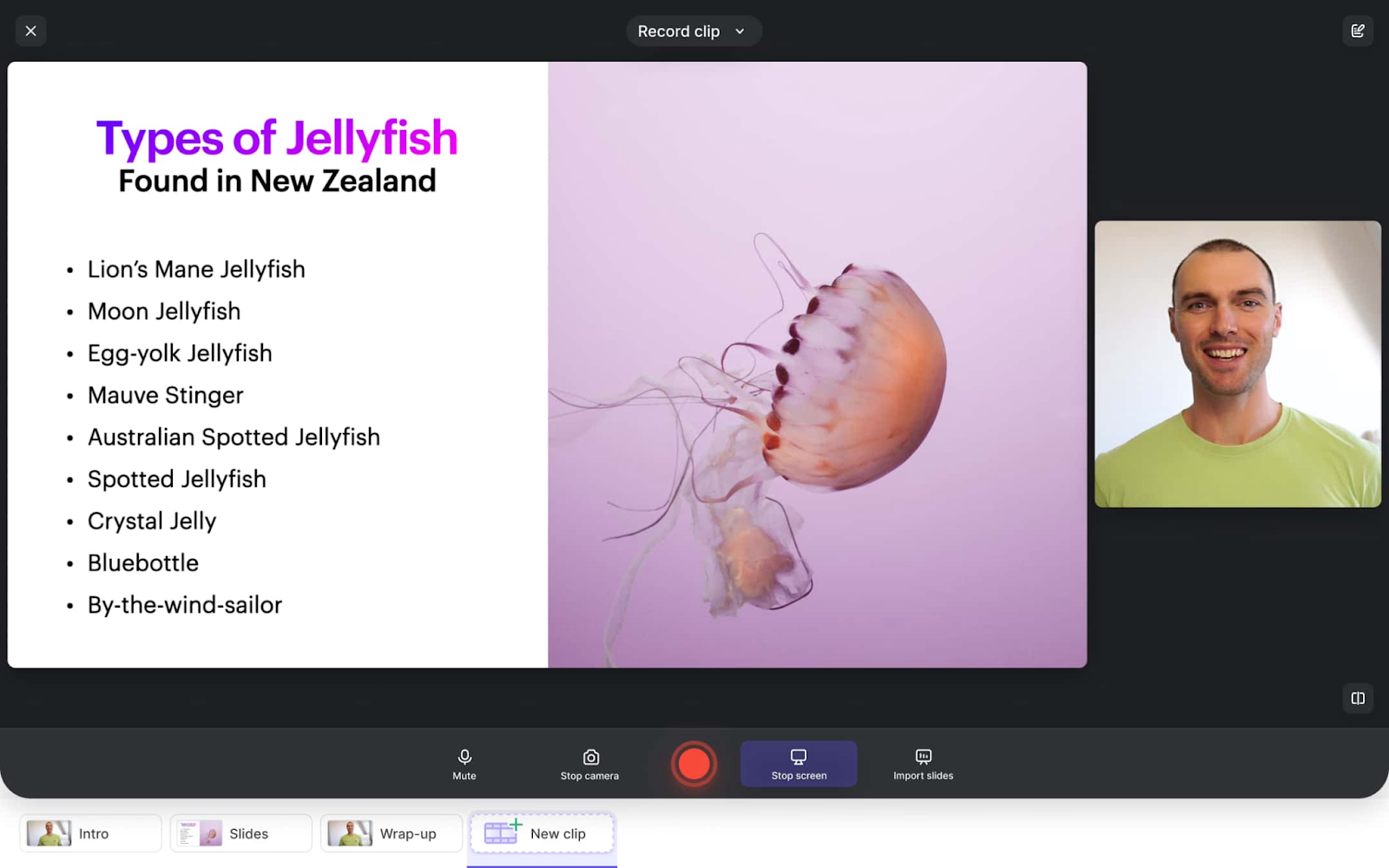
Key features:
Pros: Professional-looking videos with very little setup.
Cons: Occasional bugs; cloud-only editing environment.
Pricing: Pro $13/user/mo; Premium $19/user/mo.
Best for: YouTube educators, course creators, product marketers.
VEED takes AI-driven content creation to the next level. It’s ideal for teams producing social snippets, branded edits, or rapid-fire content that needs subtitles, translations, or visual effects.
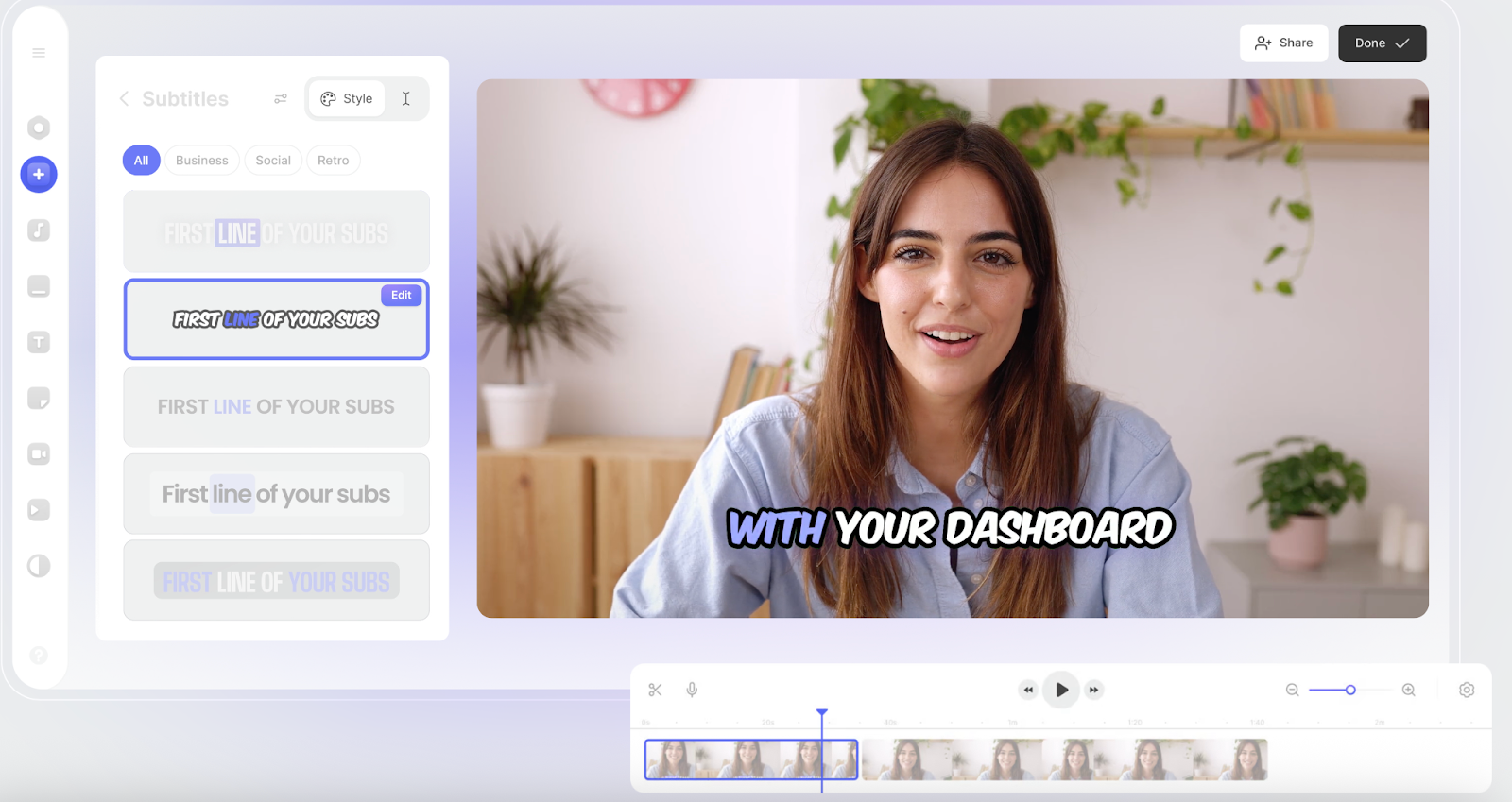
Key features:
Pros: One of the most powerful AI video creation suites.
Cons: Can be slow during rendering; occasional export delays.
Pricing: Lite $12/mo; Pro $29/mo; Business tier available.
Best for: Social media teams, marketing creators.
ScreenRec is the go-to free Loom alternative if you want unlimited recording without watermarks. It’s simple, fast, and offers high-quality capture with instant shareable links.
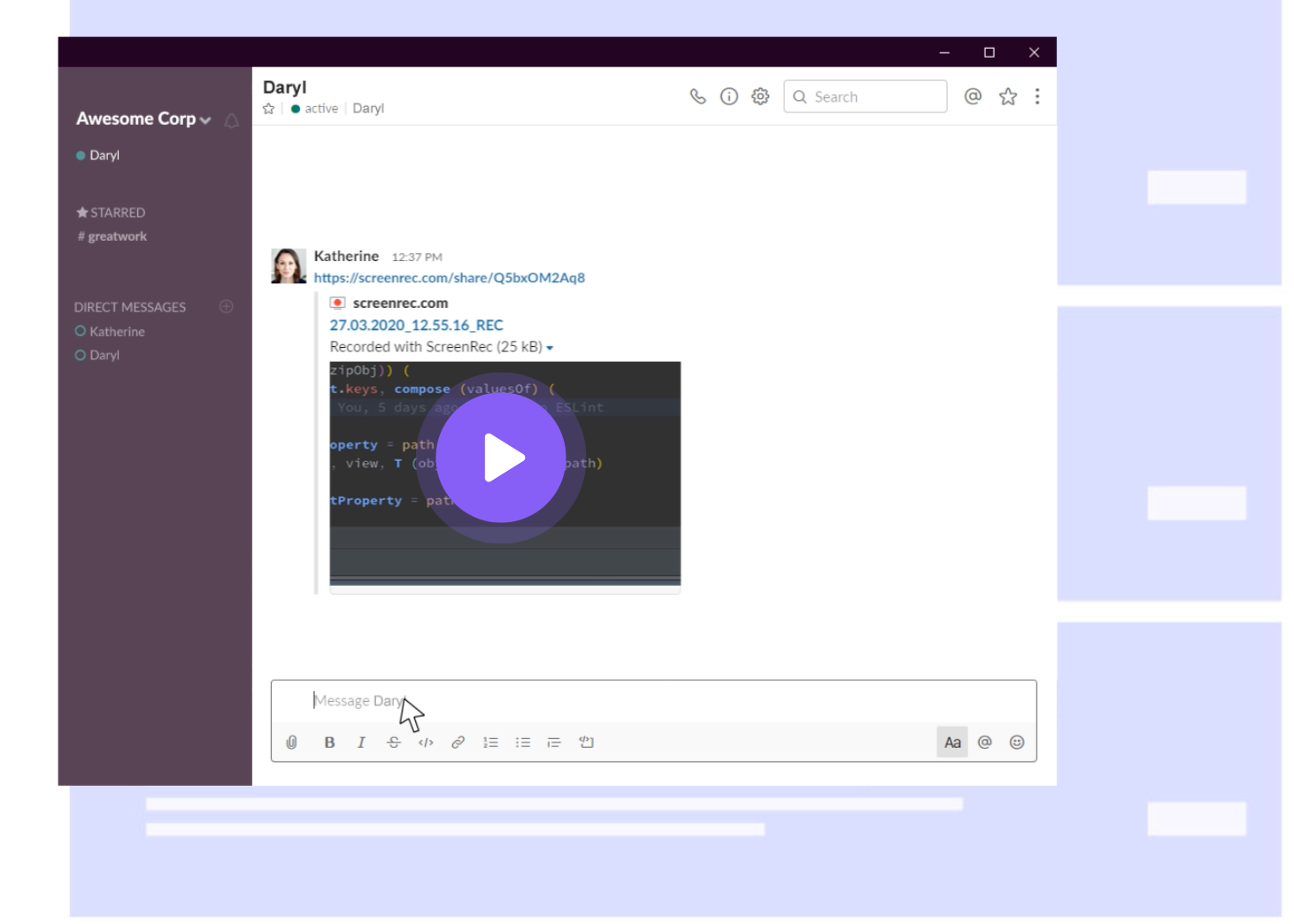
Key features:
Pros: No watermarks; unlimited recordings; extremely lightweight.
Cons: No pause button; no editing capabilities.
Best for: Internal tutorials, quick capture workflows, basic screen sharing.
Descript blends screen recording with AI-powered video and audio editing. If you want a single tool for recording, editing, transcribing, and polishing content, Descript is the smartest all-in-one option.
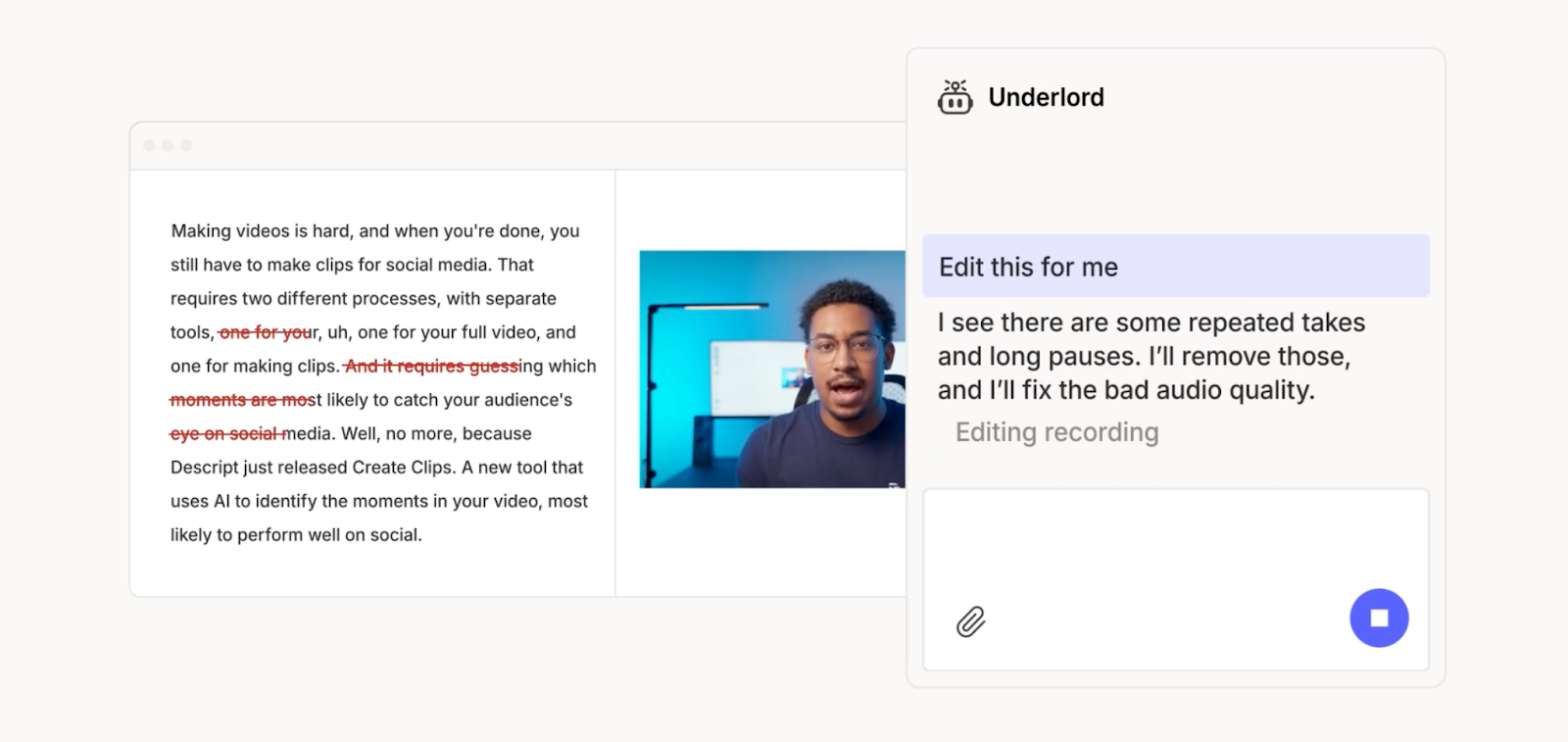
Key features:
Pros: Combines recording + advanced editing in one tool.
Cons: Limited free tier; desktop-only.
Pricing: Starts at $16 for hobbyists, business plans start at $50 per user per month
Best for: Creators, podcasters, marketing content teams.
Before you decide which of the best Loom alternatives fits your workflow, get clear on the job you actually need the tool to perform. Async video has evolved far beyond quick screen recordings, and different teams now have very different needs.
Ask yourself:
The right Loom alternative is the one aligned with your workflow’s maturity, not just the cheapest or most familiar option.
Yes. The closest Loom alternative on the MS ecosystem is Microsoft Stream, which lets you capture your screen, webcam, and audio while storing everything securely inside your Microsoft 365 environment.
You can also record with Clipchamp, Microsoft’s built-in video editor that supports webcam + screen recording, and Microsoft Teams, which handles live meeting and demo recordings. Compared to Loom, Microsoft’s options offer stronger compliance and governance but less frictionless, link-based sharing.
Google doesn’t offer a direct Google Loom alternative, but it does provide basic recording options.
Google Meet lets you record meetings and walkthroughs, while ChromeOS devices include a built-in Google screen recorder for quick captures. There’s also Record by Wistia, a Chrome-native recorder often used by Google Workspace teams, though it isn’t Google-owned. All of these options work for simple screen captures, but they lack Loom-style editing, branding controls, and analytics.
With so many tools now outpacing Loom in depth, polish, and flexibility, the right choice comes down to matching the tool to your persona and workflow. The best alternatives to Loom in 2026 aren’t one-size-fits-all, and each excels in a different lane.
Here’s the quick selection matrix:
And finally:
Sybill turns conversations into usable, shareable knowledge with snippets, summaries, collections, and seamless collaboration, acting as a modern asynchronous alternative for teams who communicate through customer interactions rather than screen demos.
Ultimately, the best Loom alternative is the one that fits the job you’re actually trying to do - not just the tool you’ve always used.
The best Loom alternatives depend on what you’re trying to create. Choose Supademo for interactive demos and training, Camtasia for deep editing and professional tutorials, Tella for creator-friendly layouts, VEED for AI-powered social videos, and ScreenRec if you want a free Loom alternative with unlimited recording. If your workflow centers on sharing call snippets, summaries, and insights rather than recording your screen, Sybill is the strongest async alternative, turning meetings into instantly shareable knowledge. Each tool fills a gap Loom leaves open, making them powerful alternatives to Loom in 2026.
It depends on whether you prioritise speed or production depth. Loom is better for quick async recordings you can share instantly, while Vimeo is built for professional hosting, streaming, advanced analytics, and high production workflows. If you want fast explainers, use Loom. If you want polished, long-form or public-facing video, Vimeo wins.
Loom’s pricing reflects its position as a business-focused async communication tool. Costs increase because: AI features are locked behind higher tiers The free plan caps you at 25 videos Enterprise-grade admin and governance tools are included on premium tiers The product is positioned for revenue teams, onboarding, and scaling organisations All of this pushes Loom’s pricing above many simpler screen recorders.








