Find us at booth #83, join us for a harbor side happy hour, or catch Gorish’s talk.

Sept, 16-18 > Learn more


Tamanna Mishra

June 26, 2026
aw.png)
If five people join your demo, you are not giving one demo. You are giving five demos at the same time.
Same screen share. Different fears. Different agendas. Different definitions of value. The CFO wants ROI. RevOps wants process fit. IT wants security. The VP Sales wants team adoption. Your champion wants to look brilliant for bringing you in. The end user wants to know whether this new tool will make their life easier or just become another tab they resent.
This is why “I checked their LinkedIn and skimmed the CRM” is not demo prep. That is sales cosplay with a calendar invite.
Modern B2B sales is multi-threaded by default. Forrester’s 2026 State of Business Buying report found that the typical buying decision now includes 13 internal stakeholders and nine external influencers. Gartner also reported that 74% of B2B buyer teams show unhealthy conflict during the buying decision process. Translation: you are not just selling against competitors. You are selling against misalignment inside the buying room.
A good demo is a stakeholder-specific business conversation.
This guide breaks down how to research multiple stakeholders before a demo, what to look for, how to map priorities and objections, how to use AI without outsourcing your judgment, and how Sybill’s Pre-meeting Briefs and Ask Sybill can do the heavy lifting before the call.
A single-stakeholder demo is relatively simple. One person has a problem. You show how your product solves it. You ask for the next step. Everyone goes home pretending procurement will be easy.
A multi-stakeholder demo is different.
Each person in the room is evaluating a different version of the deal. The VP Sales may care about forecast accuracy. RevOps may care about CRM hygiene. Finance may care about cost control. IT may care about integrations, data permissions, and whether your “AI magic” has a security policy attached to it. The sales manager may care about coaching visibility. The rep may care about whether this will reduce admin or add more of it in a shinier UI.
The mistake is treating all of these people as one buyer. They are not.
They may agree that the current problem exists, but disagree on urgency, budget, rollout, success metrics, risk, and ownership. That is where deals slow down. Not always because the product is wrong. Often because the buying committee cannot agree on what “right” looks like.
That is why stakeholder research before a demo needs to answer three questions:
Get those answers right, and your demo feels sharp. Get them wrong, and you are just clicking through features while the CFO mentally leaves the call.
Before you touch the deck, build the room.
A stakeholder map is not a cute sales enablement artifact that lives in a Google Sheet until the heat death of the universe. It is your demo strategy. It tells you who matters, who influences, who blocks, who validates, and who needs to be armed for the internal conversation after you leave.
At minimum, map each stakeholder by:
.png)
Notice what this table does not say: “Show everyone the same demo.” That is the trap.
A generic demo is just a product tour with calendar fatigue. A strong demo has one storyline, but different proof points for different stakeholders.
Start with the calendar invite, but do not stop there. Calendar invites lie by omission.
Research:
A demo with only friendly users is not a buying process. It is a feature appreciation club. Lovely vibes. Weak forecast.
Not every senior title controls the deal. Not every quiet stakeholder is harmless.
The person with the fanciest title may join for five minutes and disappear. The RevOps lead may ask three “small” questions that decide whether the product can actually fit the workflow. The IT stakeholder may say nothing on the call and then quietly send the deal into security review purgatory. The manager who seems tactical may be the person your champion trusts most.
So do not just map hierarchy. Map influence.
Look for signals like:
A stakeholder who says nothing in the demo can still say no in the buying meeting. Silence is not approval. Sometimes it is just procurement loading the cannon.
The best demos are not “personalized” because the rep says, “I saw you went to Ohio State.” They are personalized because the rep understands what each stakeholder needs to believe.
The economic buyer cares about money, risk, strategic priority, and whether the problem is expensive enough to solve now.
Before the demo, research:
In the demo, do not drown the economic buyer in workflow clicks. Show the business case. Show the before and after. Show why this is worth doing now.
For Sybill, for example, that might mean showing how reps save admin time, managers get stronger deal visibility, CRM updates happen automatically, and pipeline risk becomes easier to spot before forecast review.
The functional leader cares about team performance.
For a sales leader, that usually means productivity, adoption, pipeline visibility, coaching, forecast confidence, and whether the team will actually use the product after the launch announcement loses its sparkle.
Research:
In the demo, connect features to operating outcomes. Show how the product changes the weekly rhythm of selling, coaching, follow-up, and pipeline review.
RevOps is not there to admire your UI. RevOps is there to ask whether this thing will create a process mess they have to clean up later.
Research:
In the demo, show process fit. Show CRM automation. Show how data flows. Show how the tool supports the operating system of sales, not just the rep’s individual productivity.
Also read: AI pre-meeting briefs for sales calls
Technical stakeholders care about security, integrations, permissions, data handling, implementation, and whether your product will create another support queue.
Research:
In the demo, do not hand-wave technical questions. “We integrate with everything” is not an answer. It is a cry for help wearing a vendor badge.
Have clean answers ready.
End users care about the daily reality.
Will this save time? Will it be easy? Will it reduce admin? Will it help them do better work? Or will it become another tool leadership bought because the dashboard looked expensive?
Research:
In the demo, show the Monday morning workflow. Not the grand vision. Not the 74-slide platform universe. Show what changes in the first week.
For example, with Sybill, reps can walk out of a call with a Magic Summary, AI-generated follow-up, CRM updates, and action items already handled. That is the part a rep will remember.
Your champion cares about internal credibility.
They need to believe in the product, but they also need to sell it when you are not in the room. That means they need a clean story, sharp proof, stakeholder-specific value, and next steps that make them look competent.
Research:
Your champion is not the buying committee. They are your narrator inside it. Give them a better script.
LinkedIn tells you who someone is. Past interactions tell you what they care about.
Before a multi-stakeholder demo, the richest context usually lives in the messiest places:
This is where manual prep becomes painful. Reps are told to “come prepared,” but the context is scattered across 17 tabs and three tools that all claim to be the source of truth. Very cute. Very untrue.
That is exactly where Sybill helps.
Sybill’s Pre-meeting Briefs pull deal context into one customizable brief so reps know who they are talking to, what has already been said, and what is on the agenda. Sybill’s demo call brief templates can include participants, past interactions, focus areas, likely objections, and the ideal call objective.
Ask Sybill goes further. Instead of digging through transcripts or CRM notes, reps can ask deal-specific questions in plain English:
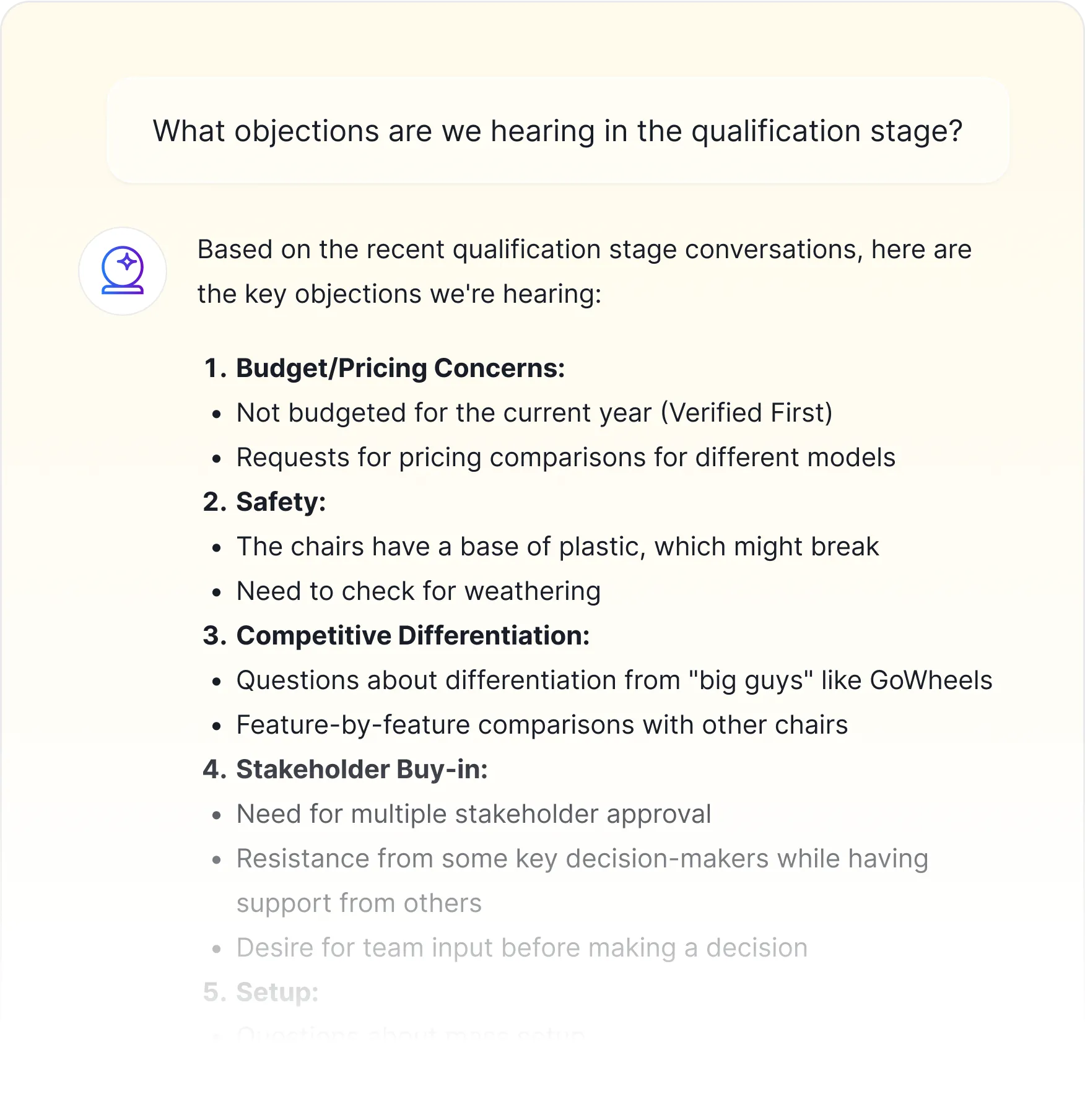
That is the difference between researching the account and reconstructing the deal.
Also read: How to Research a Prospect Before a Sales Call in 10 Minutes
Once you have the stakeholder map, build the demo around the room.
Do not start with, “Here is everything our product can do.” Nobody asked for the director’s cut.
Start with the shared business problem.
For example:
“From our previous conversations, it sounds like the team is trying to reduce rep admin, improve CRM hygiene, and give managers better visibility into deal risk before forecast review. Today, I’ll show how Sybill supports those goals across the rep workflow, RevOps process, and manager review.”
That opening does three things:
Then map the demo flow by role. Here’s what we use for Sybill, as an example:
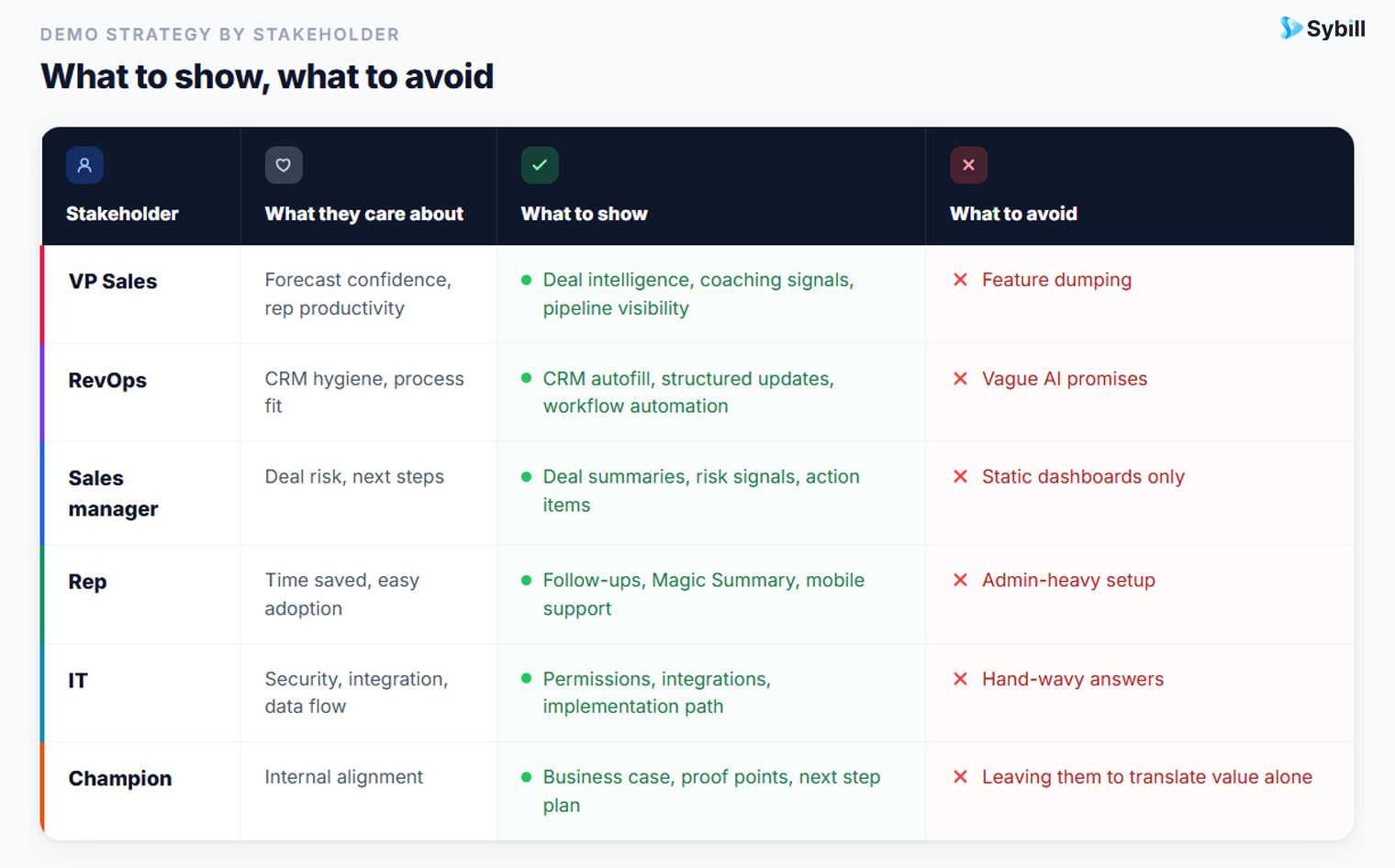
A strong demo is not longer because more stakeholders joined. It is sharper because every section has a job.
AI can help with stakeholder research. It can summarize, organize, compare, extract, and prepare.
But generic AI without deal history and deep context is guessing politely.
There is a big difference between asking:
“How do I demo to a CFO?”
And asking:
“In this opportunity, what has the CFO cared about so far, what objections have come up, and what should I address in the demo?”
The first gives you a generic persona. The second gives you deal context.
To prepare well, AI needs more than job titles. It needs:
That is why sales-specific AI matters. A general AI tool can help if you manually feed it clean inputs. Sybill already has the sales context. It connects what happened in prior conversations to what needs to happen next.
For teams comparing AI tools, Sybill’s guide to the best AI sales meeting assistant for B2B SaaS teams is a useful next read.
Before a demo, reps should not have to become archaeologists of their own pipeline.
They should be able to ask questions and get answers.
Here are useful Ask Sybill questions before a multi-stakeholder demo:
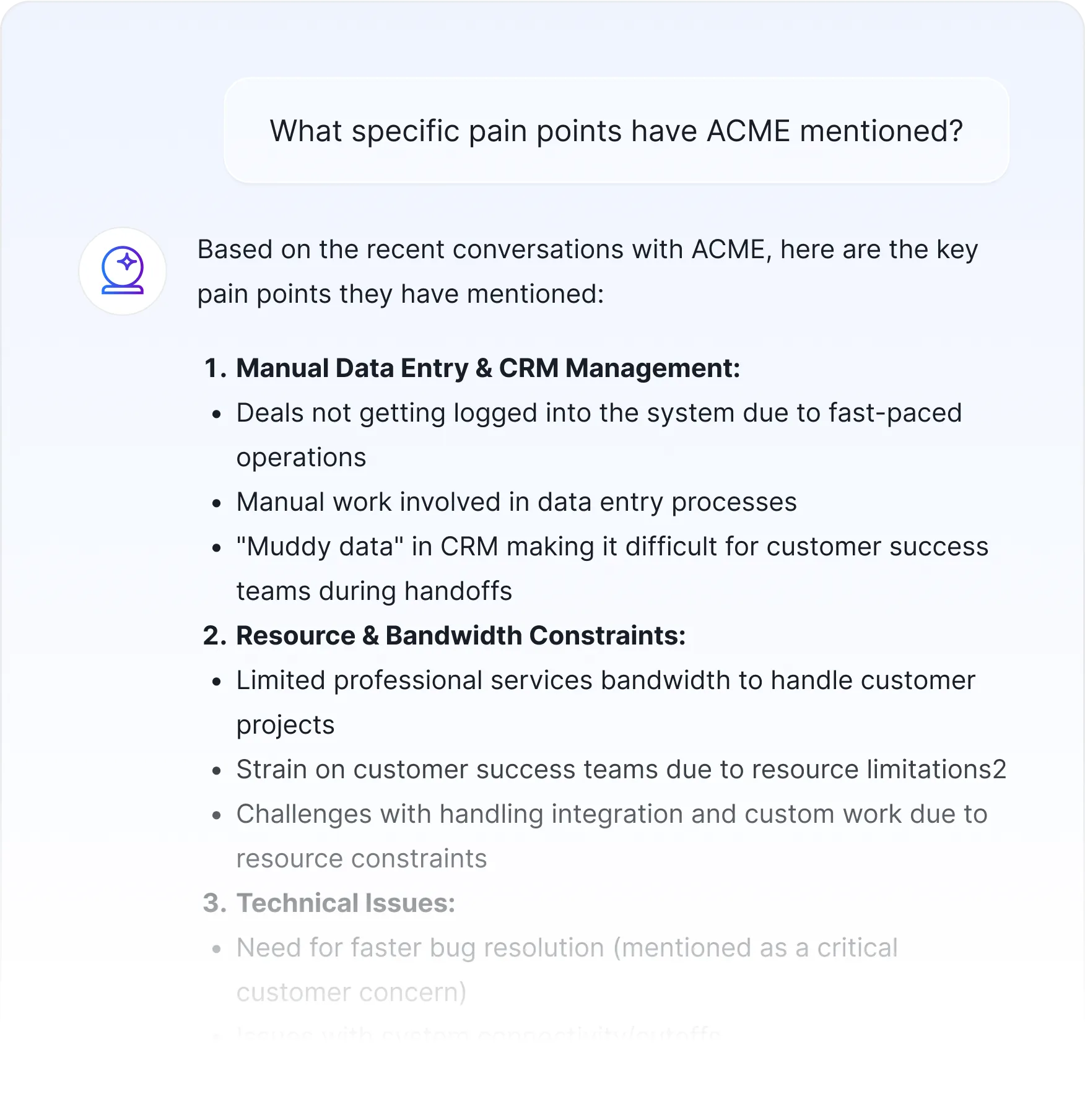
This is not just “meeting prep.” This is deal control.
Sybill helps reps connect stakeholder-level conversations, buyer needs, CRM data, meeting history, and intent signals before the demo. That means fewer generic walkthroughs, fewer repeated discovery questions, and fewer “let us circle back internally” black holes.
For more on risk signals, read How to Identify At-Risk Deals Before They Slip.
Use these prompts before your next demo. They work best when the AI has access to CRM notes, prior calls, emails, deal stage, stakeholder names, and past follow-ups.
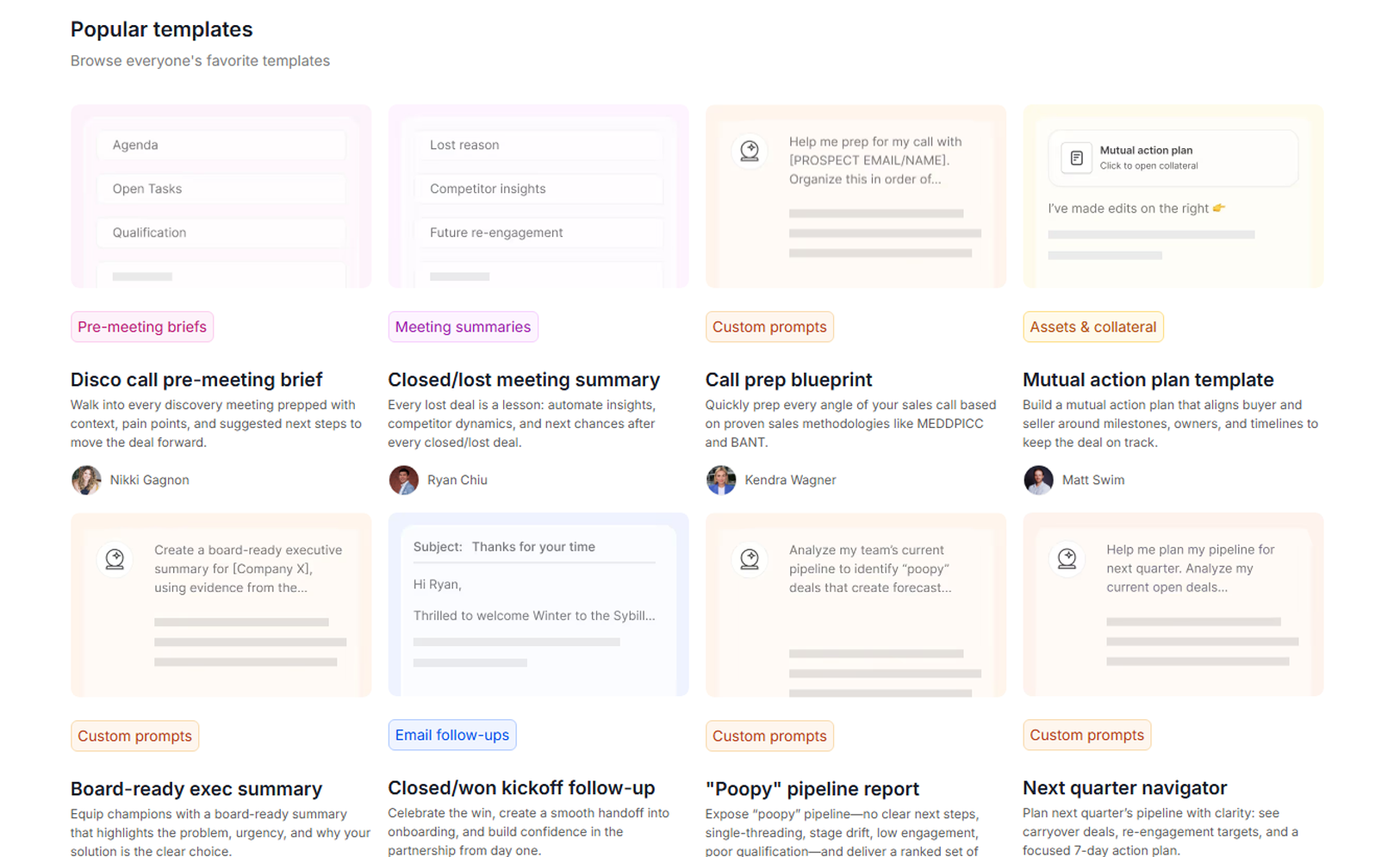
Create a stakeholder map for [Account Name] before my demo. Include each known stakeholder, title, department, likely role in the buying process, influence level, relationship strength, known priorities, concerns, and what I should show them in the demo.
Review past calls, emails, CRM notes, and meeting summaries for [Account Name]. List the top priorities mentioned by each stakeholder. Separate confirmed priorities from inferred priorities.
What objections, concerns, or hesitation signals have come up in this deal so far? Group them by stakeholder and recommend how I should address each one during the demo.
Who appears to have the most influence in this deal, and who could block or slow down the decision? Explain why, using evidence from past interactions.
Based on the stakeholders attending the demo, create a demo flow that speaks to each person’s priorities without turning the demo into a feature tour.
What does our champion need to successfully sell this internally after the demo? Create a short list of proof points, risks to address, and follow-up assets.
If [Stakeholder Name] is the economic buyer, what business case should I emphasize in the demo? Include likely ROI angles, risk concerns, and executive-level questions I should be ready for.
If [Stakeholder Name] owns RevOps or sales operations, what workflow, CRM, reporting, automation, and implementation questions should I prepare for?
If [Stakeholder Name] is the technical evaluator, what integration, security, implementation, permission, or data questions should I prepare for?
Have any competitors been mentioned in this deal? Summarize who mentioned them, what was said, and how I should position against them in the demo.
Write a 60-second opening for this demo that acknowledges the stakeholders in the room, summarizes what we have learned so far, and frames the demo around their business priorities.
Based on this deal stage and prior interactions, what is the most realistic next step to secure before the call ends?
After the demo, draft separate follow-up notes for each stakeholder group based on what they cared about, what was discussed, and what next step we need from them.
For stronger post-demo execution, also read Sybill’s guide to sales follow-up emails.
Before your next demo, run this checklist:
The goal is not to know everything. The goal is to know enough to make the demo feel like it was built for the room.
Also read: Multi-Threading Best Practices for Sales Reps
The best demos feel personal because the prep was specific.
Not personalized like “I noticed your company won an award in 2021.” Personalized like: “I understand why RevOps cares about CRM hygiene, why finance needs ROI, why the VP Sales wants adoption, why IT needs answers, and why the champion needs a clean internal story.”
That is the standard now.
Multiple stakeholders do not make demos harder only because there are more people on the call. They make demos harder because there are more definitions of value in the room.
The rep’s job is to connect them.
Sybill helps reps walk in knowing who is in the room, what they care about, what has already been said, what objections need to be addressed, and what next step to secure. With Ask Sybill and Pre-meeting Briefs, demo prep becomes less about digging through transcripts and more about showing up with a point of view.
Research the room. Respect the context. Then run the demo like someone who actually knows what deal they are in.
Stakeholder research in sales is the process of understanding who is involved in a buying decision, what each person cares about, how much influence they have, and what may help or prevent them from supporting the deal. It includes researching roles, priorities, objections, past conversations, decision power, and internal buying dynamics.
Start by identifying who is attending, what role each person plays, what they care about, what they have said in past interactions, and what objections may come up. Then build the demo around shared business outcomes and stakeholder-specific proof. The goal is to make every stakeholder feel like the demo answers their version of the buying decision.
Multi-threading in sales means building relationships with multiple stakeholders inside an account instead of relying on a single champion or contact. It reduces deal risk, improves visibility into the buying process, and helps sellers understand how the decision is actually being made.
Look at titles, budget ownership, approval requirements, CRM notes, past call mentions, and who other stakeholders defer to. Ask your champion who needs to approve the purchase, who will influence the decision, and who could block it. Also watch for people who control finance, security, legal, operations, or implementation.
A strong sales pre-meeting brief should include attendees, roles, account context, past interactions, key pain points, open objections, competitor mentions, deal risks, recommended demo focus areas, and the next step to secure. Sybill’s Pre-meeting Briefs help automate this by pulling context from past calls, CRM data, email threads, and meeting history.
Stakeholder research in sales is the process of understanding who is involved in a buying decision, what each person cares about, how much influence they have, and what may help or prevent them from supporting the deal. It includes researching roles, priorities, objections, past conversations, decision power, and internal buying dynamics.
Start by identifying who is attending, what role each person plays, what they care about, what they have said in past interactions, and what objections may come up. Then build the demo around shared business outcomes and stakeholder-specific proof. The goal is to make every stakeholder feel like the demo answers their version of the buying decision.
Multi-threading in sales means building relationships with multiple stakeholders inside an account instead of relying on a single champion or contact. It reduces deal risk, improves visibility into the buying process, and helps sellers understand how the decision is actually being made.