
Find us at booth #83, join us for a harbor side happy hour, or catch Gorish’s talk.

Sept, 16-18 > Learn more

%20(1).avif)
Mamta Tainwala

March 2, 2026

A great sales deck is not a product brochure dressed in PowerPoint. It's a story with your buyer as the hero. The best sales deck examples lead with the prospect's problem, build a narrative arc, use minimal text, and close with one clear next step. In this guide, you'll find 7 real-world sales deck examples, a breakdown of what makes each one work, the anatomy of a winning deck structure, and how tools like Sybill help you figure out which slides are actually resonating with real prospects, not just in theory.
In this guide, we'll cover:
Most sales decks do the opposite of what they are supposed to. Instead of grabbing attention and looking like its the answer to their problems, it puts people to sleep.
A good sales deck is a visually driven presentation designed to move a prospect from curious to convinced. It highlights the problem your buyer is experiencing, introduces your solution, backs it up with proof, and drives toward a clear next step. It is not a company history lesson or a feature dump. And it is definitely not 47 slides with bullet points in 9-point font.
The difference between a sales deck and a pitch deck is also worth clarifying here. A pitch deck is for investors. It's about your business: TAM, team, traction, fundraising. A sales deck is for buyers. It's about their problem and your solution to it. Same format, completely different job.
So why do most decks fail? Because they're built from the seller's perspective, not the buyer's. They lead with "Here's who we are" instead of "Here's what's breaking for you." They list features when buyers want outcomes. They bury the proof when it should be front and center.
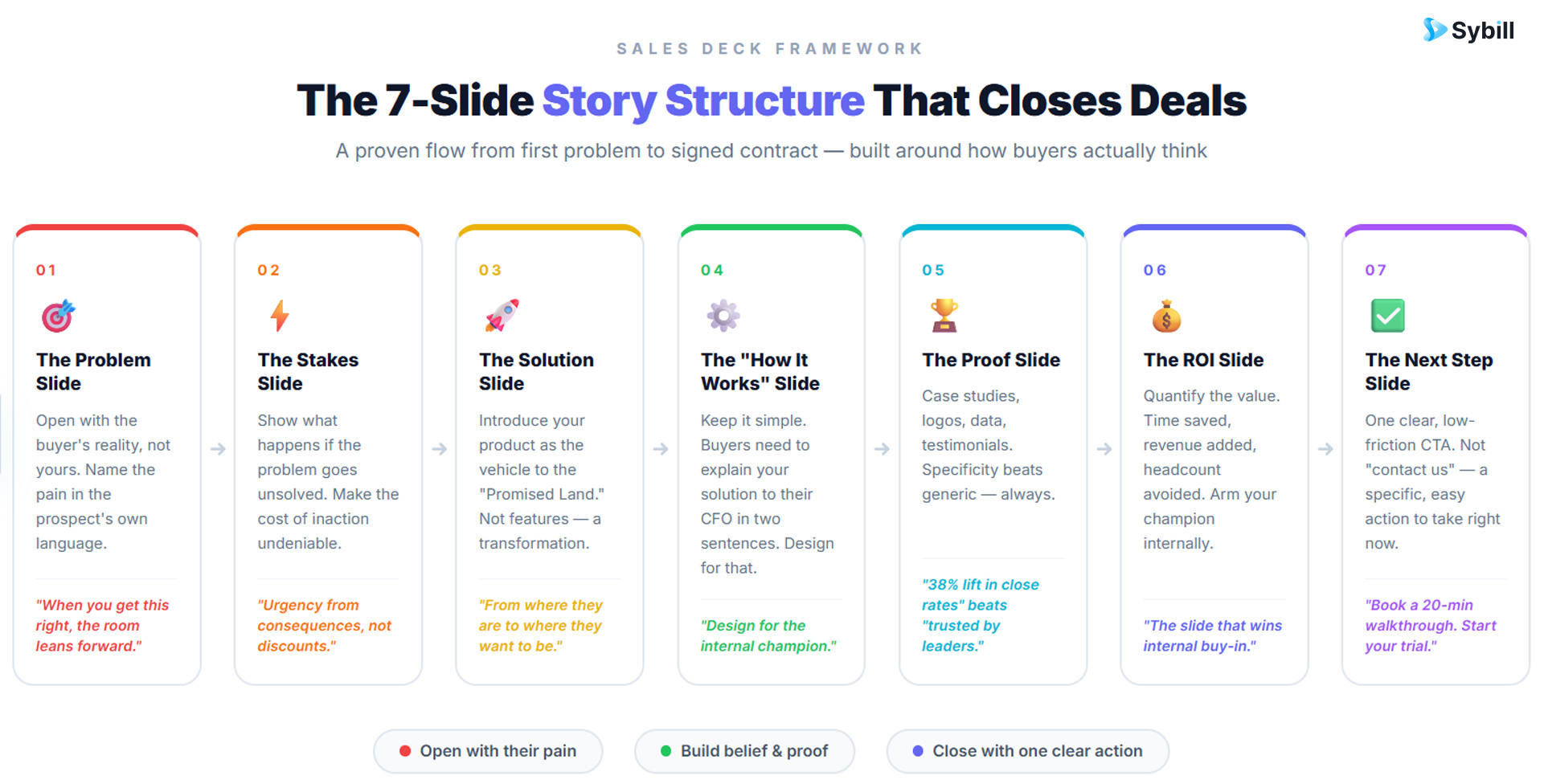
Before diving into examples, it helps to know what you're looking for. The best sales presentation tips consistently point to the same core structure:
1. The Problem Slide: Open with the buyer's reality, not yours. Name the pain in the prospect's own language. When you get this right, the room leans forward.
2. The Stakes Slide: Show what happens if the problem goes unsolved. Urgency comes from consequences, not discounts.
3. The Solution Slide: Introduce your product as the vehicle to the "Promised Land." Not a list of features. A transformation.
4. The "How It Works" Slide: Keep it simple. Buyers need to be able to explain your solution to their CFO in two sentences. Design for that.
5. The Proof Slide: Case studies, logos, data, testimonials. Specificity beats generic here. "Helped a SaaS company increase close rates by 38%" hits harder than "trusted by leading companies."
6. The ROI Slide: Quantify the value. Time saved, revenue added, headcount avoided. This is the slide your champion needs to justify the purchase internally.
7. The Next Step Slide: One clear, low-friction CTA. Not "contact us." Something like "Book a 20-minute walkthrough" or "Start your trial today."
The throughline between all of these is narrative. Buyers don't remember slides. They remember stories. The decks that close deals are the ones that make the buyer feel like the hero of a story they recognize themselves in.
Zuora's sales deck is textbook narrative selling. Instead of leading with product features, it opens with a macro story: the world is shifting from ownership to subscription, and businesses that don't adapt will lose. It frames every prospect as someone who must choose between being a "winner" or a "loser" in this shift.
What makes it great: The entire deck builds around a worldview, not a product. By the time Zuora introduces their solution, the buyer has already accepted the problem. The product is the obvious next step, not a pitch.
Takeaway: Build your deck around a shift in the world that your buyer needs to get ahead of. Zuora doesn't sell software. It sells positioning in a new economy.
LinkedIn's Sales Navigator deck is heavily front-loaded with social proof. Before any feature is introduced, the deck establishes authority through customer logos, statistics, and specific ROI outcomes.
What makes it great: The structure is designed to overcome skepticism early. Sales reps at LinkedIn know that by the time they get to the product demo, any lingering doubt has been neutralized. The proof slide does the heavy lifting so the demo doesn't have to.
Takeaway: Don't wait until the end to prove your value. If you have strong customer outcomes, lead with them. It reframes everything that comes after.
TalentBin's deck (later acquired by Monster) starts with the basics and layers in complexity as it goes, all while keeping the core message clear. It follows the buyer's journey: here's a problem, here's why existing solutions fail, here's what we built instead.
What makes it great: It's built for flexibility. Because each slide adds one layer of context, sales reps can exit the deck at any point depending on where the conversation is going. That's important for sales demo best practices, where you often need to improvise.
Takeaway: Design your deck as a modular story, not a fixed sequence. Your slides should be slides, not a script.
Drift's decks became known for what's not on the slides. Very few words per slide. Big, bold headlines. The talking points lived with the rep, not on the screen.
What makes it great: This approach forces the prospect to pay attention to the human in the room, not read slides. It also makes the rep look more confident, more knowledgeable, and more like a trusted advisor than a PowerPoint reader.
Takeaway: Your slides are a backdrop, not a teleprompter. If your deck can be "read" without a rep present, it has too much text. Check out sales presentation training if you're looking to pair strong slides with strong delivery skills.
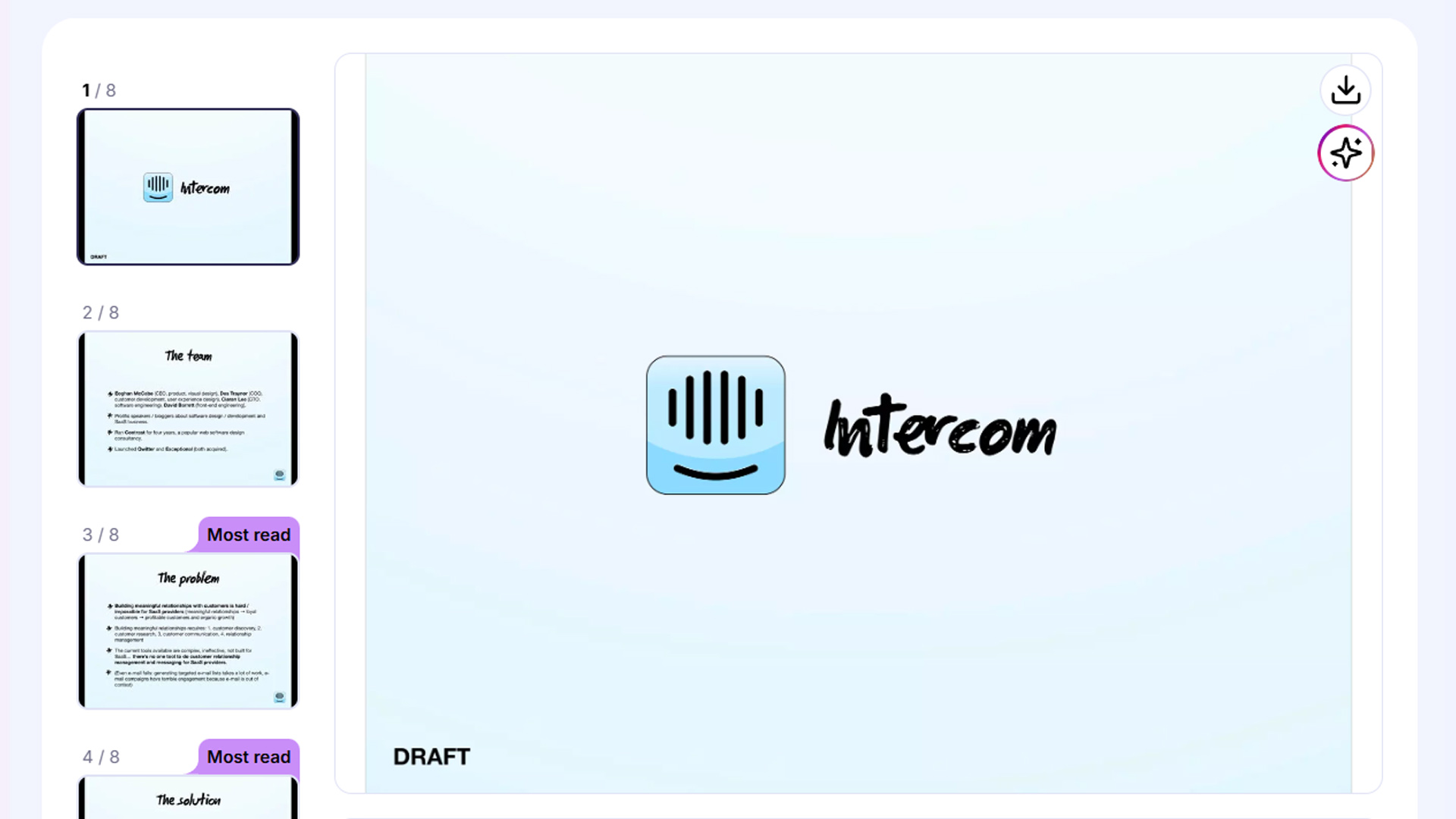
Intercom's sales decks consistently open with the buyer's world. They describe the experience a customer of your prospect is having right now, the frustration of being ignored or bounced between tools, and then show how that affects the business.
What makes it great: It's empathy-led selling. The buyer feels understood before a single feature is mentioned. This sets the emotional tone for the entire conversation.
Takeaway: Write your problem slide from the customer's perspective, in their language. Use phrases from your discovery calls. The closer it mirrors what the buyer has said out loud, the more powerful it lands.
DocSend, a document-tracking tool, uses its own platform's data to build credibility. Their decks are heavy on numbers, benchmarks, and industry stats that prove the scale of the problem they're solving.
What makes it great: The deck practices what the product preaches. DocSend sells visibility into how prospects engage with documents, and their sales deck demonstrates that level of rigor by being a meticulously data-backed document itself.
Takeaway: Your deck should reflect the values of your product. If you sell precision, be precise. If you sell simplicity, be simple. The deck is part of the brand experience.
The famous Sequoia pitch framework (company purpose, problem, solution, why now, market, competition, product, traction, team) has been adapted by countless enterprise sales teams as a way to run executive-level conversations.
What makes it great: When selling to C-suite buyers, they want context, not demos. This structure gives them a full picture: why this problem matters now, what the landscape looks like, and where you fit. It turns a sales deck into a strategic briefing.
Takeaway: For enterprise deals or exec conversations, consider building a separate "exec deck" that uses this framework alongside your standard demo deck. Your sales plays for different buyer personas might call for completely different deck structures.
Even well-intentioned decks can undermine a pitch. Here are the patterns that consistently show up in deals that don't close:
A good sales enablement software stack helps you version-control your decks and ensure the right one reaches the right buyer at the right time.
Here's something most sales teams never think to ask: "Which slides are actually working?"
Reps build decks, marketing approves them, and they go out into the world. But nobody really knows if the Problem slide is landing or if the ROI slide is causing confusion. That's guesswork. And guesswork loses deals.
Sybill changes that. By analyzing your sales calls and tracking how prospects respond to different parts of your presentation, Sybill surfaces slide-level engagement data based on real buyer behavior: what generated energy in the room, what caused silence, and what prompted the questions that stalled the deal. This means you can improve your deck with actual buyer signals, not what your marketing team thinks sounds good.
Beyond deck intelligence, Sybill handles the admin work that slows reps down: sales call transcripts generated automatically, call summaries with action items, and CRM updates written for you after every meeting. Reps spend more time selling. Managers spend more time coaching.
Try Sybill for free today and see which parts of your deck are winning the room.
Most reps judge their deck by feel. "That one went well." "They seemed engaged." This is the equivalent of a coach watching a game without keeping score.
The Sybill Deck Page gives sales and marketing teams an objective read on collateral performance. Here's what to track:
Slide engagement scores. Which slides consistently generate positive reactions versus blank expressions? Sybill's computer vision tracks body language, expressions, and gaze patterns across your calls to score each slide objectively.
Question frequency by slide. If a specific slide consistently generates the same objection, that's a content gap. Fix it proactively in the deck rather than answering it verbally on every call.
Slide usage patterns. Which slides do reps skip most often? If a slide isn't being shared, it's either irrelevant or poorly positioned. This is data your marketing team needs, and AI in sales is the fastest path to getting it.
Post-call outcomes. Correlate which decks and slide sequences are associated with deals that progress versus those that stall. That's the signal worth optimizing toward.
The combination of generative AI tools for sales and real-time call analysis is what separates teams that continuously improve their pitch from those stuck with a deck that's been "good enough" for two years.
You don't need a design agency to build a great sales deck. You need clarity on your buyer and the right structure to communicate it. Here's a practical starting point:
Start with discovery, not design. Pull the language from your last 10 discovery calls. What problems did buyers describe? What words did they use? Those phrases should be verbatim on your Problem slide. The best AI sales tools can surface these patterns across your call library automatically.
Design for the person who wasn't in the room. Your deck will get forwarded. It will be shared with the CFO, the IT lead, and the procurement team who missed the demo. Make sure each slide tells part of the story on its own, without you narrating it. That's also why your follow-up emails matter as much as the deck itself.
Use visuals, not walls of text. Icons, simple diagrams, and screenshots work. Every slide should have one job. If it's trying to do two things, split it.
Benchmark against what works. If you're exploring AI PowerPoint generators to build faster, the tools are only as good as the structure you feed into them. Start with a winning outline, then use AI to execute it at speed.
Test, measure, iterate. A deck is not a document you file away. Treat it like a landing page. Run versions. Track outcomes. Leverage AI in sales to close the feedback loop faster than any manual review process could.
A sales deck is a presentation used by sales reps to guide prospects through a pitch. Unlike a pitch deck (used for investor conversations), a sales deck focuses on the buyer's problem, the solution, proof of value, and a clear next step. It's designed to move a prospect toward a buying decision.
Most high-performing sales decks run between 10 and 20 slides. The exact count matters less than the clarity of each slide. If every slide earns its place, 12 focused slides will outperform a 40-slide marathon every time.
A pitch deck is built for investors. It covers market opportunity, team, traction, and business model. A sales deck is built for buyers. It focuses on their pain, your solution, and proof that the solution works. Same format, different audience and objective entirely.
Tools like Sybill analyze sales calls to show you which slides generate engagement and which cause disinterest. Slide scores are based on actual buyer behavior during calls, not subjective rep feedback. This is far more reliable than relying on gut feel or anecdotal feedback.
No. The most effective teams maintain a core deck and customize it by persona, industry, or deal stage. At minimum, you should have separate versions for top-of-funnel conversations and late-stage executive reviews. A one-size-fits-all deck is almost always a compromise that serves nobody well.
The best opening slides name the buyer's problem in specific, relatable terms. Avoid starting with your company name, founding year, or number of employees. Start with the world your buyer lives in, and make them feel understood before you say anything about your product.
Yes, in two distinct ways. AI tools can help you generate and design slides faster. And AI-powered call analysis platforms like Sybill can tell you which slides are resonating with real buyers, so your iterations are driven by data rather than guesswork.
Great sales decks don't happen by accident. They're built on buyer language, tested against real conversations, and refined over dozens of deals. The 7 examples above prove that the structure, the narrative, and the minimalism all matter. But structure without feedback is just a better-looking guess.
Sybill connects the dots between what your deck promises and what actually happens in the room. From slide engagement scores to automatic call summaries and CRM updates, it gives your team the intelligence to close faster without working harder.
Get started for free with Sybill and turn your next sales deck into your strongest rep.
A sales deck is a presentation used by sales reps to guide prospects through a pitch. Unlike a pitch deck (used for investor conversations), a sales deck focuses on the buyer's problem, the solution, proof of value, and a clear next step. It's designed to move a prospect toward a buying decision.
Most high-performing sales decks run between 10 and 20 slides. The exact count matters less than the clarity of each slide. If every slide earns its place, 12 focused slides will outperform a 40-slide marathon every time.
A pitch deck is built for investors. It covers market opportunity, team, traction, and business model. A sales deck is built for buyers. It focuses on their pain, your solution, and proof that the solution works. Same format, different audience and objective entirely.








