
Find us at booth #83, join us for a harbor side happy hour, or catch Gorish’s talk.

Sept, 16-18 > Learn more

%20(1).avif)
Mamta Tainwala

September 21, 2026
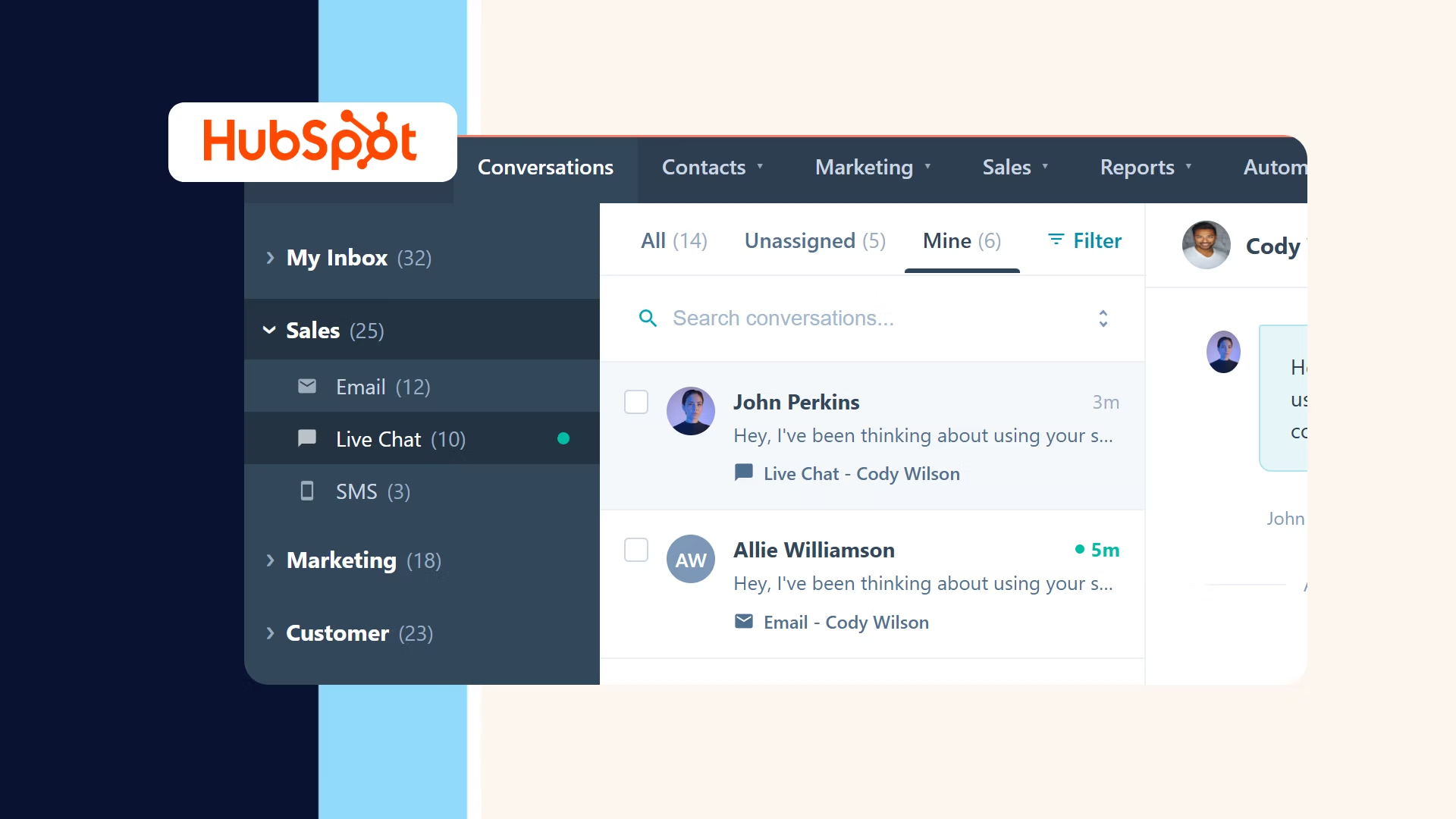
Every buyer reply that lands in your team's inbox creates three jobs. It has to reach the right owner fast. What it says has to reach the CRM, because "budget approved, loop in our VP of Finance" is three field updates wearing a sentence. And it has to get answered well, with the context of everything that deal has already discussed. HubSpot inbox automation, natively, is excellent at the first job, partial on the second, and silent on the third, which is why this guide is organized around all three: the routing machinery HubSpot gives you, configured properly, and then the conversation layer that jobs two and three actually require.
That layer is where Sybill runs through this guide rather than appearing at the end of it, since Sybill's HubSpot integration is built for exactly those two jobs. Disclosure handled; here is the architecture.
Routing is HubSpot's home game, and most "inbox automation" failures are configuration misses rather than product gaps. The setup that holds up (verify specifics against HubSpot's documentation, since settings move):
Speed is the point of all of it: the MIT and InsideSales.com lead-response study found leads contacted within five minutes were 21 times more likely to qualify than at thirty, a standard manual triage never hits. Routing buys you the five minutes. The next two jobs decide what happens inside them, and they are where the workflow patterns from this series plug in.
Here is where native inbox automation runs out of road, in two honest steps.
First, HubSpot logs that a reply happened, to the right timeline, if job one was configured. But workflows trigger on properties, and a logged thread is not a property. HubSpot's keyword filters evaluate logged activities after the fact rather than classifying reply content in real time, and Breeze AI's suggested updates wait on rep approval, so the pipeline still learns at the speed of rep attention. The reply saying "we picked a Q3 start and legal wants a security review" advances nothing until a human translates it into fields, which is the moment our data hygiene post identifies as where CRM accuracy actually dies.
Second, and this is the part inbox-centric guides skip: the inbox is a minority shareholder in the deal's context. The budget was confirmed on Tuesday's call. The competitor surfaced in the demo. The reply in the inbox references a conversation HubSpot's inbox tooling never heard. Understanding a reply at deal level means understanding the conversations around it, and no amount of inbox configuration reaches them.
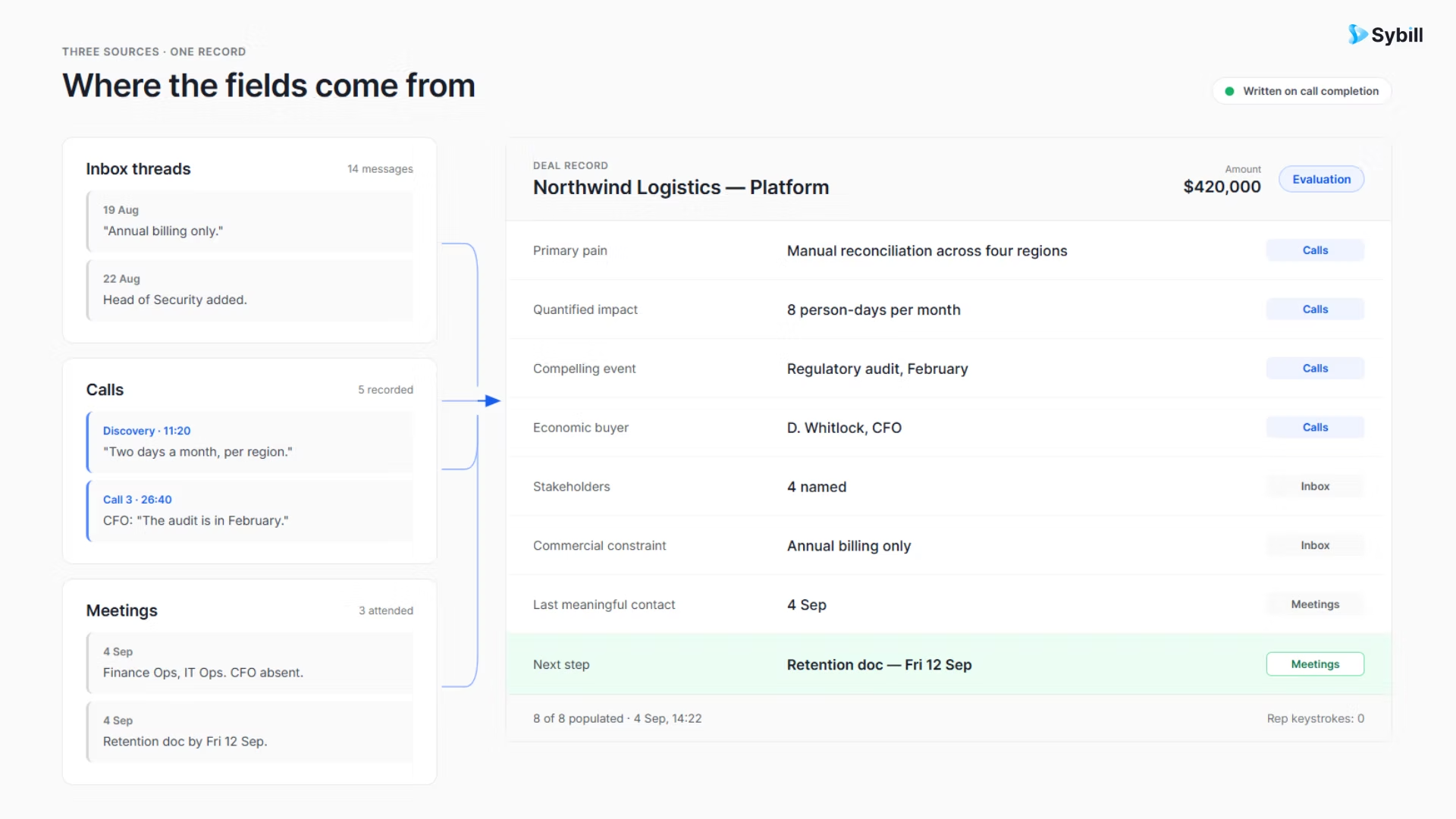
This is the seam Sybill owns, structurally. Sybill has analyzed around 33 million sales conversations, and its job in this architecture is turning all of them, calls, meetings, and the email threads between, into HubSpot's working memory: CRM fields that fill themselves through the HubSpot integration, summaries on every conversation, commitments captured as tasks, and deal inspection reading risk across the whole history. Once what was said becomes fields, your existing workflow layer inherits the intelligence: the stalled-deal alert fires on real engagement, the stage rule advances on a confirmed signal, and the Ask Sybill query answers "what did they say about timeline" without archaeology.
The third job is the one nobody automates natively, for good reason at the extremes: a generic auto-acknowledgment tells an active buyer they've entered a support queue, and a fully autonomous AI reply to a late-stage negotiation is a risk no revenue leader signs up for. The answer isn't automation of the send; it's automation of the draft.
The pattern that works:
Notice the division of labor across the three jobs: HubSpot routes, the conversation layer understands, the rep answers armed. Each job hands its output to the next, which is why configuring one without the others produces the familiar failure modes: perfectly routed replies nobody logs, perfectly logged replies nobody interprets, and fast answers written from memory.
Two edge cases worth wiring before they bite. Rep departures: a departed rep's Connected Inbox goes dark, so build the offboarding protocol now (bulk-reassign their threads, transfer contact ownership, alert the new owner to threads with recent buyer activity), because a buyer replying into a dead inbox is a stalled deal with a deadline. And rep out-of-office replies: exclude threads with contacts in active deal stages from any rep auto-responder, since a generic OOO landing on a late-stage buyer at the wrong moment is a small message with a large cost.
One boundary note for completeness: the outbound half of this motion, Sequences and Workflows sending at scale, is its own discipline with its own tier limits, covered in the companion guide to this post. This post is the inbound half; together they close the loop, and the broader integration landscape fills whatever remains.
Route it, understand it, answer it. Sybill turns every reply, call, and meeting into HubSpot fields, deal signals, and follow-up drafts in your reps' own voice, automatically. Get started for free with Sybill.
HubSpot's inbox automation deserves its reputation on job one: configured with group emails, working hours, account-level logging, a catch-all, and Slack alerts, no reply goes unrouted or unlogged, and that is genuinely most of what generic guides promise. But a routed, logged reply is a delivery, not an understanding, and an inbox that never heard the deal's calls cannot supply the context a good answer needs. Teams that stop at job one automate the plumbing and leave the intelligence manual; teams that wire in the conversation layer get all three jobs running as one system.
HubSpot routes, Sybill turns what was said into what HubSpot knows, and reps answer with the whole deal behind them. That is the whole architecture, and every piece of it is buyable today.
Three jobs, one loop. Configure the first, connect the second, and the third starts writing itself.
Get started for free with Sybill or book a demo and make every reply count.
HubSpot inbox automation is the machinery that routes, assigns, and logs inbound email automatically: Connected Inboxes log individual reps' one-to-one threads to contact and deal records, Conversations Inboxes manage shared aliases with round-robin assignment and routing rules, and workflows trigger downstream actions from logged activity. Natively it solves delivery and logging; interpreting reply content and drafting answers requires additional layers.
A Connected Inbox links an individual rep's Gmail or Outlook account to HubSpot, logging their one-to-one emails to the right records, and suits rep-owned deal communication. A Conversations Inbox consolidates shared aliases like sales@ into a collaborative workspace where threads are routed, assigned, and answered by multiple team members, and suits inbound management. Shared aliases must be converted to group emails to send correctly.
Only partially. HubSpot logs replies to timelines and can run keyword filters on logged activities, and Breeze AI can suggest updates that reps must approve, but native tooling does not automatically turn reply content into structured property updates. Tools like Sybill close that gap by reading the deal's conversations, emails, calls, and meetings, and writing the structured updates to HubSpot fields automatically, so downstream workflows fire on accurate data.
Sparingly, and never for active deals: a generic acknowledgment signals to an engaged buyer that they have entered a support queue. The stronger pattern is automating the draft rather than the send: a follow-up composed from the deal's full context in the rep's voice, reviewed and sent by the rep, which keeps speed without surrendering judgment on buyer-facing communication.
The MIT and InsideSales.com lead-response research found leads contacted within five minutes were 21 times more likely to qualify than those contacted at thirty minutes. Automated routing with Slack alerts is what makes five-minute response achievable at scale, and drafted-from-context follow-ups are what keep the fast response substantive rather than generic.
Sybill supplies the two jobs routing cannot: understanding and answering. It turns replies, calls, and meetings into automatic HubSpot field updates, summaries, tasks, and deal-risk signals through its HubSpot integration, and drafts follow-up emails in each rep's voice from the deal's full history, with the rep reviewing and sending. HubSpot routes the reply; Sybill makes sure the CRM understands it and the answer reflects the whole deal.
HubSpot inbox automation is the machinery that routes, assigns, and logs inbound email automatically: Connected Inboxes log individual reps' one-to-one threads to contact and deal records, Conversations Inboxes manage shared aliases with round-robin assignment and routing rules, and workflows trigger downstream actions from logged activity. Natively it solves delivery and logging; interpreting reply content and drafting answers requires additional layers.
A Connected Inbox links an individual rep's Gmail or Outlook account to HubSpot, logging their one-to-one emails to the right records, and suits rep-owned deal communication. A Conversations Inbox consolidates shared aliases like sales@ into a collaborative workspace where threads are routed, assigned, and answered by multiple team members, and suits inbound management. Shared aliases must be converted to group emails to send correctly.
Only partially. HubSpot logs replies to timelines and can run keyword filters on logged activities, and Breeze AI can suggest updates that reps must approve, but native tooling does not automatically turn reply content into structured property updates. Tools like Sybill close that gap by reading the deal's conversations, emails, calls, and meetings, and writing the structured updates to HubSpot fields automatically, so downstream workflows fire on accurate data.








