
Find us at booth #83, join us for a harbor side happy hour, or catch Gorish’s talk.

Sept, 16-18 > Learn more

%20(1).avif)
Mamta Tainwala

May 19, 2026
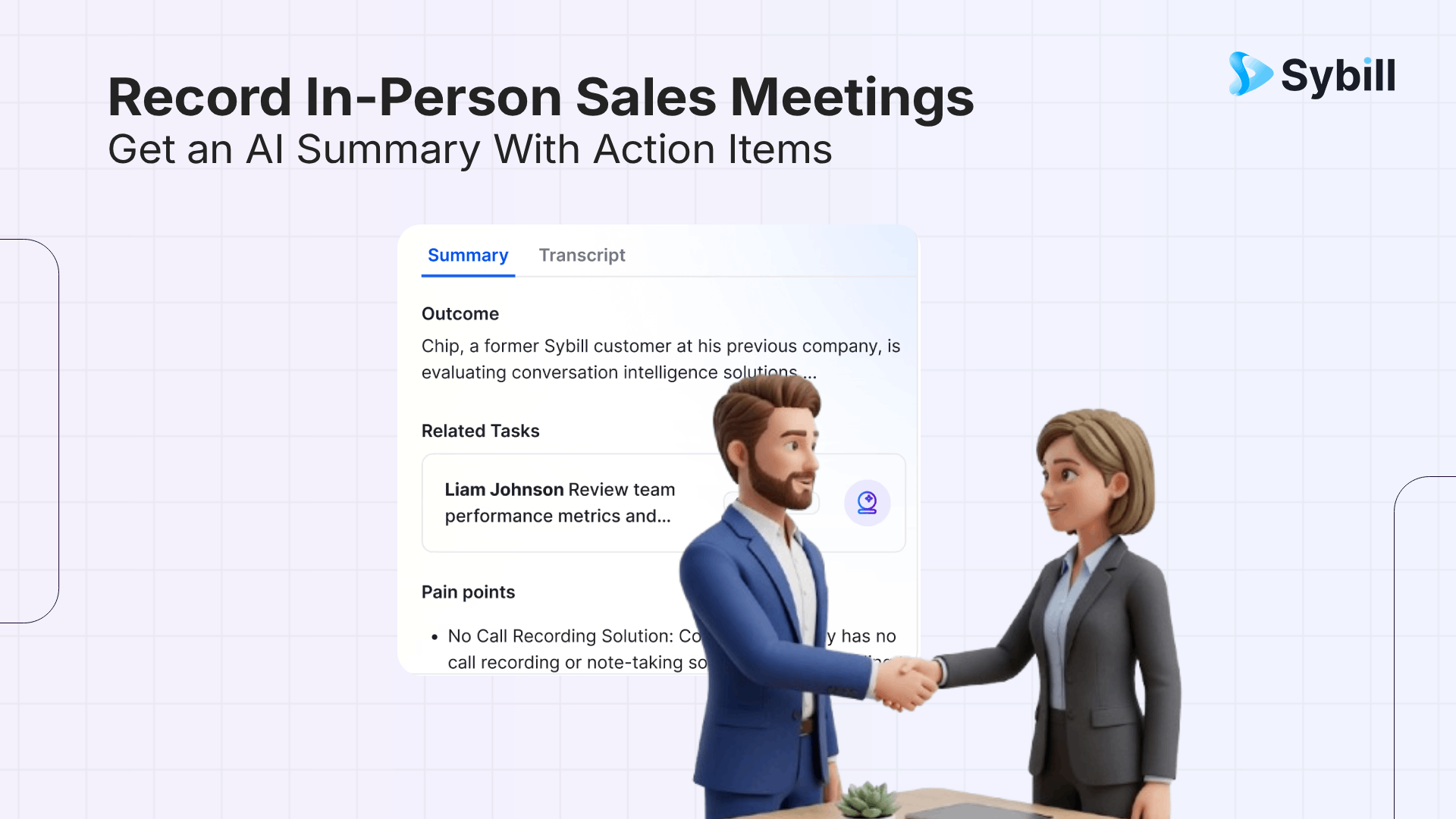
To record in-person sales meetings and get an AI summary with action items, you need a tool with native mobile recording that understands sales conversations. The simplest path: download Sybill's mobile app, open it before your meeting, tap record, and have your conversation. Within minutes of finishing, you get a structured summary with deal outcomes, pain points, objections, next steps, and action items. Your CRM updates automatically. A follow-up email drafts itself. No manual notes required. Other options include Otter.ai for basic transcription, Granola for hybrid note-taking, Fireflies.ai for searchable archives, Jamie for offline recording, MeetGeek for budget teams, and Krisp for noisy environments. This guide walks through the full process.
.png)
Not every AI meeting tool handles in-person recording well. Most were designed for Zoom and bolted on mobile recording as an afterthought. The tool you choose determines everything downstream: the quality of your summary, whether your CRM updates automatically, whether a follow-up email writes itself, and whether your manager gets coaching visibility into field conversations.
Here is what to prioritize:
Native mobile recording, not "upload a voice memo." The best tools let you record directly inside the app. That means the recording is automatically linked to your calendar, your deal record, and your CRM. Tools that require you to record in a separate app and upload afterward create friction and disconnected data.
Sales-specific summaries, not generic meeting notes. A summary that says "discussed pricing and next steps" is useless. You need structured output: what was the call outcome, what pain points did the buyer describe, what objections came up, what competitive products were mentioned, who are the stakeholders, and what are the specific next steps with owners and deadlines.
Automatic CRM updates. If you still have to type deal data into your CRM after the meeting, the tool saved you transcription time but not admin time. The best tools extract qualification criteria, competitor mentions, stakeholder info, and next steps directly into CRM fields.
Follow-up email generation. The meeting ends at 2:30 PM. By 2:35 PM, a personalized follow-up email should be drafted in your voice, referencing what was discussed, ready for you to review and send.
Preparation takes about 30 seconds but makes a big difference in output quality.
Open the app before you sit down. Whether you are using Sybill, Otter, or another tool, have the app open and ready before the conversation starts. You do not want to fumble with login screens while your client is settling in.
Check your phone placement. Place your phone on the table, ideally near the center of the conversation. Screen down reduces visual distraction. Closer to the speakers means cleaner audio and better transcription accuracy.
Inform the other party. This is non-negotiable for both legal and relationship reasons. A simple "I use an AI tool to capture meeting notes so I can follow up accurately. Mind if I record?" works. In practice, most clients appreciate it. It signals you take their time seriously enough to get the details right.
Pull up context. If your tool offers pre-meeting briefs, review them on the drive over. Knowing the deal history, prior call takeaways, and outstanding action items means you walk in prepared instead of winging it.
This part is the simplest. Tap record, then forget about the phone and focus on the conversation.
A few things worth knowing about in-person audio quality: transcription accuracy for face-to-face meetings typically falls between 85% and 95%, compared to 95%+ for clean virtual calls. The gap comes from background noise, overlapping speakers, and microphone distance. You cannot control all of these, but you can influence them.
Quieter environments produce better transcriptions. A private conference room is ideal. A busy restaurant at lunch rush is challenging. If you regularly meet clients in noisy settings, tools like Krisp with built-in noise cancellation can help, or consider an inexpensive lavalier microphone that connects to your phone.
Do not worry about taking detailed notes during the meeting. That is the whole point of recording. Stay present. Listen actively. Ask good questions. The AI handles the documentation.
After the meeting ends, stop the recording. What happens next depends on your tool.
With Sybill, the audio processes automatically and you receive a Magic Summary within minutes. The summary is structured around what matters for the deal:
Call outcome: Did the meeting advance the deal? Was there agreement on next steps, or did things stall?
Pain points: What problems did the client describe? In their own language, not your pitch language. This matters because your follow-up should mirror their words.
Objections and risks: Did they push back on pricing? Mention a competitor? Express concern about implementation timelines?
Competitive mentions: If another vendor came up, it is flagged separately so you can address it in your follow-up strategy.
Next steps and action items: Specific, attributed, with deadlines. Not "follow up soon" but "send case study to VP of Operations by Friday."
Stakeholder details: Who was in the room? What roles do they play? Did anyone new get mentioned as a decision-maker?
The same summary lands in Slack, your CRM, and your email, depending on your configuration.
With other tools, the output varies. Otter gives you a transcript with a generic summary and action items. Granola gives you enhanced notes combining your typed observations with the transcript. Fireflies gives you a searchable transcript with analytics. None of them structure the output around sales deal progression the way Sybill does.
This is where the time savings compound. With a sales-specific tool, your post-meeting admin drops from 60+ minutes to under 10.
Review the summary. Scan for accuracy. With tools like Sybill, the summary is typically so accurate that reps spend more time being impressed than correcting errors. But always do a quick check, especially on names, numbers, and specific commitments.
Check the CRM. If your tool auto-fills CRM fields, verify that the right data landed in the right places. Sybill's CRM autofill writes to 30+ fields with a 99% fill rate. Other tools push notes to a single text field. The difference matters for pipeline accuracy and deal forecasting.
Send the follow-up. If your tool drafts follow-up emails, review the draft and send. Sybill generates personalized emails in your voice within minutes. Other tools require you to write the email from scratch using the transcript as reference.
Share with your team. Tag your manager in the summary. Share the deal update in Slack. Flag any risks or competitive mentions that need attention. The faster this information circulates, the faster your team can act on it.
Ready to stop losing deal intelligence to napkin notes?
Get started for free with Sybill and record your next in-person meeting with AI that handles the summary, the CRM, and the follow-up while you focus on the relationship.
Here is a quick breakdown of every tool that supports in-person meeting recording, ranked by what they deliver for sales teams.
Sybill is the clear leader. Native mobile app records in-person conversations directly. Structured sales summaries, 30+ field CRM autofill, AI follow-up emails, pre-meeting briefs, cross-deal intelligence via Ask Sybill, and full coaching visibility. Works across Salesforce, HubSpot, Zoho, Pipedrive, and Dynamics 365. Free tier available, Business at $79/user/month.
Otter.ai has a polished mobile app with real-time transcription and speaker identification. Good for live in-person capture. Summaries and action items are generic. CRM integration pushes notes, not structured data. No follow-up emails or deal intelligence. Pro at $16.99/user/month.
Granola blends your own typed notes with AI-generated context on iPhone. Bot-free, text-only (no audio stored). Clean interface, thoughtful design. No CRM integration, no follow-ups, no coaching, no Android. Free plan available, Pro at $18/month.
Fireflies.ai offers mobile in-person recording with searchable archives and conversation analytics across 60+ languages. CRM logs notes and action items. No structured sales summaries or follow-up generation. Credits system for advanced features adds cost. Free plan available, Pro at $10/user/month.
Jamie records bot-free with offline transcription capability, useful for field reps in poor connectivity areas. Supports 100+ languages. Basic CRM push. No sales-specific summaries, follow-ups, or deal intelligence. High pricing at approximately $47/user/month.
MeetGeek is the most affordable option with mobile in-person recording. 30+ languages, AI voice agents, 7,000+ integrations via Zapier. Summary generation can be slow (up to 30 minutes). Shallow CRM integration. No follow-ups or coaching. Free tier, Pro at $9.99/user/month.
Krisp adds noise cancellation to mobile recording, which genuinely improves in-person transcription quality in noisy environments. Accent conversion helps with global teams. Thin on sales features: no structured summaries, no CRM autofill, no follow-ups. Free plan available, Pro at $8/user/month.
.png)
Recording laws vary by jurisdiction. In the US, some states require one-party consent (only the person recording needs to consent) while others require all-party consent. For meetings with EU-based clients, GDPR requirements apply. The safest practice is to always inform all participants and get verbal or written consent before recording. Most clients respond positively when you frame it as ensuring accurate follow-up.
Place your phone near the center of the conversation. Choose quieter environments when possible. Use an external microphone for important meetings in challenging settings. Avoid speaking over each other. Tools with noise cancellation like Krisp can help in noisy environments. Even with these steps, expect 85% to 95% accuracy for in-person versus 95%+ for virtual calls.
Yes, but the depth depends on the tool. Sybill autofills 30+ CRM fields (including MEDDIC, BANT, next steps, competitors, and stakeholders) from in-person recordings with the same accuracy as virtual calls. Other tools like Otter and Fireflies push notes or basic action items to CRM records but do not fill structured deal fields.
Jamie offers offline transcription, processing the recording locally and syncing once connectivity returns. Granola can record offline on iPhone. For other tools, you can use your phone's native voice memo app to record offline, then upload the audio file to Sybill or Fireflies for processing when you are back online.
With Sybill, yes. In-person recordings receive the same structured summaries, deal intelligence, and coaching insights as virtual calls. Managers can review summaries, leave comments, query across all field and virtual conversations through Ask Sybill, and track rep performance without being in the room. Most other tools offer limited or no coaching features for in-person recordings.
The biggest deals often close in person: the executive dinner, the on-site visit, the conference hallway conversation. Those are the meetings where relationships deepen, objections surface, and decisions happen. They are also the meetings most likely to go undocumented.
That does not have to be the case anymore.
Get started for free with Sybill and turn every in-person conversation into structured AI-powered deal intelligence with automatic CRM updates, follow-up emails, and coaching visibility. Your field team deserves the same AI advantage as your inside team.
Recording laws vary by jurisdiction. In the US, some states require one-party consent (only the person recording needs to consent) while others require all-party consent. For meetings with EU-based clients, GDPR requirements apply. The safest practice is to always inform all participants and get verbal or written consent before recording. Most clients respond positively when you frame it as ensuring accurate follow-up.
Place your phone near the center of the conversation. Choose quieter environments when possible. Use an external microphone for important meetings in challenging settings. Avoid speaking over each other. Tools with noise cancellation like Krisp can help in noisy environments. Even with these steps, expect 85% to 95% accuracy for in-person versus 95%+ for virtual calls.
Yes, but the depth depends on the tool. Sybill autofills 30+ CRM fields (including MEDDIC, BANT, next steps, competitors, and stakeholders) from in-person recordings with the same accuracy as virtual calls. Other tools like Otter and Fireflies push notes or basic action items to CRM records but do not fill structured deal fields.








