
Find us at booth #83, join us for a harbor side happy hour, or catch Gorish’s talk.

Sept, 16-18 > Learn more


Tamanna Mishra

April 8, 2026
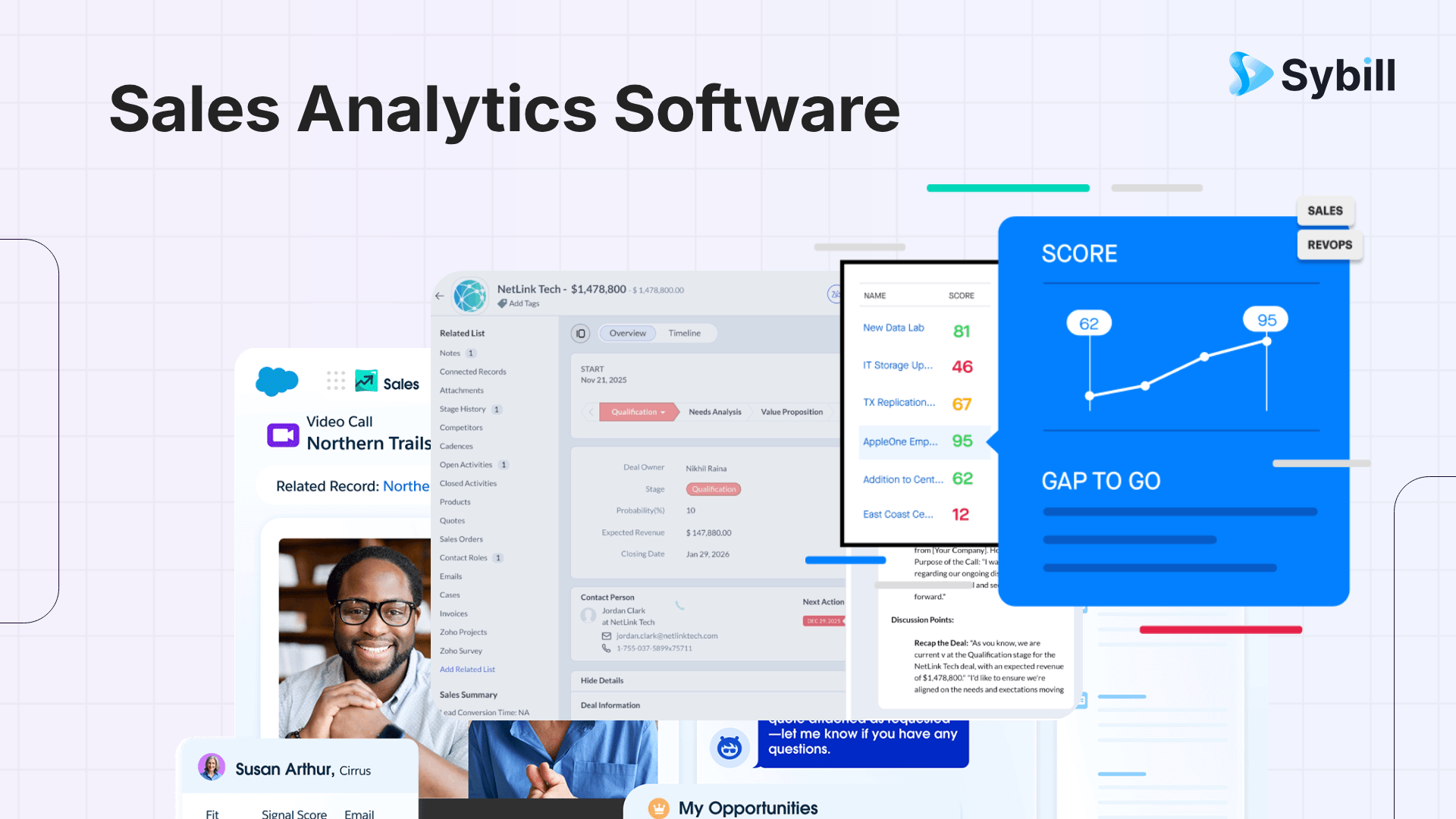
Sales analytics software helps teams track performance, forecast revenue, and understand pipeline health. But most tools stop at reporting. They show what happened, not what to do next. The best teams combine analytics with execution layers that turn insights into actions. This guide breaks down the best sales analytics tools in 2026, what to look for, and how to actually use insights to close more deals.
Every sales team has a dashboard they trust a little too much.
Pipeline looks strong. Forecast looks clean. Deals seem to be moving.
And then the quarter ends.
Suddenly, half the pipeline disappears, “committed” deals slip, and leadership starts asking uncomfortable questions. Not because the data was missing, but because it was misleading.
This is the paradox of modern sales. Teams have more data than ever, yet less clarity on what actually matters. Sales analytics software promised to fix that by turning raw data into insights. And to some extent, it has.
But most tools still operate like a rearview mirror. They tell you what happened and maybe why it happened. What they don’t do is help your team respond in real time.
That’s the gap this blog is going to unpack.
Sales analytics software is designed to analyze sales data and uncover patterns, trends, and performance insights across your pipeline. In practice, this means collecting data from your CRM, emails, calls, and other systems, then transforming it into dashboards, reports, and forecasts that help you understand how your sales engine is performing.
Most sales analytics tools focus on three core areas. First, visibility into pipeline and performance. Second, forecasting future outcomes based on historical trends. Third, identifying inefficiencies in the sales process.
This sounds comprehensive, but there’s a limitation baked into the category.
Most sales analytics tools are built around descriptive and diagnostic analytics. They explain what happened and sometimes why it happened. Very few go further to prescribe what should happen next.
That distinction becomes critical as deals become more complex and sales cycles lengthen.
In 2026, sales is no longer a gut-driven function. It’s a data problem, a visibility problem, and increasingly, an execution problem.
Here’s why sales analytics software has become essential:
And that last point is where most teams stop short.
Because visibility alone doesn’t drive outcomes. It only sets the stage for better decisions.
.png)
The biggest productivity drain in sales isn’t selling. It’s everything around it.
Reps spend hours updating CRM fields, digging through notes, and switching between tools just to piece together context. That constant fragmentation slows them down and eats into actual selling time.
Sales analytics software helps by centralizing data and automating visibility. Instead of manually pulling reports or scanning pipelines, reps can instantly see where things stand. This reduces time spent on admin and allows them to focus on conversations that actually move deals forward.
Not all deals deserve equal attention, but most reps treat them that way because they lack clarity.
Sales analytics tools surface which deals are progressing, which are at risk, and which are unlikely to close. This allows reps to focus their time on high-probability opportunities instead of chasing every deal in the pipeline.
That shift alone improves productivity. When reps know where to invest their effort, they stop wasting time on deals that were never going to close.
One of the biggest productivity killers is late-stage surprises.
Deals that look healthy suddenly stall. Stakeholders disappear. Objections surface too late. Reps then scramble to recover, often unsuccessfully.
Sales analytics software helps identify these risks earlier by highlighting patterns across the pipeline. It shows where deals tend to slow down and which signals indicate trouble.
This gives reps more time to respond proactively instead of reacting under pressure.
Even with visibility, reps still face a daily challenge: deciding what to do next.
Analytics tools can show that a deal is stuck after pricing discussions. But they don’t tell the rep how to handle it. Should they revisit value? Bring in a decision-maker? Change the approach entirely?
This is where productivity breaks down. The rep has insight, but no clear direction.
This is where a new layer of tooling becomes critical.
Platforms like Sybill go beyond analytics by acting as an intelligence and execution layer. Instead of just showing what’s happening, they interpret signals from calls, emails, and CRM activity to guide the rep on next steps.
That could mean identifying a recurring objection, suggesting a tailored follow-up, or preparing a rep with a pre-call brief that highlights what matters most for that conversation.
The impact is immediate. Reps spend less time thinking about what to do and more time executing what works.
The real productivity gain comes from consistency.
When insights are translated into clear actions, reps don’t have to reinvent their approach for every deal. They can rely on proven patterns, guided by data and reinforced by execution tools.
Instead of reacting to every deal differently, they build repeatable behaviors that consistently move deals forward.
That shift from insight to execution is what actually improves productivity at scale.
Not all sales analytics tools are built equally. Some are strong on reporting, others on forecasting, and a few are starting to layer in AI-driven insights. The key is knowing what actually moves the needle.
.png)
At a baseline, every tool should give you clear, reliable visibility into your sales performance. You should be able to track pipeline health, conversion rates, and revenue trends without exporting data into spreadsheets or stitching reports manually.
Modern tools go beyond historical reporting. They help you anticipate outcomes by forecasting revenue, scoring deals, and identifying risks early. This gives teams a critical edge, especially in longer and more complex sales cycles.
Automation directly impacts adoption. Look for tools that can generate reports automatically, trigger alerts when key metrics shift, and reduce manual tracking. The less effort required to stay informed, the more likely your team is to actually use the system.
Integrations matter more than feature lists. If your analytics tool doesn’t connect cleanly with your CRM, email, call platforms, and marketing systems, you’re working with incomplete data. And incomplete data leads to misleading insights.
Even the most powerful tool fails if your team doesn’t use it. A clean interface, fast onboarding, and intuitive navigation are not nice to have. They are essential for making analytics part of daily workflows.
Choosing the right tool depends heavily on your team’s size, maturity, and goals. Below is a deeper comparison of the most relevant sales analytics tools in 2026.
.png)
HubSpot is ideal for small to mid-sized teams that want an all-in-one platform combining CRM, marketing, and analytics.
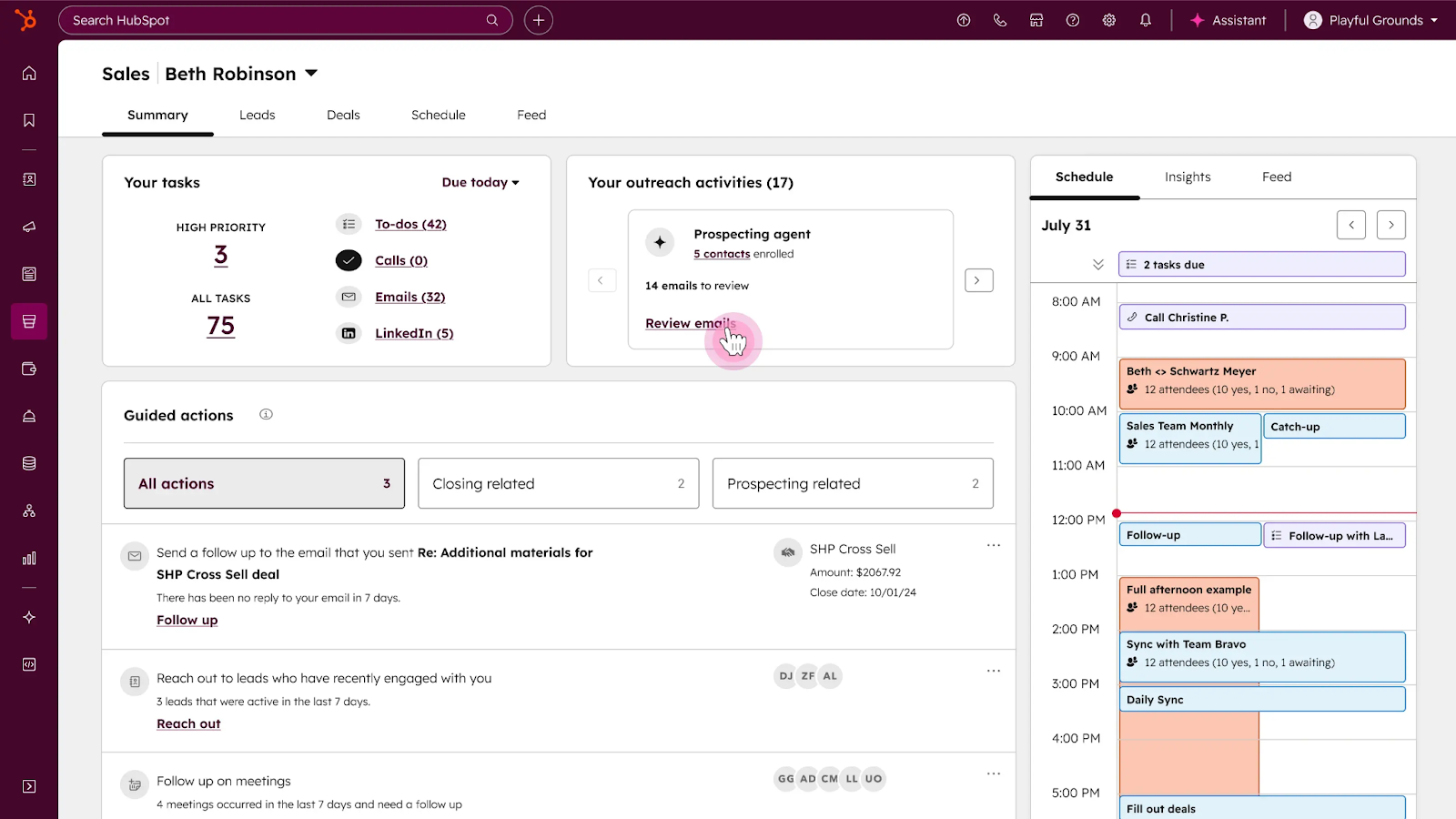
HubSpot’s strength lies in simplicity. It centralizes data effectively but may not satisfy teams looking for deeper analytical capabilities.
Also read: Hubspot Pros and Cons Deep Dive
Salesforce brings advanced AI-driven analytics into the Salesforce ecosystem, making it a strong choice for enterprise teams.
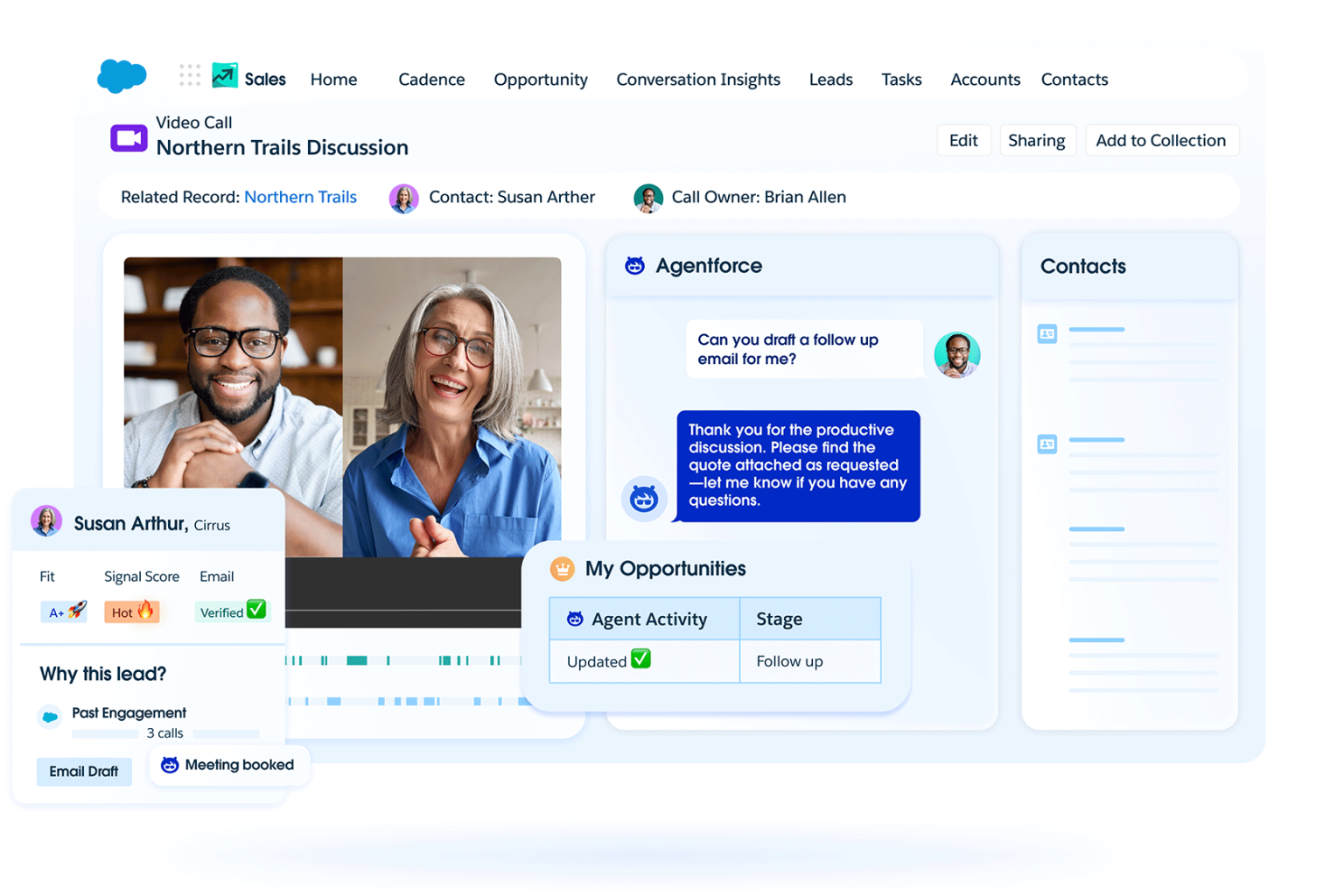
It excels in forecasting and AI insights, but requires significant investment in both time and resources.
Also read: Hubspot vs Salesforce
Zoho CRM offers a cost-effective solution with built-in analytics and automation features.
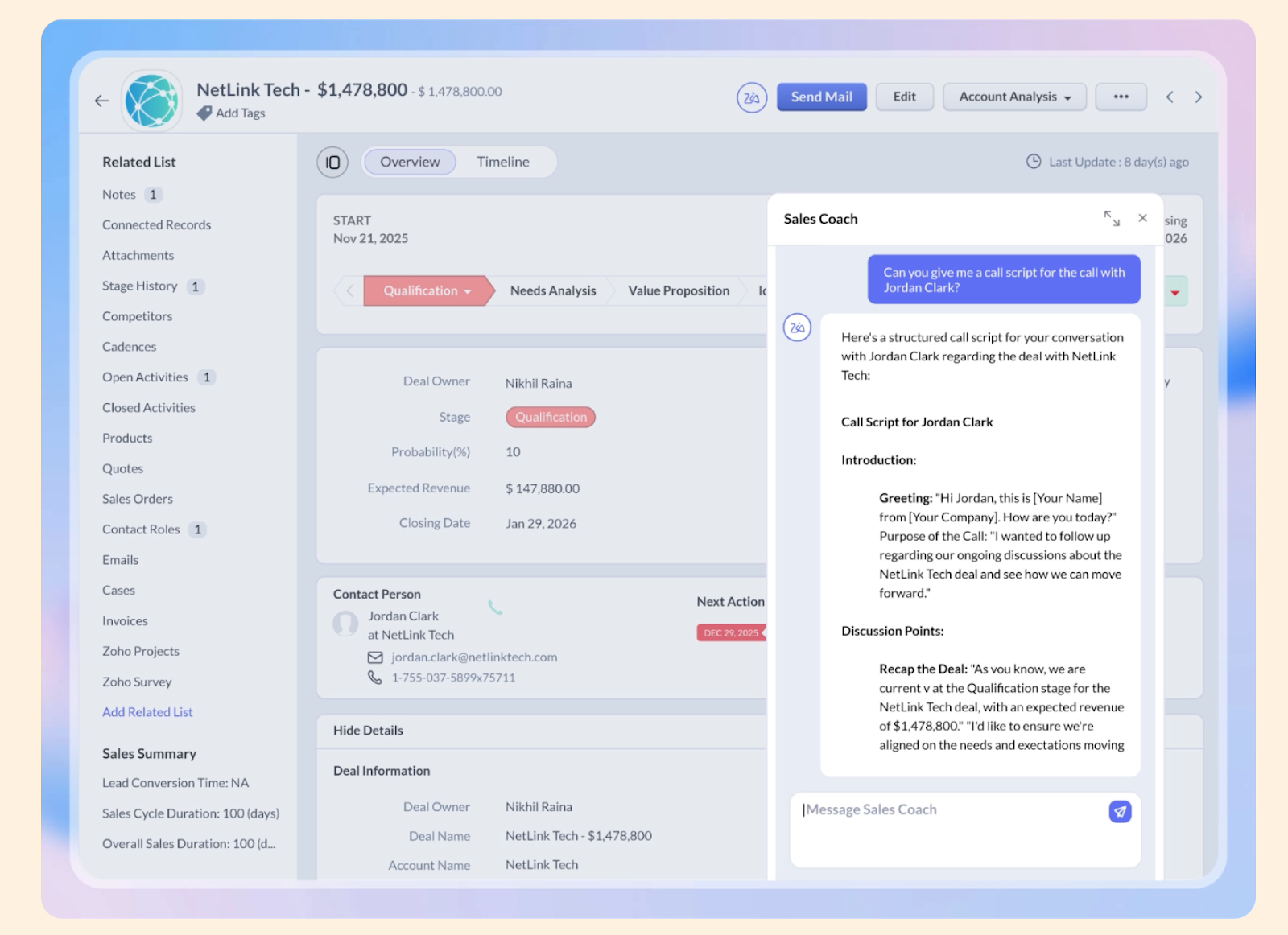
Zoho is practical and accessible, making it a solid entry point into sales analytics.
Also read: Zoho CRM vs Salesforce CRM
Pipedrive focuses heavily on pipeline visibility and ease of use.
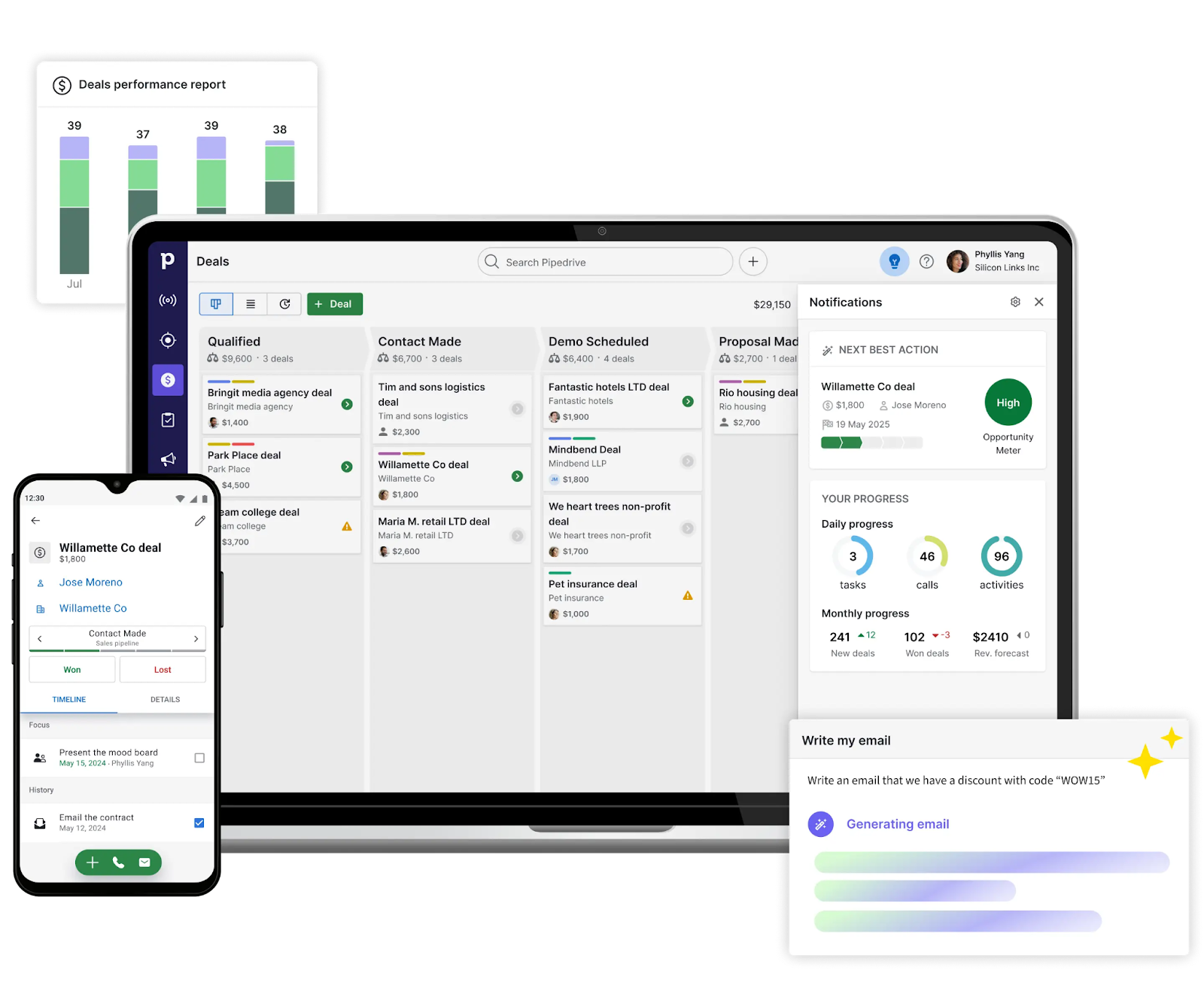
It’s excellent for tracking deals, but less effective for deeper insights.
Also read: Pipedrive vs Sugar vs Monday CRM
Tableau is a leading data visualization platform used by teams that need advanced analytics.
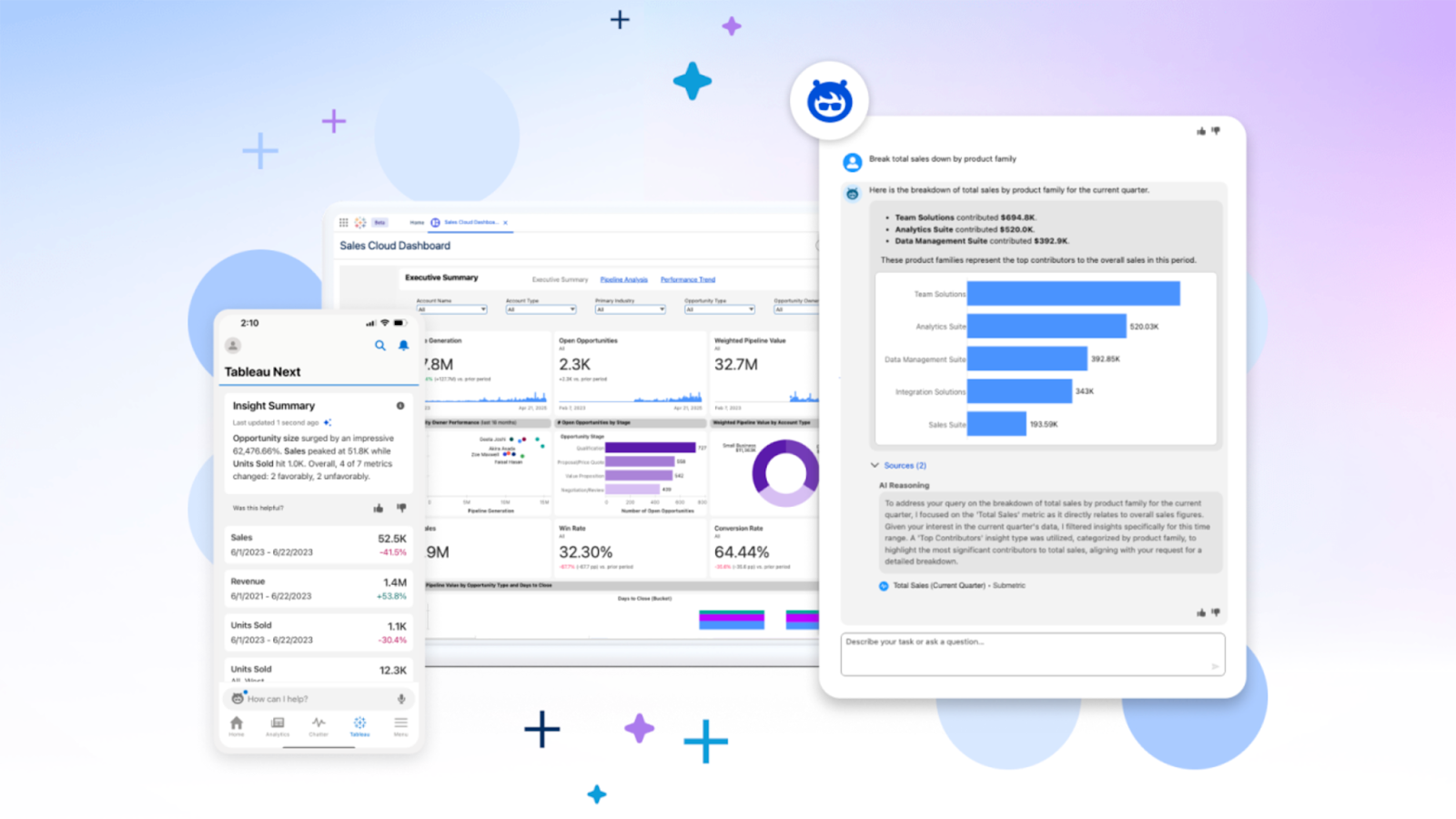
Tableau shines in analysis but lacks native sales workflows.
ThoughtSpot introduces search-based analytics powered by AI.
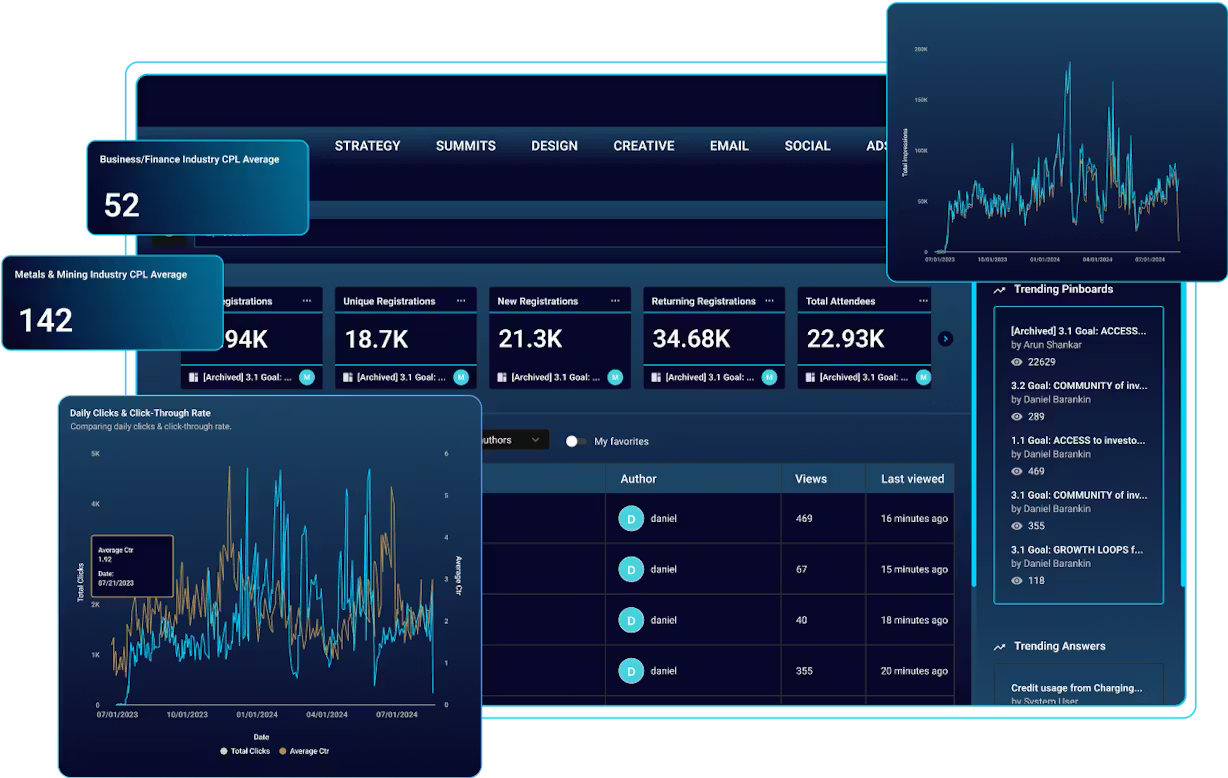
It simplifies data exploration but depends heavily on data quality.
Clari focuses on revenue operations and forecasting.
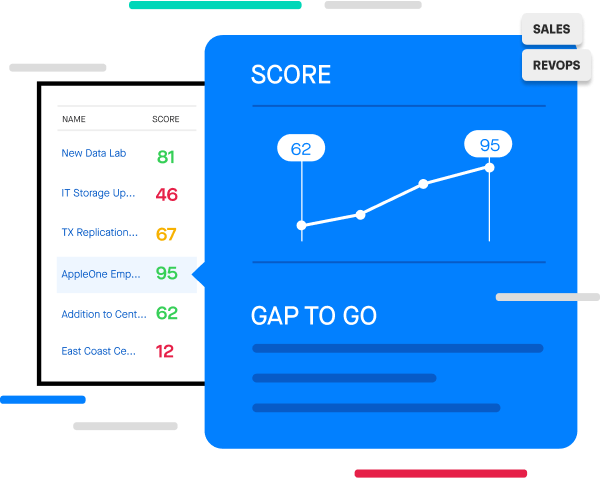
Clari is built for leadership visibility more than rep-level execution.
Coefficient connects live data into spreadsheets, making analytics more accessible.
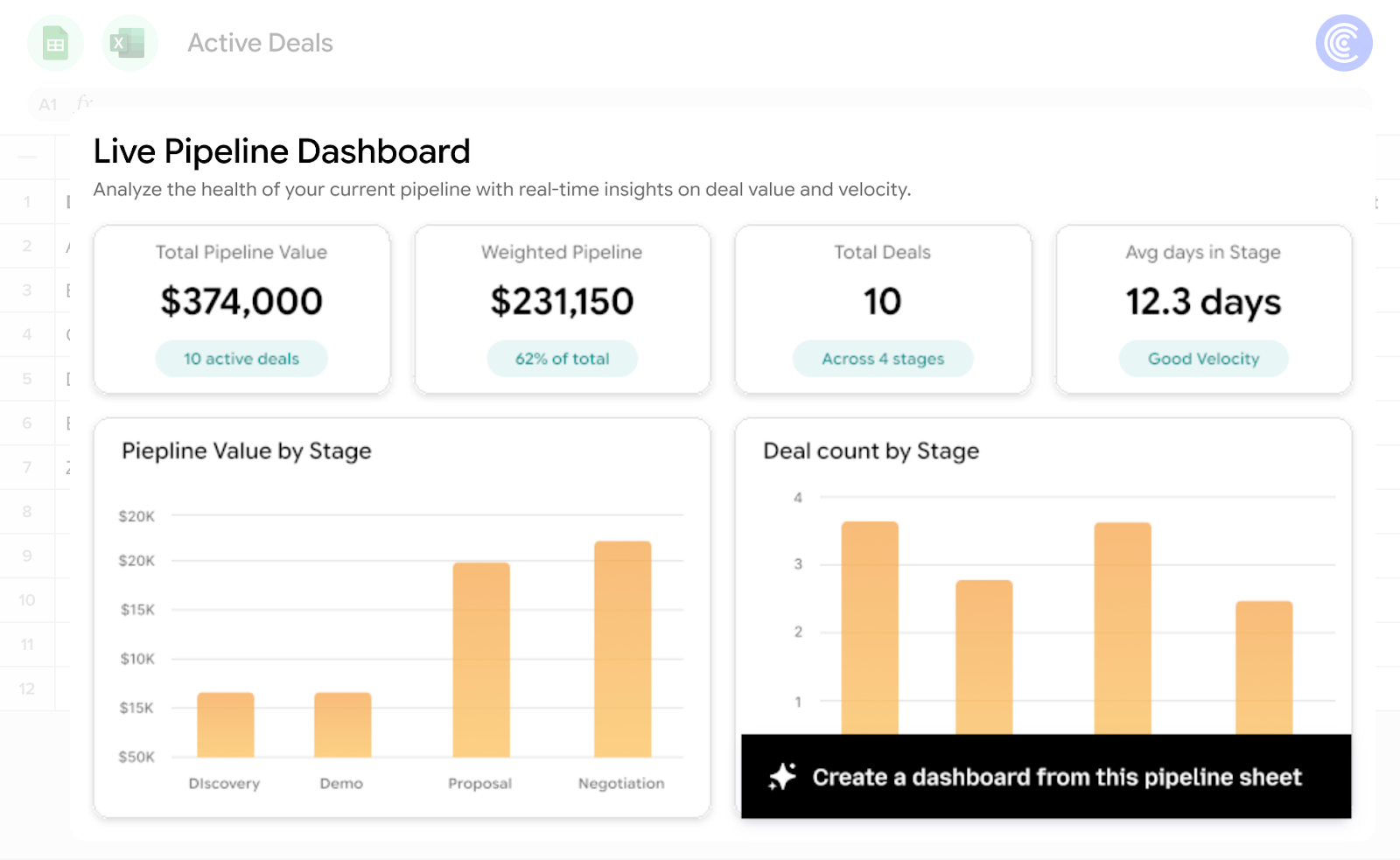
It’s useful for quick reporting but not a full-scale analytics solution.
Even the best sales analytics tools share a common limitation. They don’t change behavior.
They generate insights, surface trends, and highlight risks. But they don’t ensure those insights are acted upon. That’s why so many dashboards look impressive in reviews but fail to impact actual revenue outcomes.
Sales teams don’t lose deals because they lack data. They lose deals because they fail to act on the right signals at the right time.
And that gap is where the category is evolving. From analytics to intelligence. From reporting to execution.
Most tools stop at answers like:
Useful, yes. Actionable, not quite.
The rep still has to interpret the insight, decide what to do, and execute it under time pressure. That’s where deals slip.
This is where Sybill changes the game.
Instead of sitting as another analytics layer, Sybill operates as an intelligence and execution system on top of your sales stack. It connects signals from calls, emails, and CRM activity, and translates them into clear, immediate actions.
In practice, this means:
The shift is subtle but powerful.
Instead of:
“Here’s what’s happening in your pipeline”
You get:
“Here’s exactly what to do next to move this deal forward”
When you layer execution on top of analytics, everything changes:
This is what actually drives outcomes. Not more data, but better execution of that data.
If your team already has dashboards but still struggles to move deals forward, you’re not missing data. You’re missing execution.
Sybill bridges that gap.
It turns every conversation, signal, and insight into clear next steps your reps can act on immediately.
Try Sybill and see how your pipeline changes when insights turn into action.

When used correctly, sales analytics can significantly improve how teams engage with buyers. But the real value comes from how those insights are applied.
Here’s how it actually impacts your sales engagement strategy:
But here’s the limitation.
Analytics doesn’t execute engagement. It only informs it.
To truly improve outcomes, teams need systems that not only surface insights but also help reps act on them immediately. Whether that’s suggesting next steps, generating follow-ups, or guiding conversations, the combination of analytics and execution is what actually drives results.
Choosing the right tool requires more than comparing feature lists. The best decision comes from aligning the tool with how your team actually sells.
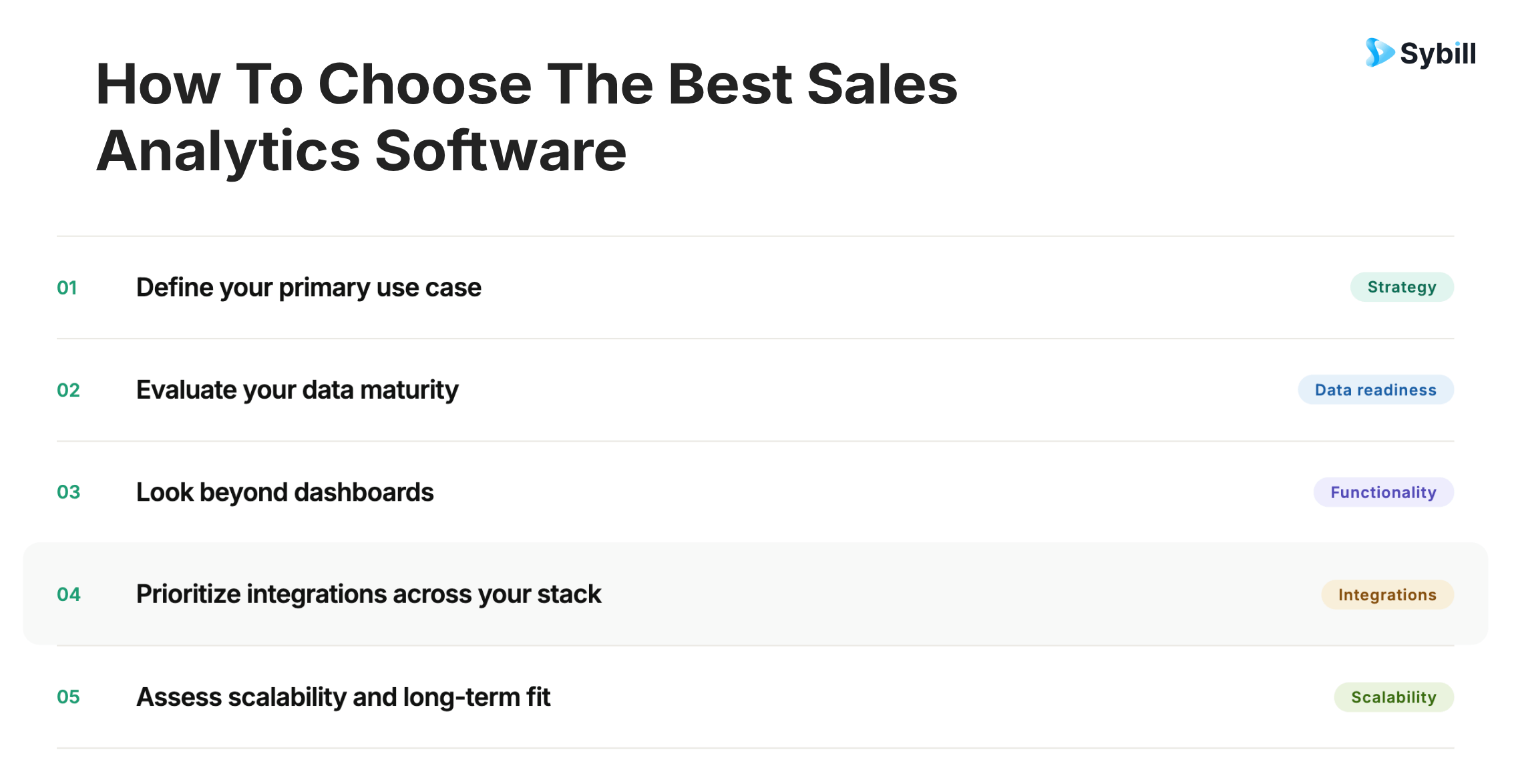
Here’s how to evaluate your options:
The best sales analytics software isn’t the one with the most features. It’s the one your team can trust, adopt, and actually use to make better decisions every day.
Sales analytics software has become essential. It provides visibility, clarity, and structure to complex sales processes.
But it’s no longer sufficient.
The teams that win are not the ones with the best dashboards. They’re the ones that act on insights faster and more effectively than their competitors.
Analytics tells you what’s happening.
Execution determines what happens next.
And for that, you know what to do.
The four types of analytics are descriptive, diagnostic, predictive, and prescriptive. Descriptive analytics explains what happened, while diagnostic analytics uncovers why it happened. Predictive analytics uses historical data to forecast future outcomes, and prescriptive analytics recommends what actions to take. Modern sales analytics software is increasingly moving toward predictive and prescriptive capabilities to help teams make faster, more confident decisions.
Sales analysis tools typically fall into a few key categories. CRM platforms like Salesforce, HubSpot, and Zoho provide built-in reporting and pipeline visibility. BI tools such as Tableau and ThoughtSpot offer deeper data analysis and visualization. Revenue intelligence platforms like Clari and Gong focus on pipeline health and deal insights, while tools like Coefficient enable flexible, spreadsheet-based reporting. Most teams use a combination of these tools depending on their needs.
The best sales tracking software depends on your team’s size, complexity, and goals. HubSpot is a strong choice for ease of use and quick adoption, while Pipedrive is ideal for teams that want a simple, visual pipeline. Salesforce offers the most flexibility and scalability for enterprise teams. Ultimately, the best tool is one that your team consistently uses and trusts to reflect accurate pipeline data.
There is no single best CRM for every team. Salesforce is typically preferred by large enterprises that need deep customization and scalability. HubSpot is popular for its user-friendly interface and all-in-one capabilities. Zoho is a cost-effective option for smaller teams, while Pipedrive works well for sales teams that prioritize pipeline visibility and simplicity. The right choice depends on your budget, workflow complexity, and integration needs.
The four types of analytics are descriptive, diagnostic, predictive, and prescriptive. Descriptive analytics explains what happened, while diagnostic analytics uncovers why it happened. Predictive analytics uses historical data to forecast future outcomes, and prescriptive analytics recommends what actions to take. Modern sales analytics software is increasingly moving toward predictive and prescriptive capabilities to help teams make faster, more confident decisions.
Sales analysis tools typically fall into a few key categories. CRM platforms like Salesforce, HubSpot, and Zoho provide built-in reporting and pipeline visibility. BI tools such as Tableau and ThoughtSpot offer deeper data analysis and visualization. Revenue intelligence platforms like Clari and Gong focus on pipeline health and deal insights, while tools like Coefficient enable flexible, spreadsheet-based reporting. Most teams use a combination of these tools depending on their needs.
The best sales tracking software depends on your team’s size, complexity, and goals. HubSpot is a strong choice for ease of use and quick adoption, while Pipedrive is ideal for teams that want a simple, visual pipeline. Salesforce offers the most flexibility and scalability for enterprise teams. Ultimately, the best tool is one that your team consistently uses and trusts to reflect accurate pipeline data.








