
Find us at booth #83, join us for a harbor side happy hour, or catch Gorish’s talk.

Sept, 16-18 > Learn more

%20(1).avif)
Mamta Tainwala

April 28, 2026
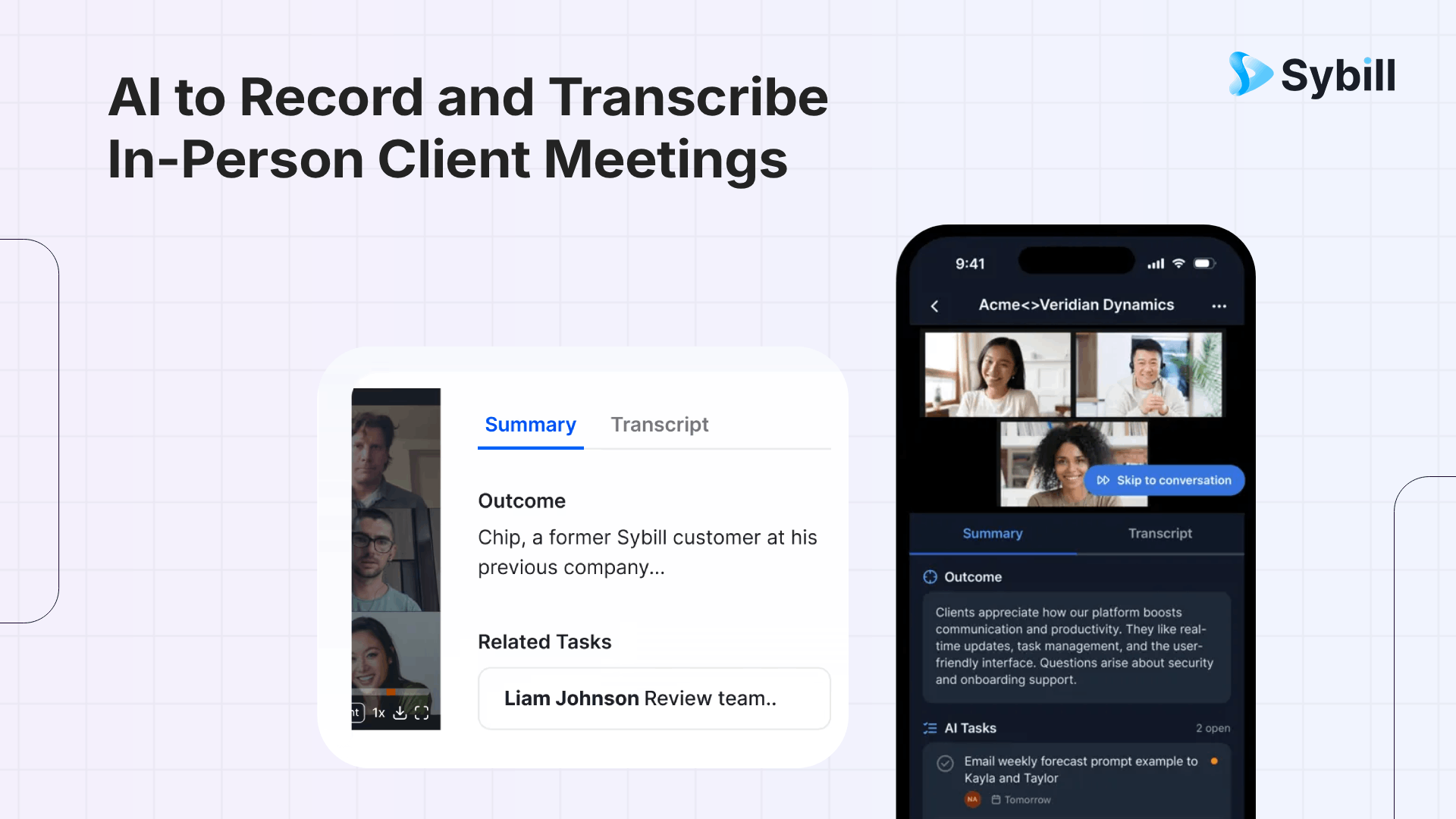
Yes. Multiple AI tools can now record and transcribe in-person client meetings using your phone. The best option for sales teams is Sybill, which has a native mobile app that records in-person conversations and delivers structured sales summaries, automatic CRM updates, follow-up emails, and deal intelligence, the same workflow inside sales reps get on Zoom. Other options include Otter.ai for real-time transcription, Granola for hybrid note-taking on iPhone, Fireflies.ai for searchable archives, Jamie for offline-capable bot-free recording, MeetGeek for budget teams, and Krisp for noisy environments. But only Sybill turns an in-person recording into full post-meeting execution.
For years, field sales reps lived in a parallel universe from their inside sales teammates. The inside team finished a Zoom call and had AI-generated summaries, CRM updates, and follow-up drafts waiting. The field team finished a client dinner and had... a napkin with three bullet points and a vague plan to "update the CRM later."
That gap was not a minor inconvenience. It meant field reps spent more time on admin. Their CRM data was less accurate. Their follow-ups were slower. Their managers had less coaching visibility. And the deals they were running, often the biggest and most complex in the pipeline, had the worst documentation.
The good news: that gap has closed. A new generation of AI tools now lets you pull out your phone, tap record, and get the same level of conversation intelligence from a face-to-face meeting that you would from a virtual call. Some are basic transcription apps with a mobile recorder bolted on. Others are purpose-built for the sales workflow.
Here is what to look for, and which tools deliver.
Recording a virtual meeting is straightforward. The audio is clean, speakers are labeled, and the AI bot sits silently in the corner. In-person recording is a different challenge. Here is what separates tools that work in the field from tools that do not:
Capture method. Does the tool have a native mobile app for in-person recording, or do you need to record a voice memo and upload it separately? Native mobile recording is faster, more reliable, and keeps everything in one system.
Audio quality handling. In-person environments have background noise, overlapping speakers, and inconsistent microphone distance. The best tools handle these conditions gracefully. Expect 85% to 95% accuracy for in-person transcription versus 95%+ for clean virtual calls.
What happens after the recording. This is the real differentiator. A transcript of a 45-minute client lunch is not useful on its own. You need the AI to extract what matters: pain points, objections, decisions, next steps, competitive mentions, and stakeholder details. Then you need those insights to flow into your CRM, your follow-up email, and your deal record without manual effort.
Sales-specific intelligence. Does the tool understand that you just had a discovery conversation, not a team standup? Does it know the difference between a buying signal and a casual comment? Does it map what was said to your selling framework?
CRM integration depth. Does it push a blob of text into a notes field, or does it extract structured data into dedicated CRM fields? The difference between those two outcomes is the difference between clean pipeline data and a CRM full of unread notes.
.png)
Best for: Sales teams that want the full revenue workflow from in-person meetings
Sybill is the only tool that gives field sales reps the exact same post-meeting experience as inside reps on virtual calls. The mobile app records in-person conversations natively. You do not need to record a voice memo in a separate app and upload it. Open Sybill, tap record, have your meeting. Once the conversation ends, Sybill processes the audio and delivers:
Magic Summaries structured around call outcome, pain points, objections, competitive mentions, next steps, and stakeholder roles. CRM autofill that writes data into 30+ fields in Salesforce, HubSpot, Zoho, Pipedrive, or Dynamics 365, including MEDDIC and BANT criteria, with a 99% fill rate. AI-drafted follow-up emails written in the rep's voice, referencing specific discussion points. Pre-meeting briefs for the next conversation. Ask Sybill for cross-deal querying across every call, email, and CRM record. And full coaching visibility for managers who were not in the room.
The in-person recording feeds into the same deal workspace as virtual calls, so your pipeline view is complete regardless of where the meeting happened. No separate tools. No manual uploads. No gaps.
Sybill also supports audio and video file uploads as a fallback if you prefer to record with your phone's native voice memo app and process the file afterward. Both paths deliver the same output.
Pricing: Free tier available. Essentials at $19/user/month. Business at $79/user/month (includes CRM autofill).
Get started for free with Sybill and start recording in-person meetings that automatically update your CRM, draft your follow-ups, and feed your deal intelligence.
Best for: Real-time in-person transcription with team collaboration
Otter has been in the transcription space longer than most, and its mobile app is one of the more polished options for live in-person recording. It captures audio in real time, generates a transcript with speaker identification, and syncs to the cloud. You can highlight key moments during the conversation, and the AI generates a summary with action items after the meeting. CRM integration pushes basic meeting notes to Salesforce and HubSpot.
Where it falls short for sales: Summaries are generic, not structured around deal outcomes. CRM integration pushes notes, not structured field data. No follow-up email generation. No deal intelligence or cross-deal querying. No coaching analytics for managers. It is a strong transcription tool, but the post-meeting sales workflow stops at the transcript.
Pricing: Free plan with limited minutes. Pro at $16.99/user/month.
Best for: Reps who prefer active note-taking with AI enhancement
Granola takes a unique approach. Instead of fully automated summaries, it combines your own typed notes with the AI transcript to produce enhanced meeting notes. You type your observations during the conversation, and Granola weaves them together with the full transcript context. The iPhone app supports in-person recording. It is bot-free, so there is no visible AI participant to explain to clients.
Where it falls short for sales: Granola stores only text, not audio or video (a deliberate privacy choice). No native CRM integration for automated deal updates. No follow-up email generation. No coaching features. No cross-deal intelligence. No Android app. The free plan limits your archive to 30 days. It is a thoughtful personal note-taking tool, but not a team-level revenue intelligence platform.
Pricing: Free plan available. Pro at $18/month.
Best for: Searchable meeting archives with broad CRM integration
Fireflies offers a mobile app that records in-person conversations and processes them with AI summaries, action items, and conversation analytics. The standout feature is searchability: every conversation becomes part of a searchable archive that you can query with the Fred AI assistant. CRM integration logs notes and action items to Salesforce, HubSpot, and other platforms. It supports 60+ languages, making it solid for global field teams.
Where it falls short for sales: CRM integration logs notes and action items but does not autofill structured deal fields. No AI follow-up email generation. Summary structure is generic, not sales-specific. Advanced AI features run on a credits system that adds up. The conversation intelligence layer is broad but not deep on sales-specific deal execution.
Pricing: Free plan available. Pro at $10/user/month.
Best for: Privacy-first reps who need offline recording capability
Jamie records meetings bot-free on macOS, Windows, and iOS. The standout for field sales is offline transcription: it captures and stores the recording locally and processes it once connectivity returns. That is genuinely useful for reps meeting clients in locations with poor internet. It supports 100+ languages and integrates with HubSpot, Salesforce, Notion, and other tools.
Where it falls short for sales: Pricing is high (around $47/month). Limited team collaboration features. No structured sales summaries. No CRM autofill for deal fields. No follow-up email generation. No coaching or deal intelligence. Not SOC 2 Type 2 certified, which may be a blocker for enterprise teams.
Pricing: Plans start at approximately $47/user/month.
Best for: Budget teams wanting basic in-person capture
MeetGeek's mobile app records in-person meetings and generates AI summaries with action items. It supports 30+ languages, integrates with 7,000+ apps via Zapier, and recently introduced AI voice agents that can run structured conversations. The free tier is genuinely usable, and paid plans start at $9.99/month.
Where it falls short for sales: Summary generation can take up to 30 minutes after calls. CRM integration is shallow. No follow-up email generation. No cross-deal querying. In-person recording quality can be inconsistent with background noise and multiple speakers. It is a budget-friendly entry point, not a full sales workflow tool.
Pricing: Free tier available. Pro at $9.99/user/month.
Best for: Reps in noisy field environments
Krisp combines AI note-taking with real-time noise cancellation and accent conversion, which makes it uniquely useful for field sales in noisy locations: trade show floors, busy restaurants, open office spaces. The mobile app records in-person meetings and the noise cancellation meaningfully improves transcription quality in challenging environments.
Where it falls short for sales: The sales intelligence layer is thin. No structured deal summaries. No automated CRM field updates. No follow-up email generation. No deal intelligence or coaching. Some users report missed transcriptions despite recording confirmation. Calendar integration can be unreliable. It solves the audio quality problem but not the sales execution problem.
Pricing: Free plan available. Pro at $8/user/month.
.png)
Whichever tool you use, a few practical tips will improve your results:
Place your phone on the table, screen down, near the center of the conversation. Closer to the speakers means cleaner audio. Screen down reduces distraction.
Inform the other party. Beyond the obvious legal and ethical reasons, letting clients know you are recording (and explaining that it helps you capture details accurately so you can follow up better) usually goes over well. Most prospects appreciate the professionalism.
Choose quieter environments when possible. A quiet conference room produces dramatically better transcription than a crowded restaurant. If you cannot control the environment, tools like Krisp with noise cancellation help.
Use an external microphone if recording in challenging conditions. A simple lavalier mic connected to your phone can significantly improve audio quality for important meetings.
Check your local recording laws. In the US, some states require all-party consent. When meeting international clients, GDPR compliance requirements apply. Always get explicit consent before recording.
Yes. All in-person meeting recording happens bot-free since there is no virtual meeting for a bot to join. Tools like Sybill, Granola, Jamie, and Krisp record through your device's microphone. Sybill's mobile app records natively within the app, while others may require using your phone's voice recorder and uploading the file afterward.
In-person transcription typically achieves 85% to 95% accuracy, compared to 95%+ for clean virtual calls. The difference comes from background noise, overlapping speakers, and microphone distance. Placing your phone closer to the conversation, choosing quieter environments, and using noise-cancelling tools can improve accuracy significantly.
Sybill is the most complete option for field sales teams. Its mobile app records in-person conversations natively and delivers the same structured summaries, CRM autofill, follow-up emails, and deal intelligence that inside sales teams get from virtual calls. Other tools like Otter.ai and Fireflies.ai offer in-person recording but lack the depth of sales-specific post-meeting automation.
Yes. Recording laws vary by jurisdiction, but best practice is always to inform all parties before recording. In the US, many states require all-party consent. For meetings with EU-based clients, GDPR requires a lawful basis for recording and clear notification. Beyond legality, transparency builds trust and most clients appreciate the professionalism of accurate follow-ups.
Yes. Most AI meeting tools extract action items from transcribed conversations. The depth varies significantly: basic tools list generic action items, while sales-specific platforms like Sybill extract structured next steps attributed to specific people, with deadlines, and push them directly into CRM records and deal workspaces.
Every in-person client conversation contains deal-critical information: priorities, objections, timelines, competitive dynamics, next steps. The question is whether that information ends up in your CRM and your follow-up email, or whether it ends up forgotten in a parking lot on the way to the next meeting.
Get started for free with Sybill and give your field team the same AI-powered sales intelligence that inside reps already rely on. Record in-person meetings from your phone, get structured summaries in minutes, and never lose a deal-critical detail to a napkin again.
Yes. All in-person meeting recording happens bot-free since there is no virtual meeting for a bot to join. Tools like Sybill, Granola, Jamie, and Krisp record through your device's microphone. Sybill's mobile app records natively within the app, while others may require using your phone's voice recorder and uploading the file afterward.
In-person transcription typically achieves 85% to 95% accuracy, compared to 95%+ for clean virtual calls. The difference comes from background noise, overlapping speakers, and microphone distance. Placing your phone closer to the conversation, choosing quieter environments, and using noise-cancelling tools can improve accuracy significantly.
Sybill is the most complete option for field sales teams. Its mobile app records in-person conversations natively and delivers the same structured summaries, CRM autofill, follow-up emails, and deal intelligence that inside sales teams get from virtual calls. Other tools like Otter.ai and Fireflies.ai offer in-person recording but lack the depth of sales-specific post-meeting automation.








