
Find us at booth #83, join us for a harbor side happy hour, or catch Gorish’s talk.

Sept, 16-18 > Learn more

%20(1).avif)
Mamta Tainwala

April 16, 2026
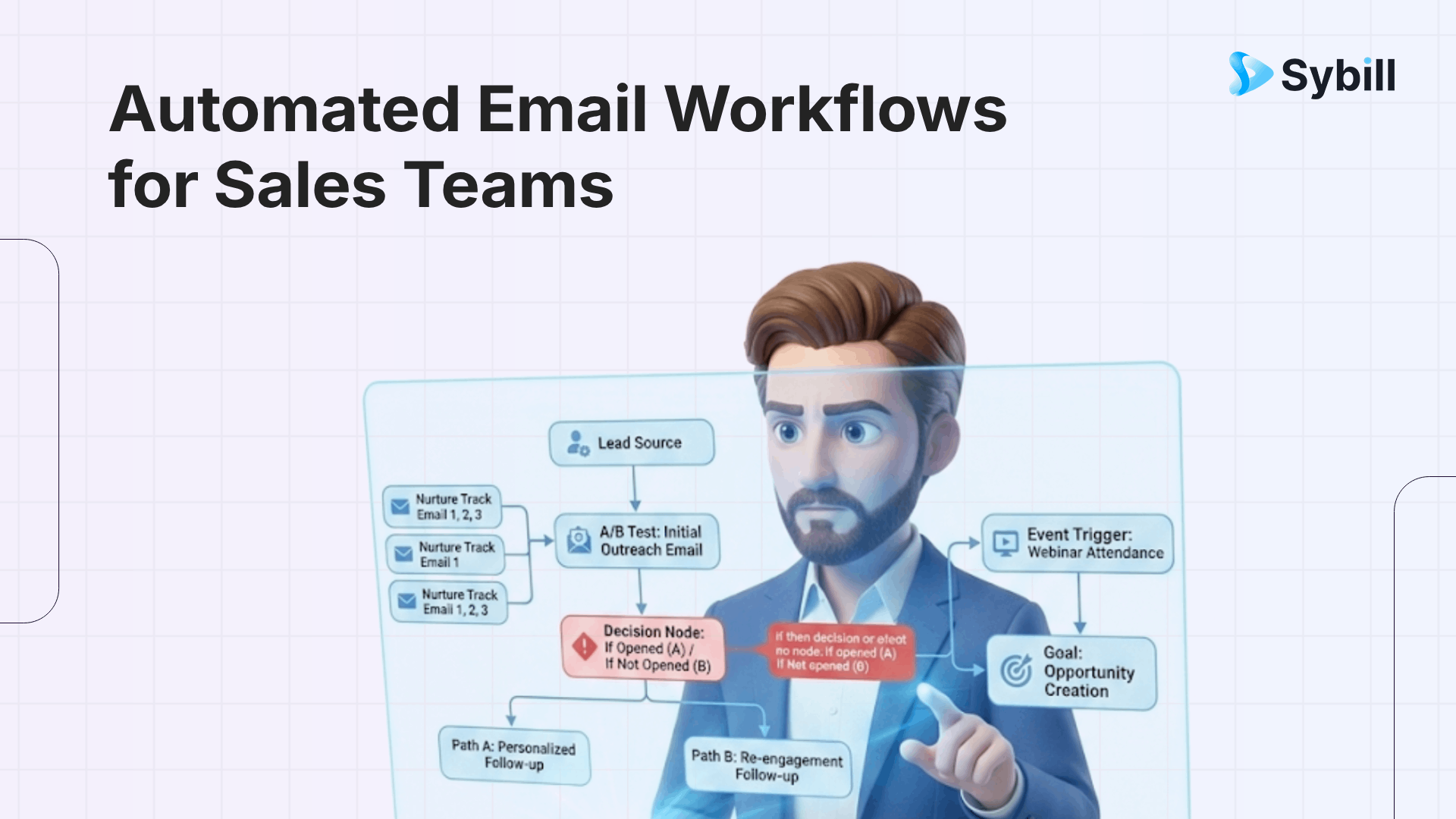
TL;DR: An automated email workflow is a sequence of pre-written emails that fire based on a trigger, follow a set of conditions, and keep running until a goal is met or a human steps in. For sales teams, the real value is not sending more emails. It is sending the right email at the moment a prospect is most likely to respond. The workflows that move pipeline share three traits: they are triggered by real buyer behavior, they are personalized beyond first-name merge fields, and they hand off to a human at exactly the right time.
There is a version of email automation that most people picture when they hear the term: a drip sequence. You set up five emails, space them three days apart, and spray them at a list. Open rates are mediocre. Reply rates are worse. Your domain reputation takes a quiet hit every quarter.
Then there is the version that top-performing revenue teams actually run.
In that version, an automated email workflow is a living system. It starts when a prospect takes a specific action. It adapts based on what they do next. It pauses when a rep needs to step in. And it hands off cleanly to the next stage of the deal cycle instead of just ending with a lonely "bumping this to the top of your inbox" message.

The difference between these two versions is not the tool. It is the thinking behind the workflow. The best automated email sequences are designed around the buyer's journey, not the sender's convenience. And in 2026, the sales teams pulling the highest reply rates are the ones that treat automation as an intelligence layer, not a volume play.
Here is what that looks like in practice.
Every automated email workflow runs on three components. Understanding them clearly is the difference between a workflow that feels like a conversation and one that feels like spam.
Triggers are the events that start the workflow. Something happens, and the sequence kicks off. For sales teams, the most valuable triggers are tied to prospect behavior: a demo request, a pricing page visit, a downloaded resource, a completed meeting, or a reply to a previous email. The closer the trigger is to real buying intent, the better the workflow performs.
Conditions are the rules that determine what happens next. They create branches in the workflow based on what the prospect did or did not do. Did they open the email? Did they click the case study link? Did they reply? Did they go silent? Each answer routes the prospect down a different path with different messaging. Conditions are what make a workflow feel responsive instead of robotic.
Actions are the things the workflow does: send an email, wait a set number of days, assign a task to a rep, update a CRM field, send a Slack notification, or add the prospect to a different sequence. The strongest workflows combine automated actions with human handoff points, so the system handles routine touches and the rep steps in when the deal demands judgment.
Most email automation platforms give you these three building blocks. What separates mediocre workflows from great ones is how thoughtfully you connect them.
Not every email deserves a workflow. But there are five moments in the sales cycle where automation consistently outperforms manual effort, because the timing and relevance of the email matter more than the rep's personal touch.
This is the highest-leverage workflow in sales, and it is the one most teams still handle manually.
A prospect just spent 30 minutes on a discovery call with your AE. They shared pain points, asked about pricing, and agreed to a next step. The clock is ticking. Research consistently shows that follow-up emails sent within an hour of a meeting see dramatically higher reply rates than ones sent the next day.
.png)
The problem is that most reps are already in their next call. The follow-up gets pushed to end of day, then tomorrow, then it quietly dies. Automation solves this by generating the follow-up immediately after the call, with the specific details from the conversation already baked in.
This is the workflow where conversation-aware tools like Sybill make the biggest difference. Sybill sits on the call, generates a structured summary, drafts a personalized follow-up email that references what was actually discussed, and pushes it to the rep for a quick review before sending. The email reads like the rep wrote it while paying close attention. The rep spent 30 seconds approving it instead of 15 minutes reconstructing the conversation from memory.
Cold outreach is the workflow most people think of when they hear "email automation." A prospect matches your ICP, they enter the sequence, and the system sends a series of emails over two to three weeks designed to start a conversation.
The sequences that work in 2026 share a few traits. They are short (three to five emails maximum). Each email adds something new instead of just "checking in." The first email leads with the prospect's context, not the product's features. And the sequence has clear exit criteria: if the prospect replies, books a meeting, or unsubscribes, they leave the sequence immediately.
The sales email templates that generate the highest reply rates are the ones where the first sentence references something specific about the prospect. A funding round, a new hire, a conference talk, a LinkedIn post. That level of personalization used to require manual research for every email. Today, enrichment tools and AI email writers can handle the research and draft the email, leaving the rep to make final adjustments.
Prospects miss meetings. It is one of the most reliable constants in sales. A no-show workflow catches these prospects before they fall out of your pipeline entirely.
.png)
The workflow triggers when a scheduled meeting is marked as a no-show in your calendar or CRM. Within minutes, the prospect gets a low-pressure email: no guilt, just an easy path to reschedule. If they do not respond, a second email follows two days later with a direct calendar link. If they still do not engage, a final email acknowledges that timing might not be right and leaves the door open.
This workflow recovers meetings that would otherwise vanish. It is one of the simplest to build and one of the most consistently valuable.
Every pipeline has deals that go quiet. The champion stops responding. The evaluation timeline slips. The urgency that existed two weeks ago has evaporated.
A deal stall workflow triggers when there has been no activity on an opportunity for a defined period, say 10 to 14 days. The first email is a gentle check-in that references the last conversation. The second adds new value: a relevant case study, an industry data point, or a feature update that addresses something the prospect mentioned. The third is a direct question: "Has the timeline shifted? Happy to adjust on our end."
The key is connecting this workflow to your CRM so it fires based on actual deal activity, not arbitrary time intervals. When your CRM data is clean and your call notes capture what was discussed, the re-engagement emails can reference specific topics from prior conversations instead of sending a generic "just checking in."
The deal is closed. The contract is signed. Most sales workflows stop here. That is a mistake.
A post-close workflow manages the transition from sales to customer success, introduces the onboarding team, and sets expectations for the first 30 days. After onboarding stabilizes, a slower nurture sequence keeps the account warm for expansion opportunities: usage milestones, new feature announcements, and check-ins timed to renewal windows.
This workflow turns a closed deal into a growing account instead of a static line item. And because the outreach is automated and tied to real account milestones rather than arbitrary calendar dates, it feels helpful rather than intrusive.
.png)
Now that you know which workflows to build, here is how to actually build them.
Step 1: Start with the outcome, not the email. Before writing a single word, define what success looks like for this workflow. A booked meeting? A reply? A renewed contract? The goal shapes every decision downstream: the trigger, the messaging, the cadence, and the exit criteria.
Step 2: Map the trigger to a real buyer signal. The strongest triggers are behavioral. A prospect requesting a demo is a better trigger than "added to a list." A deal going stale in the CRM is a better trigger than "30 days since last email." Tie your trigger to something the prospect actually did or did not do.
Step 3: Build conditions that create branches, not walls. A linear sequence (Email 1 > wait > Email 2 > wait > Email 3) treats every prospect the same. A branching workflow responds to behavior. If they opened Email 1 but did not reply, send a different Email 2 than you would for someone who did not open at all. Conditions make the difference between a sequence that feels automated and one that feels attentive.
Step 4: Write emails that earn the next action. Each email in the workflow has one job: get the prospect to take the next step. Not five steps. Not a product tour in paragraph form. One clear ask, one reason to care, and enough respect for their time that they would not mind hearing from you again. The best follow-up emails accomplish this in four to five sentences.
Step 5: Define exit criteria. Every workflow needs a way to end. A reply should pull the prospect out of the sequence so a rep can respond personally. A meeting booked should transition them to a different workflow. An unsubscribe should remove them permanently. Without exit criteria, you risk sending automated emails to someone who is already in a live conversation with your team.
Step 6: Connect the workflow to your CRM. An automated email workflow that does not talk to your CRM is a siloed experiment. When the workflow syncs with Salesforce or HubSpot, every email sent, opened, and replied to becomes part of the deal record. Your sales manager can see pipeline velocity. Your rep can see engagement history before walking into the next call. And your forecasting gets more accurate because the data is actually there.
Step 7: Test with a small batch, then scale. Run the workflow on 20 to 50 contacts first. Watch the open rates, reply rates, and bounce rates. Read the replies. Adjust the messaging, timing, and conditions based on what you learn. Then scale.
The most common failure mode is not bad copy or wrong timing. It is treating email automation as a replacement for human judgment instead of an amplifier of it.
The best workflows know when to hand off. When a prospect replies with a thoughtful question, the workflow should stop and a rep should respond. When a deal enters negotiation, templates should give way to real conversation. When a champion raises an objection on a call, the follow-up email should reference that specific objection, not send the next email in the sequence.
This is the line between email automation that builds pipeline and email automation that burns prospects. The tools exist to automate the mechanical parts of sales communication: timing, scheduling, sequencing, and first-draft generation. The parts that require empathy, judgment, and real listening still belong to the rep. The workflow should make the rep faster, not invisible.
Picture this. Your AE just wrapped a 40-minute discovery call. The prospect mentioned that their current vendor is slow to respond to support tickets, that they are evaluating two other platforms, and that the decision needs to happen before end of quarter because of a board-mandated initiative.
In the old model, the AE opens a blank compose window and tries to reconstruct all of that from memory while three Slack messages and a meeting invite compete for attention. The follow-up goes out four hours later. It is decent but vague.
In the conversation-aware model, Sybill has already captured the call, summarized the key points, extracted the objections and next steps, and drafted a follow-up email that references the support ticket issue, acknowledges the competitive evaluation, and proposes a timeline aligned with the board deadline. The rep scans it, makes one adjustment, and sends it within 15 minutes of hanging up.
That is not a marginal improvement. That is a fundamentally different experience for the prospect. And it is what separates AI-powered sales tools from traditional drip automation.
The email did not come from a template. It came from the conversation. That is the standard that the best revenue teams are building toward.
Vanity metrics will lie to you. Open rates are inflated by Apple Mail's privacy protection, which pre-loads tracking pixels. Sends per day tells you about volume, not value. The metrics that actually indicate whether your sales email workflows are moving deals forward are different.
Reply rate is the single most important metric for sales workflows. A reply means the prospect engaged. It does not matter if the reply is "not interested right now." That is still a signal you can act on.
Meeting booked rate measures the workflow's ultimate purpose: generating conversations. If your reply rate is high but meeting bookings are low, the issue is usually in the call-to-action or the handoff between the automated email and the rep's response.
Bounce rate should stay below 2%. Anything higher means your contact data is stale and your sender reputation is at risk. Validate your lists before they enter any workflow.
Time to first reply tells you how quickly your system reacts to prospect engagement. If a prospect replies and your rep takes 48 hours to respond, the automation was fast but the human was slow. The best teams track this number and keep it under two hours.
A drip campaign sends a fixed sequence of emails at set time intervals regardless of recipient behavior. An automated email workflow uses triggers and conditions to adapt the sequence based on what the recipient does or does not do. Workflows are responsive. Drip campaigns are linear. For sales teams, workflows consistently outperform drips because they mirror the non-linear way deals actually progress.
Most effective sales workflows contain three to five emails. Beyond five, engagement typically drops and the risk of annoying the prospect increases. Each email should serve a distinct purpose: introduce, add value, create urgency, and close with a direct ask. If the prospect has not engaged after five well-crafted touches, move them to a long-term nurture rather than sending more of the same.
Behavioral triggers consistently outperform time-based triggers. The strongest ones for sales include: demo requested, meeting completed, pricing page visited, content downloaded, deal stage changed in CRM, and no activity on an opportunity for a defined period. The closer the trigger is to a real buying signal, the higher the reply rate on the emails that follow.
Yes. Tools like Sybill generate personalized follow-up emails directly from the content of your sales calls. The email references specific topics, objections, and next steps from the conversation, which means the personalization is grounded in what actually happened rather than what a template assumes. This is one of the highest-ROI workflows a sales team can automate.
Most sales email automation platforms integrate natively with CRMs like Salesforce and HubSpot. When connected, every automated email, open, click, and reply is logged against the contact and opportunity record. This gives reps full context before calls, helps managers track deal velocity, and ensures your pipeline data stays current without manual entry.
Treating automation as a set-and-forget system. The best sales email workflows require regular review: checking reply rates, reading responses, adjusting messaging, and updating conditions based on what is working. Automation handles the mechanics. Humans handle the judgment. The teams that forget this are the ones whose emails end up in spam folders.
A drip campaign sends a fixed sequence of emails at set time intervals regardless of recipient behavior. An automated email workflow uses triggers and conditions to adapt the sequence based on what the recipient does or does not do. Workflows are responsive. Drip campaigns are linear. For sales teams, workflows consistently outperform drips because they mirror the non-linear way deals actually progress.
Most effective sales workflows contain three to five emails. Beyond five, engagement typically drops and the risk of annoying the prospect increases. Each email should serve a distinct purpose: introduce, add value, create urgency, and close with a direct ask. If the prospect has not engaged after five well-crafted touches, move them to a long-term nurture rather than sending more of the same.
Behavioral triggers consistently outperform time-based triggers. The strongest ones for sales include: demo requested, meeting completed, pricing page visited, content downloaded, deal stage changed in CRM, and no activity on an opportunity for a defined period. The closer the trigger is to a real buying signal, the higher the reply rate on the emails that follow.








