
Find us at booth #83, join us for a harbor side happy hour, or catch Gorish’s talk.

Sept, 16-18 > Learn more


Tamanna Mishra

May 29, 2026
.png)
Your sales call just ended. The buyer smiled. The objections were manageable. The next steps sounded promising. Everyone said “great conversation,” which in sales is either a green flag or the beginning of a slow CRM horror story.
Because now the real work begins.
Someone has to write the follow-up. Someone has to update Salesforce. Someone has to remember whether procurement was the blocker, whether legal needed security docs, whether the champion had actual influence, and whether “circle back next week” meant next Tuesday or the 17th circle of deal purgatory.
Avoma is a capable AI meeting assistant. It helps teams record calls, take notes, summarize meetings, and manage conversation intelligence workflows. But sales teams do not just need prettier notes. They need an AI sales assistant that helps them act faster after every call.
The best Avoma alternative is not the tool that remembers what happened. It is the tool that helps your team move the deal after it happened.
This guide compares the best Avoma competitors for sales teams, including Sybill, Fathom, Fireflies.ai, Chorus, tl;dv, Otter.ai, and Gong. We will look at what each tool does well, where it falls short, and which one makes the most sense for sales teams that care about follow-ups, CRM hygiene, deal intelligence, coaching, and pipeline execution.
For a direct comparison, you can also read Sybill vs Avoma: Seller Momentum or Meeting Assistant.
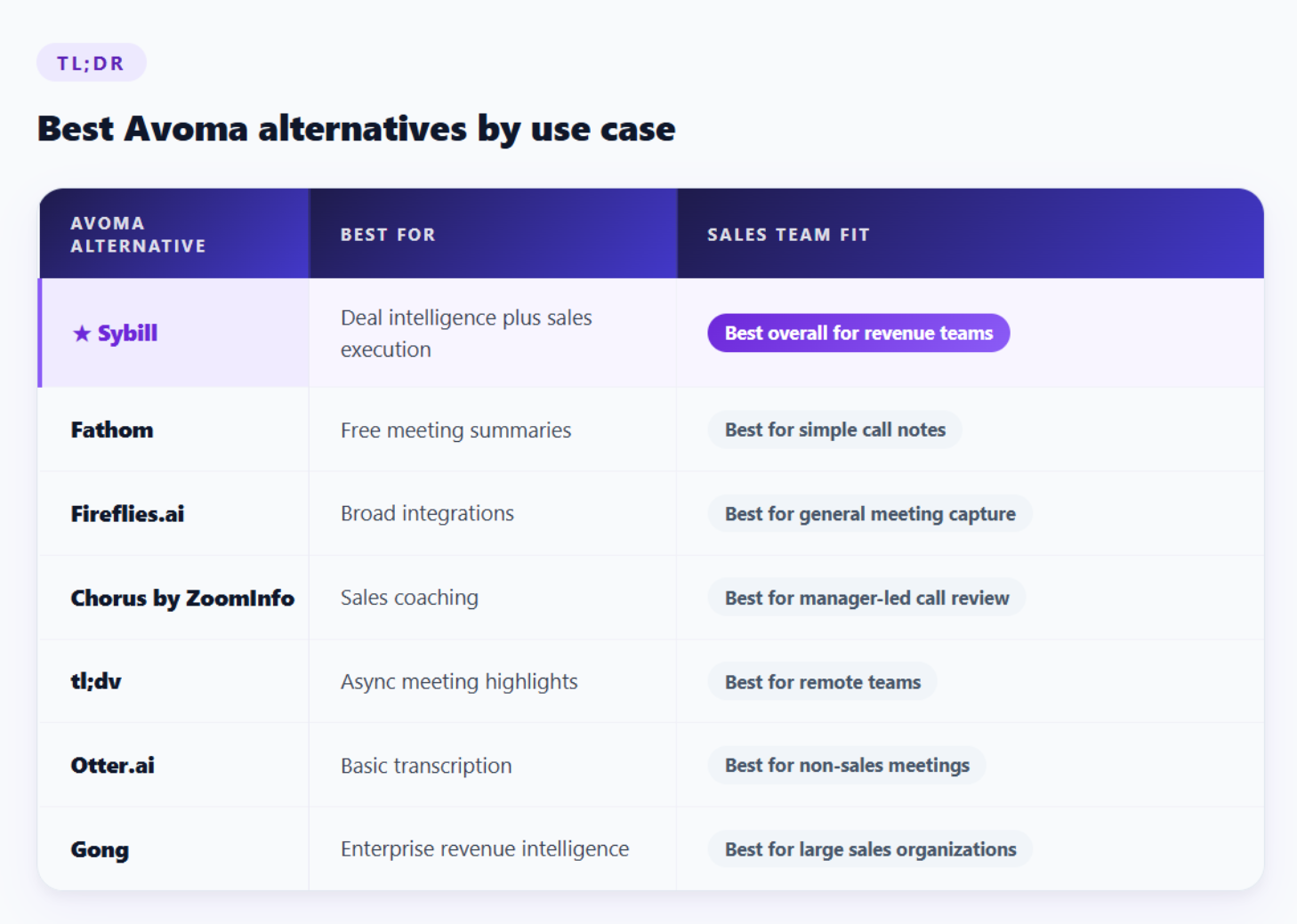
If your team only needs meeting notes, several tools can help.
If your team needs sales call summaries, personalized follow-ups, CRM Autofill, AI Tasks, deal intelligence, coaching context, mobile support, and in-person meeting capture, Sybill is the strongest Avoma alternative.
Avoma is not a bad tool. Let’s get that out of the way.
It supports meeting recording, transcription, summaries, coaching insights, agenda management, and CRM sync. That makes it useful for customer-facing teams that want a structured meeting assistant.
But sales teams usually start looking for Avoma alternatives when the meeting note is no longer the problem. The problem is what happens next.
A rep gets off a call and needs to send a follow-up before the buyer’s attention moves elsewhere. A manager wants to know which deals have pricing risk without joining every call. RevOps wants structured CRM fields updated, not a giant transcript pasted into a notes field. Leadership wants pipeline visibility that is grounded in real buyer conversations, not optimistic stage updates.
That is where basic AI meeting assistants start to feel limited.
Sales teams need answers to questions like:
That is the real buying lens for Avoma competitors.
Avoma helps manage meetings. A stronger sales-first alternative should help manage momentum.
Also read: AI Auto Follow-Up Emails for Faster Sales Follow-Ups
Do not compare tools by feature count alone. That is how teams end up buying impressive software that reps quietly avoid. Instead, compare tools by workflow outcomes.
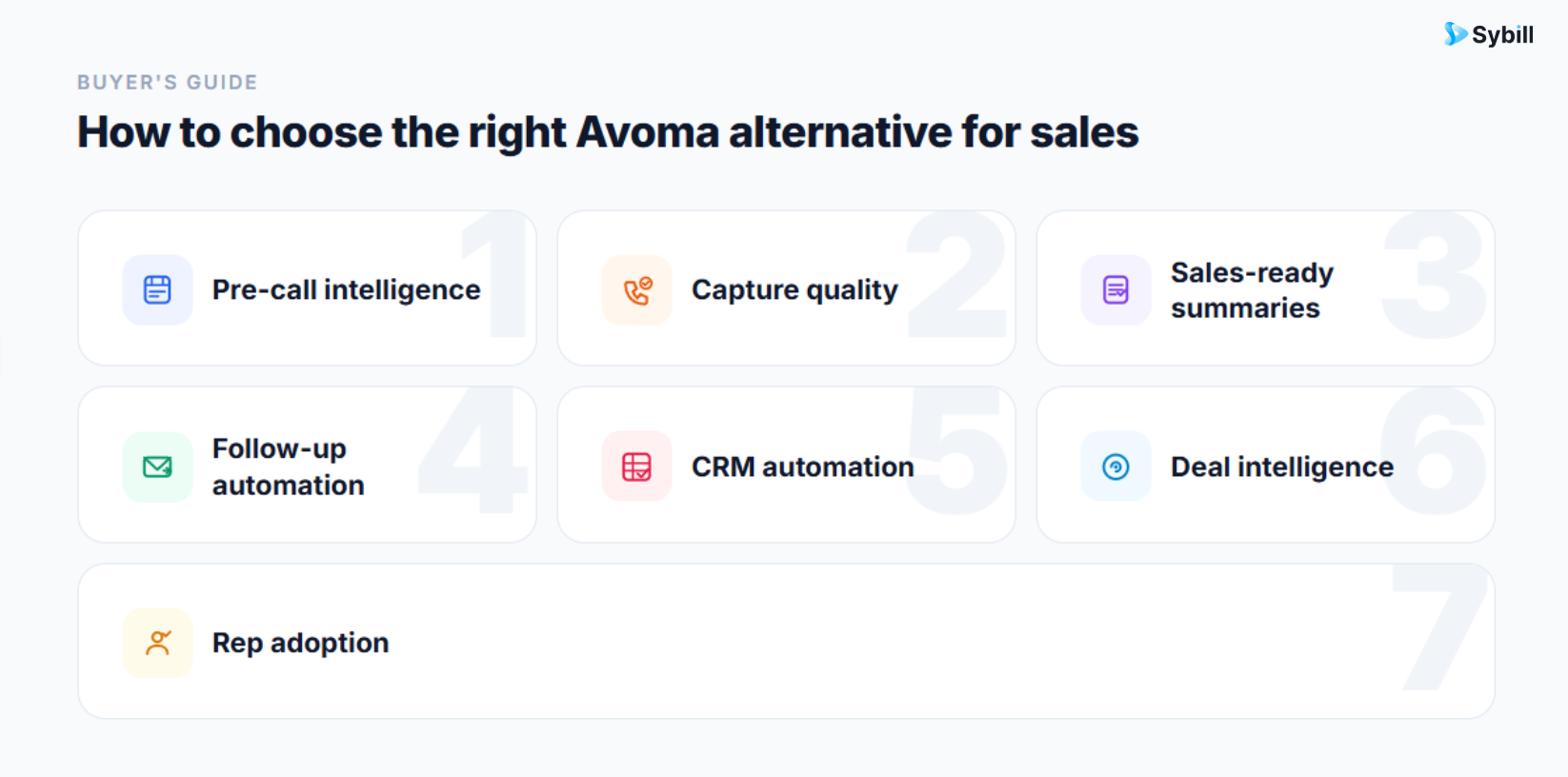
A good Avoma alternative for sales should help across four stages: before the call, during the call, after the call, and across the deal.
Can the tool prep reps before the meeting?
Look for buyer context, account history, previous conversation summaries, CRM details, and stakeholder context. A strong AI sales assistant should help reps walk into the call with a sharper point of view.
Does it capture what actually happened?
Most AI meeting assistants record virtual meetings. But sales conversations do not always happen neatly inside Zoom, Meet, or Teams. Field sales, events, conferences, office visits, and in-person meetings still matter.
If your team sells outside scheduled video calls, check whether the tool supports mobile and in-person meeting capture.
Also read: Best Tools for Recording In-Person Sales Meetings
A sales summary should not read like a polite meeting recap.
It should capture:
A summary that says “pricing was discussed” is fine. A summary that says “the CFO is concerned about implementation cost, procurement needs security documentation, and the champion wants a business case before next Friday” is useful.
The follow-up is where deals often lose speed.
A good Avoma alternative should not make reps start from a blank page. It should turn call context into a buyer-specific follow-up that sounds like the rep, reflects the conversation, and includes clear next steps.
This is where Sybill’s Personalized Emails stand out.
CRM sync and CRM automation are not the same thing.
Syncing a note to Salesforce is helpful. Autofilling structured fields based on real conversations is much more valuable.
Look for tools that can update fields like:
Also read: The New CRM Autofill: Smarter CRM Automation
Meeting intelligence is about one call. Deal intelligence is about the full opportunity.
Can managers ask:
If the tool cannot answer questions across calls, emails, CRM, and calendar, it is probably still a meeting assistant, not a true sales execution platform.
The best tool is the one reps actually use.
If the tool saves reps time, helps them follow up faster, updates CRM for them, and gives them useful call context, adoption becomes easier. If it mainly adds another dashboard, another workflow, or another place to inspect notes, expect resistance.
Sybill is the best Avoma alternative for sales teams that want more than meeting notes.
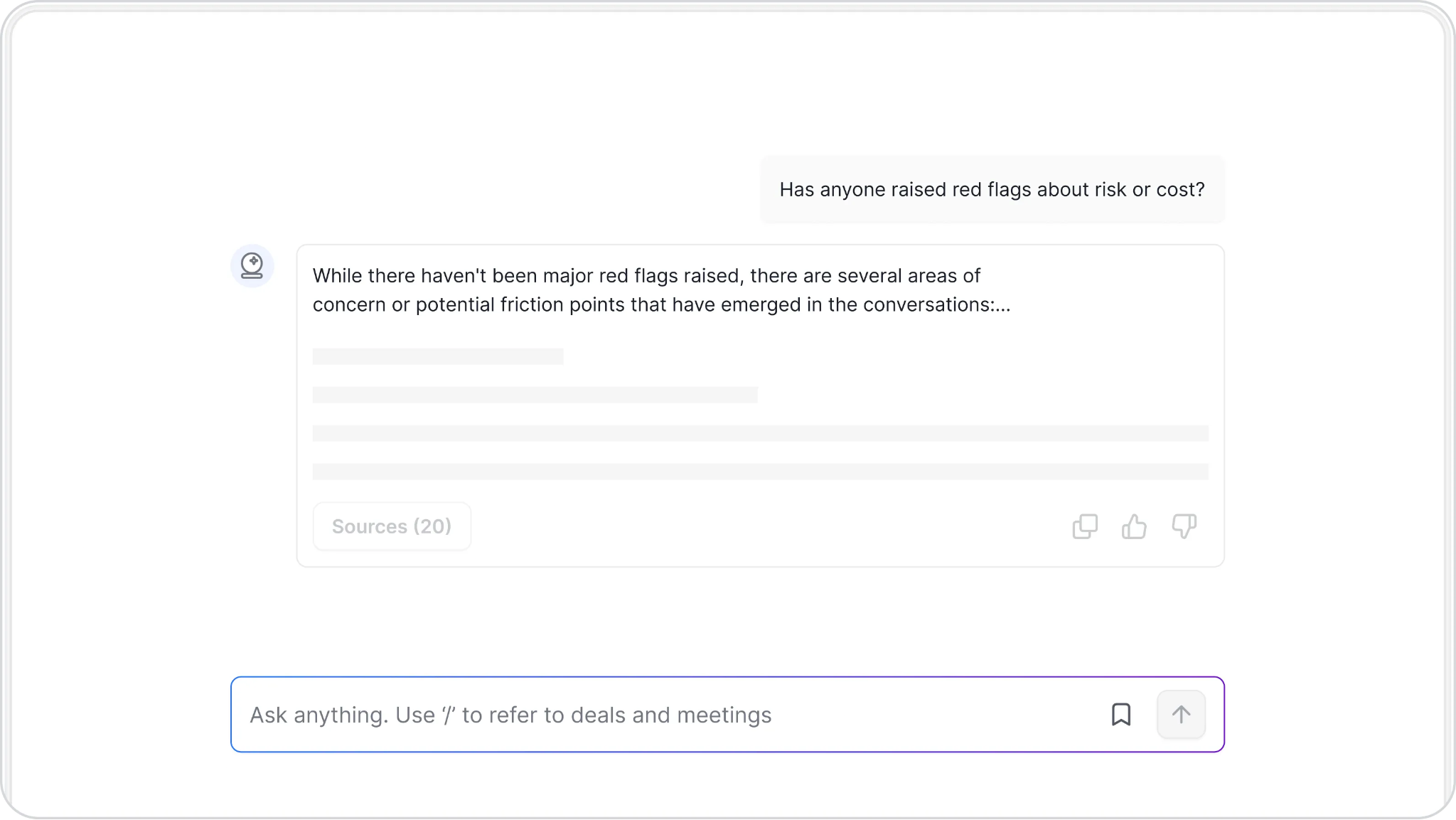
It is built for the full sales workflow: before the call, during the call, after the call, and across the deal. Instead of stopping at transcription and summaries, Sybill helps reps send follow-ups, update CRM, create tasks, inspect deals, and give managers cleaner visibility into pipeline reality.
That matters because sales execution breaks in small moments.
A rep forgets one stakeholder concern. A follow-up goes out too late. A CRM field stays blank. A manager discovers risk two weeks after the buyer first mentioned it. A forecast looks healthy until someone replays the call and hears the buyer say, “We may revisit this next quarter.”
Sybill is designed to catch those moments and turn them into action.
Pre-Meeting Briefs help reps walk into calls with buyer and account context, so they are not improvising from stale CRM notes.
Magic Summary captures the real sales substance of the call, including pain points, objections, buying intent, stakeholders, next steps, and risks.
Personalized Emails turn conversation context into follow-up emails that reps can edit and send quickly.
CRM Autofill updates standard and custom CRM fields with structured information from calls and emails.
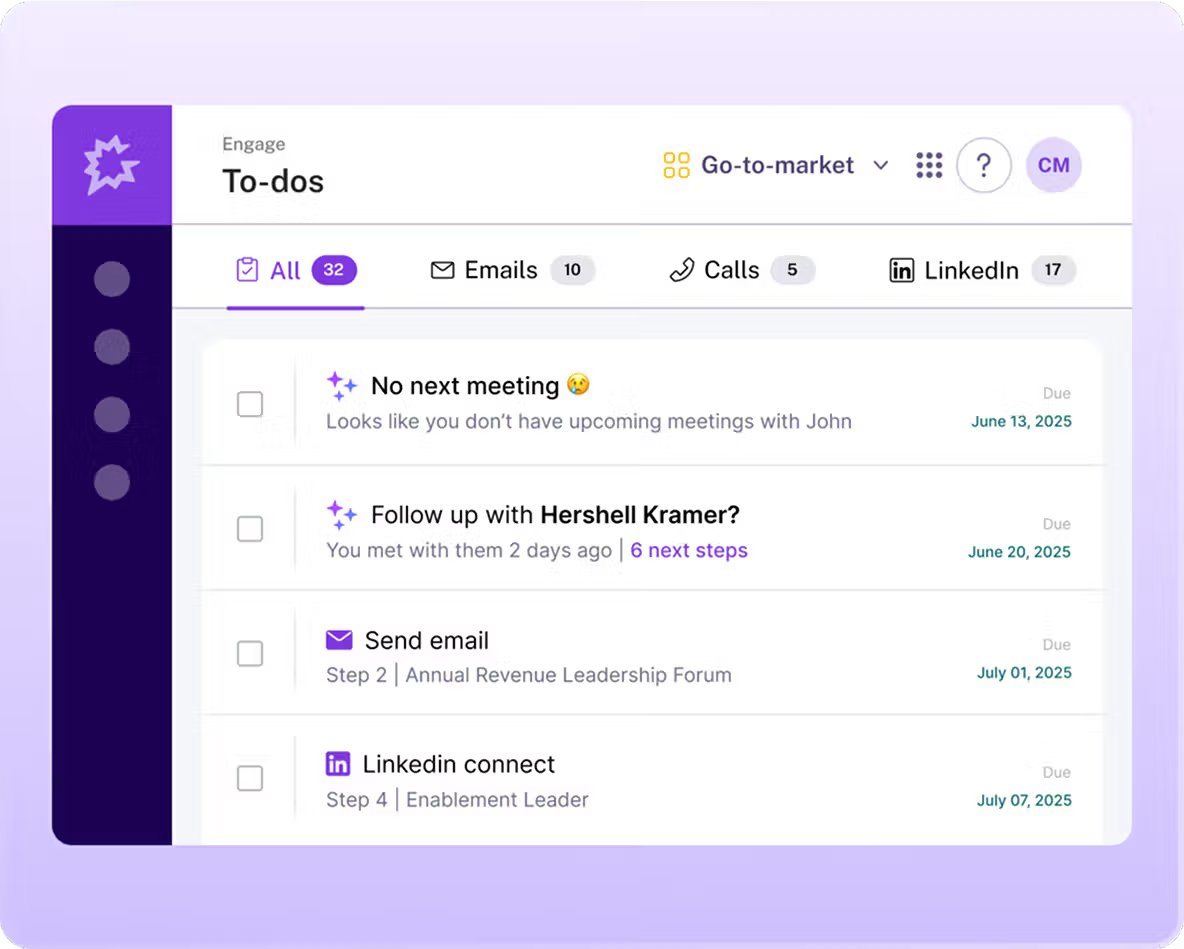
AI Tasks helps reps act on commitments instead of letting next steps disappear into “I’ll get to it later” land.
Deal Workspace gives reps and managers one place to inspect deal context, risks, activity, and progress.
Ask Sybill lets teams ask questions across calls, emails, CRM, and calendar, with evidence behind the answer.
Mobile app and in-person meeting support help teams capture conversations beyond video calls, including field sales meetings, events, and customer visits.
Also read: How to Auto-Update MEDDPICC or BANT Fields in Salesforce
Sybill is best for sales teams that want an AI sales assistant, not just an AI note-taker.
If your team wants call summaries, personalized follow-ups, CRM Autofill, deal visibility, sales coaching context, mobile capture, and in-person meeting support, Sybill should be your top Avoma alternative.

Fathom is one of the most popular Avoma alternatives for teams that want simple meeting recording and summaries without a complicated setup.
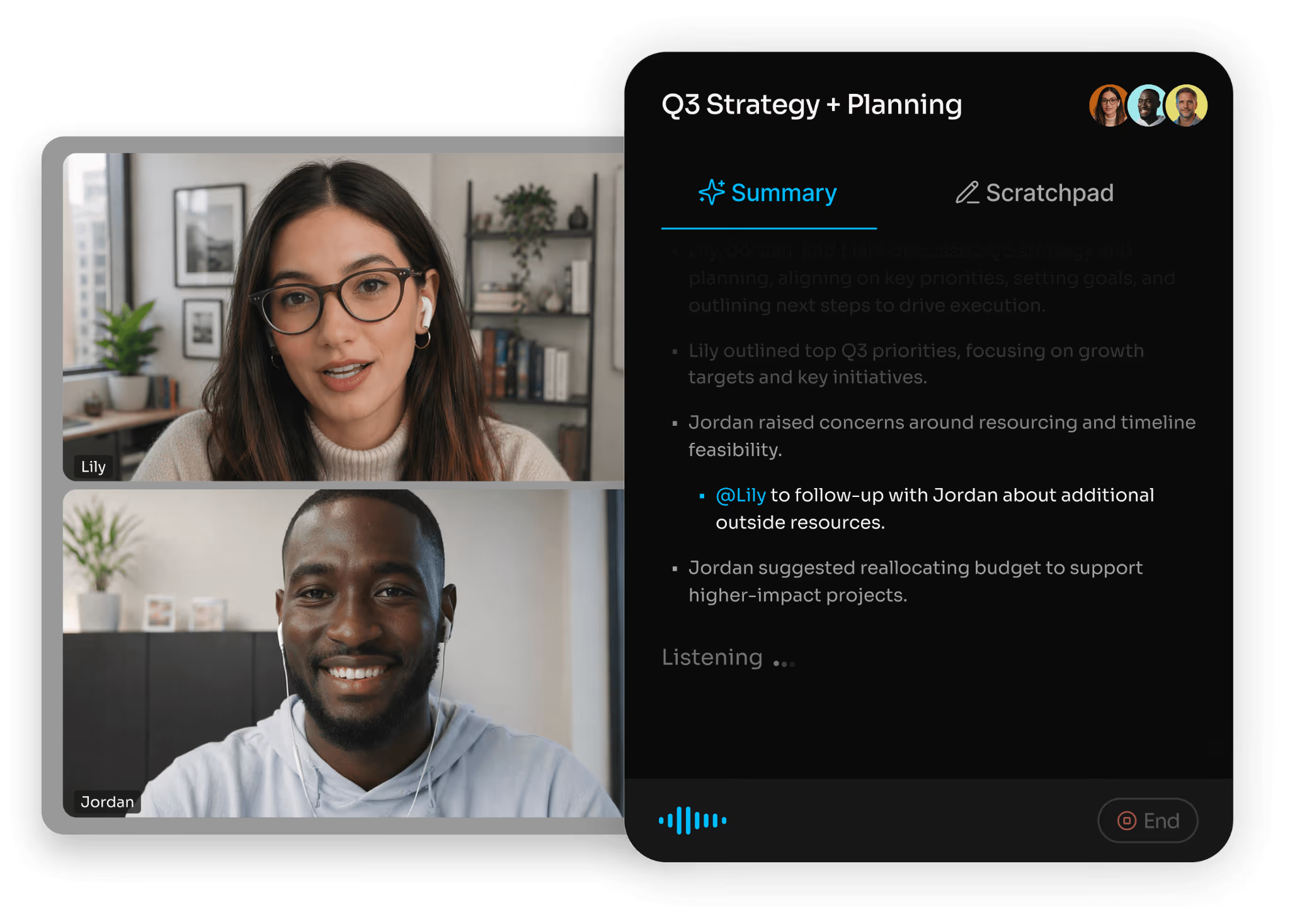
It is easy to use, quick to adopt, and attractive for individuals or smaller teams that need basic meeting documentation. If your main need is “record this call and give me a summary,” Fathom can do the job well.
Where it becomes less ideal is in deeper sales execution.
Sales teams need more than a transcript and a recap. They need deal context, CRM field updates, follow-up automation, coaching visibility, and support for conversations beyond standard video meetings.
Fathom is best for individuals or small teams that need quick meeting notes and summaries without deeper sales automation.
Fathom is useful if you want meeting notes. Sybill is better if you want meeting notes, follow-ups, CRM updates, AI Tasks, deal intelligence, and manager-ready context.
Also read: Fathom vs Otter.ai
Fireflies.ai is a strong Avoma competitor for teams that want meeting transcription across many tools and departments.
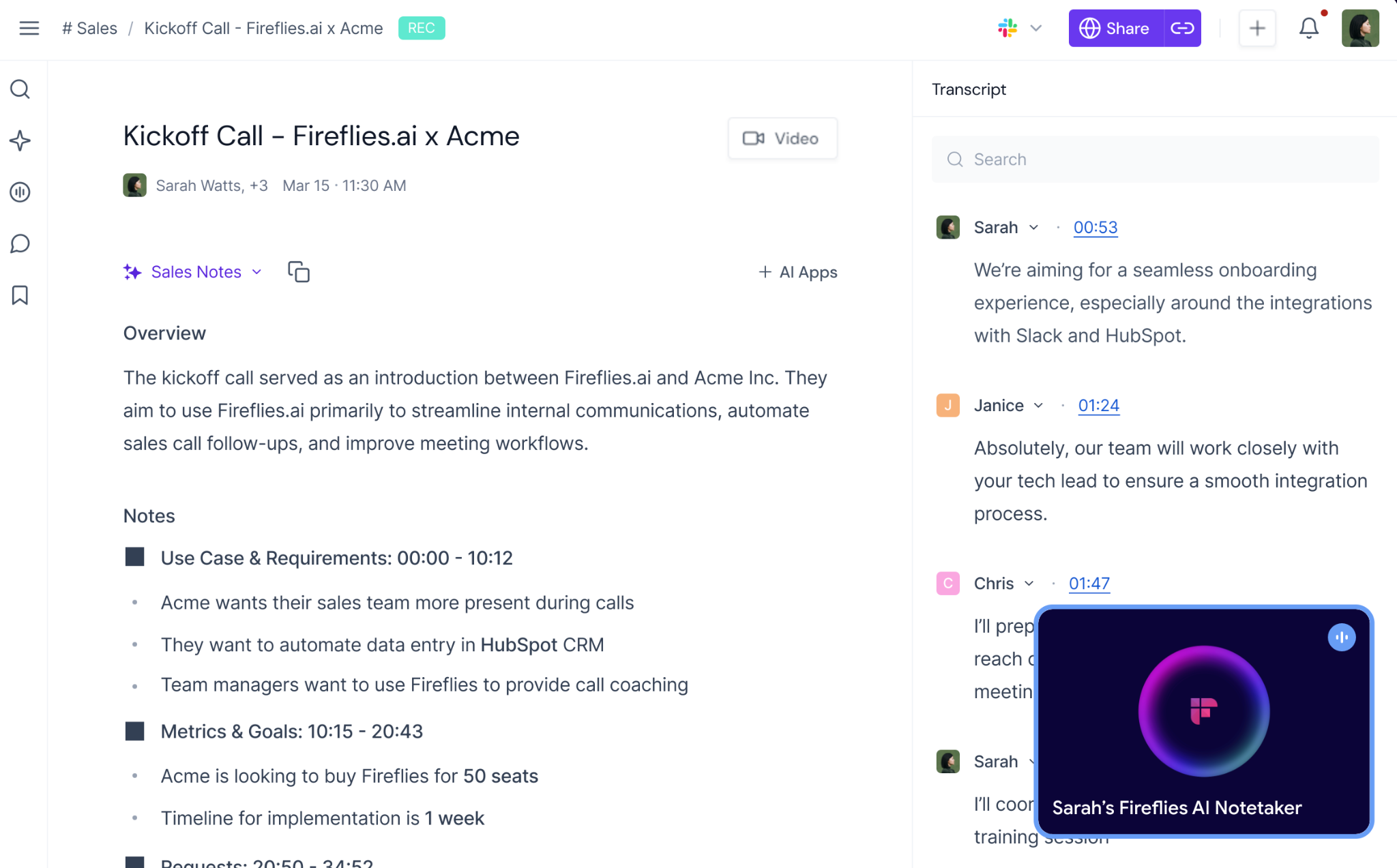
It offers recording, transcription, searchable conversations, summaries, and integrations with popular collaboration and CRM platforms. For cross-functional teams that want to create a searchable meeting library, Fireflies can be a practical option.
But sales teams may run into limitations if they expect Fireflies to drive revenue execution.
A searchable transcript is useful. A summary is useful. But if reps still have to manually interpret the call, write the follow-up, update CRM fields, and brief managers on deal risk, the tool has not solved the harder sales problem.
Fireflies.ai is best for teams that want broad meeting capture and searchable transcripts across departments.
Fireflies helps organize conversations. Sybill helps sales teams act on conversations.
If your priority is documentation, Fireflies can work. If your priority is sales follow-through, CRM hygiene, and deal inspection, Sybill is the better Avoma alternative.
Chorus by ZoomInfo is a conversation intelligence platform built for sales call recording, coaching, and revenue team visibility.
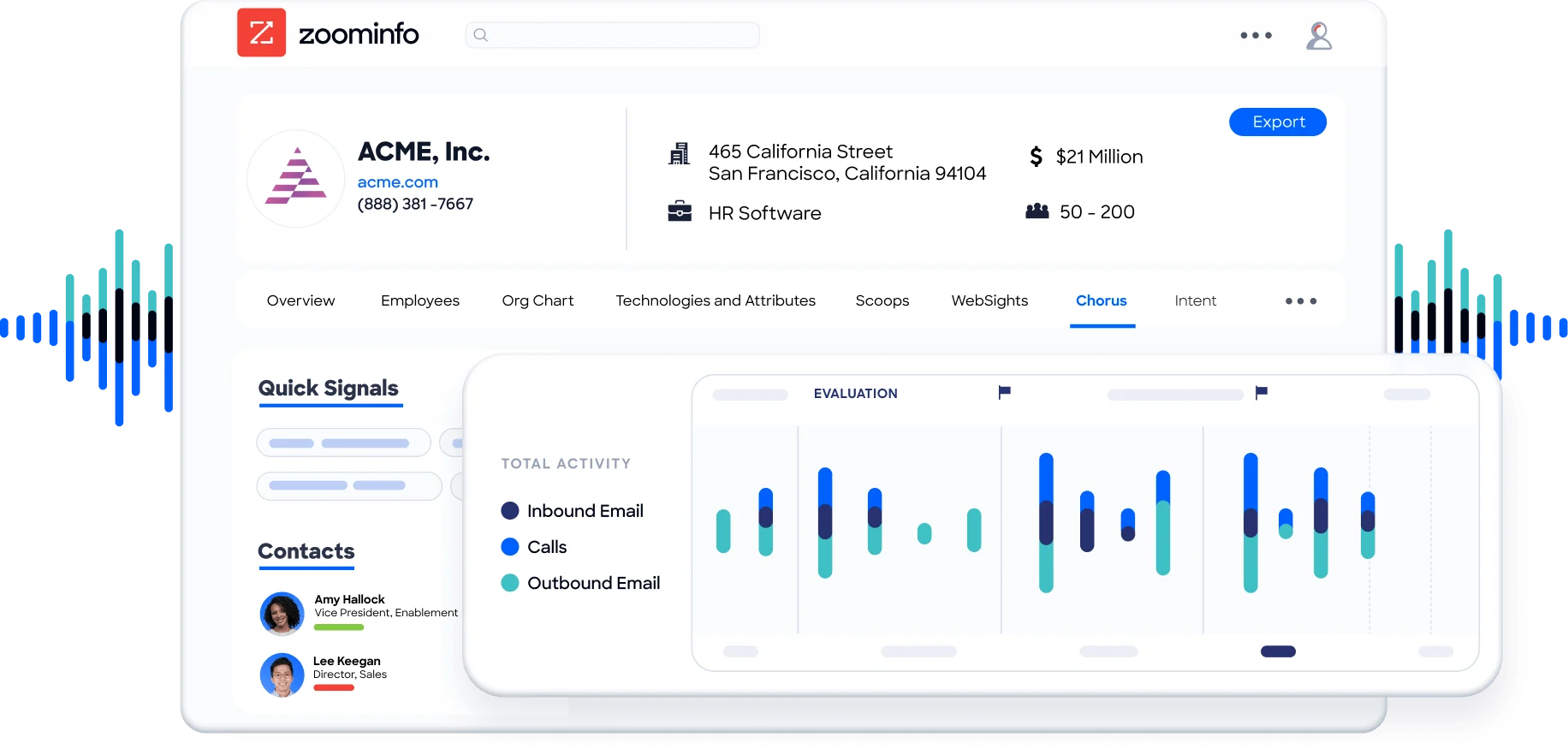
It helps managers review calls, identify coaching opportunities, track talk patterns, and understand what is happening in buyer conversations. For organizations already using ZoomInfo, Chorus can fit naturally into the broader sales intelligence ecosystem.
Chorus is especially useful for manager-led call coaching. But it may not be the best fit for teams looking for a rep-first execution assistant.
Coaching is important. But the rep still needs to follow up, update CRM, create tasks, and move the opportunity forward. If the platform is stronger at inspection than execution, reps may still carry the admin burden.
Chorus is best for sales managers and revenue teams that prioritize coaching, call review, and conversation analysis.
Chorus helps managers review conversations. Sybill helps reps and managers act on them.
For teams that want call coaching plus execution, Sybill provides a more practical day-to-day workflow with Magic Summary, Personalized Emails, CRM Autofill, AI Tasks, Deal Workspace, and Ask Sybill.
Also read: Chorus alternatives
tl;dv is a useful Avoma alternative for remote teams that want meeting recordings, highlights, clips, and async review.
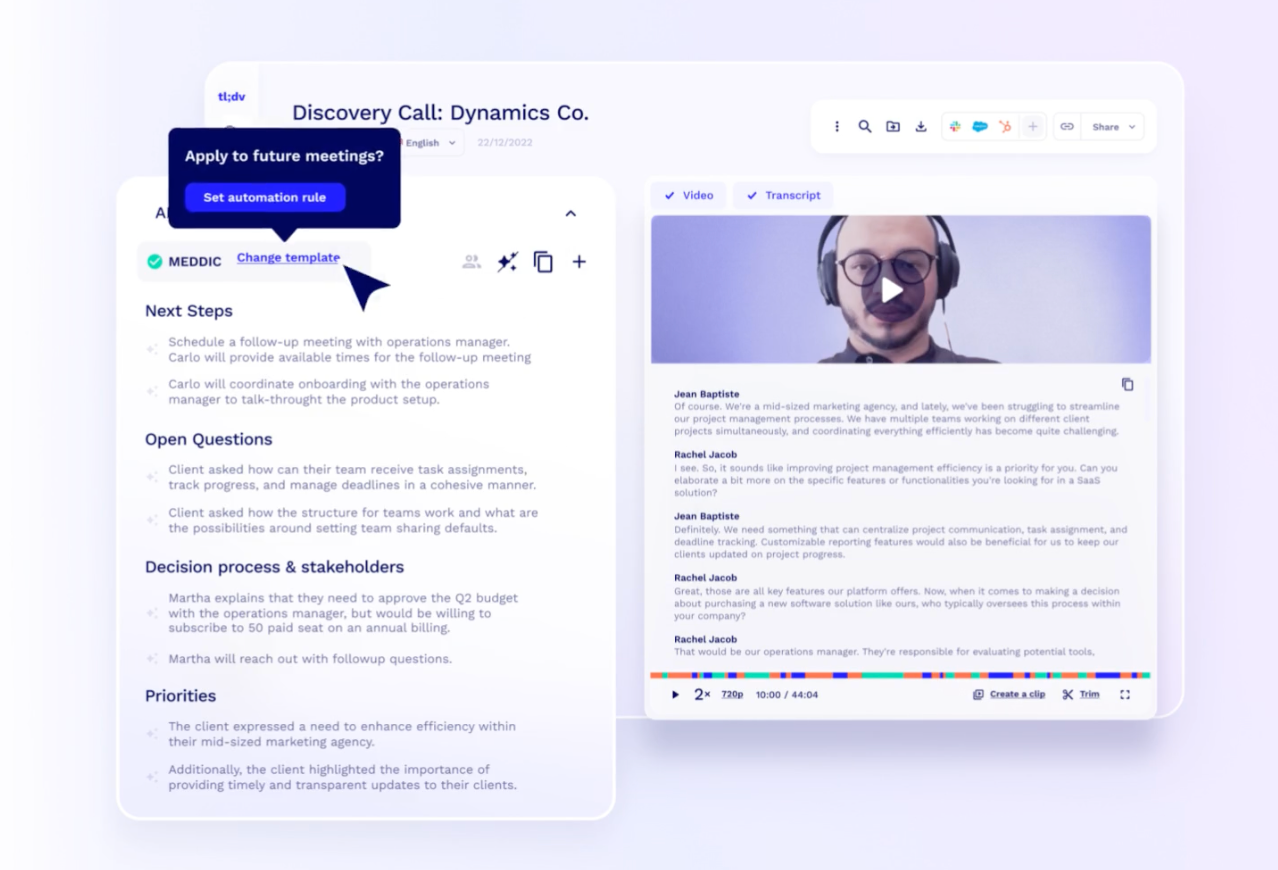
It works well when teams need to share important meeting moments without making everyone watch the full recording. This makes it helpful for distributed teams, product teams, customer success teams, and internal collaboration.
For sales teams, tl;dv can support meeting review and async sharing. But it is not primarily built to handle the full sales execution workflow.
If your reps need follow-up automation, CRM Autofill, deal methodology updates, AI Tasks, and manager-ready deal intelligence, tl;dv may feel too lightweight.
tl;dv is best for remote teams that want shareable meeting highlights and async meeting review.
tl;dv helps teams share what happened. Sybill helps sales teams act on what happened.
If your team needs clips and async visibility, tl;dv can work. If your team needs cleaner CRM data, faster follow-ups, and deal intelligence, Sybill is the stronger option.
Otter.ai is one of the most recognized names in AI transcription.
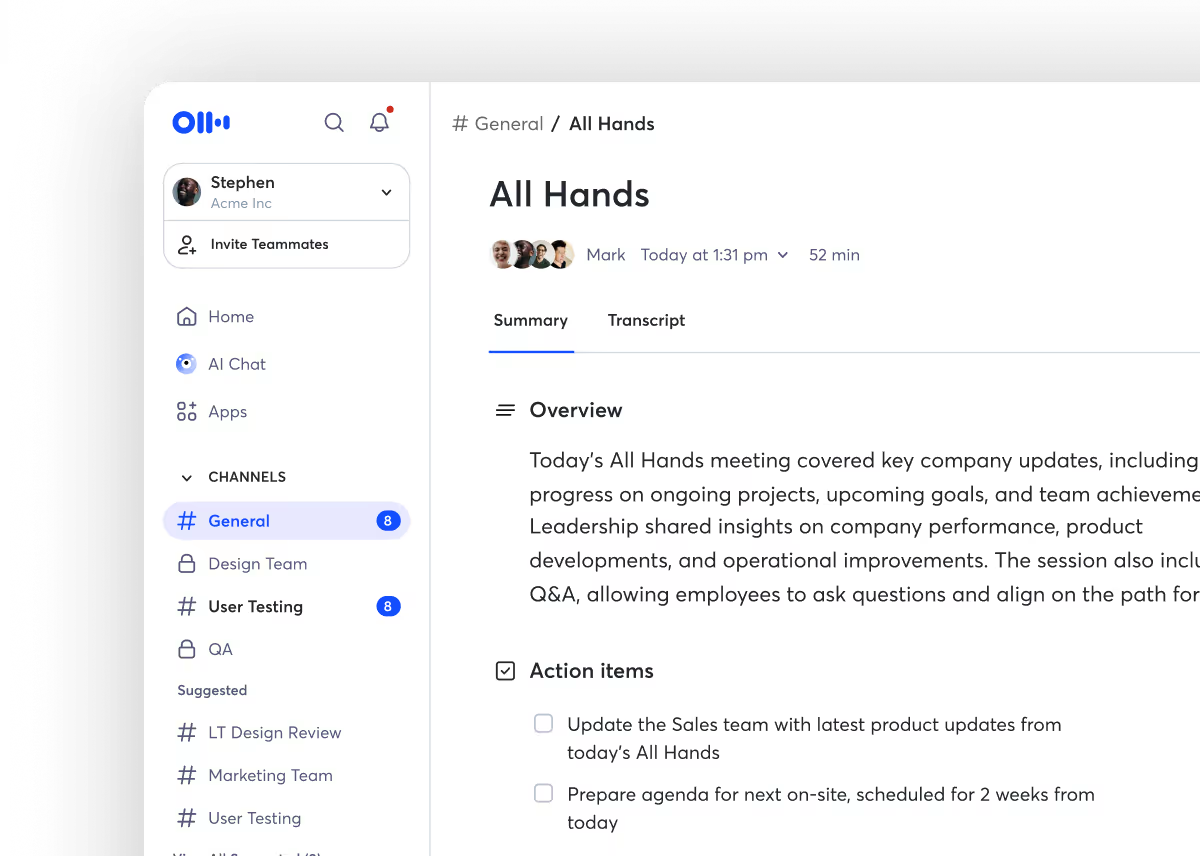
It is a strong choice for general meeting notes, live transcription, searchable conversations, and basic collaboration. For internal meetings, lectures, interviews, and non-sales discussions, Otter can be a simple and affordable option.
But sales teams usually need more than transcription.
A transcript tells you what was said. It does not automatically turn that conversation into a follow-up email, update your CRM fields, flag deal risk, or help your manager understand what changed in the opportunity.
That is where sales-first Avoma alternatives create more value.
Otter.ai is best for individuals and teams that need basic transcription for general meetings.
Otter records the conversation. Sybill turns the conversation into sales action.
For a deeper comparison, read Otter vs Sybill.
Gong is one of the biggest names in revenue intelligence.
It is built for large sales organizations that need conversation intelligence, forecasting, pipeline visibility, coaching analytics, and revenue leadership insights. For enterprise sales teams with complex processes, Gong can provide deep visibility into calls, deals, and team performance.
But Gong is not always the best Avoma alternative for every team.
It can be expensive, implementation-heavy, and more leadership-oriented than rep-first. Smaller teams may find it more platform than they need. Reps may also still want faster, simpler help with everyday execution: follow-ups, CRM updates, deal notes, and next steps.
That is where Sybill’s positioning becomes sharper.
Gong is strong at helping leaders see what is happening. Sybill is strong at helping reps and managers act on what is happening.
Gong is best for large enterprise sales organizations that need advanced revenue intelligence, forecasting, and leadership-level visibility.
Gong helps enterprise leaders inspect revenue motion. Sybill helps sales teams execute revenue motion.
If your team wants large-scale conversation intelligence and has the budget for it, Gong is a strong option. If your team wants rep-friendly AI that handles summaries, follow-ups, CRM Autofill, tasks, and deal intelligence without adding workflow drag, Sybill is the better fit.
Also read: Gong vs Otter.ai vs Sybill
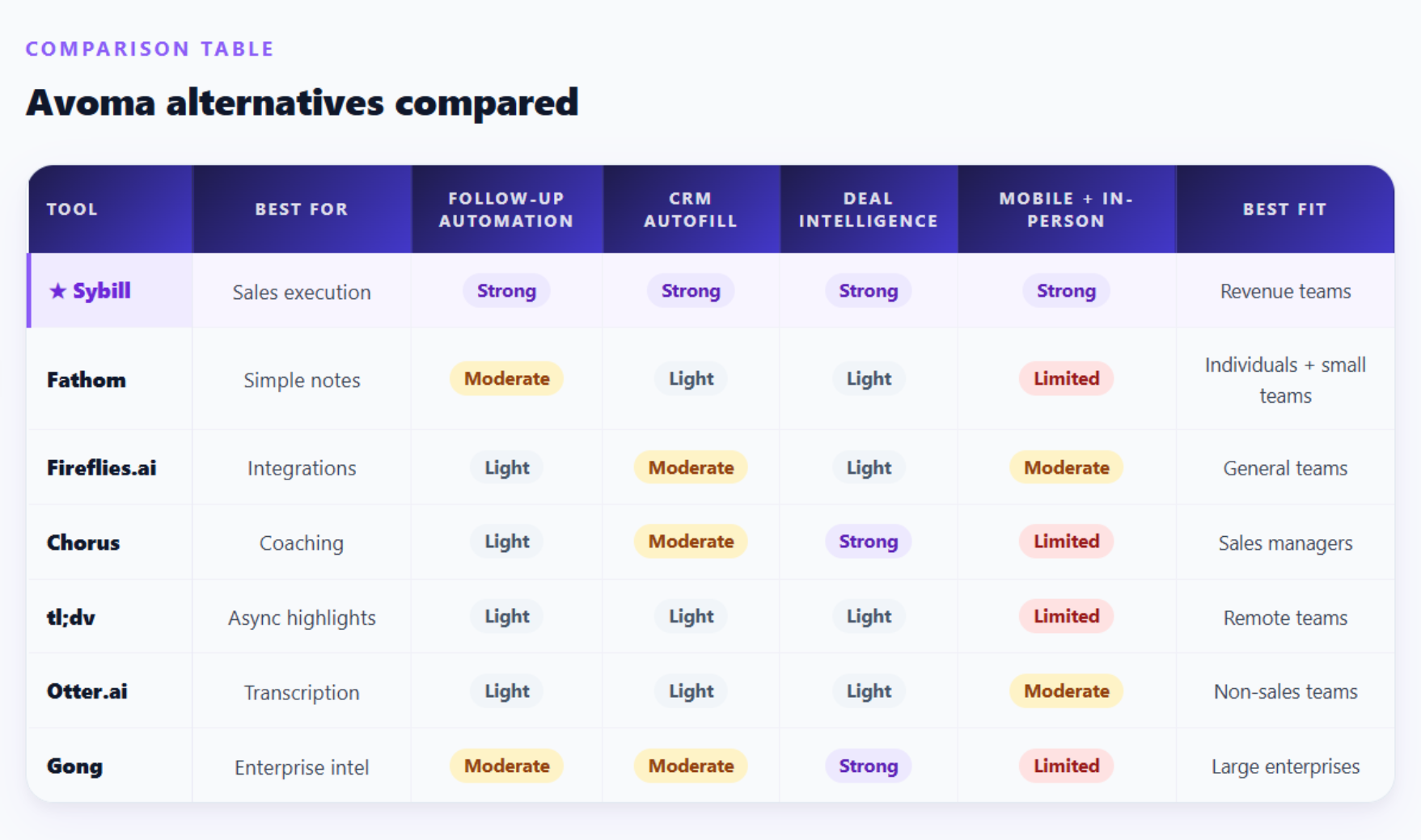
Avoma documents the meeting. Sybill operationalizes the meeting. That is the simplest way to understand the difference.
Avoma is valuable when teams need meeting notes, summaries, coaching insights, and conversation management. Sybill is stronger when sales teams want the meeting to trigger action across follow-up, CRM, tasks, deal review, and manager visibility.
Here is the workflow difference.
The team gets a record of the conversation, a summary, notes, and conversation insights. The rep may still need to interpret the call, write the follow-up, update CRM, create tasks, and tell the manager what changed in the deal.
The rep gets a Magic Summary, a personalized follow-up draft, CRM fields populated, next steps captured as tasks, and deal context organized in Deal Workspace. Managers can use Ask Sybill to inspect deal risks, objections, buyer priorities, and next steps without chasing reps for updates.
A note-taker helps you remember. A sales execution assistant helps you respond.
The right Avoma alternative depends on what your team actually needs.
You need a simple, low-cost way to record meetings and create basic summaries.
You want a general meeting capture tool with broad integrations across departments.
Your main priority is call coaching and manager-led conversation review.
You need async meeting highlights and shareable clips for remote teams.
You need basic transcription for non-sales meetings.
You are a large enterprise sales organization looking for advanced revenue intelligence and forecasting.
Do not buy based only on demos. Every tool looks great in a demo because the sample data behaves better than real CRM data ever has.

Run a short pilot instead.
Use the same five to ten recent or live sales calls across shortlisted tools. Include discovery calls, demos, pricing calls, and follow-up calls.
How long does it take a rep to send a useful follow-up after the call?
Not a generic recap. A useful follow-up with buyer priorities, clear next steps, and relevant context.
Check whether the tool updates structured CRM fields or only syncs notes.
Look at:
Give a sales manager one task: understand what changed in a deal without asking the rep.
If they can get the answer from the tool, great. If they still need a Slack thread, a call replay, and three CRM tabs, the tool has work to do.
If your team sells in the field, do not skip this step.
A tool that works beautifully on Zoom but misses customer visits, trade show meetings, and in-person conversations gives you a partial view of reality.
Try questions like:
This separates basic meeting assistants from true deal intelligence platforms.
Rep adoption is not a soft metric. It is the metric.
If reps do not use the tool, the tool will not improve CRM hygiene, follow-up quality, coaching, or pipeline visibility.
Avoma is a strong meeting assistant. But if you are evaluating Avoma alternatives for a sales team, the bar should be higher than recording, transcription, and summaries.
The best Avoma alternative should help reps follow up faster, update CRM more accurately, create next steps, inspect deal risk, and give managers visibility without turning every pipeline review into an investigation.
That is why Sybill is the best Avoma alternative for sales teams.
Sybill gives revenue teams Magic Summary, Personalized Emails, CRM Autofill, AI Tasks, Deal Workspace, Ask Sybill, mobile support, and in-person meeting capture. It helps reps reduce admin, helps managers coach with context, and helps RevOps improve CRM data quality without begging people to update fields manually.
If your team only wants meeting notes, you have options.
If your team wants meetings to turn into momentum, try Sybill.
Sybill is the best Avoma alternative for sales teams that want more than meeting notes. It helps with Magic Summary, Personalized Emails, CRM Autofill, AI Tasks, Deal Workspace, Ask Sybill, mobile support, and in-person meeting capture.
Fathom is a strong free Avoma alternative for simple meeting recording and summaries. However, sales teams that need CRM automation, follow-up emails, and deal intelligence will likely need a more sales-focused platform like Sybill.
Sybill is the strongest Avoma competitor for CRM automation because it goes beyond syncing notes. Sybill’s CRM Autofill can update structured CRM fields based on sales conversations and emails, including next steps, objections, pain points, and methodology fields.
Avoma is better suited for teams that want meeting assistance, summaries, and conversation workflows without enterprise complexity. Gong is stronger for large sales organizations that need advanced revenue intelligence and forecasting. Sybill is a better fit for teams that want rep-friendly sales execution plus deal intelligence.
Sybill is a strong Avoma alternative for in-person sales meetings because it supports mobile and in-person conversation capture. This helps teams document and act on sales conversations that happen outside Zoom, Google Meet, or Microsoft Teams.
Sybill is the best Avoma alternative for sales teams that want more than meeting notes. It helps with Magic Summary, Personalized Emails, CRM Autofill, AI Tasks, Deal Workspace, Ask Sybill, mobile support, and in-person meeting capture.
Fathom is a strong free Avoma alternative for simple meeting recording and summaries. However, sales teams that need CRM automation, follow-up emails, and deal intelligence will likely need a more sales-focused platform like Sybill.
Sybill is the strongest Avoma competitor for CRM automation because it goes beyond syncing notes. Sybill’s CRM Autofill can update structured CRM fields based on sales conversations and emails, including next steps, objections, pain points, and methodology fields.








