
Find us at booth #83, join us for a harbor side happy hour, or catch Gorish’s talk.

Sept, 16-18 > Learn more

%20(1).avif)
Mamta Tainwala

April 14, 2026

TL;DR: An AI email writer uses large language models to draft, rewrite, and personalize emails from a short prompt or existing context. For sales teams, the value depends entirely on what the tool knows about your deals. Generic prompt-based writers save time on first drafts. But the ones that pull context from your actual sales calls, CRM data, and conversation history produce emails that sound like you wrote them after paying attention. That is the difference between a tool that fills blank pages and one that actually moves deals forward.
An AI email writer is software that uses large language models to generate, rewrite, or refine email content based on the input you give it. You provide a prompt, a rough draft, or some context about the email you need, and the tool returns a polished message you can review, edit, and send.
The simplest version of this is a text box where you type something like "write a cold email to a VP of Sales at a mid-market SaaS company" and get back a complete draft. The most advanced version connects to your meetings, your CRM, and your prior conversations with a prospect, then generates a follow-up email that references what was actually discussed.
For sales and revenue teams, AI email writers have become a daily tool. Research consistently shows that sales reps spend roughly 21% of their day on email. That number climbs even higher for roles heavy on outbound prospecting or post-call follow-ups. An AI email writer does not eliminate the work, but it compresses the drafting phase from minutes to seconds, which compounds across dozens of emails per day.
The technology behind these tools is not new. What changed in 2026 is how deeply they integrate with the rest of the sales workflow. The best AI email writers today are not standalone text generators. They sit inside your CRM, your inbox, or your meeting intelligence platform and use real deal context to produce emails that are relevant, not just grammatically correct.
At its core, every AI email writer runs on the same foundation: a large language model that predicts what text should come next based on the input it receives. The difference between a mediocre tool and a great one comes down to what input the model gets to work with.
Here is what the process looks like from a user's perspective:
You start by telling the tool what kind of email you need. This could be a cold outreach message, a follow-up after a demo, a meeting request, or a reply to an incoming email. Some tools ask you to type a prompt. Others pull context automatically from your calendar, CRM, or recent calls.
Next, you add context. The more specific your input, the better the output. For a cold email, this might mean providing the prospect's name, company, role, and a specific pain point. For a post-call follow-up, the context might come from call notes or a meeting transcript.
The AI generates a draft. Depending on the tool, you might get one version or multiple variations to choose from. Some tools also generate subject line options, which is useful since the subject line is the single biggest factor in whether a sales email gets opened.
Finally, you review, edit, and send. This step is non-negotiable. Even the best AI-generated email needs a human check for accuracy, tone, and relevance before it goes out. The strongest sales emails are always the ones where a rep reviewed the draft, made it sound like themselves, and confirmed the details are right.
The entire cycle, from prompt to ready-to-send draft, takes seconds instead of the 5 to 15 minutes most reps spend manually writing a single email. Multiply that across 20 or 30 emails per day, and the time savings become significant.
Not all AI email writers solve the same problem. Choosing the wrong type means you either over-invest in features you do not need or under-invest in the capabilities that would actually save your team time. Here is how the landscape breaks down for sales and revenue teams.
These are the simplest entry point. You open a web page, type a prompt, and get back a draft. Tools in this category include free tiers from platforms like Copy.ai, Rytr, and Mailmeteor. They work fine for one-off emails where you just need help getting words on the page.
The limitation is that these tools have no context about you, your prospects, or your deals. Every email starts from zero. That means you are doing all the personalization work yourself, which is the most time-consuming part of writing sales emails in the first place.
Best for: Occasional use, personal emails, quick drafts when you are stuck on wording.
Not ideal for: High-volume sales outreach, post-call follow-ups, or anything that requires deal-specific context.
Gmail's Gemini integration and Outlook's Copilot both fall into this category. They live inside your email client and help you draft replies, adjust tone, and rewrite messages without switching tabs. The convenience factor is real, especially for roles that spend most of their day in the inbox.
For sales reps handling inbound responses, support handoffs, or internal coordination, these tools reduce friction. But they are still limited to the email thread as context. They do not know what happened on your last call, what the prospect's objections were, or where the deal stands in your pipeline.
Best for: Quick replies, tone adjustments, rewriting drafts you have already started.
Not ideal for: Outbound prospecting, personalized cold emails, or follow-ups that need to reference specific conversation details.
Tools like Lavender, Apollo, and Instantly are purpose-built for sales teams running outbound email at scale. They typically include email scoring, subject line optimization, A/B testing, send-time scheduling, and integration with CRMs and sales engagement platforms like Outreach and Salesloft.
Lavender, for example, scores each email on a 100-point scale and provides real-time coaching on readability, subject line length, and personalization depth. Apollo bundles an email writer with a massive prospect database, making it easy to go from lead discovery to personalized outreach in one workflow.
These tools are strong for the top of the funnel: cold outreach, initial introductions, and multi-step sequences. Where they often fall short is in the middle and bottom of the funnel, specifically post-call follow-ups and deal-specific communication, because they do not have access to what was said on your actual sales calls.
Best for: SDRs and BDRs running high-volume cold outreach, teams that need sequencing and deliverability management alongside email writing.
Not ideal for: Post-meeting follow-ups, deal progression emails, or any communication that requires conversation-level context.
HubSpot, Salesforce, and Pipedrive all now include AI-powered email drafting within their CRM platforms. The advantage here is that the email writer can pull from contact records, deal stages, prior interactions, and other CRM data to generate contextually aware drafts.
This is a meaningful step up from generic prompt-based tools because the CRM contains real information about the prospect and the deal. A follow-up email can reference the deal stage, the last activity logged, or the contact's role in the buying committee.
The trade-off is that CRM data quality directly determines email quality. If your CRM fields are empty or outdated (which is the case for most sales teams), the AI has less useful context to work with. The tool is only as good as what your reps have actually logged.
Best for: Teams with disciplined CRM hygiene, account executives managing active deals, customer success managers writing renewal and expansion emails.
Not ideal for: Teams where CRM adoption is low and records are incomplete.
This is the category that changes the game for revenue teams. Instead of relying on manual prompts or static CRM fields, conversation-aware AI email writers pull context directly from your sales calls, meetings, and prior email threads. They know what was discussed, what objections came up, what the prospect cares about, and what the agreed next steps were.
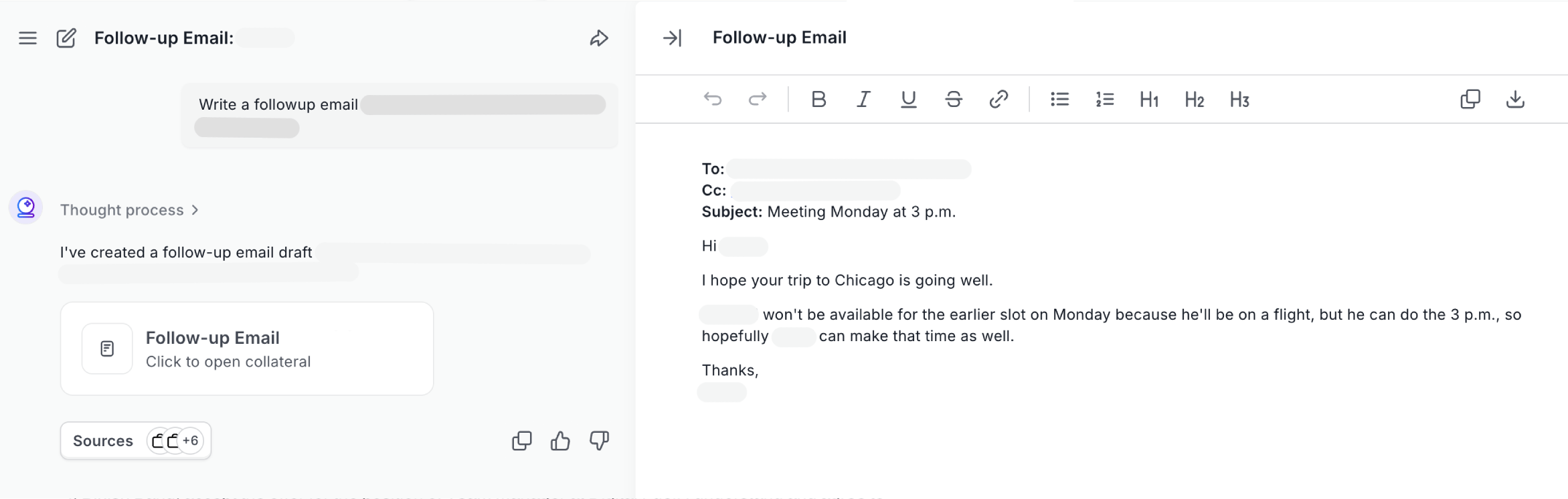
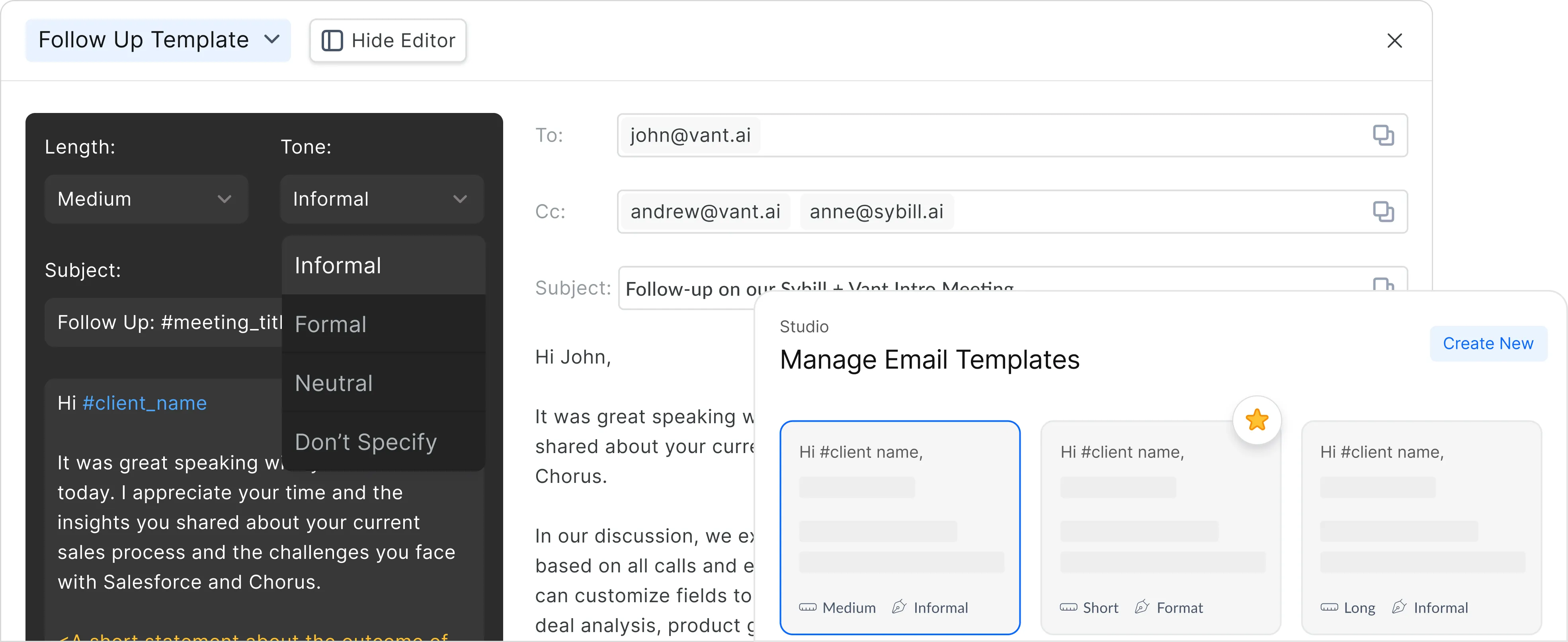
Sybill is the clearest example of this approach. After every sales call, Sybill generates a detailed summary, extracts action items and objections, updates your CRM automatically, and then drafts a personalized follow-up email that references what actually happened in the conversation. The email reads like the rep wrote it after paying close attention to the call, because the AI effectively did pay attention to every word.
This matters because post-call follow-ups are where most deals are won or lost. Teams that send personalized follow-ups within an hour of a call see significantly higher response rates than those who wait until the next day or send generic templates. Conversation-aware tools make that speed possible without sacrificing quality.
Best for: AEs managing active deal cycles, sales teams that run multiple calls per day, any revenue team where follow-up quality directly impacts close rates.
Templates and AI email writers are not competing tools. They solve different problems, and the best sales teams use both.
Templates work well when the email structure is fixed and only a few variables change between sends. Think order confirmations, meeting invitations, or standard intro emails where the format never varies. They are fast, consistent, and easy to manage at scale.
AI email writers make more sense when the content needs to adapt to each recipient. Cold outreach that references specific prospect details, follow-ups that mention topics from a recent call, or re-engagement emails that acknowledge how long it has been since the last touch. These are situations where a template would feel generic, but an AI-generated draft can feel personal.
The real shift happens when teams move from template-based email automation to context-driven drafting. Instead of filling in merge fields like {{first_name}} and {{company}}, the AI generates entire paragraphs informed by real conversation data. That is a fundamentally different level of personalization, and prospects can tell the difference.
AI email writers deliver the biggest returns in a few specific areas of the sales workflow.
Drafting speed. The most obvious benefit. Going from a blank screen to a reviewable draft in seconds instead of minutes is valuable for any rep sending more than a handful of emails per day.
Consistency across the team. When your top performer writes great follow-ups but the rest of the team sends generic templates, deal velocity suffers. AI email writers help standardize output quality across reps without requiring everyone to be a strong writer.
Post-call follow-ups. This is the highest-leverage use case. The follow-up email after a discovery call or demo is often the most important email in a deal cycle. It confirms understanding, reinforces value, and sets up next steps. When that email references specific things the prospect said, it builds credibility. When it is a generic template, it signals that the rep was not really listening. Tools like Sybill solve this by generating follow-ups from the actual call content.
Subject line generation. Most reps underinvest in subject lines despite the data showing that personalized subject lines can lift open rates by 26%. AI tools can generate multiple subject line options in seconds, making it easy to test and iterate.
Where AI email writers still fall short:
Sensitive or high-stakes communication. Emails to executive sponsors, legal discussions, or messages addressing a deal at risk should not be AI-generated and sent without significant human editing. The stakes are too high for a misplaced detail or an off tone.
When CRM data is poor. Context-dependent tools are only as good as the data they have access to. If your CRM is a graveyard of empty fields and vague notes, the AI output will reflect that. Investing in CRM hygiene is a prerequisite for getting real value from AI email writing.
Highly regulated industries. If your emails need legal review or must comply with specific regulatory language, AI-generated drafts are a starting point, not a finished product. Always route these through compliance before sending.
The quality of AI-generated emails is almost entirely determined by the quality of the input. A vague prompt produces a vague email. A specific, context-rich prompt produces something you can send with minimal editing.
Here are the habits that separate reps who find AI email writers useful from those who dismiss them as gimmicky.
Start with the prospect, not yourself. The best AI-generated emails spend more words on the recipient's world than on the sender's product. When writing your prompt, lead with the prospect's situation, challenge, or recent activity. "Write a follow-up to a VP of Engineering who mentioned on our call that their team wastes 10 hours a week on manual QA" will always produce a better email than "write a follow-up about our product."
Give the tool real data. If the AI can pull from your call transcripts, CRM records, or previous email threads, the output improves dramatically. The difference between a prompt-only tool and a context-connected tool is the difference between a guess and a reference.
Always edit before sending. Every AI-generated email should pass through a human review. Check for factual accuracy (did the AI get the prospect's name and company right?), tone (does it sound like you?), and relevance (does this email make sense given where the deal actually stands?). This 30-second review is the difference between an email that builds trust and one that erodes it.
Generate multiple options. Most AI tools can produce several variations of the same email. Generate three or four versions, then pick the one that feels closest to how you would actually write it. This is faster than trying to get a single perfect draft on the first attempt.
Save your best prompts. If you find a prompt structure that consistently produces strong drafts, save it. Over time, you build a library of reusable prompts for common scenarios: cold outreach, demo follow-ups, re-engagement emails, pricing proposals. This turns the AI into a repeatable system rather than a one-off experiment.
Writing the email is only one piece of the sales communication puzzle. What happens before and after the email matters just as much.
Before the email, you need the right context. Who is this person? What do they care about? What happened on the last call? What stage is the deal in? If your AI email writer can answer these questions automatically by pulling from your CRM and meeting history, the draft will be better from the start.
After the email, you need to track what happens. Did the prospect open it? Did they reply? Did the response indicate interest or objection? The best sales email automation tools connect email activity back to your pipeline so that every interaction informs the next one.
And if the prospect does not reply, you need a follow-up plan. Research consistently shows that the majority of replies come after the second or third touch. Having a system that automatically generates contextually relevant follow-ups, spaced appropriately, is what separates reps who close deals from reps who send one email and move on.
This is where the line between an "AI email writer" and an "AI sales assistant" starts to blur. The most effective tools in 2026 are not just writing emails. They are recording your calls, summarizing what happened, updating your CRM, drafting the follow-up, and tracking the outcome. The email is one output of a much larger intelligence system.
It depends on where in the sales process you need help. For cold outreach, tools like Lavender and Apollo are strong because they combine email writing with prospecting data and deliverability features. For post-call follow-ups and deal-specific communication, conversation-aware tools like Sybill produce better results because they draft from actual call context rather than generic prompts.
Yes. Several tools offer free tiers, including Copy.ai, Rytr, and Mailmeteor. Gmail's built-in Gemini features also provide AI drafting at no extra cost for Google Workspace users. Free tools work well for occasional use and simple emails, but they lack the CRM integration and conversation context that sales teams need for high-quality outreach at scale.
AI can generate professional-sounding sales emails that are structurally sound and clearly written. The quality depends on the context you provide. A prompt with specific prospect details, deal stage, and conversation history will produce a much stronger email than a generic request. That said, every AI-generated email should be reviewed by a human before sending to ensure accuracy and appropriate tone.
They can. AI-generated emails tend to perform better on clarity, subject line quality, and consistent structure, all of which influence open and reply rates. Personalized subject lines alone can boost open rates by 26%. But the biggest response rate gains come from personalization depth, specifically when the email references real details from a prospect's situation or a prior conversation, which requires a context-aware tool rather than a basic text generator.
Reputable AI email tools follow standard data security practices, but it is worth reviewing each tool's privacy policy before using it with sensitive prospect or deal information. Avoid pasting confidential data into free, browser-based tools that may not have enterprise-grade security. For sales teams handling sensitive communications, choose tools that are SOC 2 compliant and integrate directly with your existing tech stack.
An AI email writer generates the content of the email. Email automation handles the scheduling, sequencing, and delivery. Many modern platforms combine both: the AI writes the email, and the automation engine sends it at the right time, to the right person, in the right sequence. The most effective sales email stacks use both together.
It depends on where in the sales process you need help. For cold outreach, tools like Lavender and Apollo are strong because they combine email writing with prospecting data and deliverability features. For post-call follow-ups and deal-specific communication, conversation-aware tools like Sybill produce better results because they draft from actual call context rather than generic prompts.
Yes. Several tools offer free tiers, including Copy.ai, Rytr, and Mailmeteor. Gmail's built-in Gemini features also provide AI drafting at no extra cost for Google Workspace users. Free tools work well for occasional use and simple emails, but they lack the CRM integration and conversation context that sales teams need for high-quality outreach at scale.
AI can generate professional-sounding sales emails that are structurally sound and clearly written. The quality depends on the context you provide. A prompt with specific prospect details, deal stage, and conversation history will produce a much stronger email than a generic request. That said, every AI-generated email should be reviewed by a human before sending to ensure accuracy and appropriate tone.








