
Find us at booth #83, join us for a harbor side happy hour, or catch Gorish’s talk.

Sept, 16-18 > Learn more

%20(1).avif)
Mamta Tainwala

August 25, 2026
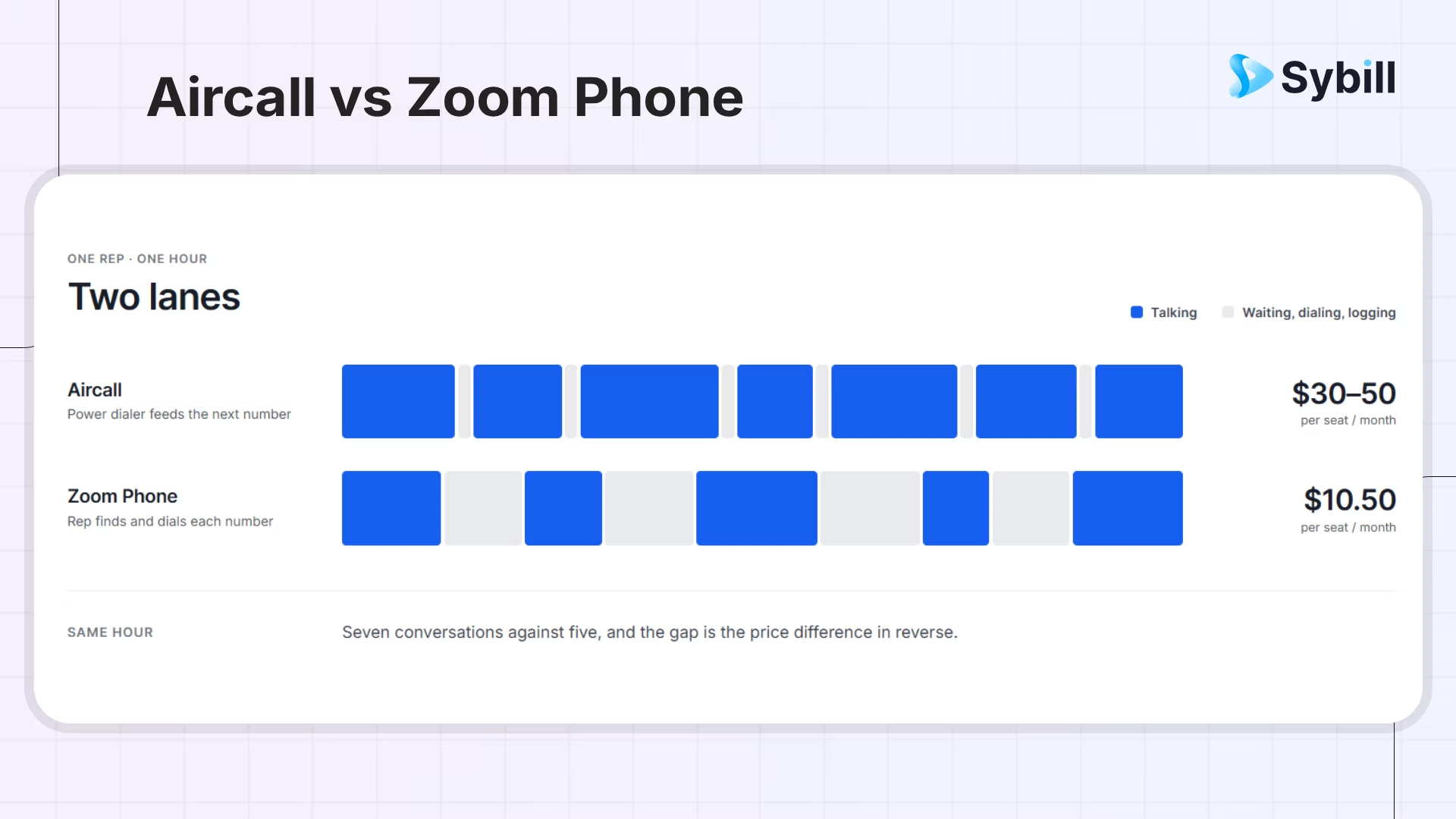
Aircall and Zoom Phone are both modern cloud phones, and one structural fact settles most sales-team evaluations between them: Aircall ships a power dialer, and Zoom Phone does not include one at any tier, so outbound list-working on Zoom Phone is manual. If your team works call lists, that single line is the comparison. If your team mostly takes and makes ad hoc calls, the comparison reopens, and Zoom Phone's lighter cost, leading mobile experience, and zero-adoption path make a genuinely strong case.
That is the honest shape of this matchup, delivered up front because most comparisons bury it under feature tables. The rest matters at the margins, reported from the usual seat: Sybill integrates with both, sees both platforms' calls every day, and tilts for neither.
Same surface, different beings. Aircall is a calling workflow product: power dialer, queues, IVR an ops lead can edit, CRM screen pops, built for teams whose phone is a revenue channel, the same specialist identity it carries in our Dialpad vs Aircall matchup. Zoom Phone is a utility added to the world's most familiar meetings platform: calling that arrives with zero new apps, one admin console, and the lightest entry posture in the category, the identity it defends in RingCentral vs Zoom Phone. One is a tool you work in; the other is a capability that appears where you already work.
Readers of our Aircall vs RingCentral comparison will recognize the category question, rerun at friendlier scale: Aircall plays the same specialist role in both, and the same rule applies. Decide which purchase you are making, a calling workflow or calling as a checkbox on a platform you already run, before any demo.
Aircall, structurally: the power dialer works lists automatically, screen pops surface CRM context on connect, and the queue and monitoring mechanics assume calling is the team's job. Zoom Phone covers click-to-dial, solid call handling, and CRM logging, and then the outbound machinery stops.
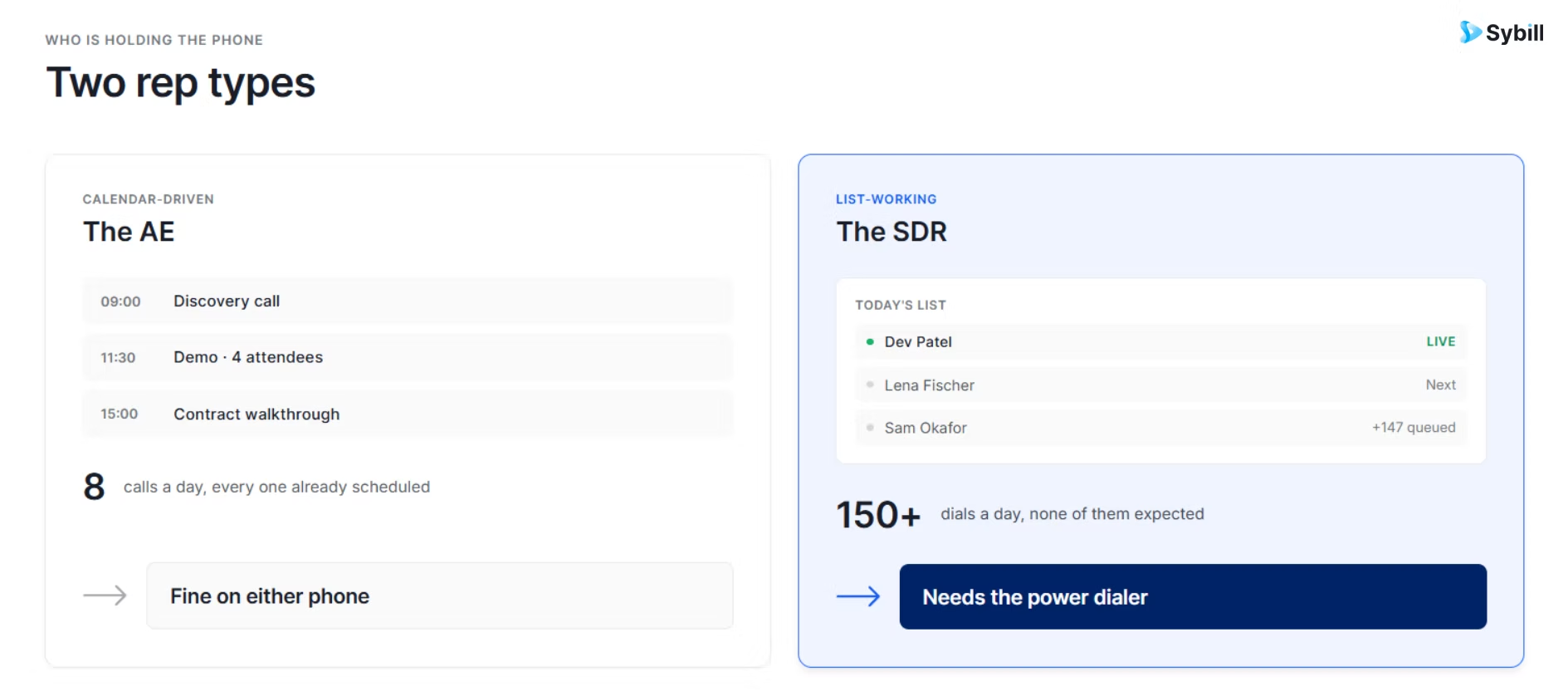
Who the power-dialer fact does and does not bite:
And the series-standard craft note: when you call and how you open still move connect-to-meeting rates more than either logo.
Neither leads the AI dimension, and honesty about that is useful:
The other margins where current roundups draw real distinctions:
Zoom Phone publishes the lightest entry in business telephony:
Aircall publishes its plans with the workflow machinery priced in:
The working spread: roughly two to three Zoom seats per Aircall seat before add-ons, which is exactly the price of the power dialer and the workflow around it. Entry price and two-year price are different numbers, though: Zoom's metered plan stays cheap only for teams whose usage fits it, and Aircall's premium amortizes fast for teams that run the machinery daily and never for teams that bought it for occasional calling.
Zoom: 4.5 out of 5 across more than 56,000 G2 reviews, with the famous caveat:
Aircall: around 4.4 on G2, with a distinctive shape:
Choose Aircall if:
Choose Zoom Phone if:
The tiebreaker is empirical: pull last month's call logs and count what share of calls originated from a worked list versus a calendar or inbound ring. Above roughly a third list-originated, the power dialer pays for the premium; below it, you are buying machinery your motion does not run. If sales and support are buying together, run the same count on the support side's queues, because a shared purchase changes the math on both platforms.
If the count lands near the line, run a two-week pilot on each and exit with numbers rather than opinions:
The platform that wins your own fortnight, at its real price, has answered the question the comparison pages cannot.
Worked list or calendar call, the conversation is the asset. Sybill captures every Aircall and Zoom Phone conversation, and your Zoom meetings too, turning all of it into summaries, CRM updates, follow-ups, and deal intelligence, automatically. Get started for free with Sybill.
The phone decides how efficiently calls happen; it does not decide what your team learns from them. The dense talk-time blocks Aircall's dialer produces, and the frictionless calls Zoom Phone's ecosystem produces, evaporate identically at hang-up:
Sybill has analyzed around 33 million sales conversations across the meeting and dialer platforms it connects to, and that capture is identical on both sides of this page: every call becomes a summary, CRM fields that fill themselves, a follow-up in the rep's voice, captured commitments, and account-level intelligence (risk flags, queryable history, coaching signals). On the Zoom side that includes the meetings themselves, where most B2B deals actually advance. The full integration list covers both, and the recording consent configuration gets set up once during the pilot, wherever capture happens.
Settle the conversation layer independently, pick the phone by workflow, and the intelligence travels with you if the phone ever changes.
For list-working sales teams, Aircall wins this matchup structurally, not stylistically: the power dialer is the job, Zoom Phone does not have one, and no bundled AI or mobile polish repays an hour of manual dialing a day. For calendar-driven, Zoom-native teams, Zoom Phone is the right answer and the cheaper one, and buying Aircall's workflow premium for a motion that never works a list is paying for a gym membership because the building looks nice. Pull the call logs, count the list-originated share, and let your own data make the call.
One number from your own logs beats every feature table on the internet, this page included. Count it this week, and stop deliberating.
Get started for free with Sybill or book a demo and make every call count on either one.
For teams that work outbound call lists, Aircall: its power dialer fires the next call automatically, machinery Zoom Phone does not include at any tier. For calendar-driven teams already living in Zoom, Zoom Phone's zero-adoption path, leading mobile experience, and lighter cost posture win. Count your list-originated call share; it decides.
No, Zoom Phone does not include a power dialer at any tier, so working an outbound list means manually initiating each call. Teams with meaningful list volume should evaluate calling-workflow platforms like Aircall or dedicated volume dialers, while calendar-driven teams may never notice the gap.
In entry posture, yes: Zoom Phone runs $10.50 to $24.50 per user monthly with AI Companion included, while Aircall publishes $30 to $50 with a three-license minimum and its AI as a $49 add-on. Model two-year costs against your call volume and geography, since metered plans punish heavy outbound and international use.
Neither leads the category, and between the two, Zoom Phone typically includes more: AI Companion summaries bundled with paid plans, versus Aircall's per-seat AI Assist Pro add-on at $49. Both deliver call-level intelligence only; teams buying primarily for voice AI should evaluate AI-native platforms instead.
Yes, Sybill integrates natively with both, and with Zoom meetings besides, capturing every conversation and turning it into summaries, CRM updates, follow-ups, and cross-deal intelligence automatically. The conversation layer works identically on either platform, so the phone decision can be made purely on workflow fit.
For teams that work outbound call lists, Aircall: its power dialer fires the next call automatically, machinery Zoom Phone does not include at any tier. For calendar-driven teams already living in Zoom, Zoom Phone's zero-adoption path, leading mobile experience, and lighter cost posture win. Count your list-originated call share; it decides.
No, Zoom Phone does not include a power dialer at any tier, so working an outbound list means manually initiating each call. Teams with meaningful list volume should evaluate calling-workflow platforms like Aircall or dedicated volume dialers, while calendar-driven teams may never notice the gap.
In entry posture, yes: Zoom Phone runs $10.50 to $24.50 per user monthly with AI Companion included, while Aircall publishes $30 to $50 with a three-license minimum and its AI as a $49 add-on. Model two-year costs against your call volume and geography, since metered plans punish heavy outbound and international use.








