
Find us at booth #83, join us for a harbor side happy hour, or catch Gorish’s talk.

Sept, 16-18 > Learn more

%20(1).avif)
Mamta Tainwala

March 29, 2026
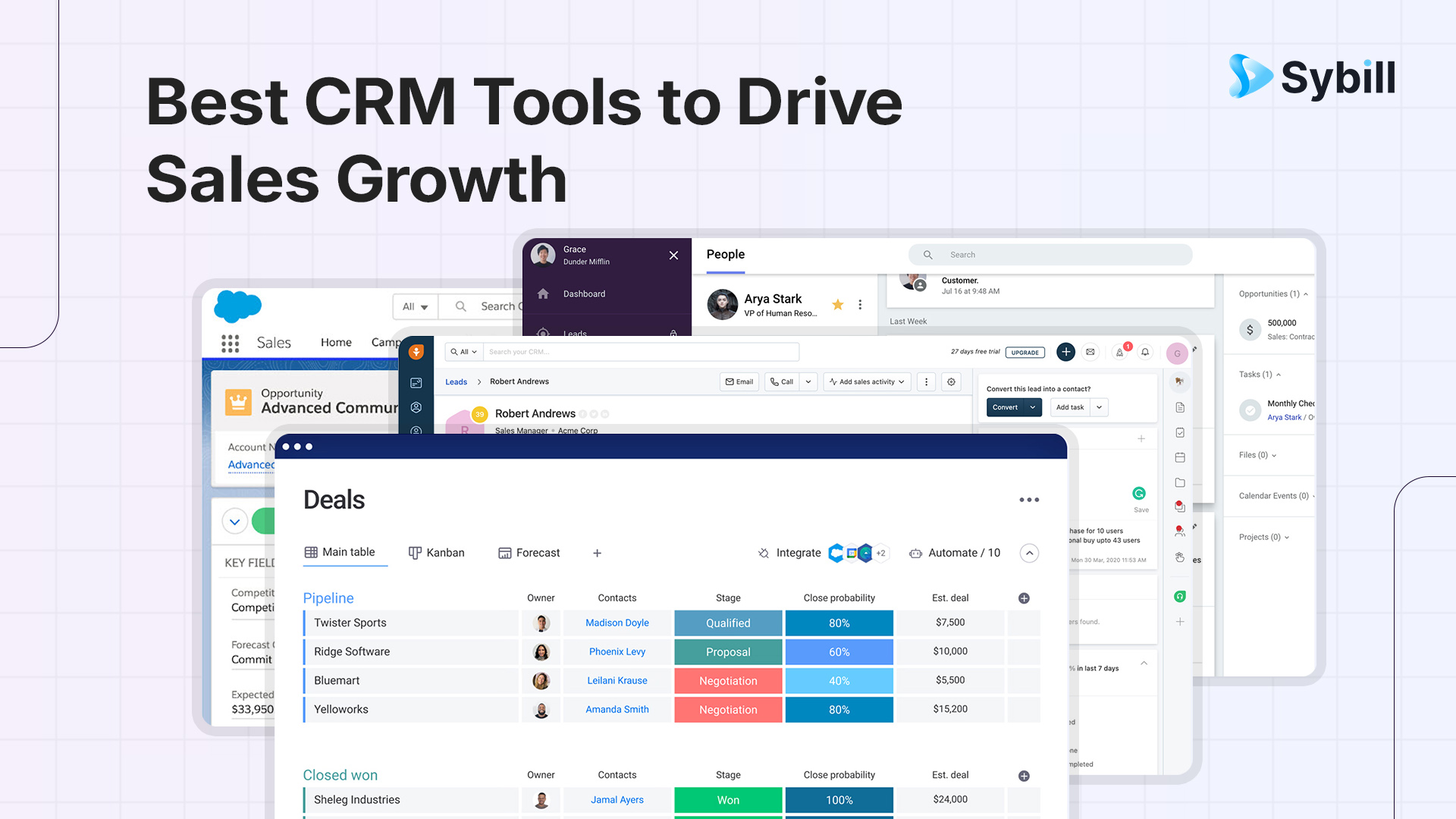
Your CRM is the backbone of your sales operation. It holds your pipeline, your relationships, your entire revenue engine. Pick the wrong one, and your reps spend more time fighting the software than closing deals. Pick the right one, and it quietly becomes the operating system your team can't live without.
But "right" depends on your team size, your sales motion, your budget, and how much you're willing to wrestle with configuration. The CRM market is projected to hit $163 billion by 2030, and the sheer number of options can paralyze even the most decisive sales leader.
This guide cuts through the noise. We break down the 10 best CRM tools for sales teams in 2026, covering what each one actually does well (and where it falls short), what it costs, and who it's built for. Whether you're a 3-person startup outgrowing spreadsheets or a 200-rep enterprise looking to consolidate, there's a fit here. And if you're already thinking about how to keep your CRM data accurate once you pick a platform, you'll want to read about CRM automation and why it matters more than the CRM itself.
A CRM (Customer Relationship Management) tool is software that centralizes every interaction your business has with prospects and customers into a single, searchable system. It replaces scattered spreadsheets, sticky notes, and tribal knowledge with a structured database that your entire team can access.
At a basic level, a CRM stores contact information and communication history. But modern CRM tools go much further. They automate follow-up sequences, score leads based on engagement signals, forecast revenue based on pipeline health, and surface insights that tell reps exactly where to spend their time.
For sales teams specifically, a CRM does three critical things. First, it provides pipeline visibility, giving managers and reps a real-time view of every deal, its stage, and its probability of closing. Second, it enables process consistency, ensuring every lead gets the same structured follow-up regardless of which rep owns it. Third, it creates institutional memory, so when a rep leaves or a deal resurfaces six months later, nothing falls through the cracks.
The best CRM tools in 2026 also integrate AI capabilities, from conversation intelligence and automated data entry to predictive deal scoring and next-best-action recommendations. This is where the category is evolving fastest, and it is worth paying attention to.
Before jumping into the list, it helps to know what separates a CRM that your team actually uses from one that becomes expensive shelfware. Here are the factors that matter most.
Team size and complexity. A 5-person sales team and a 200-rep enterprise have fundamentally different needs. Smaller teams need fast setup and intuitive interfaces. Larger organizations need role-based permissions, territory management, and multi-currency support. Buying too much CRM for your stage wastes money. Buying too little means you will be migrating again in 18 months.
Sales motion. Inbound-led teams need strong marketing integration and lead scoring. Outbound-heavy teams need built-in calling, email sequences, and activity tracking. Product-led growth companies need usage data piped into the CRM. Match the tool to how your team actually sells.
Integration ecosystem. Your CRM doesn't exist in isolation. It needs to play nicely with your email provider, calendar, marketing automation, conversation intelligence, billing system, and whatever else lives in your sales tech stack. Check the native integrations before you buy, not after.
AI and automation depth. In 2026, basic automation (like assigning leads or sending follow-up emails) is table stakes. What separates the best tools is how deeply AI is embedded. Can it summarize calls automatically? Score deals based on conversation signals? Flag at-risk opportunities before they slip? The more your CRM can reduce manual data entry and surface actionable insights, the higher your team's adoption will be.
Total cost of ownership. The sticker price on a CRM's website rarely reflects what you will actually pay. Factor in implementation, onboarding, add-ons, per-seat costs for different user types, and the admin resources required to keep the system running. A "cheap" CRM that needs a full-time admin and five add-ons can easily cost more than a premium option that works out of the box.
Best for: Mid-market to enterprise teams that need deep customization and a massive integration ecosystem.
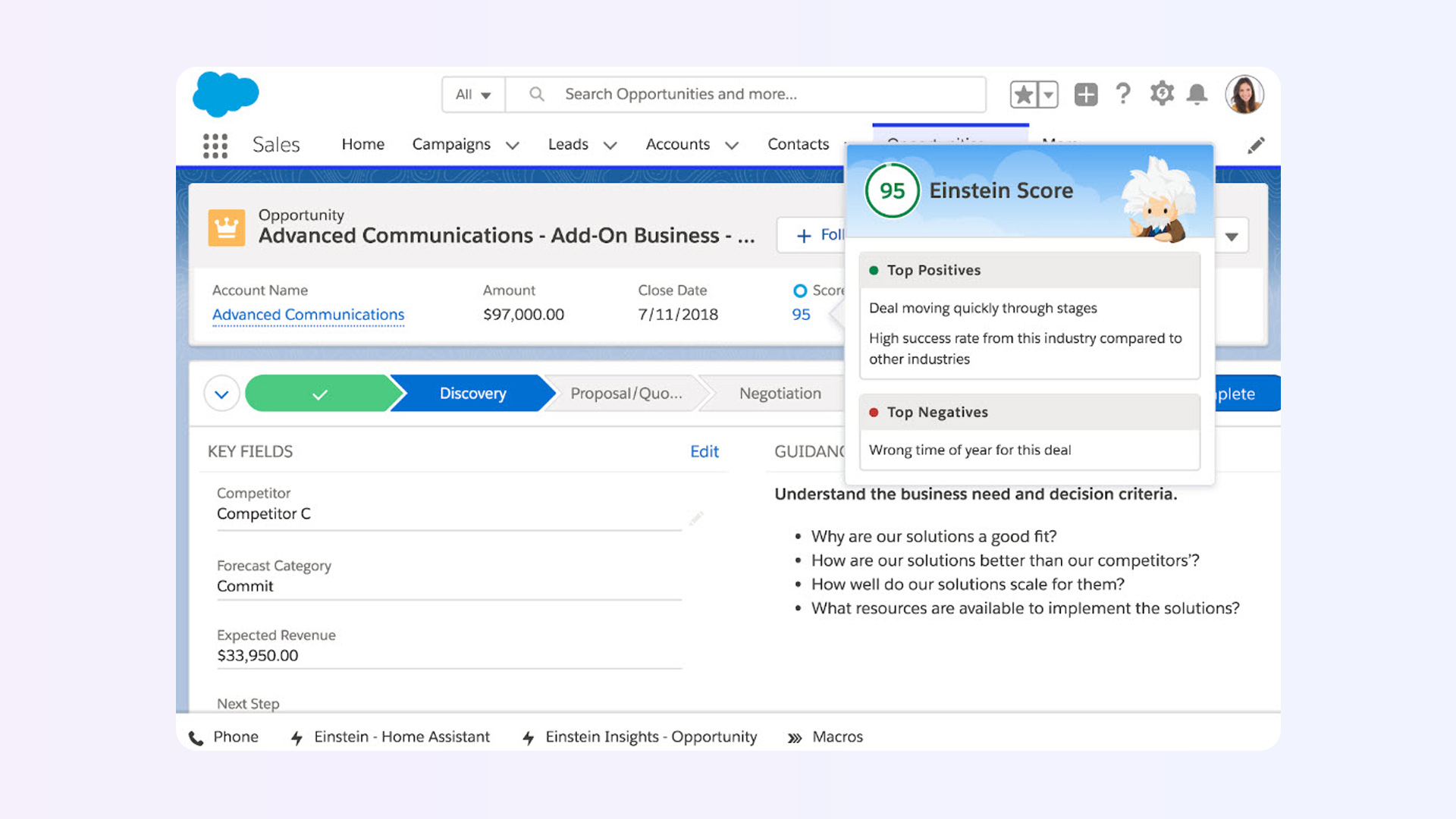
Salesforce remains the largest and most widely deployed CRM platform in the world, commanding roughly 22% of the global CRM market. Its strength lies in its extraordinary flexibility. If you can imagine a workflow, Salesforce can probably build it, either natively or through its AppExchange marketplace of thousands of third-party apps.
Sales Cloud, the core CRM product, covers lead and opportunity management, forecasting, territory management, and workflow automation. The Einstein AI layer adds predictive lead scoring, opportunity insights, and (with the newer Agentforce platform) autonomous AI agents that can handle routine tasks like data enrichment and follow-up scheduling. For teams running structured sales qualification frameworks like MEDDPICC, Salesforce's custom objects and fields provide the flexibility to build out every element of the methodology.
The trade-off is complexity. Salesforce is not a tool you set up over a weekend. Most implementations require a dedicated admin or consultant, and the learning curve for new reps is steeper than lighter-weight alternatives. Pricing also escalates quickly once you factor in add-ons, higher-tier features, and implementation costs.
Pros: Unmatched customization, enormous AppExchange ecosystem, industry-leading AI roadmap, scales to any team size.
Cons: Steep learning curve, high total cost of ownership (implementation often starts at $25,000+), requires dedicated admin, pricing tiers can be confusing.
Best for: SMBs and mid-market teams that want an all-in-one sales and marketing platform with a generous free tier.
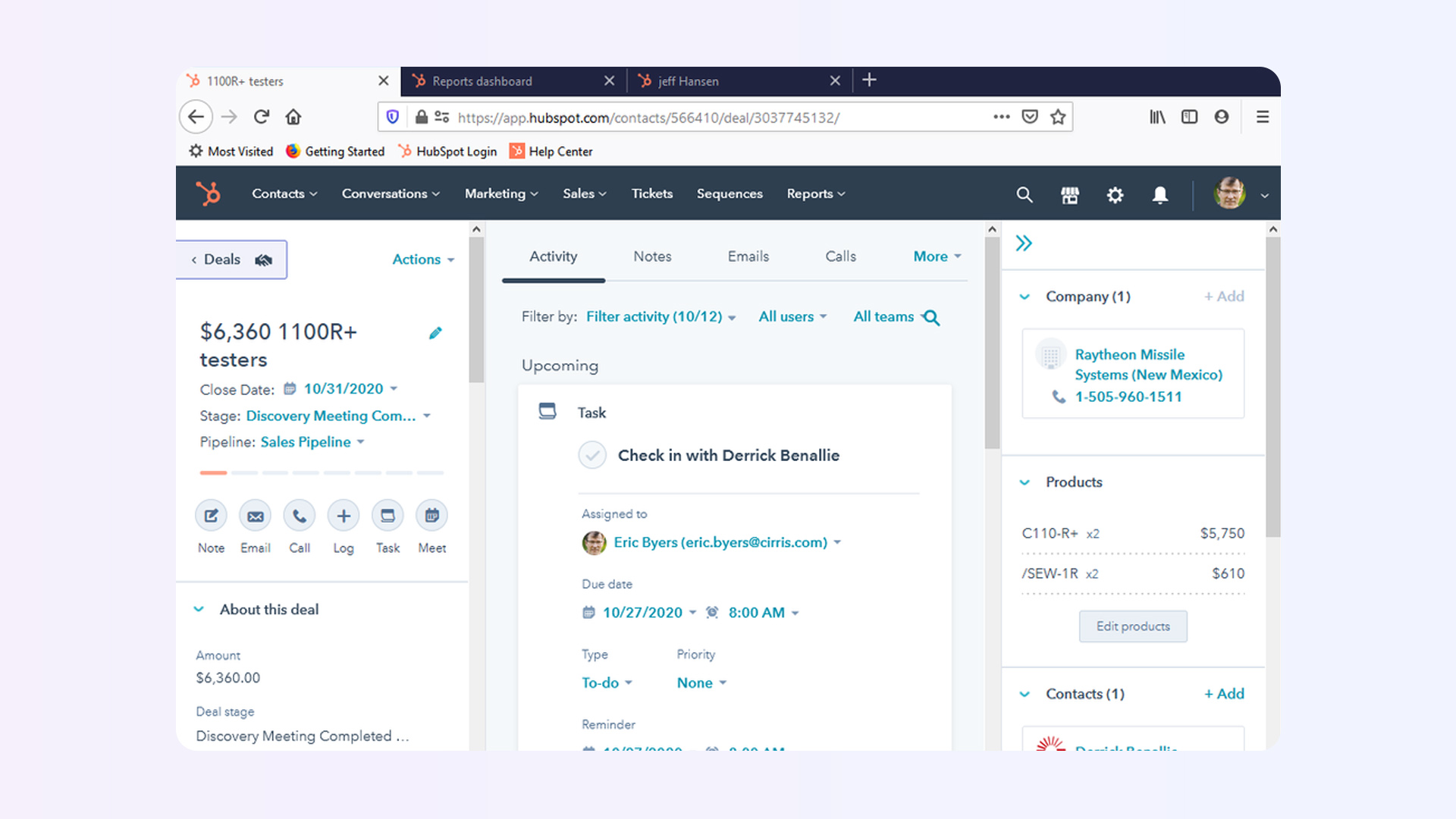
HubSpot is the CRM that made "freemium" work at scale. Its free CRM supports up to 1,000,000 contacts and gives small teams a genuinely usable system for pipeline management, email tracking, and basic reporting. It is also one of the easiest CRMs to learn, which drives high adoption rates even on teams with limited technical skills. For a deeper dive into its strengths and weaknesses, check out our full HubSpot pros and cons breakdown.
Where HubSpot really shines is the integration between its Sales Hub, Marketing Hub, Service Hub, and Content Hub. If your sales and marketing teams need to operate from a shared data layer (and they should), HubSpot makes that seamless in a way that most competitors require integrations and workarounds to achieve.
The catch is that HubSpot's costs escalate sharply at Professional and Enterprise tiers. Once you need advanced automation, custom reporting, or more than basic AI features, the monthly bill can surprise you, especially as you add marketing contacts and paid seats.
Pros: Generous free tier, excellent onboarding experience, tight marketing-sales alignment, intuitive interface.
Cons: Costs jump significantly at Professional/Enterprise tiers, onboarding fees required for higher plans ($4,500 to $12,000), advanced features gated behind expensive upgrades.
Best for: Budget-conscious SMBs that want enterprise-grade features without enterprise-grade pricing.
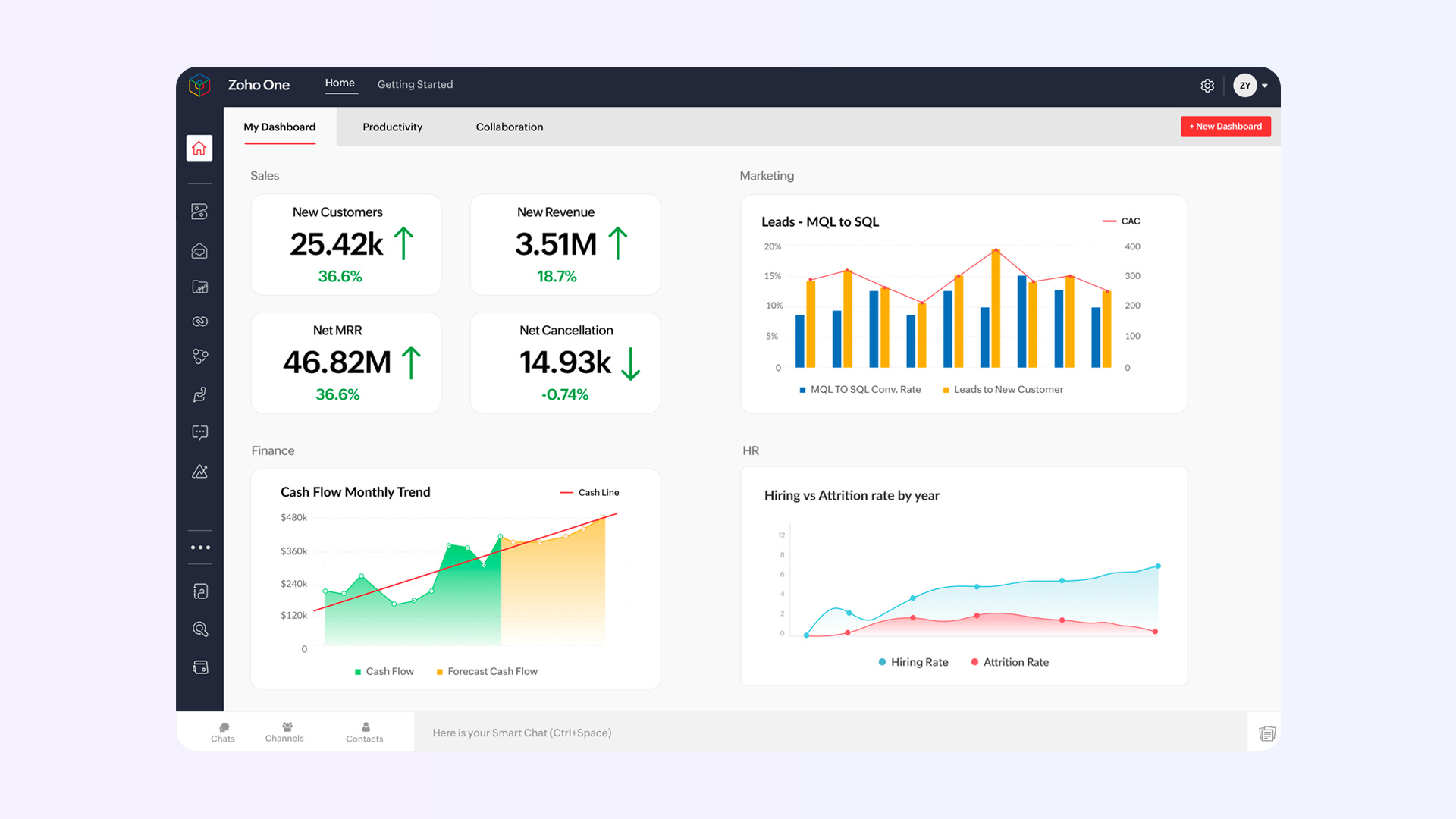
Zoho CRM is the value play in this list, and that is not a backhanded compliment. At $14/user/month for its Standard plan, it offers multiple pipelines, custom dashboards, forecasting, workflow automation, and lead scoring. Most competitors charge two to three times that for similar functionality.
The platform benefits from being part of the broader Zoho ecosystem, which includes 50+ business apps covering everything from email and project management to accounting and helpdesk. If you are willing to go all-in on Zoho, the integration between these tools is seamless and cost-effective.
The AI assistant, Zia, provides deal predictions, anomaly detection, email sentiment analysis, and best-time-to-contact recommendations starting at the Enterprise tier ($40/user/month). It is not as polished as Salesforce's Einstein, but at a fraction of the price, it is a compelling offering for growing teams.
Pros: Outstanding price-to-feature ratio, deep Zoho ecosystem integration, free plan for small teams, extensive customization at higher tiers.
Cons: UI can feel cluttered, steeper learning curve during initial setup, customer support responsiveness varies by plan tier, third-party integrations not as seamless as HubSpot or Salesforce.
Best for: Sales-first teams of 5 to 50 reps that want a visual, activity-based CRM with minimal setup friction.
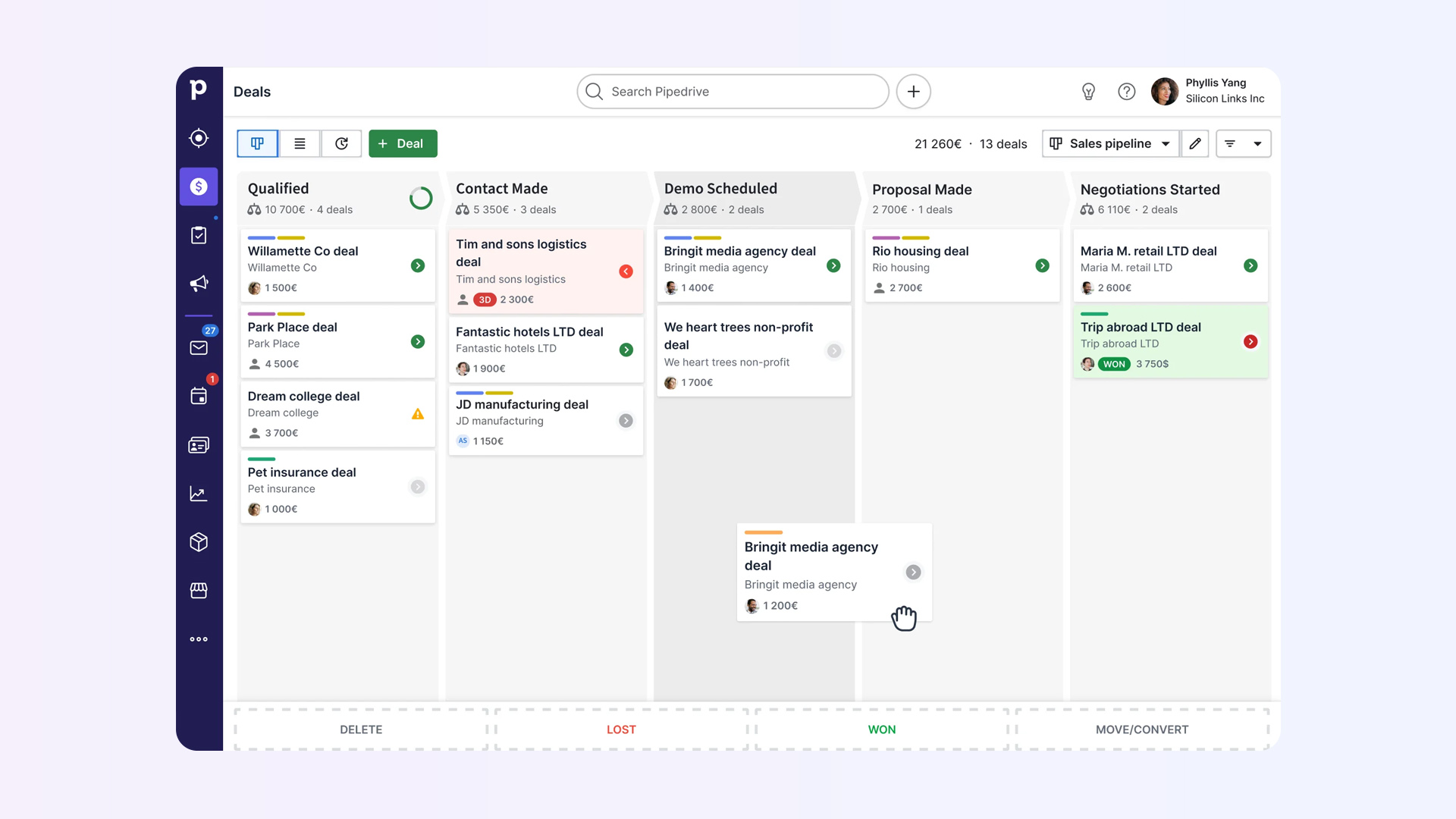
Pipedrive was built by salespeople for salespeople, and it shows. The entire product is organized around a visual pipeline that makes it immediately obvious which deals need attention, which are stalling, and what the next action should be. If your team's CRM philosophy is "just let me see my deals and tell me what to do next," Pipedrive nails it.
The platform introduced a restructured pricing model in early 2026, consolidating its tiers into four plans: Lite, Growth, Premium, and Ultimate. The Lite plan at $14/user/month is genuinely useful for basic pipeline management, though most teams will want Growth ($39/user/month) for email sync, automation templates, and smart contact enrichment.
Pipedrive's limitation is scope. It is a sales CRM, full stop. If you need marketing automation, customer service ticketing, or deep reporting beyond sales metrics, you will need to integrate third-party tools or look elsewhere.
Pros: Intuitive visual pipeline, fast setup, excellent mobile app, 500+ integrations, transparent pricing with no hidden fees.
Cons: No free plan, limited marketing and service capabilities, advanced reporting locked behind higher tiers, automation depth lags behind HubSpot and Salesforce.
Best for: Cross-functional teams that need CRM flexibility built on top of a visual work management platform.
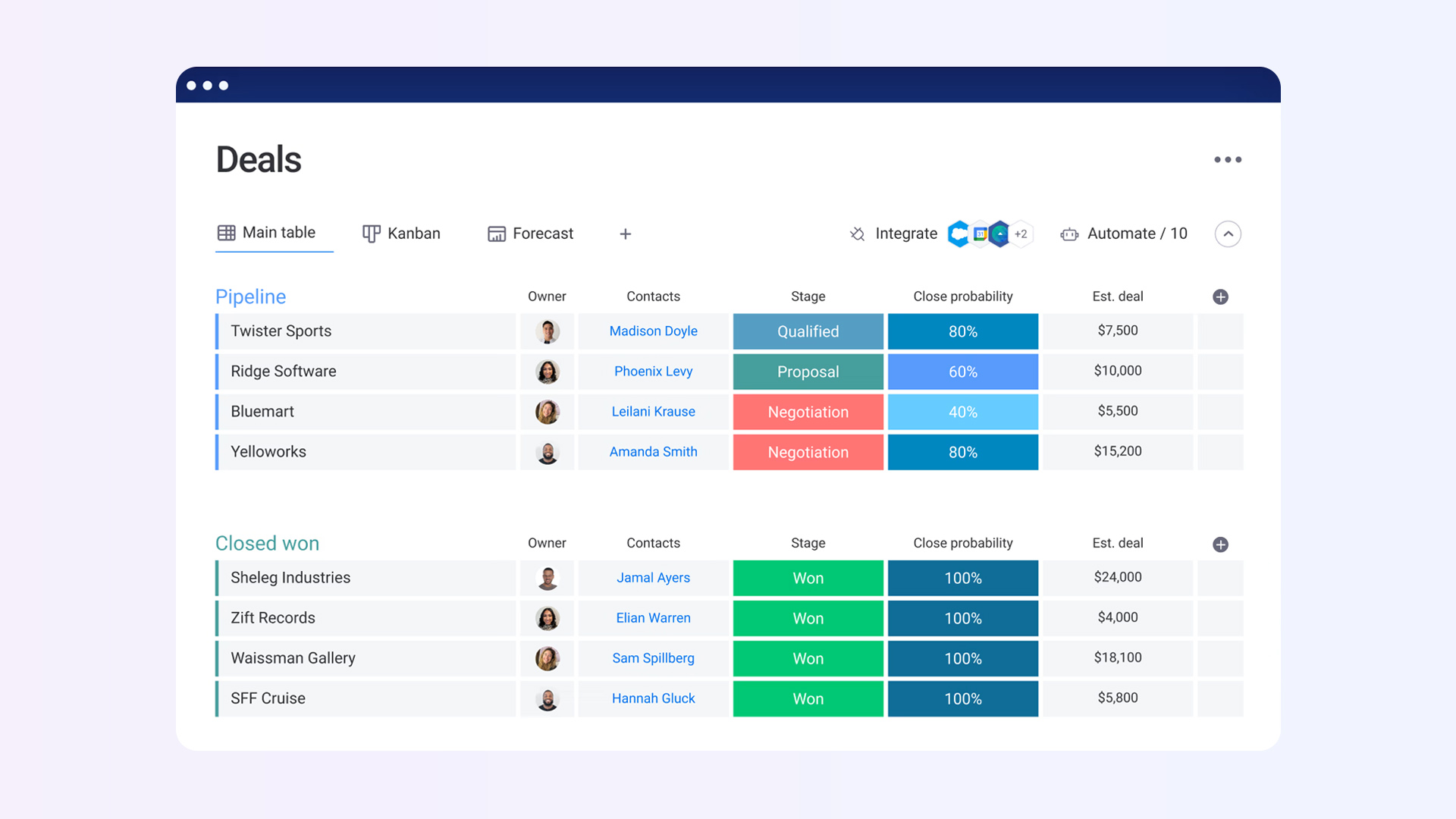
Monday Sales CRM is what happens when a project management tool evolves into a CRM, and in this case, the origin story is actually an advantage. Built on Monday.com's Work OS, it offers a level of visual customization that traditional CRMs struggle to match. You can switch between kanban boards, Gantt charts, calendars, and table views depending on what insight you need at any given moment.
The real selling point is cross-functional alignment. Since Monday.com also handles project management, marketing workflows, and service operations, a closed deal can automatically create an onboarding project board, assign tasks to the CS team, and trigger welcome emails, all without leaving the platform. For teams thinking about how to improve customer onboarding as a revenue lever, this kind of seamless handoff matters.
The trade-off is that Monday Sales CRM is more of a "build your own CRM" experience. It is enormously flexible, but it requires upfront investment in designing your boards, automations, and workflows. Teams that prefer opinionated, out-of-the-box CRM structures may find the blank canvas overwhelming.
Pros: Highly visual and customizable, excellent cross-functional workflows, competitive pricing, strong mobile app, seamless integration with Monday.com ecosystem.
Cons: 3-seat minimum on all paid plans, CRM-specific features (forecasting, territory management) less mature than dedicated CRMs, requires design effort upfront, add-on costs for AI features.
Best for: Growing SMBs that want AI-powered lead scoring and built-in communication tools without Salesforce-level complexity.
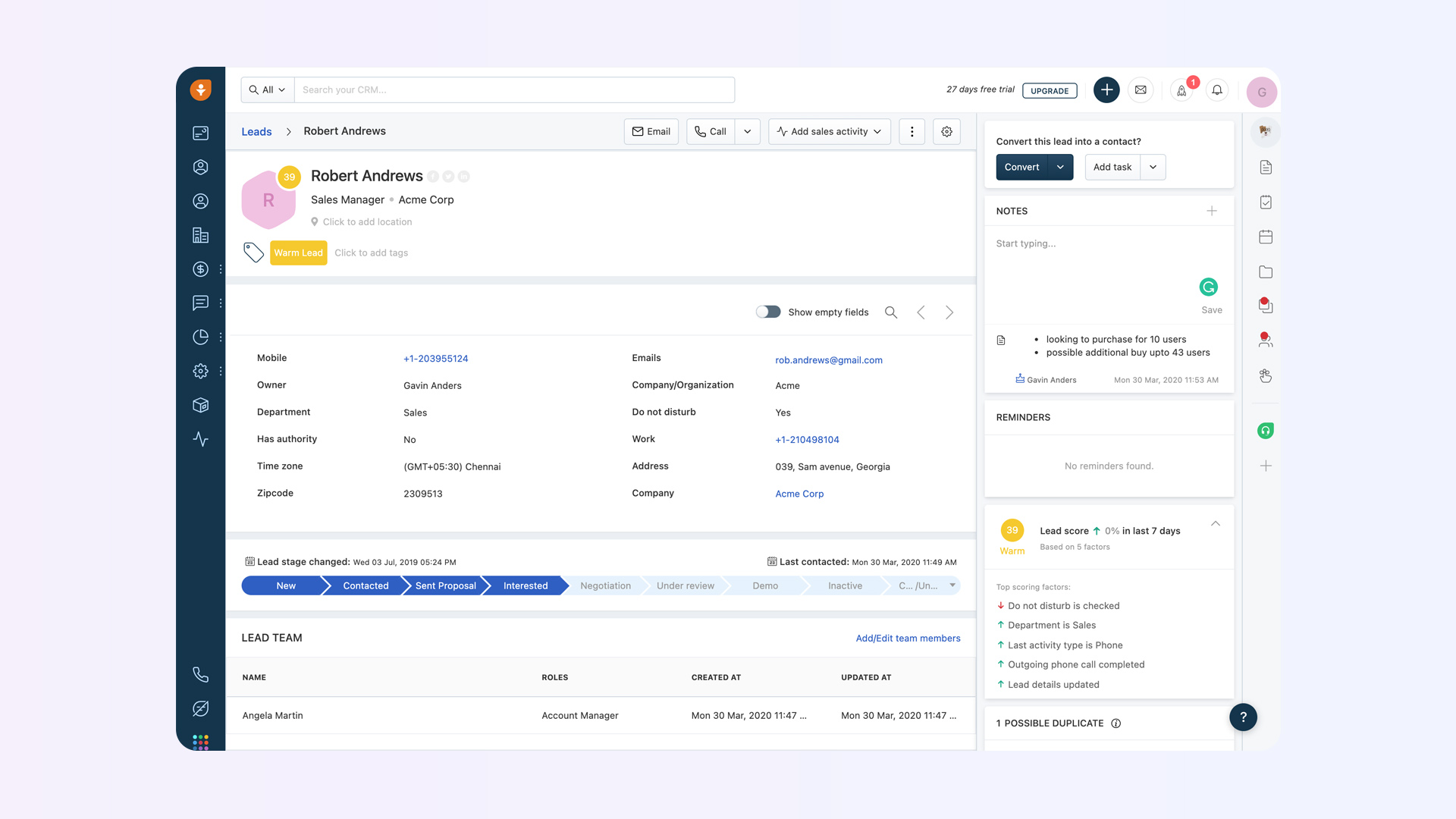
Freshsales emerged from Freshworks' customer service roots, and it brings that same emphasis on usability and affordability to sales CRM. The standout feature is Freddy AI, which provides deal insights, customer scoring, next-best-action suggestions, and conversation intelligence at price points that undercut most competitors.
The platform also includes built-in phone, email, and chat, meaning you do not need to bolt on a separate communication tool or pay for a dialer integration. For teams that do a lot of outbound calling, this alone can justify the price of admission.
Freshsales integrates naturally with the broader Freshworks suite (Freshdesk for support, Freshmarketer for marketing automation), which is a genuine advantage for companies already in the ecosystem. Outside of it, though, third-party integrations are not as extensive as Salesforce, HubSpot, or Pipedrive.
Pros: Competitive pricing with generous free tier, built-in phone and email, strong AI features (Freddy), clean and intuitive interface.
Cons: Fewer third-party integrations than competitors, some key features (like Freshdesk sync) only available on Pro+, reporting depth limited on lower tiers, smaller community and ecosystem.
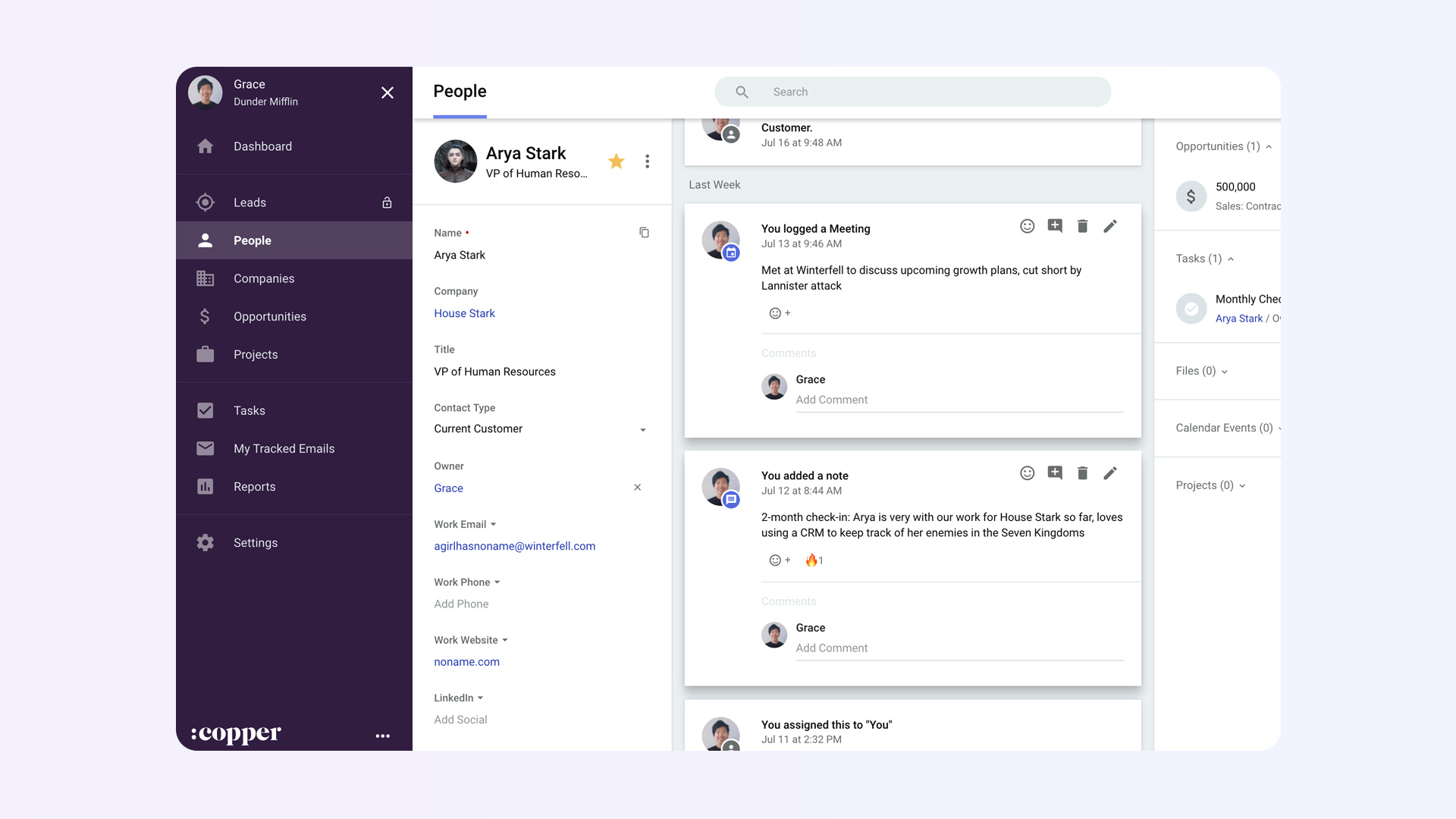
Best for: Google Workspace-native teams that want CRM embedded directly in Gmail.
Copper's entire value proposition is one sentence: if your team lives in Gmail, Copper lives there too. Rather than forcing reps to switch between their inbox and a separate CRM, Copper embeds itself as a Chrome extension that surfaces contact details, deal information, and task management right inside Gmail and Google Calendar.
This approach eliminates one of the biggest CRM adoption killers, the context switch. Reps see CRM data in the tool they already spend their day in, and Copper automatically captures emails, contacts, and calendar events without manual logging. For Google Workspace-first organizations, this frictionless integration is a significant advantage.
The limitation is the flip side of its strength. If your organization uses Microsoft 365 or Outlook, Copper offers no native support. And even within the Google ecosystem, Copper's feature depth in areas like reporting, automation, and AI trails behind more mature platforms.
Pros: Seamless Gmail and Google Workspace integration, automatic email and calendar capture, minimal training required, clean interface.
Cons: No support for Microsoft 365/Outlook, limited automation and reporting compared to competitors, higher pricing for what you get, contact limits on lower tiers.
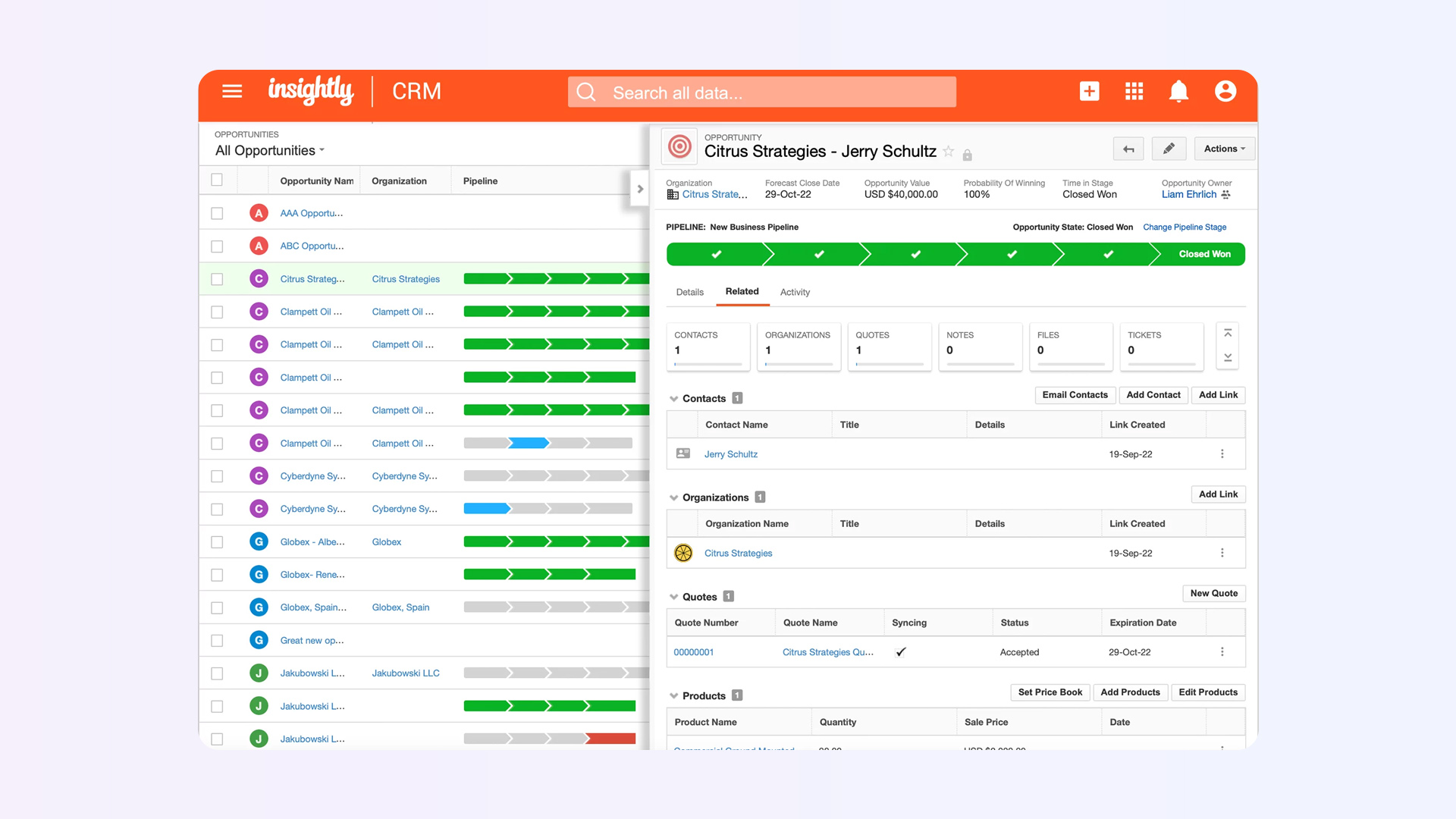
Best for: Service businesses, agencies, and consultancies that need CRM and project management in one platform.
Insightly occupies an interesting niche: it bridges the gap between closing a deal and delivering on it. Most CRMs end their usefulness at "closed-won," but Insightly lets you convert a won opportunity directly into a project with tasks, milestones, and deliverables, all within the same system.
For agencies, consultancies, and professional services firms where the handoff from sales to delivery is a critical moment, this continuity is genuinely valuable. It reduces the information loss that happens when deals move from CRM to a separate project management tool. If customer retention and expansion are priorities for your revenue model, having the post-sale workflow connected to the pre-sale context makes a measurable difference.
The CRM functionality itself is solid if not spectacular. You get standard pipeline management, lead routing, workflow automation, and email tracking. Reporting is comprehensive, though building complex custom reports requires some technical comfort.
Pros: Unique CRM-to-project-management workflow, strong relationship linking, solid reporting, integrates well with Google Workspace and Microsoft 365.
Cons: Mobile app less polished than competitors, UI feels dated compared to newer CRMs, steeper learning curve for the project management side, smaller integration marketplace.
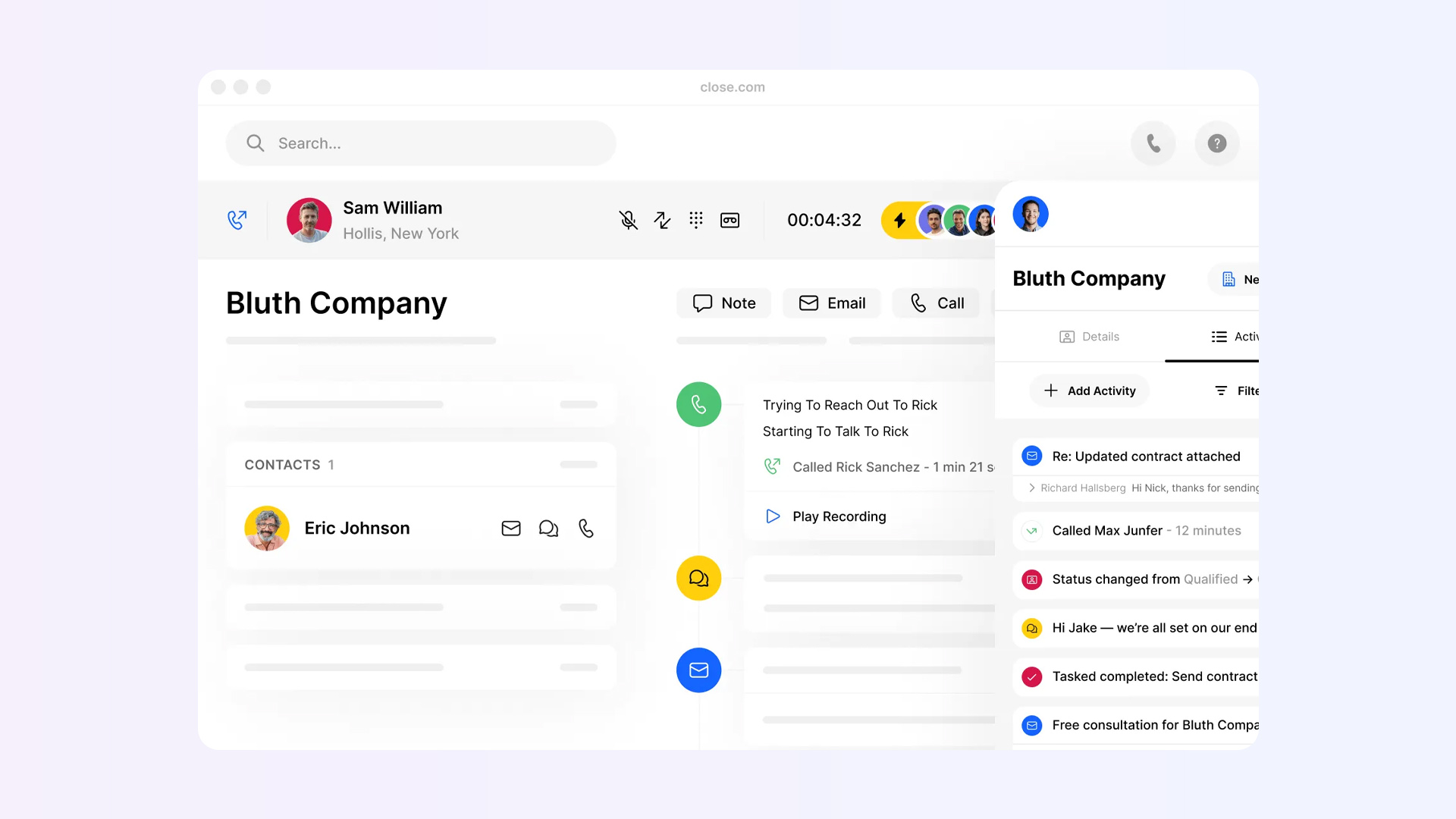
Best for: Outbound-heavy sales teams that want a CRM with native calling, SMS, and email sequences built in.
Close was built specifically for inside sales teams that spend their days on the phone and in their inbox. Its defining feature is a native power dialer and predictive dialer built directly into the CRM. No third-party VoIP integration needed, no Zapier workarounds. You make calls, send emails, and fire off SMS messages without ever leaving the CRM.
The platform also includes sales email sequences with automatic follow-ups, call recording and logging, and a clean pipeline view. For SDR and BDR teams focused on high-volume outbound, Close removes the tool fragmentation that plagues most sales stacks.
The downside is accessibility. Close's pricing starts at $99/month for 3 seats (a mandatory minimum), which makes it expensive for solopreneurs or very small teams. The platform also leans heavily toward outbound motions; if your sales process is primarily inbound or product-led, you may find the feature set misaligned.
Pros: Best-in-class native calling/SMS, built-in email sequences, minimal tool switching, excellent for high-volume outbound, strong API.
Cons: 3-seat minimum makes it pricey for small teams, less suited for inbound or product-led motions, limited marketing features, iOS-only mobile app (as of early 2026).
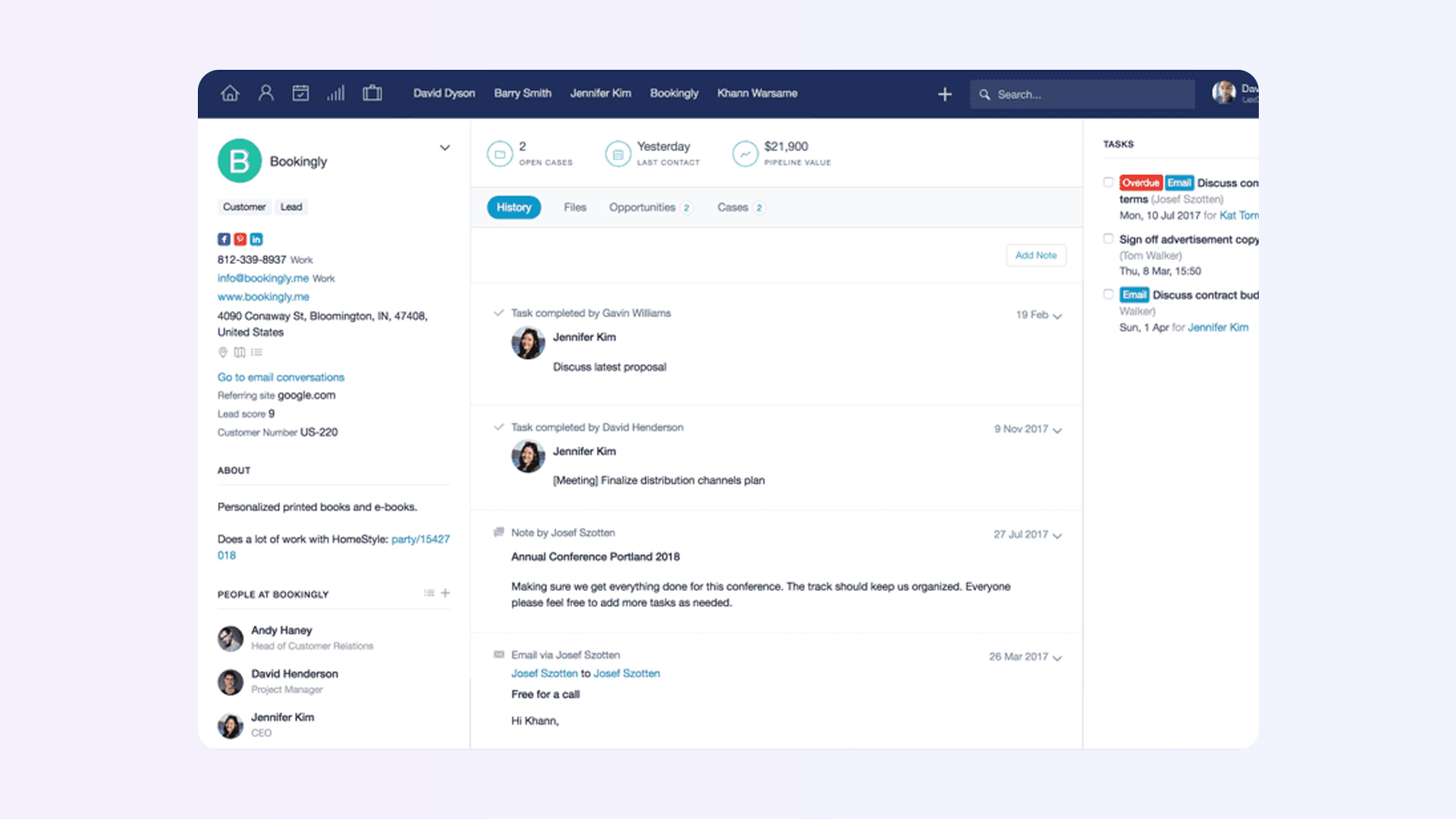
Best for: Small businesses and solo consultants who want a clean, simple CRM without feature bloat.
Not every team needs a CRM that does everything. Capsule is built for people who want to track contacts, manage a pipeline, and stay organized without getting buried in features they will never use. It is the CRM equivalent of a well-organized notebook: simple, reliable, and never in the way.
The free plan supports up to 2 users with 250 contacts, which is enough for a solo consultant to test the waters. Paid plans add workflow automation, project tracking, advanced reporting, and integrations with tools like Xero, Mailchimp, and Google Workspace.
Capsule will not win any awards for AI innovation or enterprise scalability. That is by design. It is for the business that needs a CRM that works, not a CRM that tries to be an entire business platform.
Pros: Clean and distraction-free interface, fast setup, strong free plan for individuals, integrated project tracking, affordable pricing.
Cons: Limited automation compared to competitors, not suitable for complex sales processes, smaller integration ecosystem, reporting is basic on lower tiers.
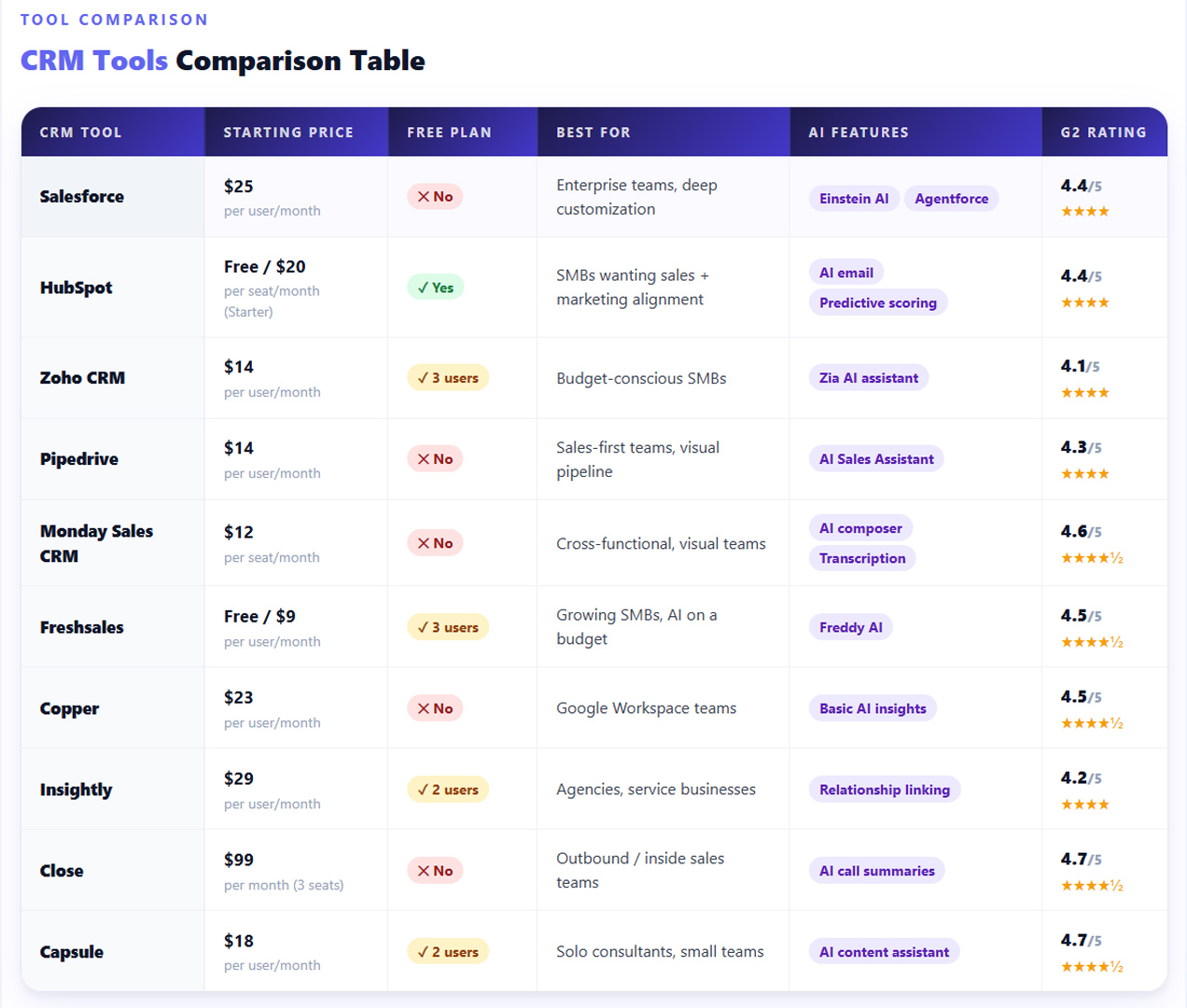
Here is something most CRM comparison articles will not tell you: the biggest problem with CRM tools is not the tool itself. It is the data.
Sales reps hate manual data entry. Studies consistently show that reps spend only about 28% of their time actually selling, with the rest eaten up by admin tasks, CRM updates, and internal meetings. When reps skip CRM updates (and they will), your pipeline data becomes unreliable, your sales forecasts become fiction, and your "single source of truth" becomes a single source of guesswork.
This is exactly the problem that Sybill solves.
Sybill is an AI sales intelligence platform that sits on top of your CRM and automates the work your reps dread most. It joins your sales calls, generates accurate summaries and follow-up emails, auto-fills CRM fields based on what was actually discussed in the conversation, and updates deal stages without anyone lifting a finger.
Think of it this way: your CRM is the database. Sybill is the intelligence layer that keeps that database honest, current, and actually useful.
Here is what Sybill does that your CRM alone cannot:
AI-generated call summaries. Every sales call gets an automatic summary, capturing key discussion points, objections, next steps, and buyer sentiment. No more relying on rep memory or scribbled notes.
Automatic CRM updates. Sybill listens to conversations and updates your CRM fields, deal stages, and contact records based on what was actually said. If a prospect mentions their budget, timeline, or decision-making process, Sybill captures it and logs it where it belongs. It supports structured frameworks like MEDDPICC and BANT natively, so qualification data stays current without rep effort.
Follow-up emails in seconds. After every call, Sybill drafts a personalized follow-up email based on the conversation. Reps review, tweak if needed, and send. What used to take 15 minutes now takes 30 seconds.
Deal intelligence. Sybill analyzes conversation patterns across your pipeline to flag deals that are at risk, highlight buying signals you might have missed, and give managers visibility into what is actually happening in their team's deals, not just what reps report.
Works with your existing CRM. Sybill integrates with Salesforce, HubSpot, and other major CRMs. It is not a replacement; it is the upgrade that makes your CRM investment actually pay off.
Get started for free with Sybill and see how much time your team gets back when the CRM updates itself.
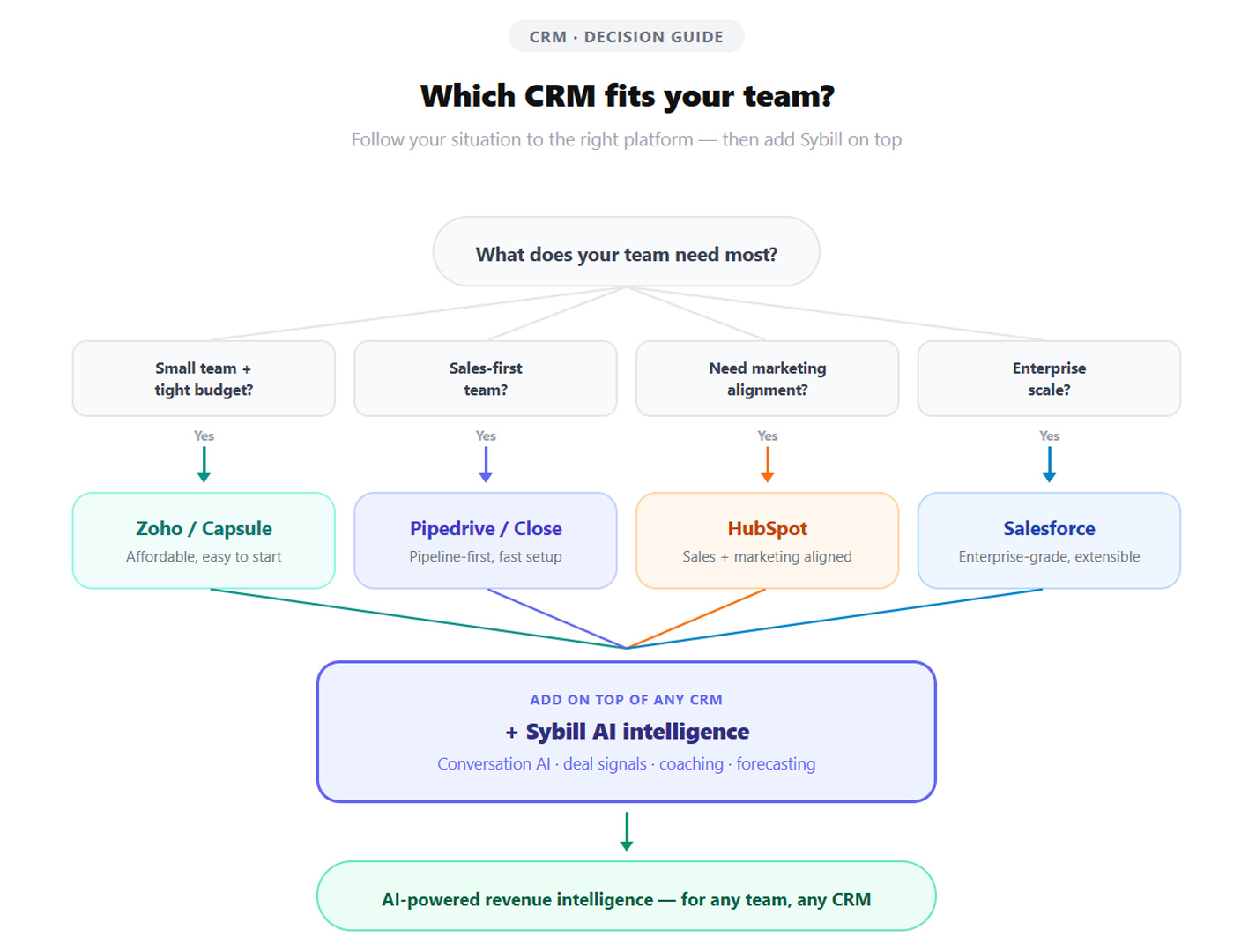
For small businesses on a tight budget, Zoho CRM and HubSpot's free tier are the strongest starting points. Zoho offers more built-in features at lower price points, while HubSpot provides a smoother onboarding experience and better marketing integration. If your team is under 5 people and you just need to get organized, Capsule's simplicity is hard to beat.
It depends on your sales motion. For visual pipeline management and ease of use, Pipedrive and Monday Sales CRM are top picks. For outbound-heavy inside sales, Close's native dialer and email sequences are unmatched. For enterprise-scale operations, Salesforce remains the industry standard. Pairing any of these with an AI sales assistant like Sybill ensures your CRM data stays accurate without burdening reps with manual updates.
CRM pricing ranges from free to several hundred dollars per user per month. Entry-level plans typically cost $12 to $25 per user monthly. Mid-tier plans with automation and AI features run $30 to $100 per user monthly. Enterprise plans with advanced customization and support can exceed $150 per user monthly. Always factor in implementation costs, onboarding fees, and add-ons when calculating your true budget. For a deeper look at how quote-to-cash processes affect your total CRM investment, consider the full revenue cycle.
Yes. Tools like Pipedrive, Capsule, and Monday Sales CRM are designed for non-technical users and require minimal training. HubSpot and Freshsales also provide strong onboarding experiences with guided setup wizards. More complex platforms like Salesforce and Zoho CRM typically benefit from a dedicated admin, at least during the initial setup phase.
A CRM is a database and workflow system for managing customer relationships. It stores contacts, tracks deals, and automates processes. A sales intelligence tool like Sybill works alongside your CRM to capture insights from conversations, automate data entry, and surface deal intelligence. The CRM is where data lives. The sales intelligence layer is what keeps that data accurate, current, and actionable.
In 2026, AI is becoming essential rather than optional. CRM tools with built-in AI help reps prioritize leads, automate routine tasks, and get coaching insights. However, the most impactful AI capabilities, like automatic call summarization, CRM field auto-population, and conversation-based deal scoring, often come from specialized tools like Sybill that integrate with your CRM rather than from the CRM itself.
Every CRM on this list can manage contacts and track deals. That is the baseline. What separates the right choice from the wrong one is how well the tool matches your team's actual workflow, how deeply it integrates with the rest of your stack, and how much time it saves (or wastes) on a daily basis.
Pick a CRM that your reps will actually use. Then make it smarter by layering on AI tools like Sybill that eliminate the manual work holding your team back. Because the best CRM in the world is useless if the data inside it is three weeks old and half-complete.
Get started for free with Sybill and turn your CRM from a reporting tool into a revenue engine.
For small businesses on a tight budget, Zoho CRM and HubSpot's free tier are the strongest starting points. Zoho offers more built-in features at lower price points, while HubSpot provides a smoother onboarding experience and better marketing integration. If your team is under 5 people and you just need to get organized, Capsule's simplicity is hard to beat.
It depends on your sales motion. For visual pipeline management and ease of use, Pipedrive and Monday Sales CRM are top picks. For outbound-heavy inside sales, Close's native dialer and email sequences are unmatched. For enterprise-scale operations, Salesforce remains the industry standard. Pairing any of these with an AI sales assistant like Sybill ensures your CRM data stays accurate without burdening reps with manual updates.
CRM pricing ranges from free to several hundred dollars per user per month. Entry-level plans typically cost $12 to $25 per user monthly. Mid-tier plans with automation and AI features run $30 to $100 per user monthly. Enterprise plans with advanced customization and support can exceed $150 per user monthly. Always factor in implementation costs, onboarding fees, and add-ons when calculating your true budget. For a deeper look at how quote-to-cash processes affect your total CRM investment, consider the full revenue cycle.








